

Poor maintenance tracking is a major cause of equipment failures.
When asset information is scattered and failures are recorded inconsistently, production lines can lose hours each week. These issues only grow as they spread across multiple lines, shifts, and sites.
Maintenance tracking software solves this by giving teams a clear and accurate view of asset history, work orders, and failure events. This article reviews the seven best maintenance tracking software, so you can choose the right one for your business.
What Is Maintenance Tracking Software?
Maintenance tracking software is a system that records, organises, and monitors all maintenance activity across equipment, teams, and sites. It replaces inconsistent logs and isolated tools with one platform where every work order, inspection, repair, and asset update is captured in a structured way.
The software gives operations a reliable record of what was done, who completed it, which asset was involved, and why the work was needed. This creates a single source of truth for maintenance planning, workload visibility, and long-term asset decisions.
A maintenance tracking system typically includes:
- Centralised asset records with full service history
- Work order creation, assignment, and status tracking
- Parts and inventory usage are connected to each job
- Mobile access for technicians
- Clear timelines showing activity across shifts and lines
Instead of searching through emails or handwritten notes to understand past work, teams can view accurate histories, identify recurring issues, and plan maintenance based on real data.
Types of Maintenance Tracking Software
Knowing the main types helps you decide what level of maintenance software you need:
Spreadsheet-Based or Lightweight Task Tools
Many teams start with spreadsheets, shared folders, or simple task apps to track maintenance requests. They offer basic logging, maintenance checklists, and status tracking, but they lack:
- Asset-level history
- Preventive maintenance automation
- Parts and inventory control
- Technician assignment and workload visibility
These tools work only for very small teams with low maintenance volume. Once equipment scales or multiple shifts are involved, the lack of structure causes missed work, repeated failures, and unreliable records.
Computerised Maintenance Management System (CMMS)
A CMMS is the most common form of maintenance tracking software. It centralises assets, work orders, inventory, and histories in one system. CMMS programs fit most manufacturing, facilities, utilities, and service environments that need structured tracking and task ownership.
Enterprise Asset Management (EAM)
EAM systems extend beyond daily maintenance. They support the full asset lifecycle from acquisition to replacement and are designed for large enterprises.
They are useful for organisations that need tight links between maintenance, finance, projects, and long-term asset planning.
IoT and Condition-Based Solutions
These tools connect sensors and equipment data to maintenance workflows. They monitor conditions like vibration, temperature, or runtime and trigger maintenance when thresholds are met.
Top Maintenance Tracking Software Tools in 2026
Below are the leading maintenance tracking software used across manufacturing, utilities, facilities, and other asset-intensive operations:
Makula
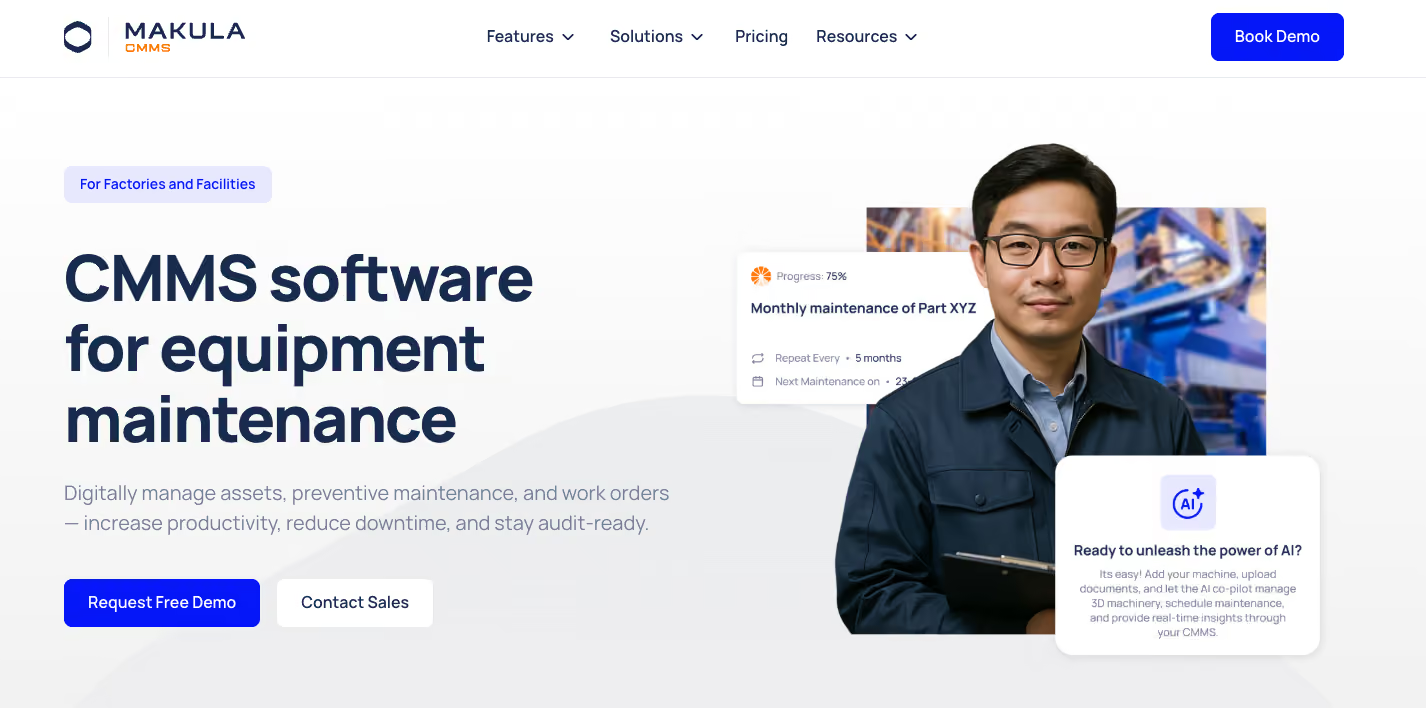
Makula is a maintenance tracking and computerised maintenance management system (CMMS) built for asset-intensive operations. It brings work orders, asset history, downtime events, parts, inspections, and analytics into one system, so maintenance teams can see what is happening, where, and why.
Supervisors get live visibility into open work, overdue tasks, and failure patterns. Technicians work from a mobile app, logging work at the point of service instead of after the shift.
Here are Makula’s key features that help manufacturing plants improve equipment reliability and traceability:
Centralised Asset Management for Maintenance Teams
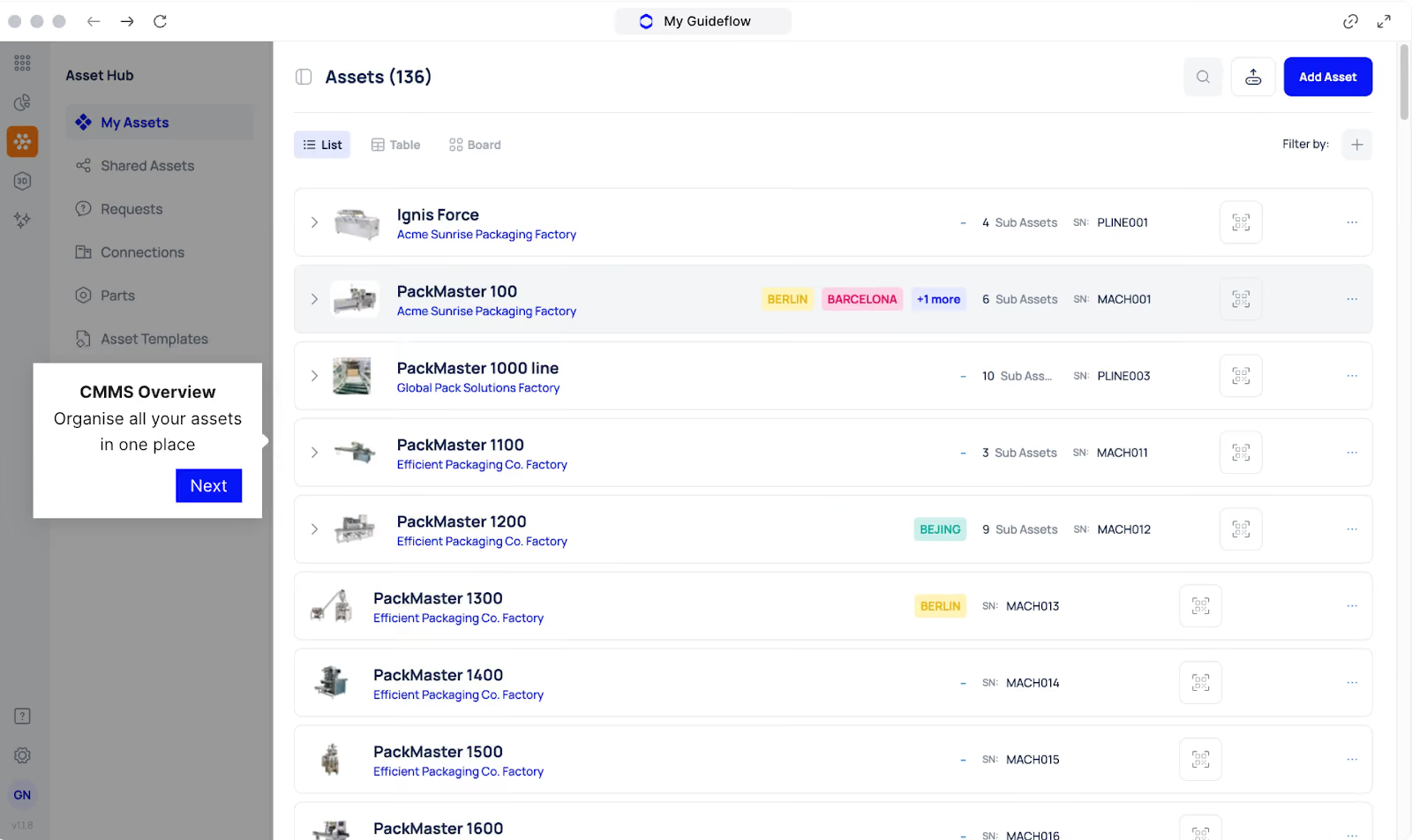
In many manufacturing plants, asset data is scattered across different systems, local files, and maintenance notes. This makes it difficult to see recent failures, active work, and maintenance status for a specific machine or line.
Makula’s Asset Management stores information for every asset in a single place. Each asset profile links technical data, service history, and upcoming work so planners and supervisors can review status in seconds instead of piecing it together manually.
Asset Management allows you to:
- Maintain a register of all assets, locations, and lines
- View complete work history, including corrective and preventive jobs
- Attach manuals, procedures, photos, and diagrams
- See linked parts, meters, and operating parameters
- Check upcoming work orders and inspections for each asset
This gives maintenance and operations a shared source of truth for asset condition and workload.
Work Orders for Corrective and Preventive Tasks
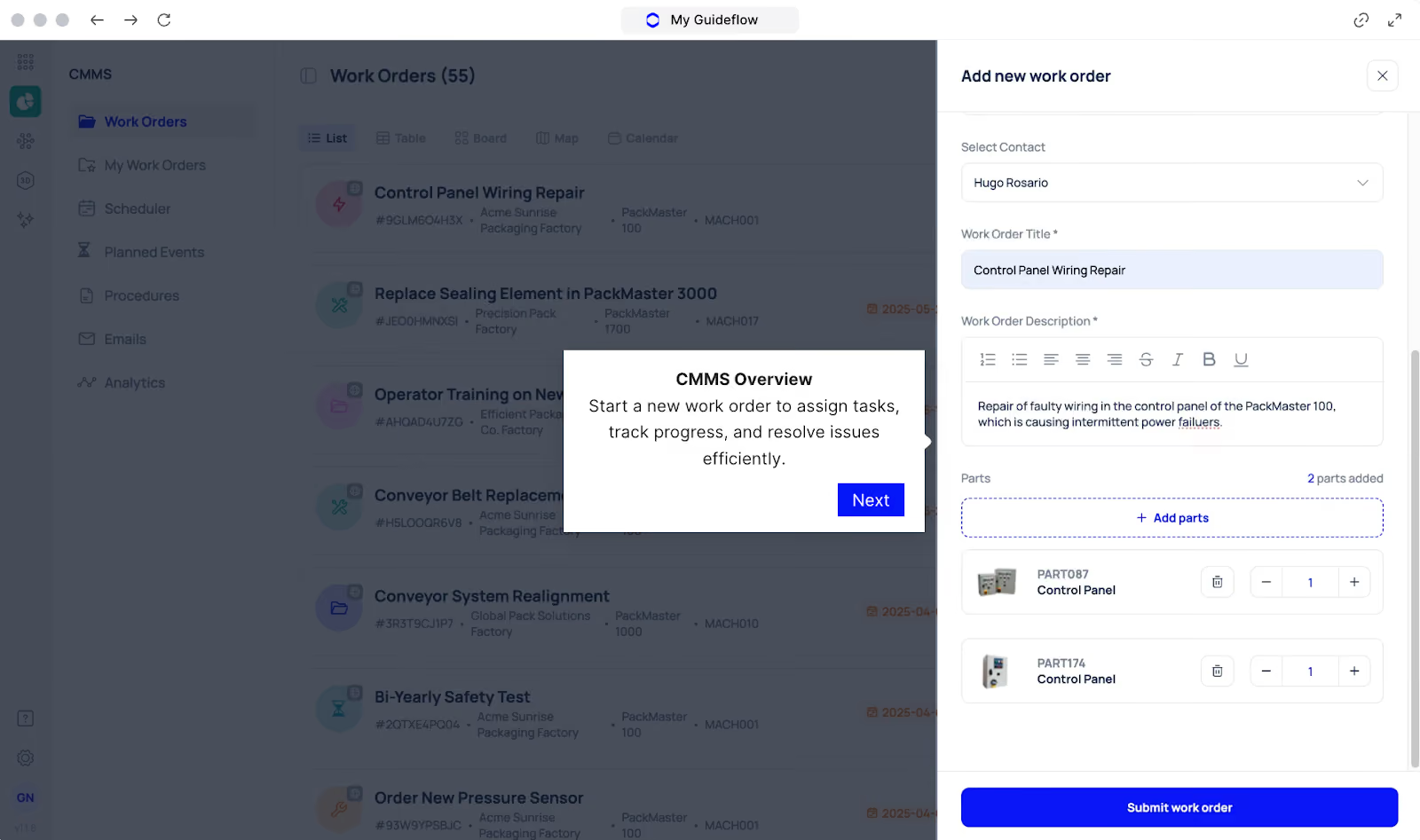
When work requests arrive by email or chat, it is hard to prioritise, assign, and track them. Issues are easy to lose, and there is little traceability once the job is closed.
Makula structures all maintenance activity as work orders with ownership and status. Requests can be logged from the floor, converted into work orders, and routed to the right technician or team based on asset, location, and priority.
Each work order in Makula captures:
- Asset, location, and requester details
- Work type (corrective, preventive, inspection, calibration, etc.)
- Priority, due date, and estimated duration
- Linked checklists, procedures, and safety notes
- Parts, tools, and documents required for the job
Supervisors can see which work is pending, in progress, or overdue. Technicians see only the work assigned to them, with everything needed to complete the job and close it with full traceability.
Mobile CMMS for On-Site Execution
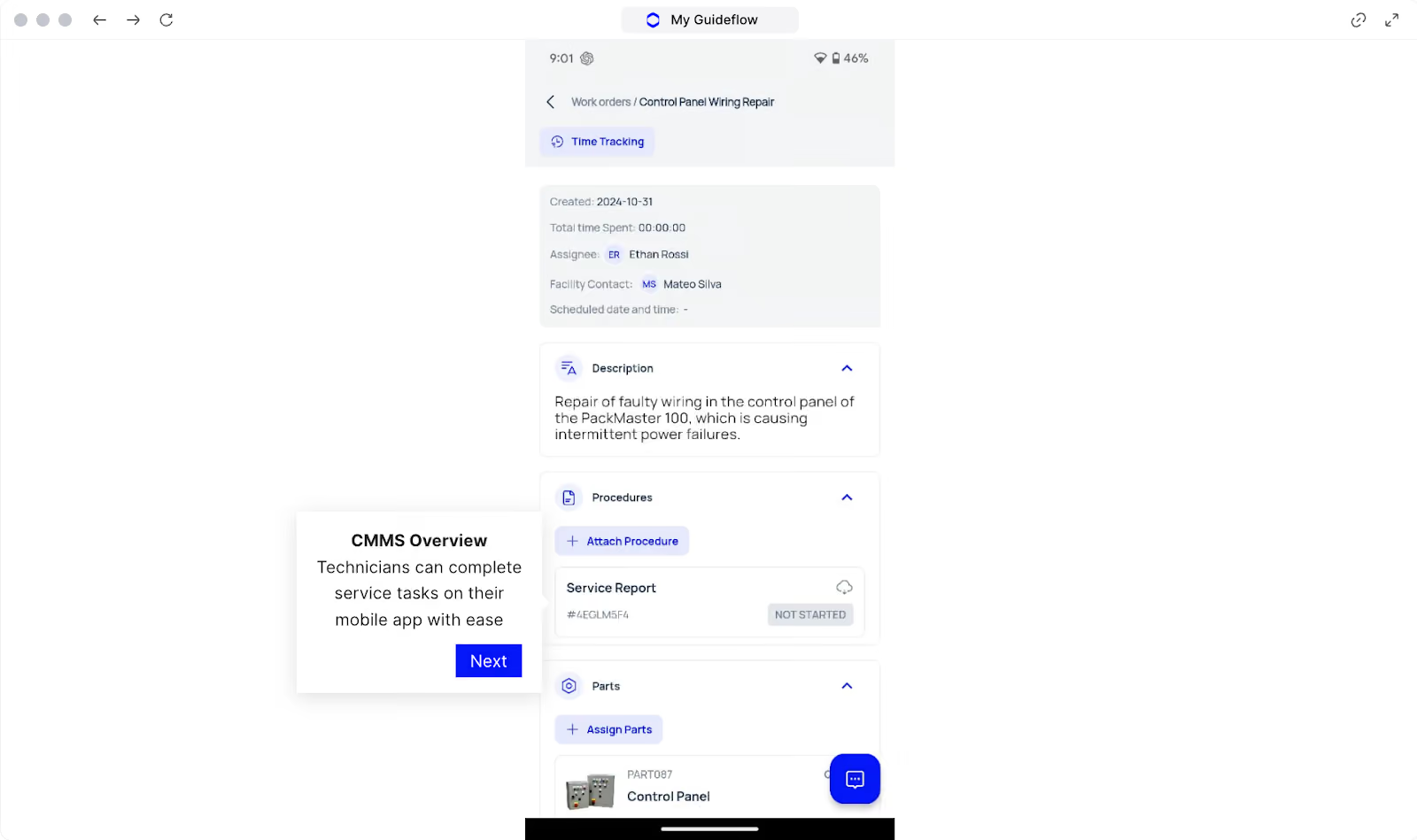
Makula’s mobile app gives technicians access to all relevant information on-site. They can receive work orders, record findings, and close tasks from their phone or tablet while standing at the asset.
With our mobile application, technicians can:
- View their assigned work orders by priority or due date
- Open asset details, history, and past failures on site
- Complete checklists and forms during inspections
- Add notes, photos, and readings as they work
- Record time and parts used before closing the job
This reduces after-shift admin and improves the quality and timeliness of maintenance data.
Parts and Inventory Tracking for Faster Repairs
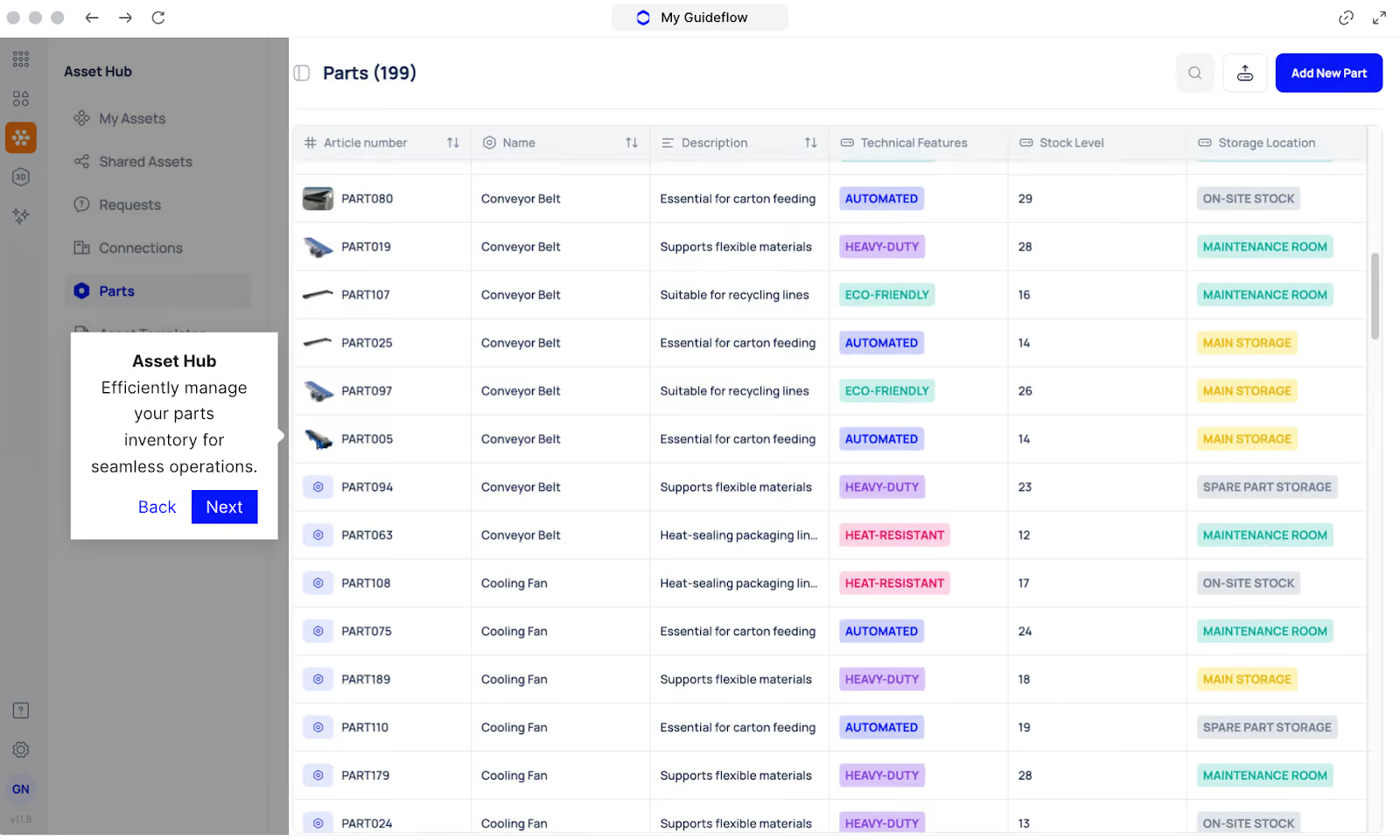
Unplanned downtime extends because the correct parts are not available, or no one has a view of stock. This leads to delays, rush orders, and higher maintenance costs.
Makula links parts and inventory directly to assets and work orders. Planners can see which parts are associated with each asset, stock levels across stores, and where shortages may affect upcoming work.
With the parts and inventory module, teams can:
- Maintain a structured parts catalogue with item codes and locations
- Link parts to specific assets and standard jobs
- View real-time stock, reserved quantities, and minimum levels
- Allocate parts to work orders for traceable usage
- Identify low stock items that may delay critical work
This helps maintenance and stores teams coordinate, reduce wait time for parts, and support more reliable scheduling.
Maintenance Analytics for Downtime and Workload Visibility
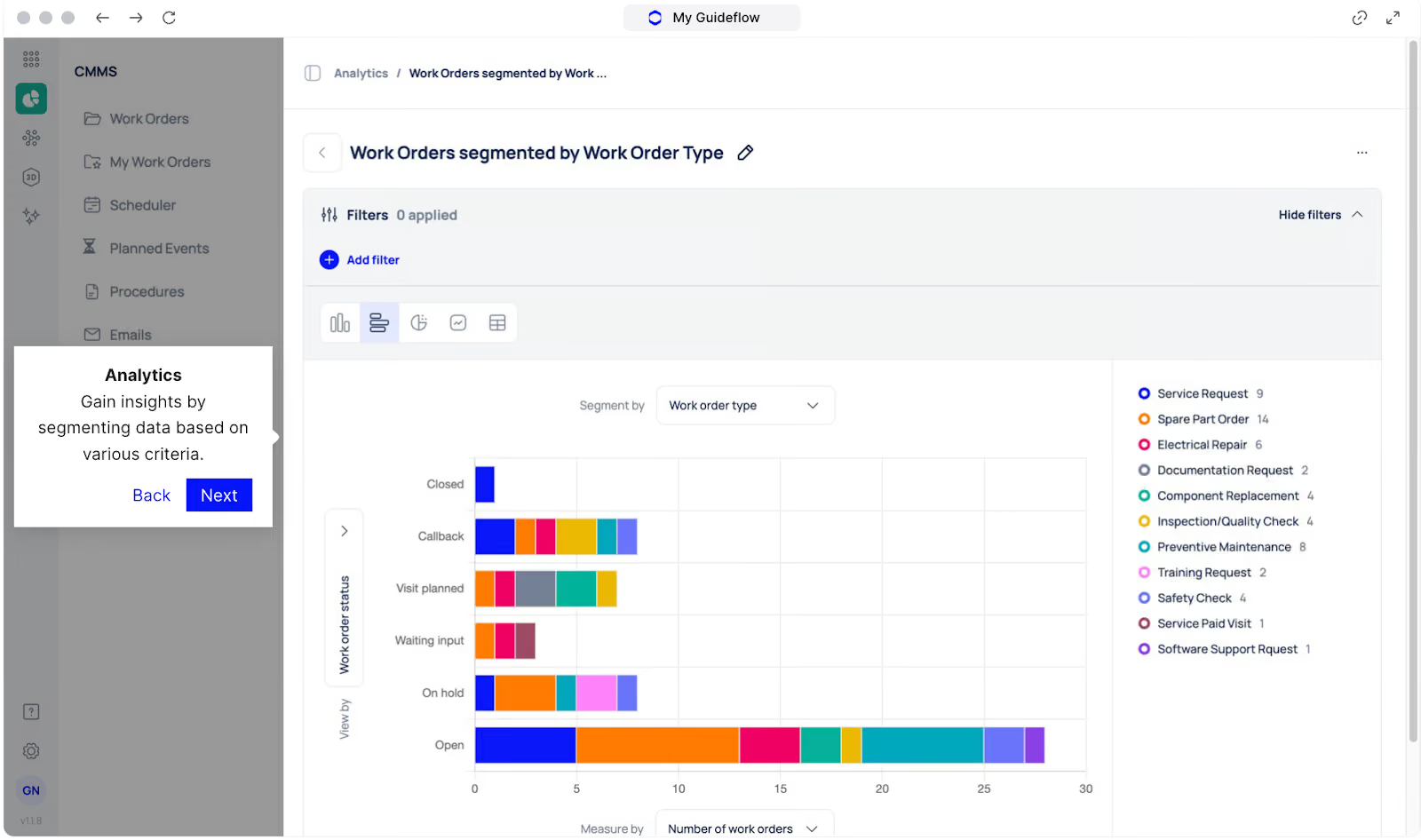
Without consolidated reporting, it is difficult to see which assets drive most downtime, where labour is spent, and whether preventive work is effective.
Makula aggregates maintenance data into dashboards and reports that reflect day-to-day realities: open work, overdue tasks, downtime by asset, and time spent per work type.
Maintenance analytics allows you to:
- Track work order volume by type, asset, and team
- Analyse downtime events and recurring failure patterns
- View labour and parts usage by asset, line, or area
- Compare preventive versus corrective workload
- Export data for further analysis or reporting
Makula Pros and Cons
Pros
- Centralised asset management for all equipment and history
- Strong work order management with routing and priorities
- Mobile CMMS app for technicians on the floor
- Integrated parts and inventory tracking linked to assets
- Downtime analytics dashboards highlight recurring failures and bottlenecks
- AI copilot assists in troubleshooting with context-specific suggestions
- Digital checklists and inspections standardise procedures across sites
Cons
- Advanced features require setup and onboarding support
Makula Reviews
Review #1: “The team responds quickly and thinks along with us. Flexible on technical challenges – from API integration to shared mailbox setup, they help find solutions.”
Review #2: “I have all my products well organised, and all the relevant information is available in one place. I no longer need Excel spreadsheets, SharePoint, or other scattered tools. Everything I need for customer service is consolidated into a single solution.”
Makula Pricing
Makula’s CMMS starts at €55 per user per month. Pricing varies based on team size, selected modules, and integration.
Tractian
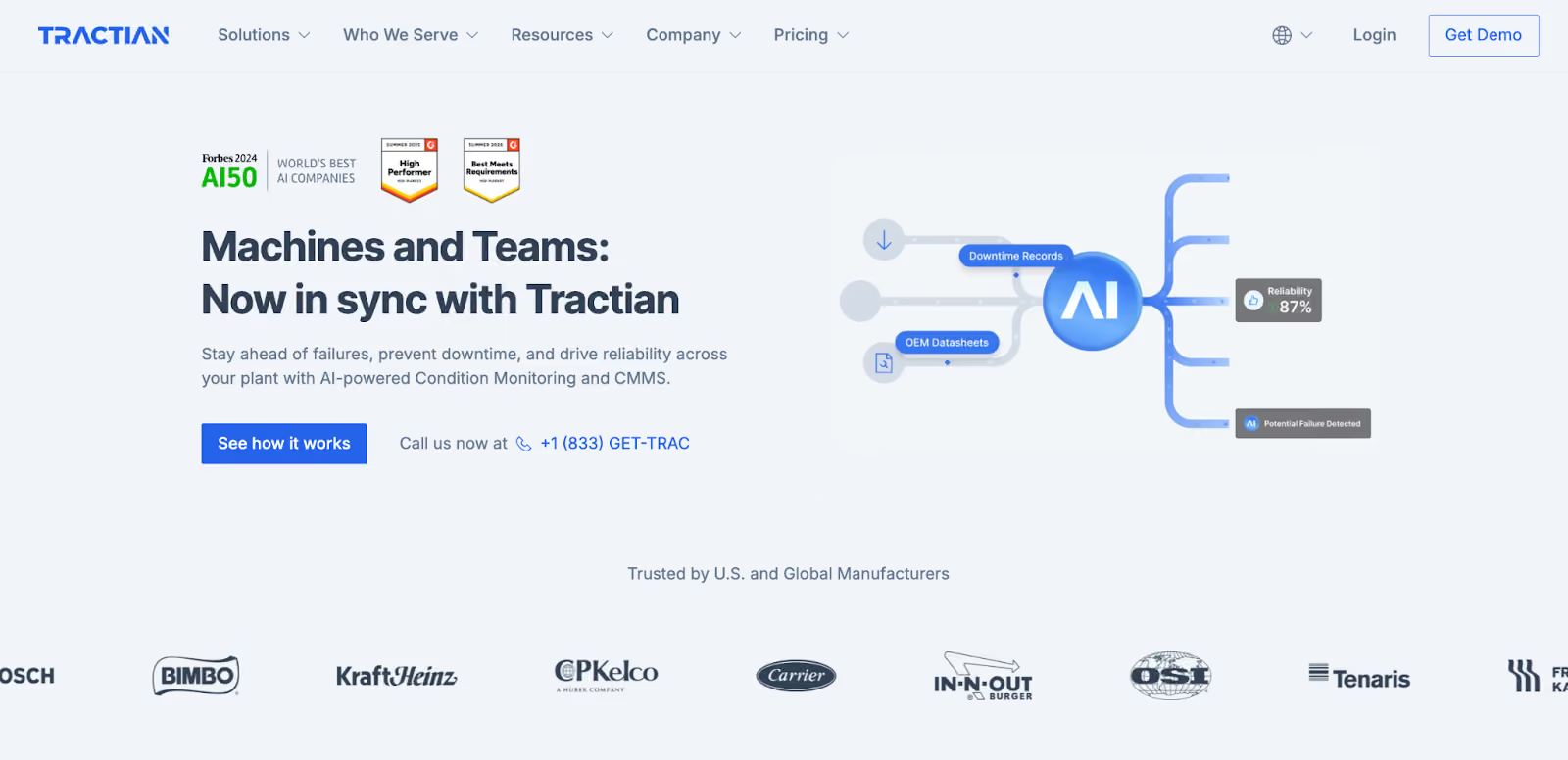
Tractian combines a computerised maintenance management system (CMMS) with its own wireless condition monitoring sensors. It is built for maintenance and reliability teams that want real-time machine health data and work order tracking in one platform.
The system focuses on vibration and temperature monitoring, AI-based fault detection, and mobile execution so technicians can react quickly to issues in the field.
Tractian Key Features
- Native vibration and temperature sensors for continuous condition monitoring
- AI analytics to detect faults early and suggest likely causes
- Work order creation, assignment, and tracking in the CMMS
- Time, meter, and condition-based preventive maintenance scheduling
- Mobile app for technicians with access to work orders and asset history
- Spare parts and inventory tracking linked to assets
- Dashboards for uptime, downtime, mean time between failures (MTBF), and mean time to repair (MTTR)
Tractian Pricing
Tractian offers tiered CMMS plans (Standard, Enterprise, and Bundle). Pricing starts at 60/month.
UpKeep
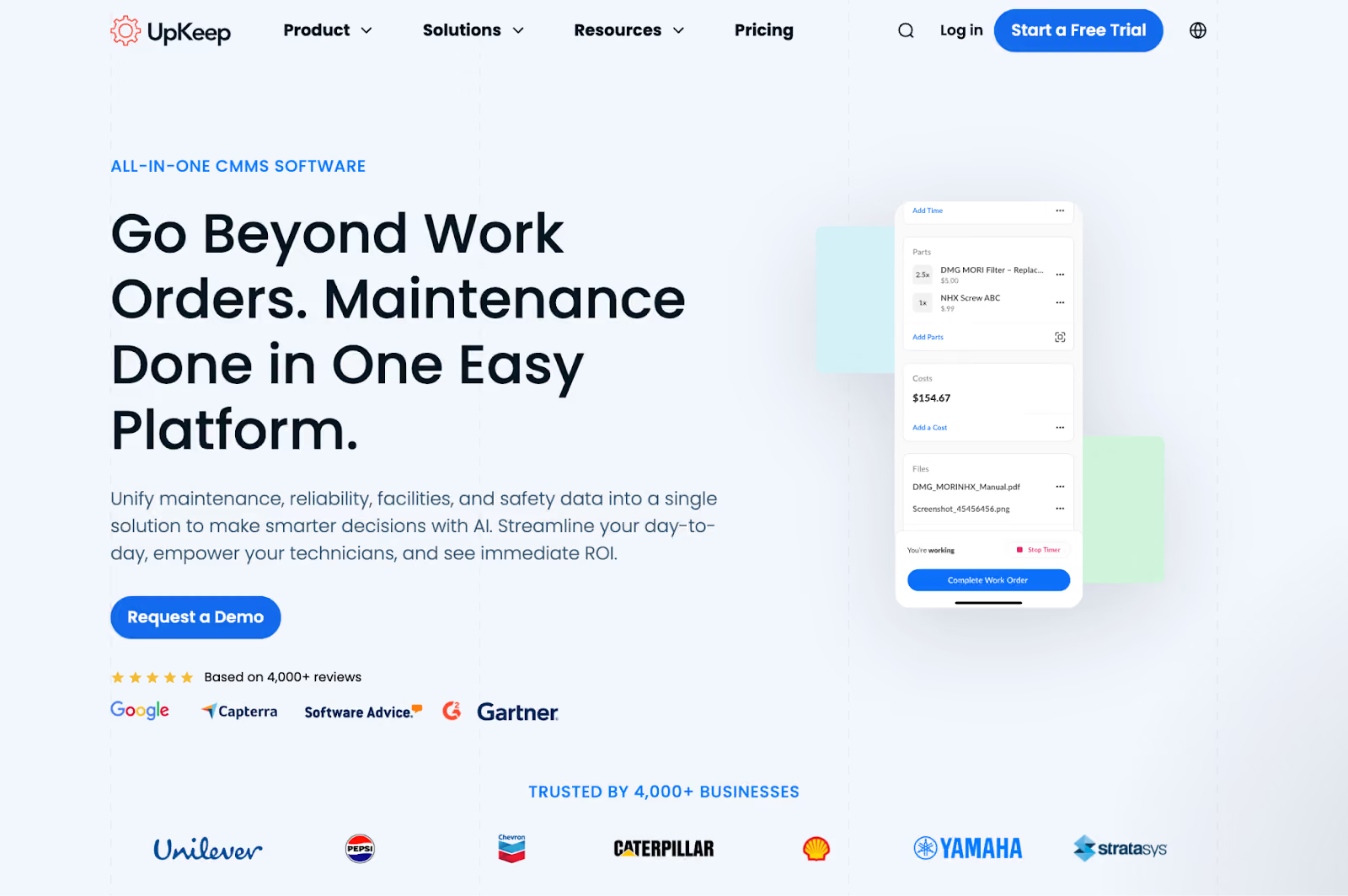
UpKeep is a cloud-based CMMS that serves businesses of all sizes across manufacturing, facilities, and other asset-intensive industries. The platform handles work orders, preventive maintenance, asset tracking, and inventory management through web and mobile interfaces. It's known for ease of use and quick deployment, making it accessible for teams transitioning from spreadsheets or paper-based systems.
Read more: Upkeep alternatives
UpKeep Key Features
- Mobile work order creation and status updates
- Asset management with history, documents, and meter readings
- Preventive maintenance scheduling based on time or usage
- Inspection and checklist templates for recurring tasks
- Inventory and spare parts tracking
- QR and barcode scanning to access asset records in the field
- Reporting dashboards for work orders, downtime, and costs
- Integrations through API with ERP and other business systems
UpKeep Pricing
UpKeep’s pricing starts at $20 per user per month.
Maintenance Connection (Accruent)
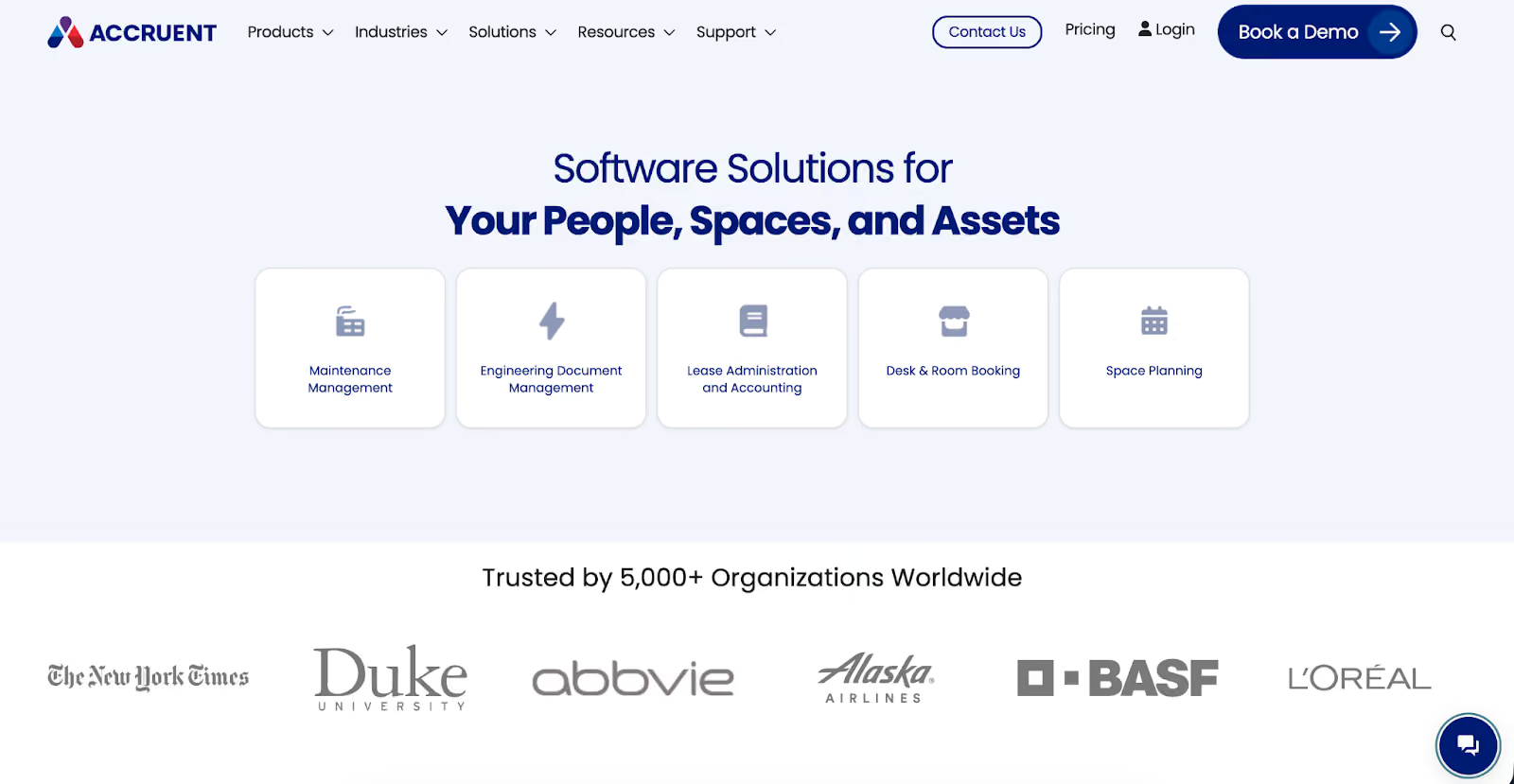
Maintenance Connection is a computerised maintenance management system (CMMS) for medium to large organisations that manage a high volume of assets and work orders across multiple sites.
It centralises work orders, asset records, inventory, and preventive maintenance in a single database. It also offers browser and mobile access for technicians.
Maintenance Connection Key Features
- Work order creation, routing, and tracking
- Preventive and predictive maintenance scheduling
- Asset and location hierarchies with full service history
- Inventory and parts management with barcode support and stock alerts
- Request portal for maintenance tickets
- Reporting dashboards and configurable analytics for KPIs and compliance
Maintenance Connection Pricing
Maintenance Connection offers Professional and Enterprise plans with pricing starting at $110 per user per month.
Limble CMMS
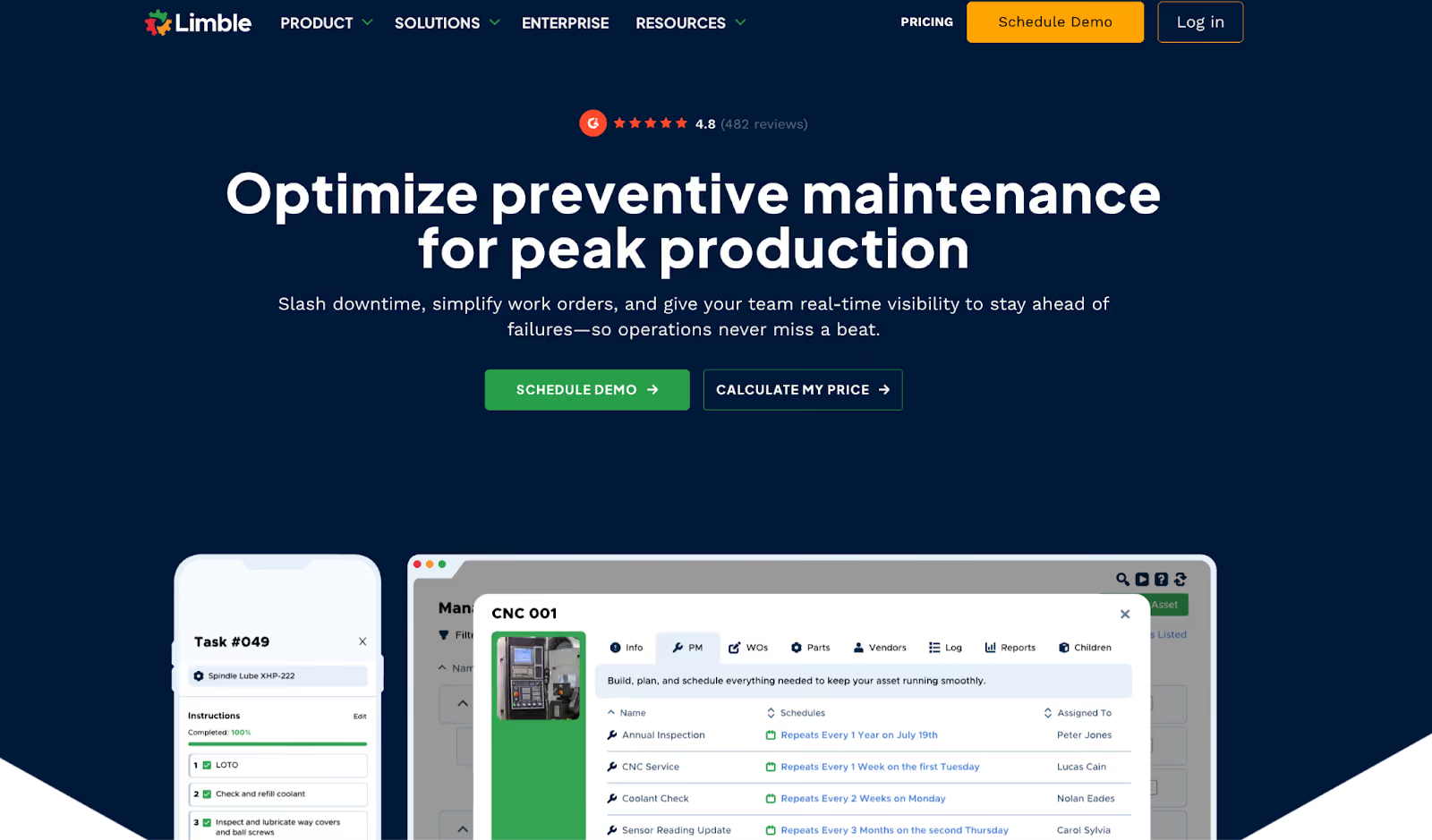
Limble focuses on ease of use, quick deployment, and flexible configuration for small to mid-sized maintenance teams. It is designed for operations that want to digitise work orders, preventive maintenance, and inventory without a heavy IT footprint or long onboarding cycles.
Technicians work from a clean mobile interface with QR-based access to assets and work orders, while managers use configurable dashboards, asset histories, and downtime reports to plan work and track results across sites.
Limble CMMS Key Features
- Work order creation, assignment, and closure
- QR and barcode scanning for asset and work order access
- Preventive maintenance based on time or usage
- Asset registry with service history and documentation
- Parts and inventory tracking with usage logs
- Dashboards and reports, including MTBF and MTTR views
- Mobile app for technicians in the field
Limble CMMS Pricing
Pricing starts at $28 per user/month.
Fiix
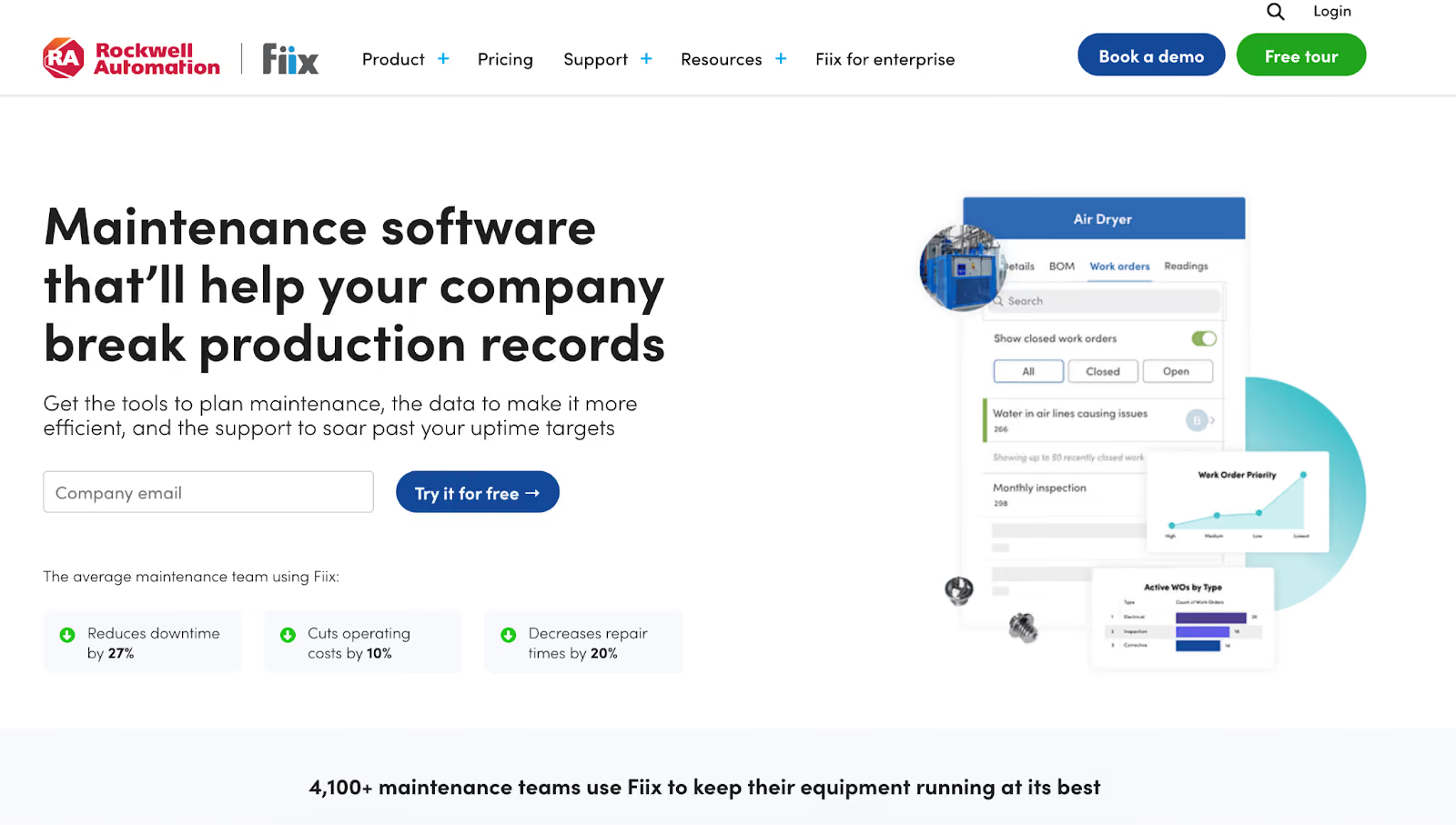
Fiix is designed for asset-intensive operations that need a central system to coordinate maintenance across multiple sites. It connects work orders, asset data, inventory, and performance metrics so reliability teams can see where risk is building and which assets need attention first.
Its AI product, Fiix Foresight, analyzes historical and real-time data to spot failure patterns, predict issues, and prioritise work.
Fiix Key Features
- Work order management with web and mobile access
- Preventive maintenance scheduling by time, meter, or condition
- Asset registry with hierarchies, cost, history, and parts usage
- Parts and inventory management
- Fiix Foresight for AI-based insights and anomaly detection
- Reporting and analytics for downtime, cost, and performance
Fiix Pricing
Fiix offers Free, Basic, Professional, and Enterprise plans. Basic plan starts from $45 per user per month.
eMaint
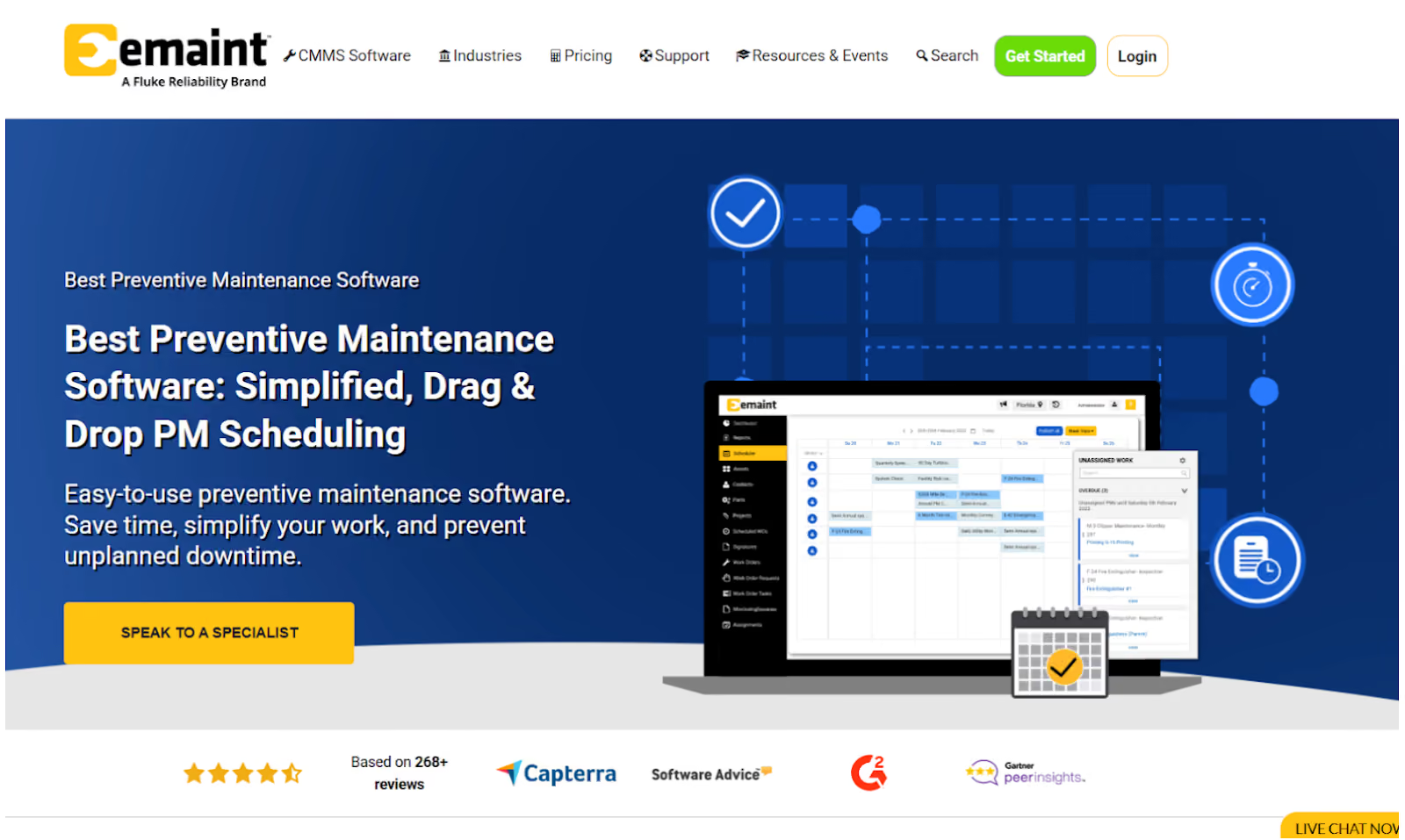
eMaint is a computerised maintenance management system (CMMS) and enterprise asset management (EAM) platform. It is built for asset-intensive, multi-site operations that want to connect work orders, asset data, and condition monitoring.
The platform integrates with Fluke sensors and IIoT tools to support predictive and condition-based maintenance.
eMaint Key Features
- Work order management with configurable workflows and approvals
- Preventive and predictive maintenance scheduling
- Asset management with hierarchies, cost tracking, and full service history
- Parts and inventory management with stock control and usage reporting
- Mobile CMMS access for technicians in the field
eMaint Pricing
eMaint offers three main plans: Team, Professional, and Enterprise. The team plan starts at USD 69 per month (for 3 users).
Comparison Table: 7 Best Maintenance Tracking Software in 2026
How to Evaluate the Best Maintenance Tracking Software
Before choosing a maintenance software, it helps to know what separates a basic tool from a system that can support real operational performance. The goal is to find software that gives you accurate records, visibility, and predictable maintenance workflows without slowing teams down.
Here are the criteria you should use when reviewing any tool in this list:
- Reliable Work Order Tracking: You should be able to create, assign, and follow every task from start to finish without losing context or updates.
- Centralised Asset History: Each tool should give you one place to view service logs, documents, manuals, and past repairs.
- Mobile Access for Technicians: Teams in the field or on the floor must be able to update work orders, capture notes, and check asset details on the go.
- Ease of Use: Technicians shouldn’t need long training sessions to perform basic actions. Look for clean, intuitive layouts and minimal steps per task.
- Parts and Inventory Visibility: The tool should track which parts were used, what’s low in stock, and what needs restocking.
- Reporting and Insights: Strong platforms help you identify recurring failures, delays, and asset risks with accurate, real-time data.
- Integrations: The software should integrate with ERPs, sensors, and other systems without heavy customisation.
How to Implement Maintenance Tracking Software the Right Way
A good software implementation is about establishing a repeatable workflow that your team can execute every day. Here’s how to do it:
Start With One Operational Use Case
Instead of onboarding every asset, workflow, and team at once, define a starting point.
Examples include:
- Track all corrective work on high-criticality assets
- Standardise breakdown reporting for the top recurring failures
Limiting the first phase creates a stable baseline and prevents the “everything at once” rollout that usually stalls adoption.
Assign Ownership Inside the Maintenance Organisation
Vendor support helps, but internal ownership determines long-term success. You need:
- A process owner (maintenance or reliability) responsible for workflows
- A system admin who manages configuration, asset data, and permissions
- A pilot group of technicians who validate what works in the field
This keeps the system aligned with actual plant-floor practices instead of assumptions made in a meeting room.
Structure Data Before Migration
Poor data structure is the main reason reporting and tracking fail later. Before importing anything:
- Standardise asset names, IDs, and hierarchies
- Remove obsolete equipment
- Align work types, priorities, and basic cause categories
- Decide which historical data is truly needed (12–24 months is often enough)
Good data makes the software usable from day one.
Build Workflows Around Real Technician Behavior
Effective maintenance tracking depends on how easily technicians can log work, close jobs, and access information. Keep workflows simple:
- One path for corrective work
- Minimal required fields
- Straightforward approval and assignment steps
Test these steps with technicians in the actual work environment. If the workflow slows them down, data quality will collapse.
Focus On Mobile Execution From the Start
Accurate tracking only happens if updates occur at the point of work. During implementation:
- Make sure technicians receive, start, update, and close tasks on mobile
- Keep required fields to a minimum
- Test offline functionality if your sites experience connectivity issues
Mobile execution should be the default mode, not a secondary option.
Review Adoption Metrics Weekly
In the first 60–90 days, track maintenance KPIs, for example:
- Percentage of work orders created in the system
- Completion of core data fields (time, parts, cause)
- Active users vs assigned users
These metrics provide a simple, objective view of whether the system is being used as intended.
Expand Only After the Core Workflow Is Stable
Once the basics are consistently executed, add complexity:
- Parts and inventory
- Condition-based triggers
- Service level agreement (SLA) tracking
- Advanced reporting
- Multi-site standardisation
Scaling becomes easier when the foundational workflows are already working.
Bottom Line: Makula Is the Best Maintenance Tracking Software
Manual effort in maintenance tracking slows decision-making and makes it harder to get a reliable picture of asset health.
Makula is built as an execution-first computerised maintenance management system (CMMS) that keeps maintenance requests, work orders, asset history, downtime tracking, parts, inspections, and reports in one platform.
Technicians work from a mobile app, managers see live status and backlogs, and leadership gets clear visibility into cost, risk, and performance.
Book a demo to see how Makula gives you complete visibility into maintenance activity, asset history, and work status across your operations.





