Asset Management

Boost Uptime with Makula's Asset Management Software

One place to track, manage, and schedule maintenance for all your assets—keep equipment running at peak performance without manual workflows and spreadsheets.
Industry leaders we work with

Asset Management Software Made Simple

Makula CMMS is an all-in-one asset management and maintenance software that helps industrial and manufacturing teams track equipment, schedule maintenance, and monitor performance in real time. Boost uptime, reduce maintenance costs, and get more from every asset — see how it works by booking a free demo today.

Stay Compliant

Automatically meet industry regulations, safety standards, and audit requirements — with traceable records for every machine.

Reduce Downtime

Prevent unplanned stops and save up to €500K per year with automated maintenance scheduling and faster service resolution.

Increase Productivity

Give your team mobile access to work orders, documentation, and procedures — so they get more done with less admin.

See what digitalized Asset Management looks like with Makula CMMS

Industrial AI

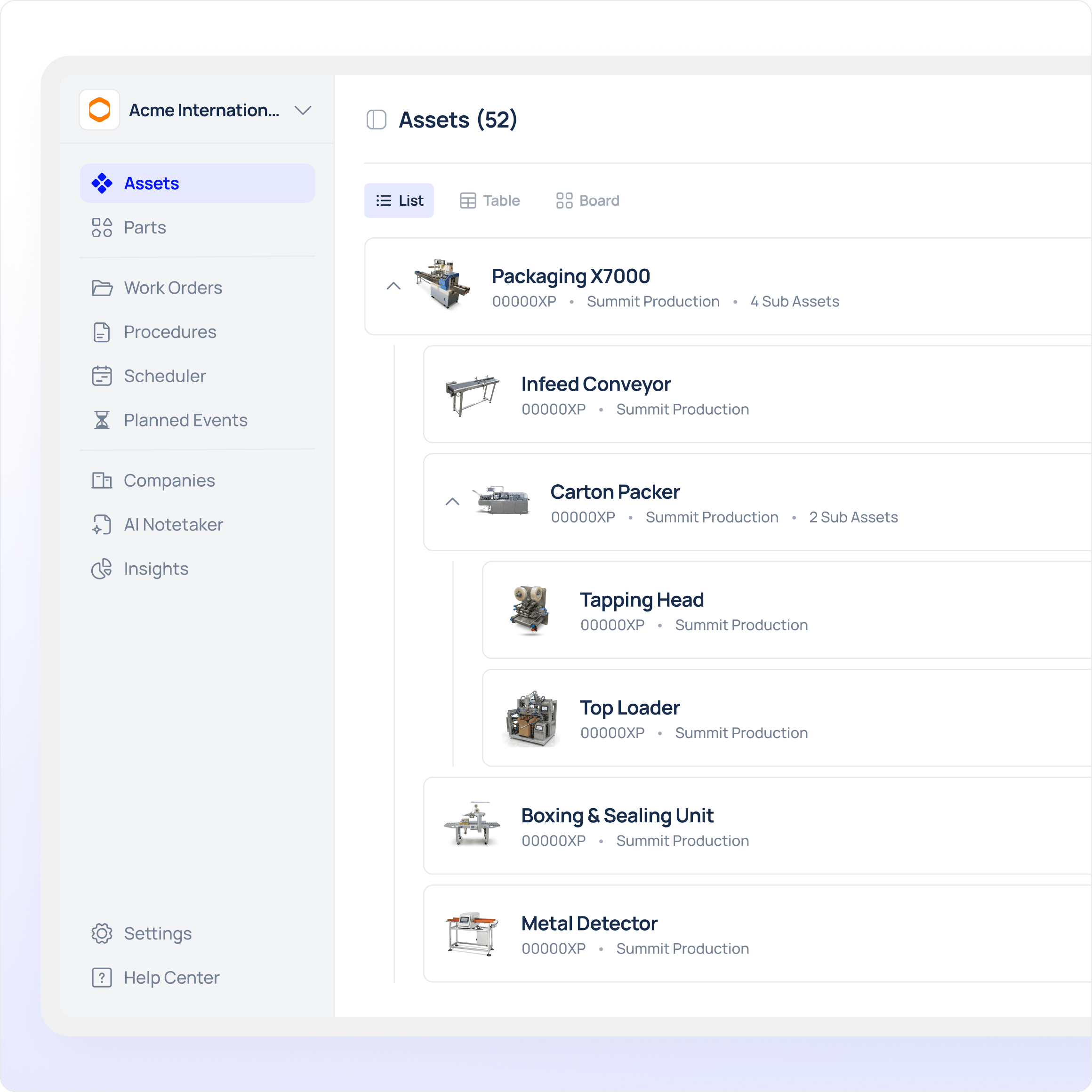
Build a structured asset register

Create a clean and reliable asset hierarchy so maintenance teams in manufacturing always know what equipment exists, where it is located, and which assets are critical for uptime.
Multi-level hierarchy from site to component
Custom fields & templates per asset type
Web & mobile access for field technicians
Asset location, owner & criticality across manufacturing lines
Industrial AI

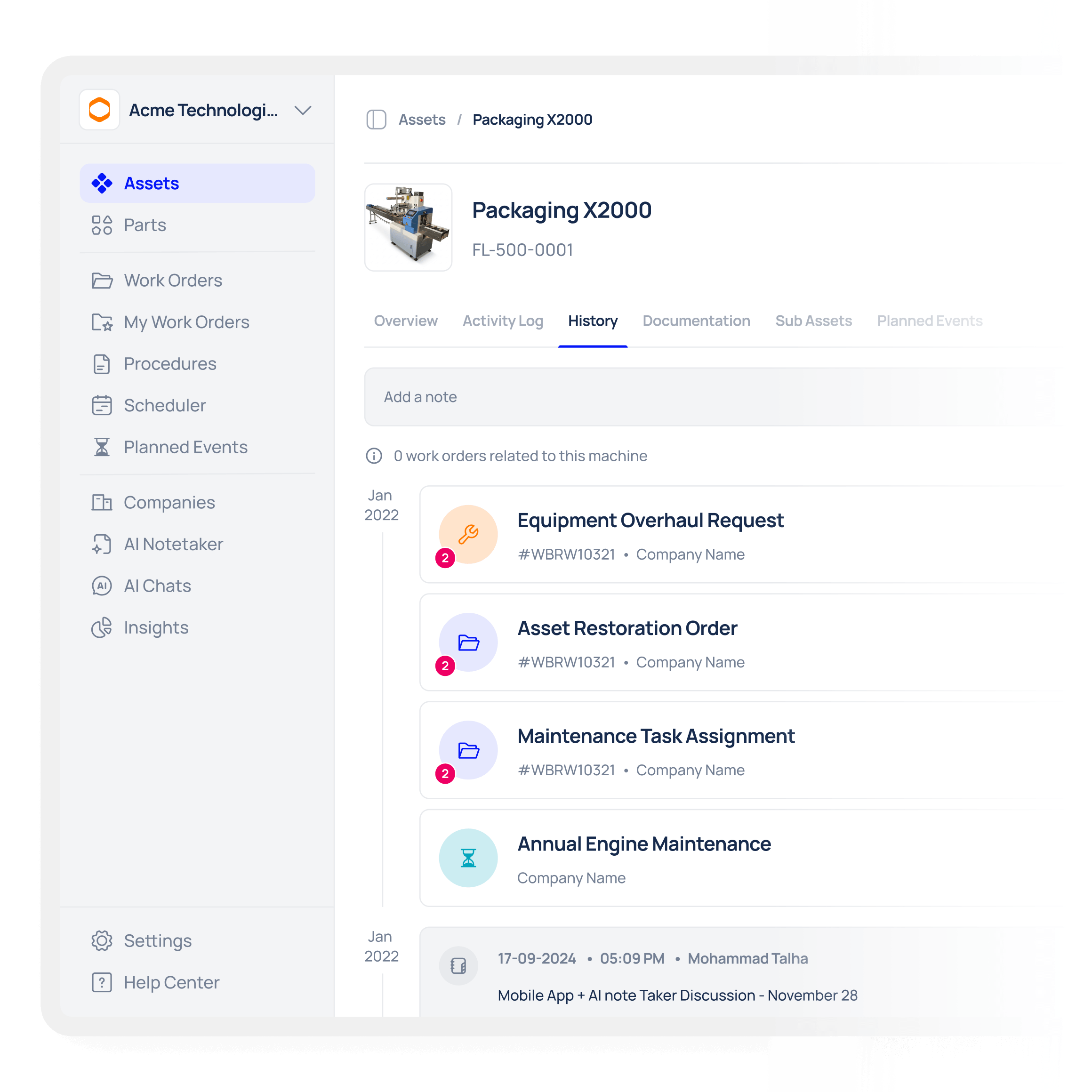
Turn assets into living digital files

Give every asset a complete digital record that combines documentation, context, and real maintenance history in one place, ideal for production and process teams using equipment management software for asset lifecycle oversight.
Manuals, SOPs, certificates, and photos are stored directly on the asset
Notes, handovers, and operational context captured over time
Full work order and downtime history linked to each asset
Centralised asset records & lifecycle history for troubleshooting
Industrial AI

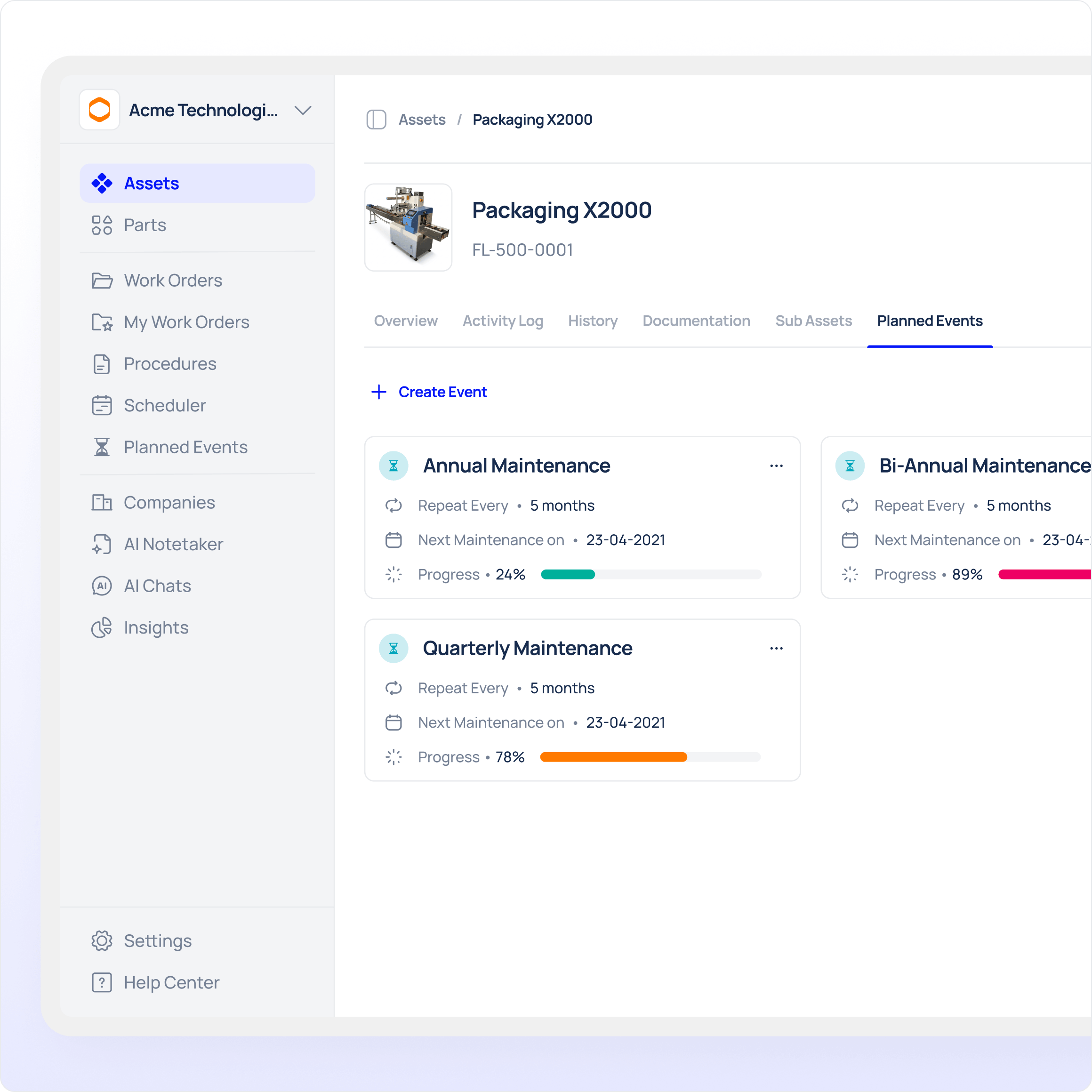
Prevent downtime before it impacts production
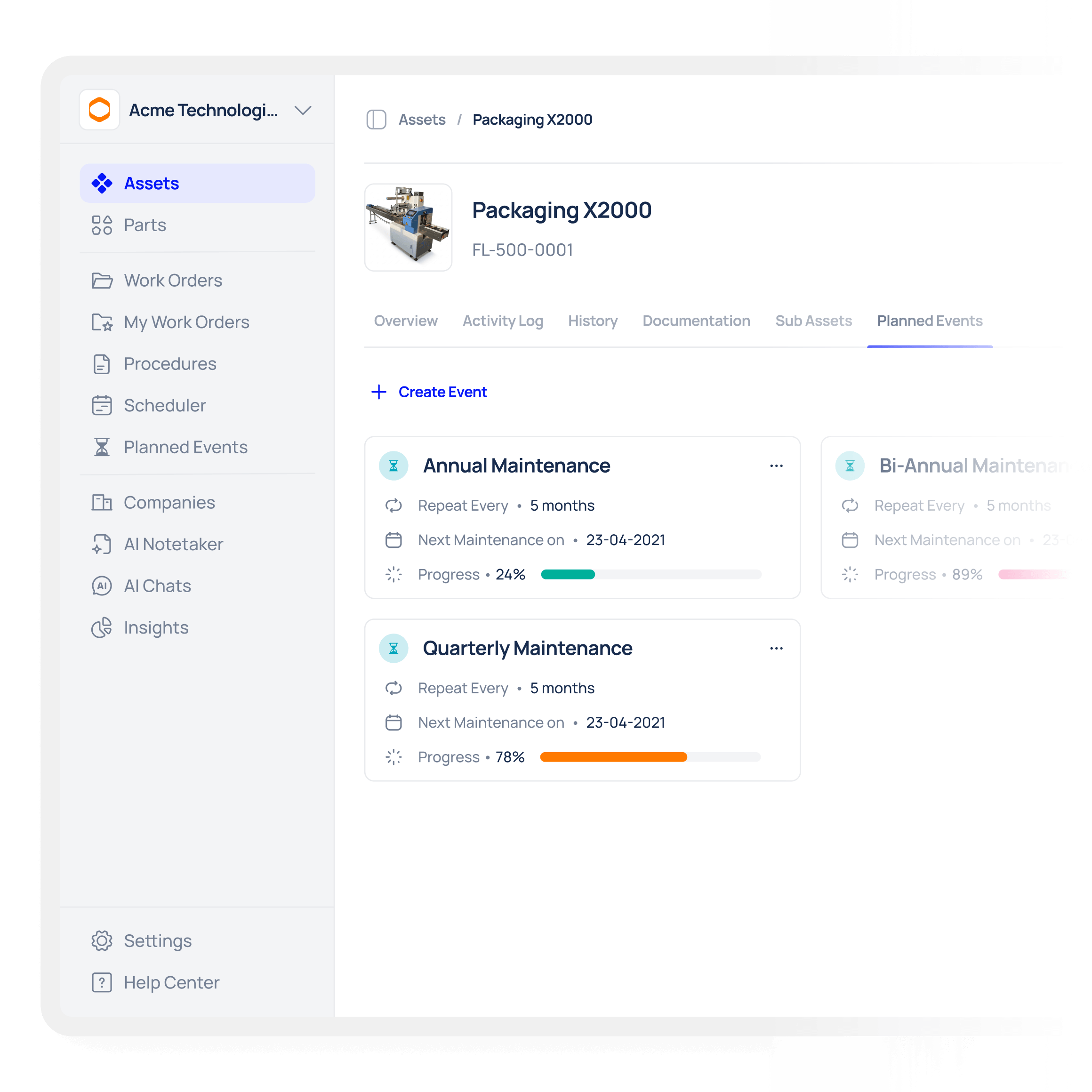
Reduce unplanned asset downtime by automating preventive maintenance across equipment and acting on issues before they lead to failures. This is a practical approach to preventive maintenance and asset tracking for manufacturing lines.
Schedule inspections and preventive tasks directly on assets
Automate recurring maintenance activities across equipment
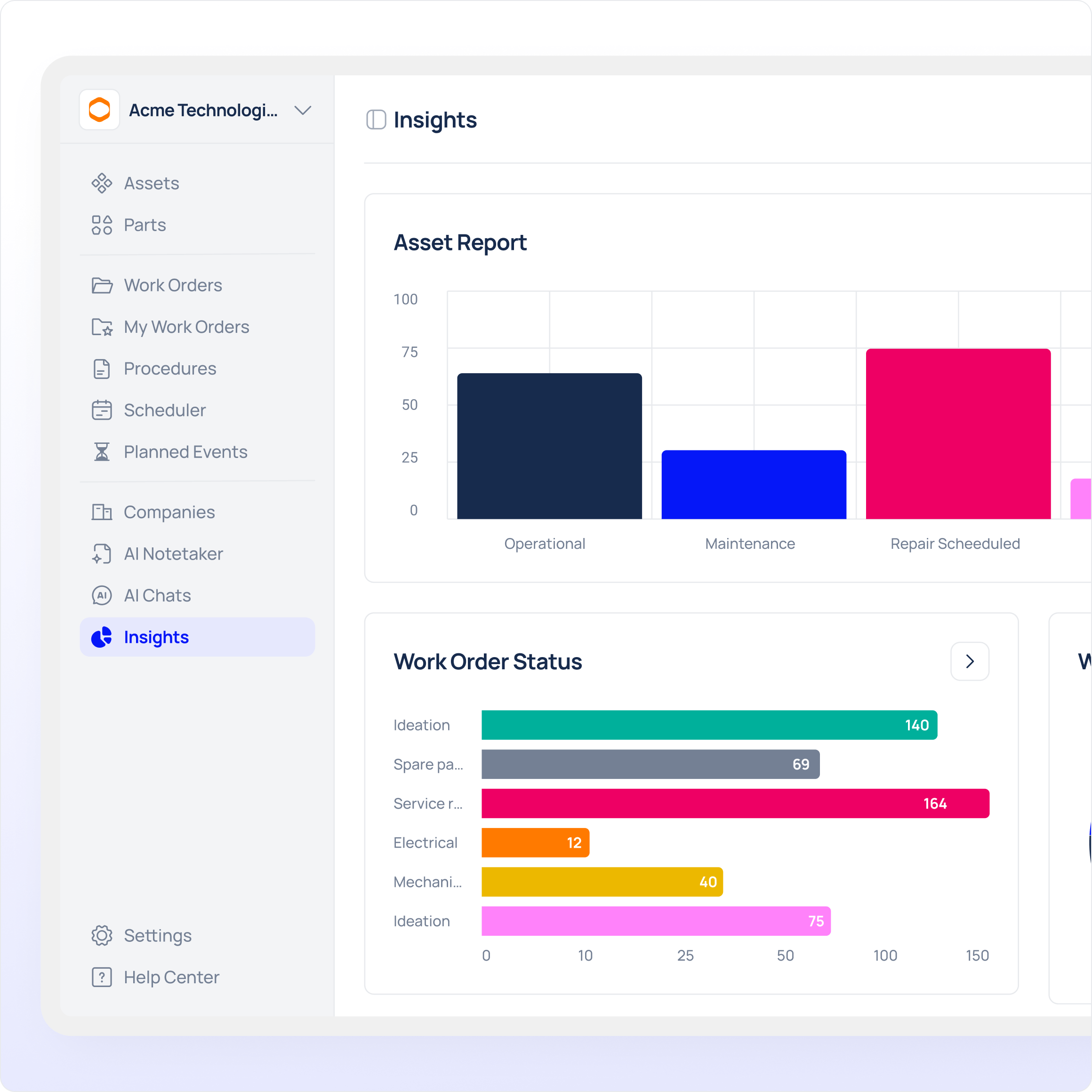
Track recurring issues and failures to prevent repeat breakdowns
Improve asset reliability by acting early on maintenance insights
Industrial AI

Streamline work requests directly from assets

Enable fast and structured maintenance requests by letting teams report issues directly from the asset where the problem occurs, supporting mobile-first asset tracking and work order management for production teams.
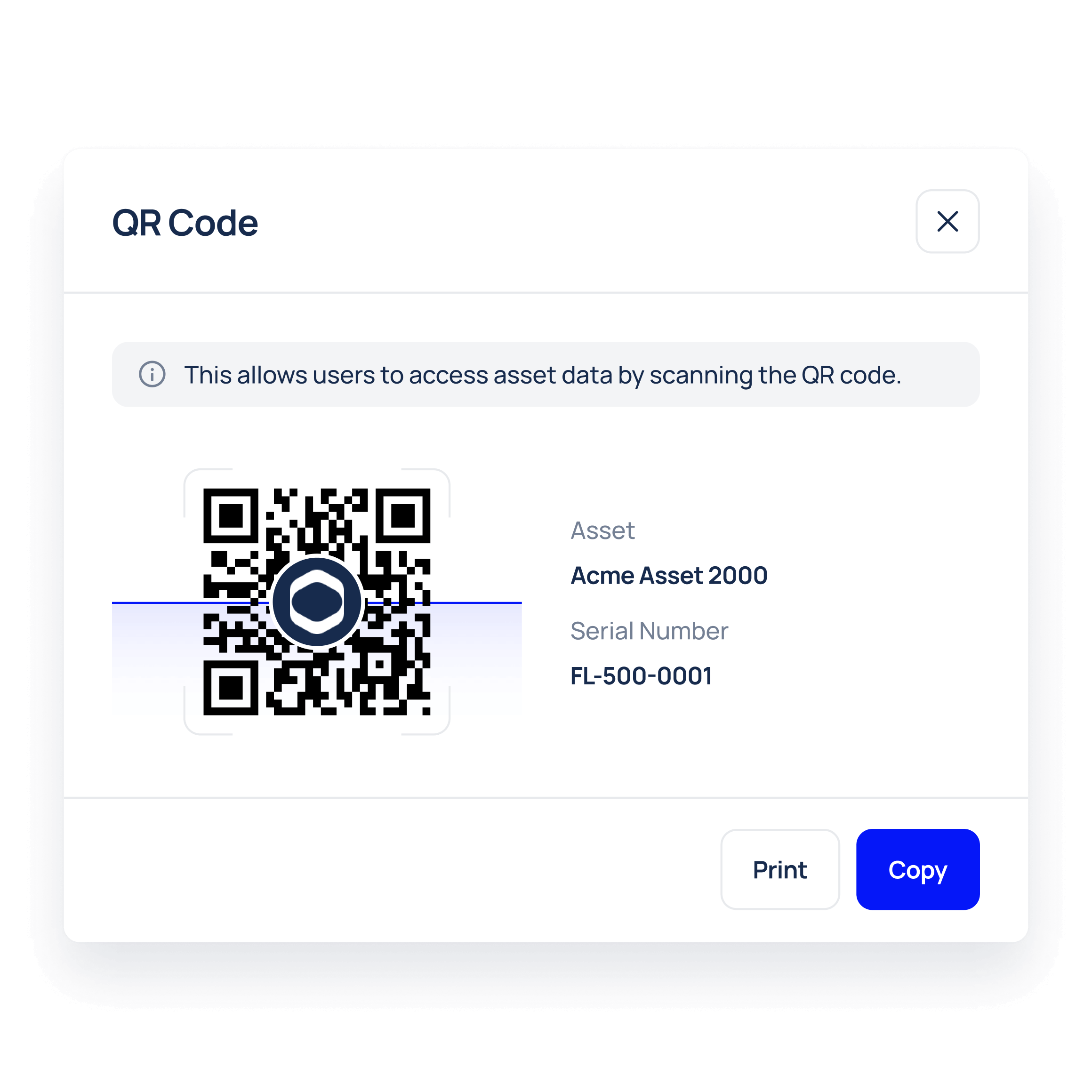
Scan QR codes on assets to submit maintenance requests in seconds
Automatically create work orders from incoming requests
Route requests to the right team based on asset and location
Capture downtime immediately at the asset level for accurate reporting

Frequently asked questions

What is asset management in Makula CMMS Software?
Asset management in Makula CMMS Software is a structured way of managing equipment, machines, and facilities, along with their maintenance data, in a centralised system. It ensures that assets, work orders, preventive maintenance, and documentation are always connected and kept up to date — particularly useful for chemical plants and manufacturers looking for plant-level asset control and asset lifecycle management.
What is a CMMS in asset management, and how does Makula support maintenance teams?
In Makula CMMS Software, the CMMS provides the operational tools needed to execute asset maintenance, including work orders, preventive schedules, and technician workflows on mobile apps. By linking maintenance activity directly to assets, Makula — as a CMMS asset management software — helps teams reduce downtime and improve reliability across production equipment.
What is the difference between asset management software and a CMMS?
Asset management software focuses on what assets you own and their lifecycle, helping organisations maintain a structured record of equipment, documentation, location, ownership, and long-term value from installation to retirement — often used by plant managers for lifecycle and compliance tracking. A CMMS, by contrast, focuses on how those assets are maintained day to day, managing work orders, preventive maintenance schedules, technicians, spare parts, and downtime to keep equipment running. In short, asset management is the system of record while a CMMS is the system of execution, and Makula can operate as the maintenance execution layer for an existing asset management system.
What is the difference between a CMMS and EAM when using Makula?
Makula CMMS Software focuses on operational maintenance execution such as inspections, work orders, and preventive maintenance, while EAM systems typically manage financial and lifecycle planning. Makula complements ERP or EAM systems by covering the maintenance layer that directly impacts uptime and daily equipment availability, and by feeding asset-level maintenance data back into enterprise lifecycle planning.
How does Makula CMMS Software complement an EAM in larger organizations?
Makula CMMS Software supports frontline maintenance execution while EAM systems handle long-term asset planning and financial tracking. Together, they connect real maintenance activity with enterprise-level asset decisions and lifecycle records, improving planning accuracy and asset ROI.
How does Makula CMMS Software help reduce downtime?
Makula CMMS Software reduces downtime by linking assets to preventive maintenance plans, historical failures, and real maintenance activity. This allows teams to spot recurring issues early (improving asset uptime), act on trends from preventive maintenance asset tracking, and address problems before breakdowns occur — boosting plant throughput and asset reliability.
How does Makula CMMS Software support proactive asset health management?
Makula CMMS Software uses real-time maintenance data to schedule preventive tasks, track inspections, and monitor asset condition over time. This enables proactive maintenance rather than reactive repairs, supporting technicians with mobile access, centralized equipment histories, and asset lifecycle insights.
How does Makula CMMS Software compare to Excel or manual asset tracking?
Unlike Excel or manual methods, Makula CMMS Software provides real-time updates, automation, and consistent data across teams. Because inventory, work orders, and asset records are linked, decisions are based on live asset tracking and management data rather than outdated spreadsheets.
Can Makula CMMS Software track tools and mobile equipment?
Makula CMMS Software can track machines, tools, vehicles, and mobile equipment across sites. Assets can be identified using QR codes or barcodes so mobile technicians maintain accurate asset records in the field.
Can technicians update asset information in the field using Makula?
With Makula CMMS Software, technicians can access and update asset records directly from mobile devices — part of a mobile-first asset tracking solution — ensuring asset data and maintenance history remain current without delays.
How detailed can asset hierarchies be in Makula CMMS Software?
Makula CMMS Software supports multi-level asset hierarchies from site and area level down to machines and components. This lets teams define the structure that matches how maintenance work is actually performed and supports equipment asset management across plants.
Can assets be imported into Makula CMMS Software?
Assets can be bulk imported into Makula CMMS Software from Excel or CSV files. This makes it easy to migrate from spreadsheets or legacy maintenance systems and quickly build an asset register.
What types of documents can be attached to assets in Makula?
Makula CMMS Software allows manuals, SOPs, certificates, inspection reports, and photos to be attached directly to assets. This ensures technicians always have the right documentation available during maintenance work.
Does Makula CMMS Software track maintenance history per asset?
Makula CMMS Software stores all work orders, inspections, downtime events, and notes in each asset’s history. This supports troubleshooting, audits, and long-term reliability analysis with a complete asset-level timeline.
How does Makula CMMS Software support compliance and audits?
Makula CMMS Software stores maintenance records, inspection logs, and certificates directly on each asset, creating audit-ready CMMS records that ensure traceability and simplify audit preparation.
How long does it take to set up Makula CMMS Software?
Most teams can set up Makula CMMS Software and start working within a few days. Asset data can then be enriched continuously as maintenance work is performed.

Here’s what our customers say about us

Since implementing Makula in June 2023, we've seen a dramatic reduction in errors and a significant boost to our after-sales efficiency. Makula has streamlined our processes, allowing us to provide faster and more accurate service to our customers. This has not only improved customer satisfaction but has also generated additional revenue through monthly sales.

Robert Thornton
Sales Director

The efficiency and clarity that Makula brought to our after-sales operation is unparalleled. Our team is more aligned, our customers are happier, and our revenue is on the rise. Highly recommended!

Norbert Kaiser
Managing Director

The overview of all the latest offers, spare part orders, invoices, and service reports, helps the customer enormously. The software has really developed very well and Makula is doing a great job. The service is great, if I need something, there is always an answer from Karina very quickly.

Michael G.
Chief Executive Officer

We have had a great experience with the Makula team from the sales process to onboarding and then helping with day to day support if needed. The team are always quick to come back to us and provide solutions to requests. The platform is easy to access and navigate and Makula have already incorporated most of the functionality we need. This enables us to support our customers with the tools and resources they need to order spares, access machine information or book service visits.


Lizzie W.
Marketing Executive

The software is very user-friendly and intuitive to use. The team assists very intensively with the transformation process and onboarding. We have managed to integrate the tool into our daily processes, thereby promoting our internal coordination and ultimately our spare parts sales.

Flynn S.
Advisory Board Member

Thanks to the implementation of Makula, we have achieved full traceability of all customer requests. We consolidated all after-sales interactions into a single platform, which has significantly improved our response times and operational efficiency

Fernando Neves
Global Customer Support Manager

Since we started using Makula, we've gained a broader perspective on the evolving world of digital after-sales. The software has seamlessly blended with our processes, enhancing operations and providing fresh insights. It's a gentle reminder of the portential avenues open for SME machine suppliers in this digital era.

Erik Döinghaus
Managing Director

Makula's platform has been a game-changer for us. Onboarding was incredibly smooth, and the system's ease of use has significantly improved our after-sales service efficiency. Our technicians now save several hours each day by reducing the time spent on phone calls and searching through scattered documents.

Edward Herbert
COO & Founder

Being a user of 30+ machine brands, I can firmly state that Makula's after-sales platform is transformative. It doesn't just enhance and streamline communication with OEMs—it revolutionises it, driving unparalleled customer satisfaction in an increasingly complex and dynamic production

Christopher Staub
Chief Executive Officer

Ready to transform your machine maintenance?