Maschinenhersteller

Work Order Management Software for Industrial Teams

Makula Work Order Management Software makes work orders easier by getting rid of paperwork and making things run more smoothly.  With our work order management system and customizable work order templates, you can plan, allocate, and keep track of maintenance chores in real time.
Branchenführer, mit denen wir zusammenarbeiten

What is a Work Order

A work order outlines the tasks, duties, and due dates for maintenance work. Using work order management software that comes with templates and forms for work orders makes it easier to handle all kinds of work orders. A clever work order management system makes jobs easier, increases productivity, and makes sure that they are done on time.

Improved Efficiency

Reduce manual processes and streamline maintenance workflows, leading to faster task completion and reduced operational costs.

Enhanced Data Accuracy

Capture essential information accurately with required fields, time tracking, and digital signatures, facilitating better decision-making.

Asset Reliability

Proactive maintenance scheduling ensures equipment operates optimally, reducing the risk of unexpected failures.

Industrial AI

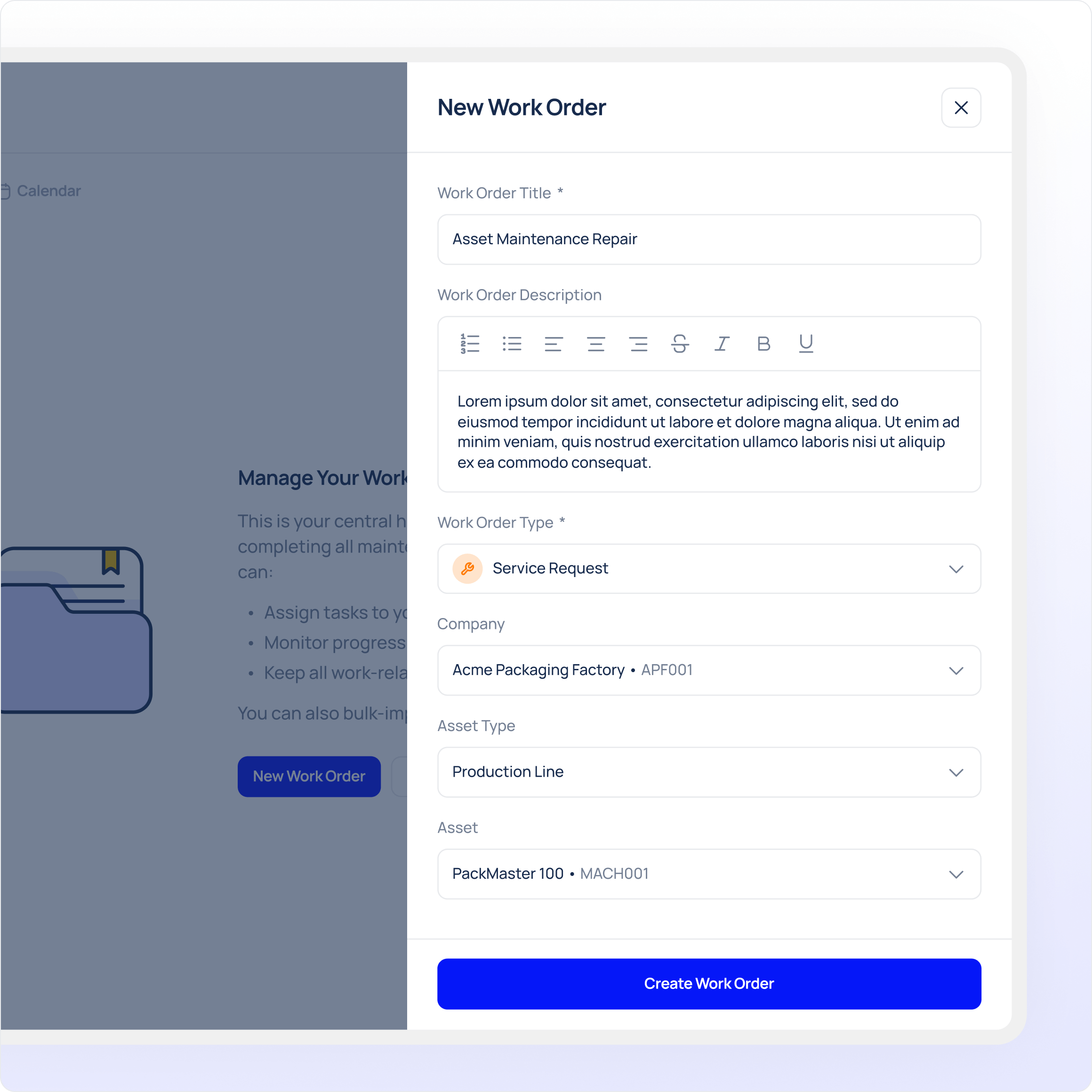
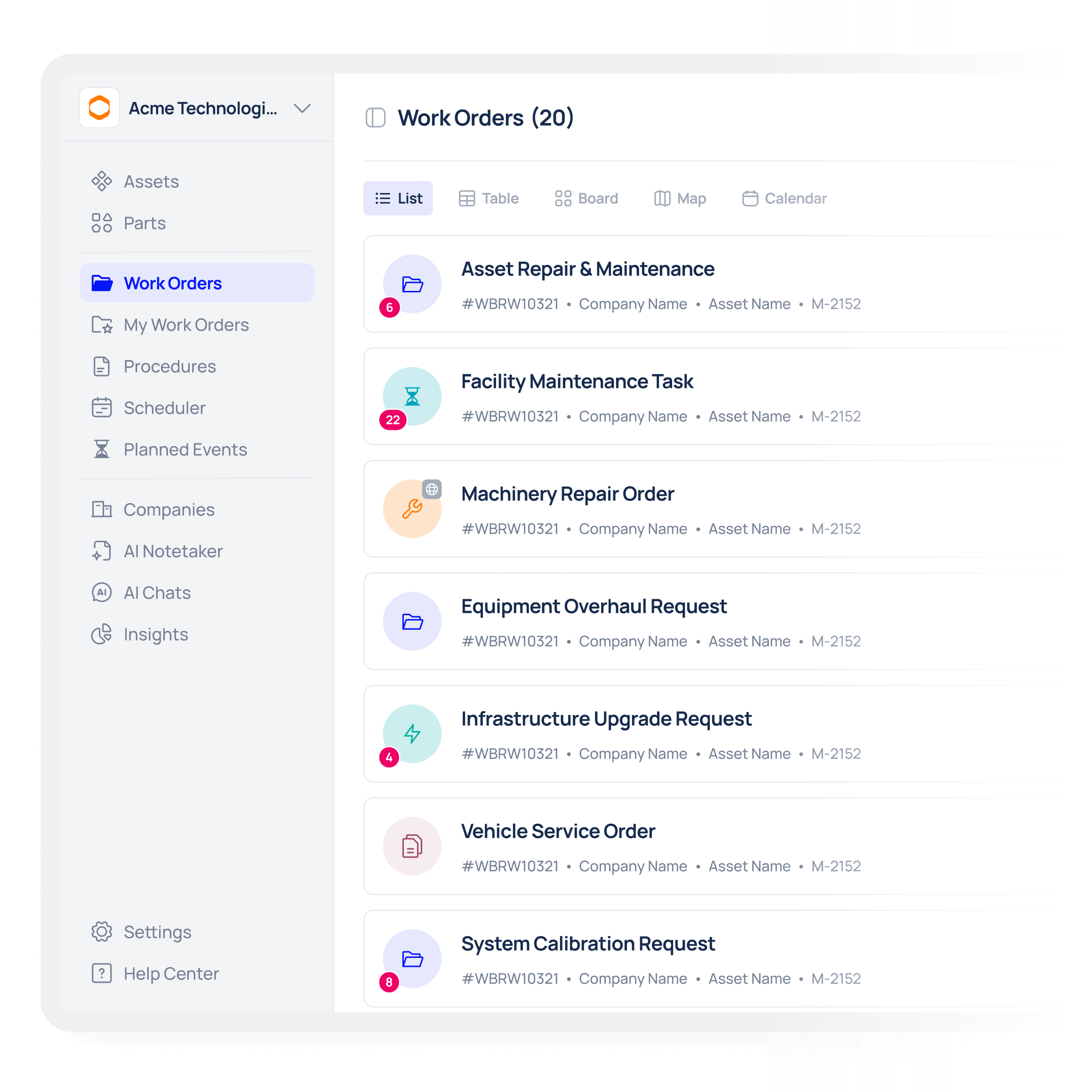
Create and assign work orders in minutes.

Makula lets you generate work orders from requests, templates, or inspection findings, so every maintenance task enters your process quickly and with clear instructions, as part of a modern work order management system for maintenance teams.
Predefined templates for common tasks and repeatable work orders
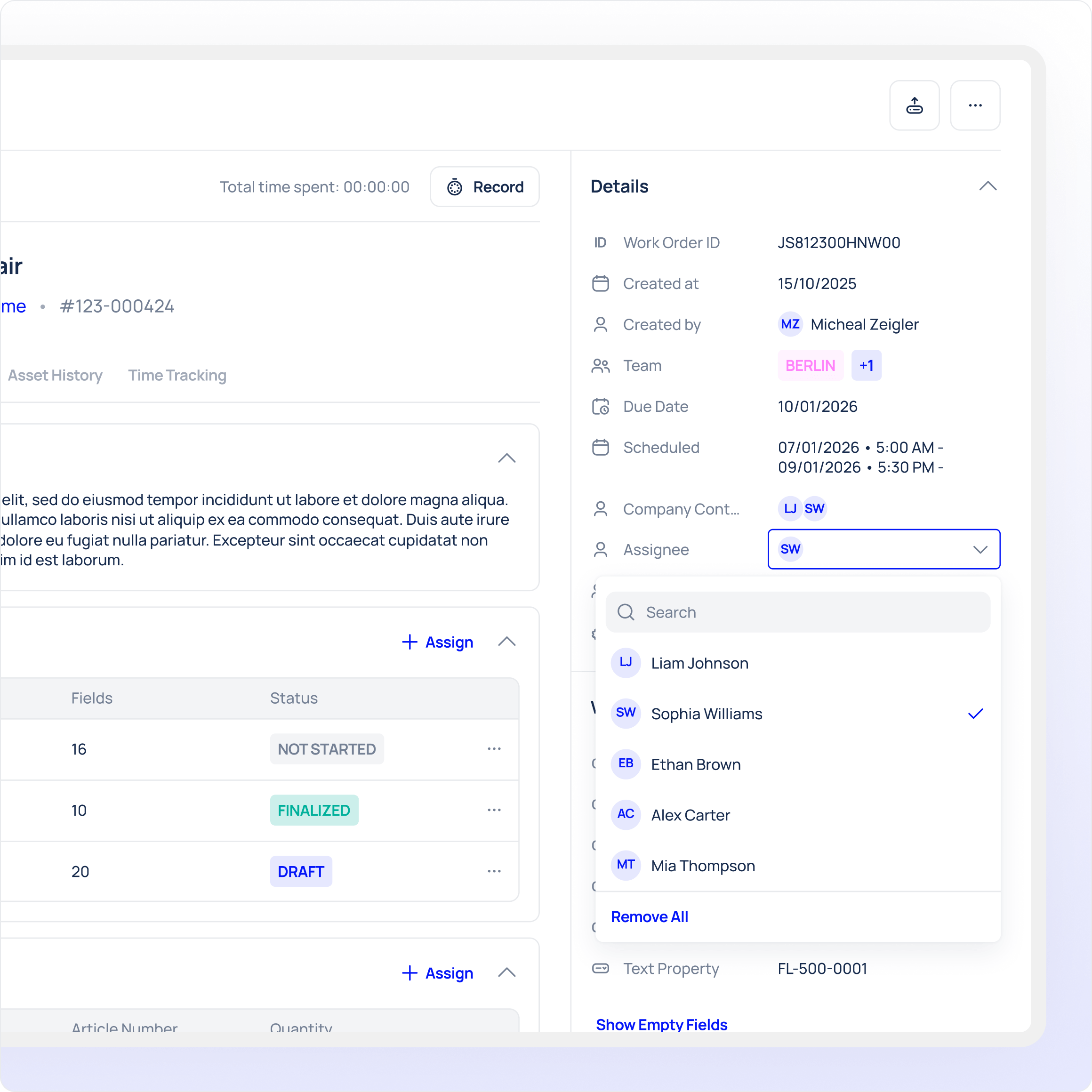
Assign work by priority, asset, location, or technician.
Set due dates and requirements up front for consistent execution
Create work orders from mobile inspections, requests, or scheduled triggers.
Industrial AI

Keep teams aligned with real-time tracking

Once issued, work orders remain visible across devices and teams, so managers and technicians always know the status, progress, and expectations, enabling accurate tracking and easier reporting.
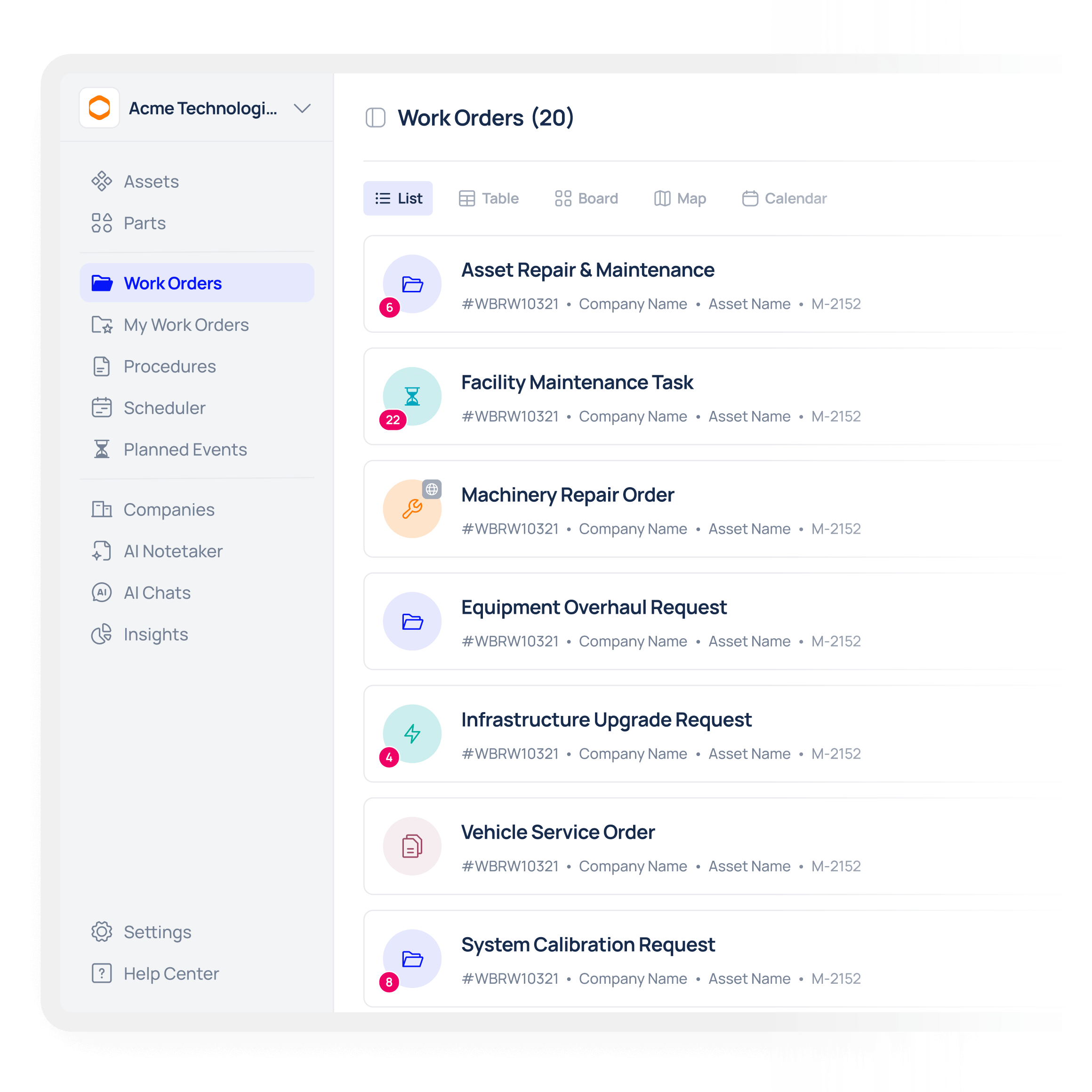
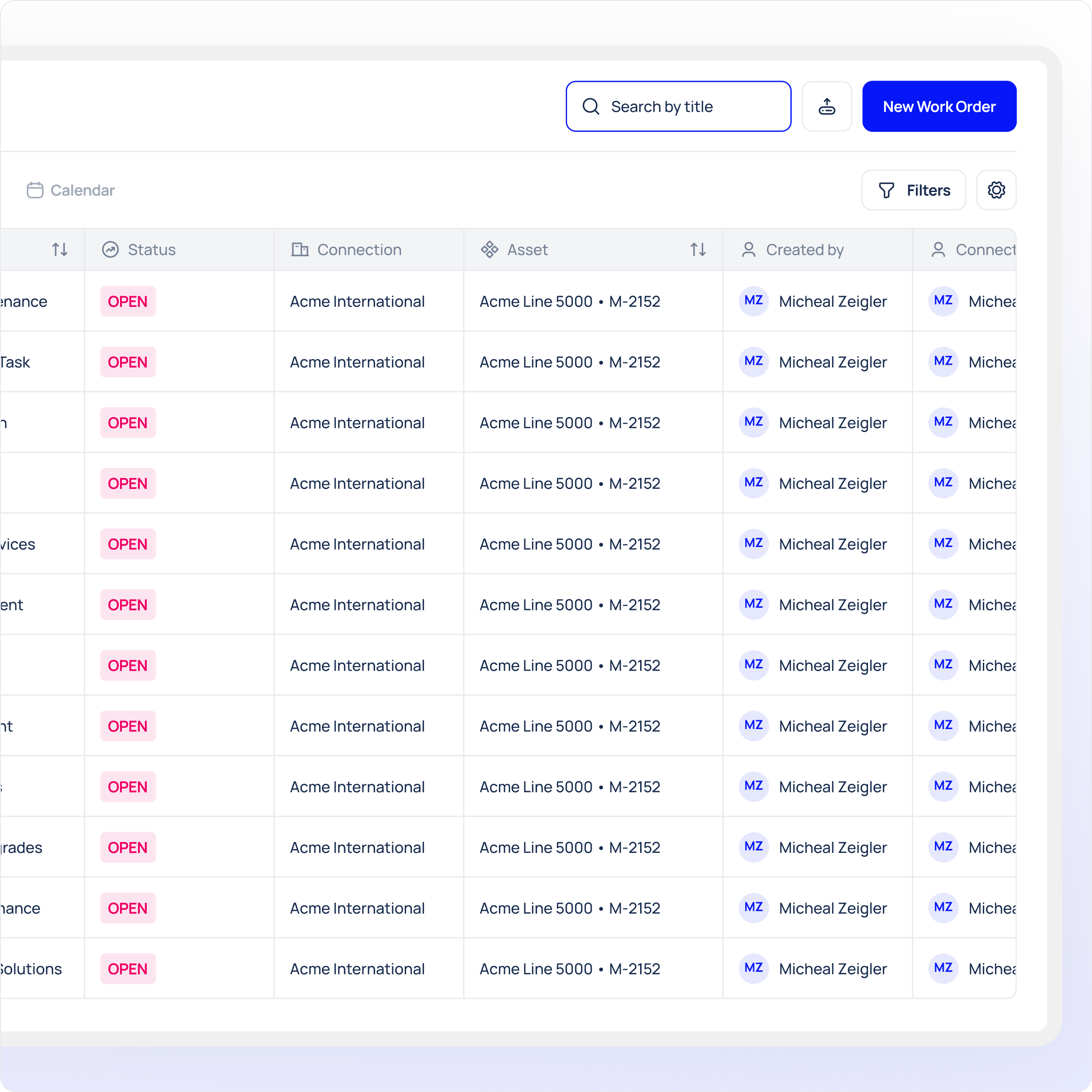
Dashboards and lists show open, overdue, and in-progress work orders.
Status updates and completion notes sync in real time across web and mobile.
Filter and search work orders by technician, area, or asset for quick triage.
Real-time alerts and role-based views to keep managers and technicians aligned
Industrial AI

Capture accurate data on every job.

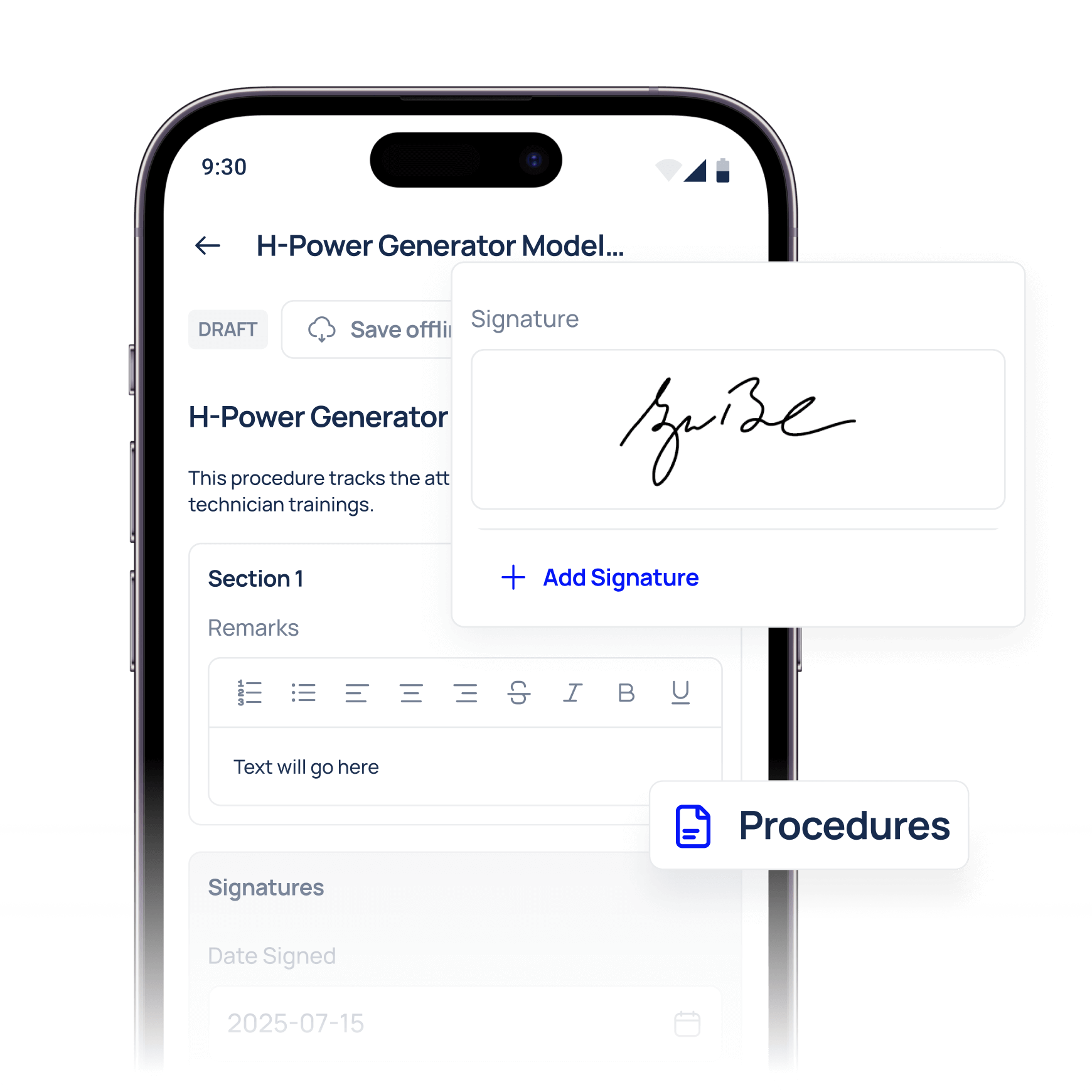
Record all findings, photos, time, parts, and outcomes directly on the work order so history is complete and future decisions are better informed, supporting digital work orders and audit-ready records.
Attach photos, measurements, forms, and SOP references to jobs.
Track time, labour logs, and part usage per technician and task
Required fields and checklists ensure quality, compliance, and consistency.
Automatic cost and parts capture for accurate work order reporting.
Industrial AI

Automate scheduling and recurring work

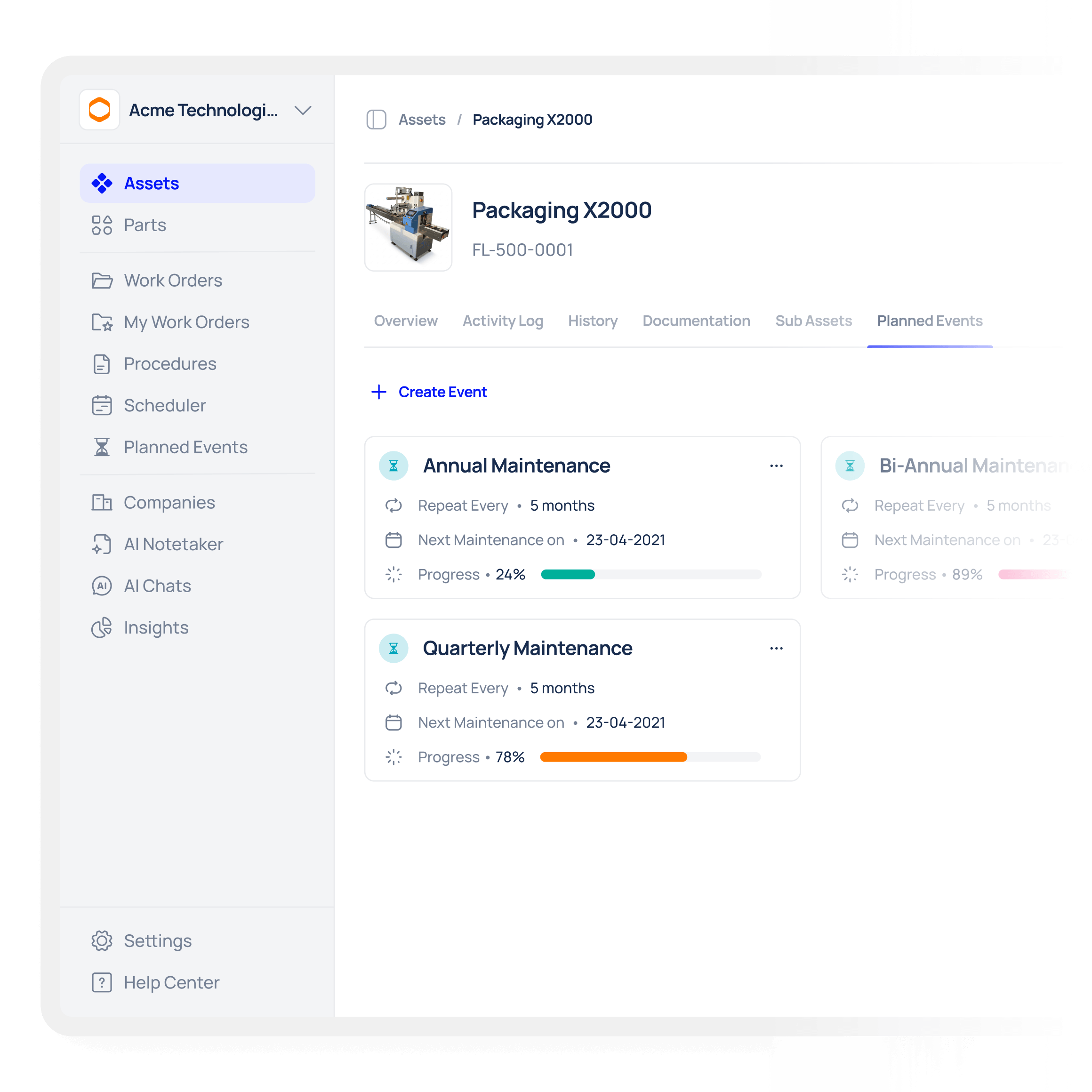
Stop relying on memory or spreadsheets by scheduling preventive and recurring jobs that automatically generate work orders based on your rules, a practical way to digitise work order management.
Set recurring schedules per asset, area, or equipment group.
Create triggers that launch work automatically based on time or usage.
Use recurring templates to standardise preventive and service work.
Calendar view for planning, forecasting, and workload balancing
Industrial AI

Execute faster on the shop floor

Technicians complete work orders faster by accessing job details, tasks, and documentation from anywhere on mobile, even offline, making the work order app experience fast and reliable.
Mobile app with offline capabilities so work continues in low connectivity.
QR code scanning for assets and locations to start a work order in seconds
Push notifications and in-app assignments for quick technician response.
Embedded checklists and SOPs inside each work order for faster execution
Industrial AI

Connect work orders to assets and history

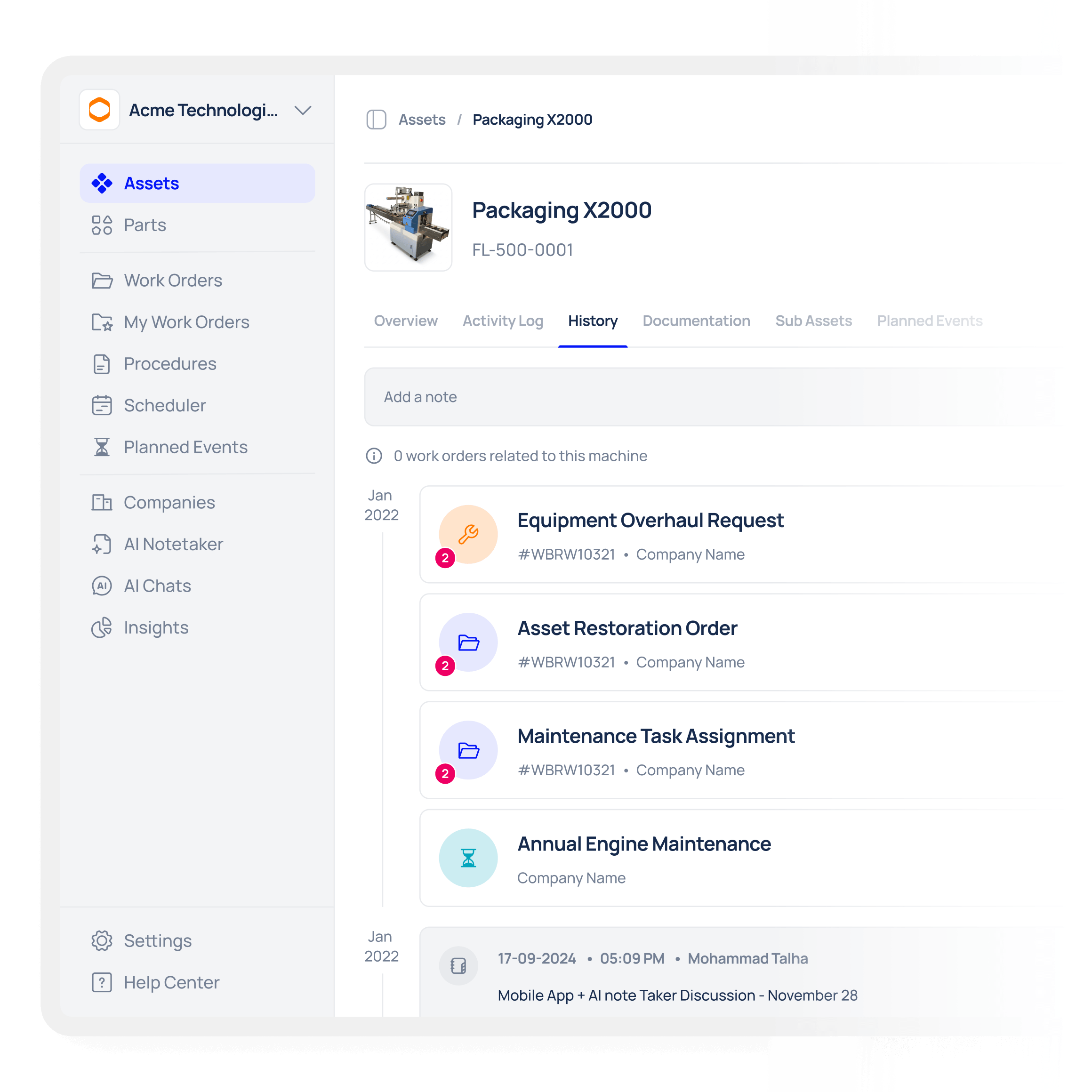
Every work order ties back to its asset, giving maintenance teams full visibility into history, recurring issues, and repair outcomes, delivering the insight expected from a CMMS work order system.
Asset-linked work order history and categorised downtime reasons.
Root cause analysis and repeat failure tracking for reliability insights.
Insights for replacement, reliability, and spare parts decisions.
Create procurement or ERP-hand off requests directly from completed work orders.

Frequently asked questions

What is work order management in Makula CMMS Software?
Work order management in Makula CMMS Software is the process of creating, assigning, executing, and closing maintenance tasks in a traceable and digital way. It helps teams coordinate work on assets, track progress in real time, and keep detailed records (digital work orders) of what was done and why.
Why is work order management important for reducing downtime?
Work order management ensures that maintenance tasks are prioritised, scheduled, and executed systematically instead of ad-hoc or on paper. By keeping tasks organised and visible — and by using Makula to centralise requests and schedules — teams respond faster to breakdowns and complete preventive work reliably, reducing unplanned downtime and improving asset reliability.
How does Makula CMMS Software help teams create work orders faster?
Makula offers templates, work request forms, and automated recurring schedules so work orders can be created consistently and without manual repetition. Pre-filled task lists and custom fields make it simple for managers to standardise work across teams and sites using a unified work order program.
Can technicians access work orders on mobile devices?
Yes, technicians can access their assigned work orders on mobile even when offline, and sync updates when connected again. Makula’s mobile work order app ensures teams in basements, remote areas, or low-connectivity zones stay productive and up to date.
Does Makula support preventive and recurring work orders?
Absolutely. You can schedule maintenance tasks to recur based on time, usage, or other custom triggers so preventive work generates automatically. This keeps the team focused on execution and lets Makula handle the recurring work generation.
Can work orders be linked to assets and asset history?
Yes, every work order in Makula CMMS Software can be tied to an asset, location, or component, building a complete history of maintenance activity for that item. This gives teams better context, supports troubleshooting, and improves decisions around replacements and lifecycle planning.
How does work order tracking help managers stay organised?
Work order tracking gives managers a real-time view of open, in-progress, and closed work across technicians, sites, and assets. With Makula’s dashboards, reports, and filters, leaders can quickly identify bottlenecks, overdue jobs, and resource constraints so they can act before problems escalate.
Can work orders include photos, notes, and attachments?
Yes — in Makula, technicians can attach photos, form entries, signatures, and notes to each work order, ensuring accurate documentation of the task performed. This improves quality, supports audits, and gives a richer dataset for reporting and analysis.
How does Makula’s work order system support compliance?
Work orders can include checklists, required fields, and SOP references so technicians execute tasks safely and consistently. All completed work, signatures, and attachments are stored in audit-ready records that support facility and safety compliance.
Is work order management in Makula suitable for teams of any size?
Yes, Makula’s work order features scale from small single-site teams to multi-location operations with role-based permissions and advanced views. It is designed to support both frontline technicians and maintenance managers across complex environments.
Can Makula integrate work orders with ERP or other systems?
Makula supports integrations with ERP, procurement, and other operational tools so work orders and maintenance data can flow into broader business workflows. APIs and connectors help automate handoffs and keep systems synchronised.
What kind of reporting does Makula offer for work orders?
Makula provides dashboards and reports that cover completion rates, overdue tasks, technician performance, and work cost trends. These insights help teams continuously improve execution and reduce both reactive and preventive work backlog.

Das sagen unsere Kunden über uns

Seit der Implementierung von Makula im Juni 2023 haben wir eine drastische Reduzierung der Fehler und eine deutliche Steigerung unserer Effizienz nach dem Kauf festgestellt. Makula hat unsere Prozesse optimiert, sodass wir unseren Kunden einen schnelleren und genaueren Service bieten können. Dies hat nicht nur die Kundenzufriedenheit verbessert, sondern auch zusätzliche Einnahmen durch monatliche Verkäufe generiert.

Robert Thornton
Sales Director

Die Effizienz und Klarheit, die Makula in unseren Kundendienst gebracht hat, ist beispiellos. Unser Team ist besser aufeinander abgestimmt, unsere Kunden sind zufriedener und unser Umsatz steigt. Sehr zu empfehlen!

Norbert Kaiser
Managing Director

The overview of all the latest offers, spare part orders, invoices, and service reports, helps the customer enormously. The software has really developed very well and Makula is doing a great job. The service is great, if I need something, there is always an answer from Karina very quickly.

Michael G.
Chief Executive Officer

We have had a great experience with the Makula team from the sales process to onboarding and then helping with day to day support if needed. The team are always quick to come back to us and provide solutions to requests. The platform is easy to access and navigate and Makula have already incorporated most of the functionality we need. This enables us to support our customers with the tools and resources they need to order spares, access machine information or book service visits.


Lizzie W.
Marketing Executive

The software is very user-friendly and intuitive to use. The team assists very intensively with the transformation process and onboarding. We have managed to integrate the tool into our daily processes, thereby promoting our internal coordination and ultimately our spare parts sales.

Flynn S.
Advisory Board Member

Dank der Implementierung von Makula haben wir eine vollständige Rückverfolgbarkeit aller Kundenanfragen erreicht. Wir haben alle Kundenbeziehungen auf einer einzigen Plattform zusammengefasst, was unsere Reaktionszeiten und unsere betriebliche Effizienz erheblich verbessert hat

Fernando Neves
Global Customer Support Manager

Seit wir Makula verwenden, haben wir eine breitere Perspektive auf die sich entwickelnde Welt des digitalen Kundendienstes gewonnen. Die Software hat sich nahtlos in unsere Prozesse integriert, den Betrieb verbessert und neue Erkenntnisse geliefert. Es ist eine sanfte Erinnerung an die potenziellen Möglichkeiten, die KMU-Maschinenlieferanten in diesem digitalen Zeitalter offen stehen.

Erik Döinghaus
Managing Director

Makulas Plattform hat das Spiel für uns verändert. Das Onboarding verlief unglaublich reibungslos, und die Benutzerfreundlichkeit des Systems hat die Effizienz unseres Kundendienstes erheblich verbessert. Unsere Techniker sparen jetzt täglich mehrere Stunden ein, da sie weniger Zeit für Telefonanrufe und das Durchsuchen verstreuter Dokumente aufwenden müssen.

Edward Herbert
COO & Founder

Als Nutzer von über 30 Maschinenmarken kann ich mit Bestimmtheit sagen, dass die After-Sales-Plattform von Makula transformativ ist. Sie verbessert und optimiert nicht nur die Kommunikation mit OEMs — sie revolutioniert sie und sorgt für eine beispiellose Kundenzufriedenheit in einer zunehmend komplexen und dynamischen Produktion

Christopher Staub
Chief Executive Officer

Sind Sie bereit, Ihre Maschinenwartung zu transformieren?