
The average facility faces 800 hours of downtime per year, with each hour of unplanned stoppage costing between $100,000 and $2 million, depending on industry and facility size.
Yet 70% of manufacturers don't know when their equipment is due for maintenance. They're tracking it across spreadsheets, paper checklists, and veteran technicians' memories. Preventable breakdowns keep happening because the information isn't accessible when it's needed.
Industrial equipment maintenance software gives you a single system for maintenance records, tells technicians which parts they need before they leave, and tracks which assets are overdue for service.
This guide reviews the seven best industrial equipment maintenance software based on how they handle equipment hierarchies, mobile access for technicians, and manufacturing-specific metrics.
How We Evaluated Industrial Equipment Maintenance Software
To create this comparison, we analysed each platform against the criteria that industrial facilities need when managing complex equipment assets.
Industrial Equipment Asset Management
We assessed how each platform handles complex equipment hierarchies, tracks maintenance histories, and stores technical documentation.
Industrial facilities need systems that organise thousands of assets across multiple locations, attach specifications and manuals, and maintain complete service records from installation to retirement.
Preventive & Predictive Maintenance Capabilities
We evaluated automated scheduling features, condition-based triggers, and AI-powered failure prediction. Platforms that work move teams from reactive maintenance to proactive strategies that prevent unexpected downtime through time-based schedules, metre readings, sensor data integration, and machine learning analysis of failure patterns.
Work Order Management Features
We examined digital work order creation, priority management, technician assignment, and mobile access. Industrial maintenance requires systems that route work efficiently, track completion times, capture labour and parts costs, and provide real-time status updates accessible from the plant floor.
Parts & Inventory Control
We reviewed parts tracking, automated reordering, and supplier management capabilities. Critical repairs get delayed when spare parts aren't available. Strong inventory systems track parts by location, set min/max levels, generate purchase orders automatically, and prevent both stockouts and overstock situations.
Reporting & Compliance Tools
We evaluated maintenance KPI dashboards, downtime analysis, cost tracking, and regulatory compliance documentation. Leadership needs visibility into MTBF, MTTR, maintenance spend by equipment or department, and audit-ready records for safety and compliance requirements.
Mobile Functionality for Technicians
We tested offline access, barcode scanning, photo documentation, and real-time synchronisation. Plant floor technicians need complete CMMS functionality on mobile devices, including the ability to work without internet connectivity in areas with poor coverage.
Scalability
We assessed multi-facility support, performance with thousands of assets, user permission management, and customisation options. Growing manufacturers need platforms that handle increasing equipment counts, expand across multiple sites, and adapt to changing operational requirements.
7 Best Industrial Equipment Maintenance Software for 2026
Here's how each platform handles industrial equipment maintenance, starting with the tools built for manufacturers.
Makula
Makula is a field service and CMMS platform for companies that build, service, or maintain industrial equipment. The software scales from small operations managing around 50 assets to multi-site organizations tracking 5,000+ assets, without requiring system migrations or architectural changes.
Makula stores detailed equipment profiles that support parent-child hierarchies and QR code scanning for fast mobile access. Our mobile app offers full offline capability, so technicians can complete work orders, fill out checklists, and access documentation even without an internet connection.
Makula includes parts inventory management, customer portals for service coordination, and reporting dashboards that track Overall Equipment Effectiveness (OEE), Mean Time Between Failures (MTBF), and Mean Time To Repair (MTTR).
Here’s how Makula handles industrial equipment maintenance:
Industrial Equipment Asset Database with Instant Search Access
Maintenance teams waste hours searching for equipment manuals, specifications, and service history buried in filing cabinets, shared drives, and technicians' personal notes.
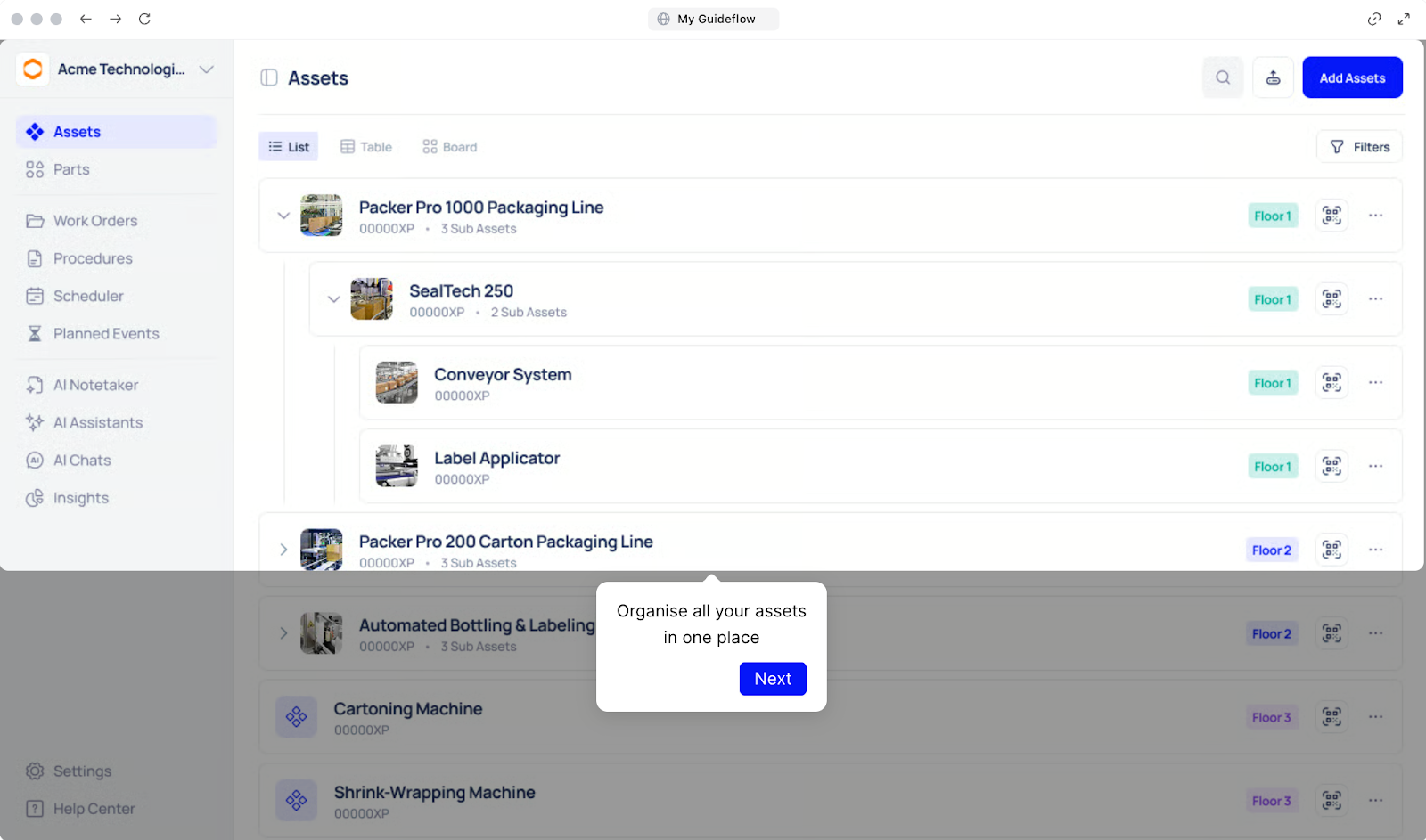
Makula organises all assets in one place with three flexible views (list, table, and board), so teams can visualise equipment data.
The platform handles complex equipment hierarchies by letting you organise sub-assets under parent equipment, while QR code scanning provides instant access to any machine's complete profile directly from the plant floor.
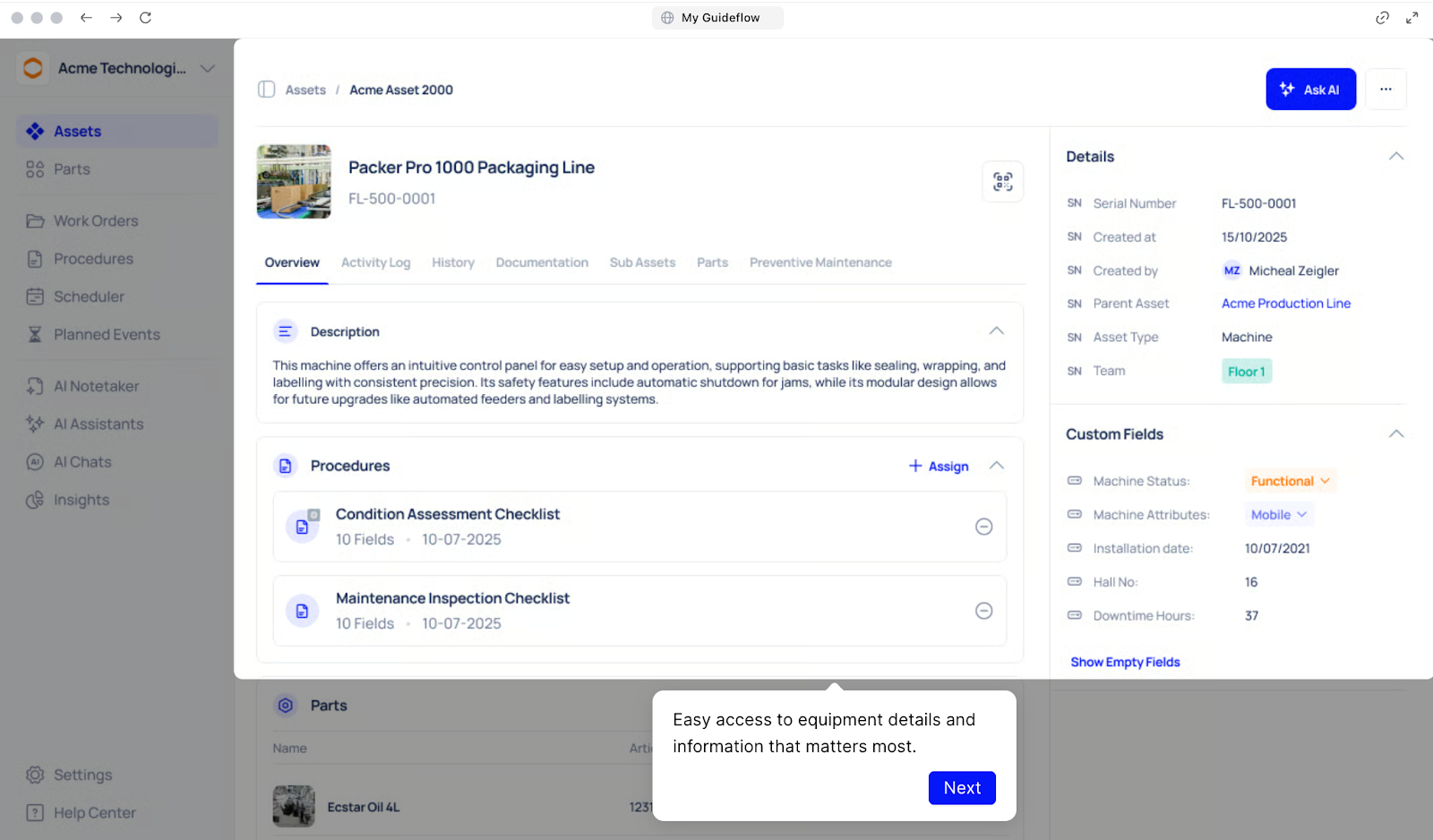
Each asset profile includes:
- Overview: Serial number, current machine status (functional/downtime), custom fields specific to your equipment type.
- Activity Log: Real-time updates on all asset-related activities.
- History: Complete maintenance record from installation to present.
- Documentation: Manuals, specifications, diagrams, and technical files.
- Sub-Assets: Child equipment organised under parent machines.

- Parts: Linked spare parts and components.
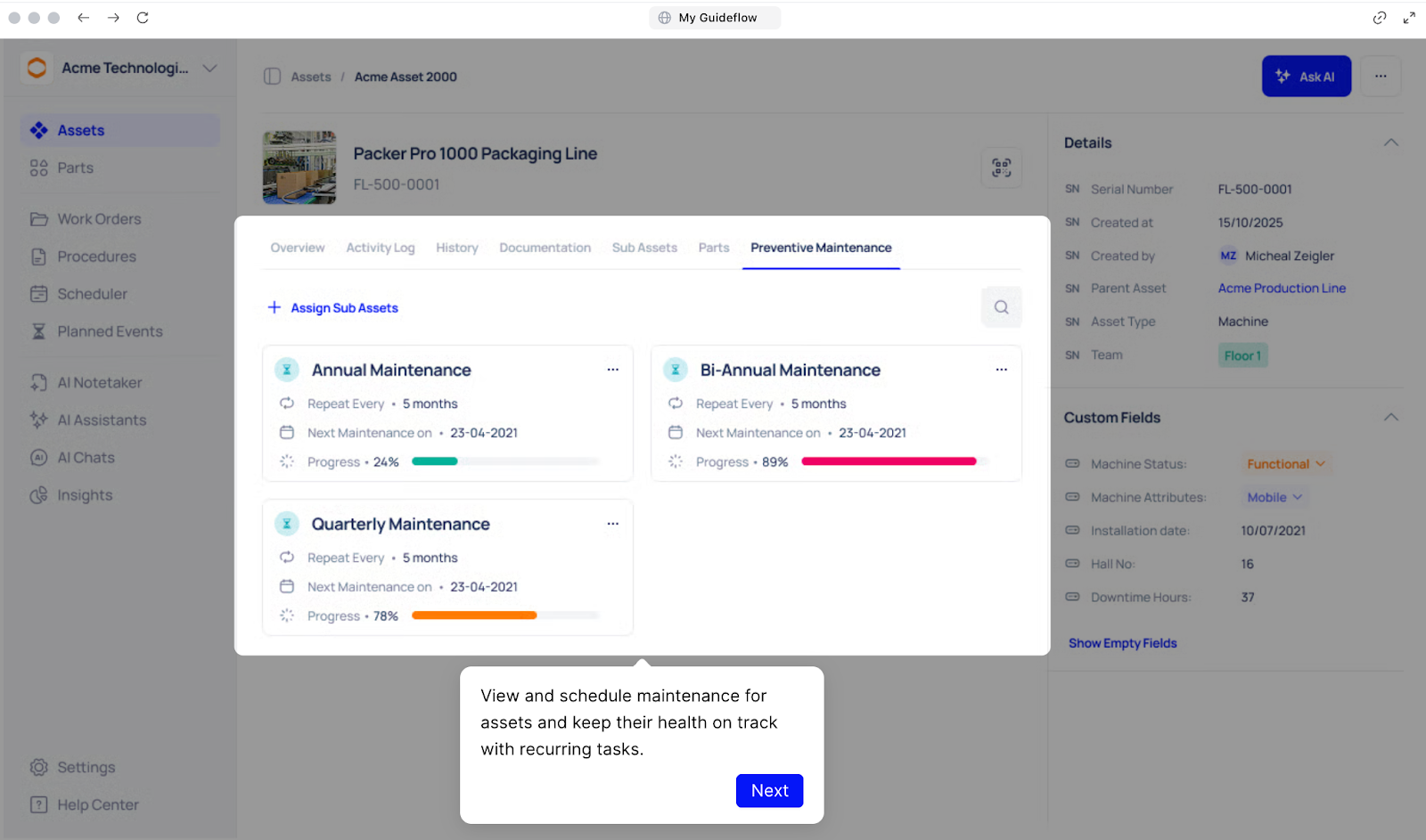
- Preventive Maintenance: Scheduled tasks and completion history.
Custom fields adapt to different equipment types, For example, you can add voltage ratings for electrical equipment, pressure specs for hydraulics, or any data points you need to track.
Work Order Management with Visual Kanban Tracking
Work orders get lost in email threads, forgotten on whiteboards, or buried in spreadsheets where teams can't see what's actually happening on the plant floor.
Makula tracks and organises service tasks through four views (list, table, board, and calendar). Teams can track every work order from creation to completion, assign priorities, and spot overdue tasks before they cause delays.
Each work order includes:
- Work Order Overview: Work ID, creation date, assigned team and technician, priority level, expected completion date.
- Activity Log: Real-time feed of all updates, changes, and actions taken.
- Collaboration Tools: Discuss updates, share files, and tag colleagues directly within the work order, no need to switch to email or messaging apps.

- Asset Documentation: Linked equipment manuals, diagrams, and specifications.
- Asset History: Past work orders and maintenance records for context.
- Time Tracking: Actual labour hours spent on the task for accurate costing.
The calendar view prevents scheduling conflicts by showing all planned maintenance and repairs on a timeline, making it easy to coordinate work during planned production downtime rather than disrupting active runs.
AI Maintenance Copilot for Instant Document Search
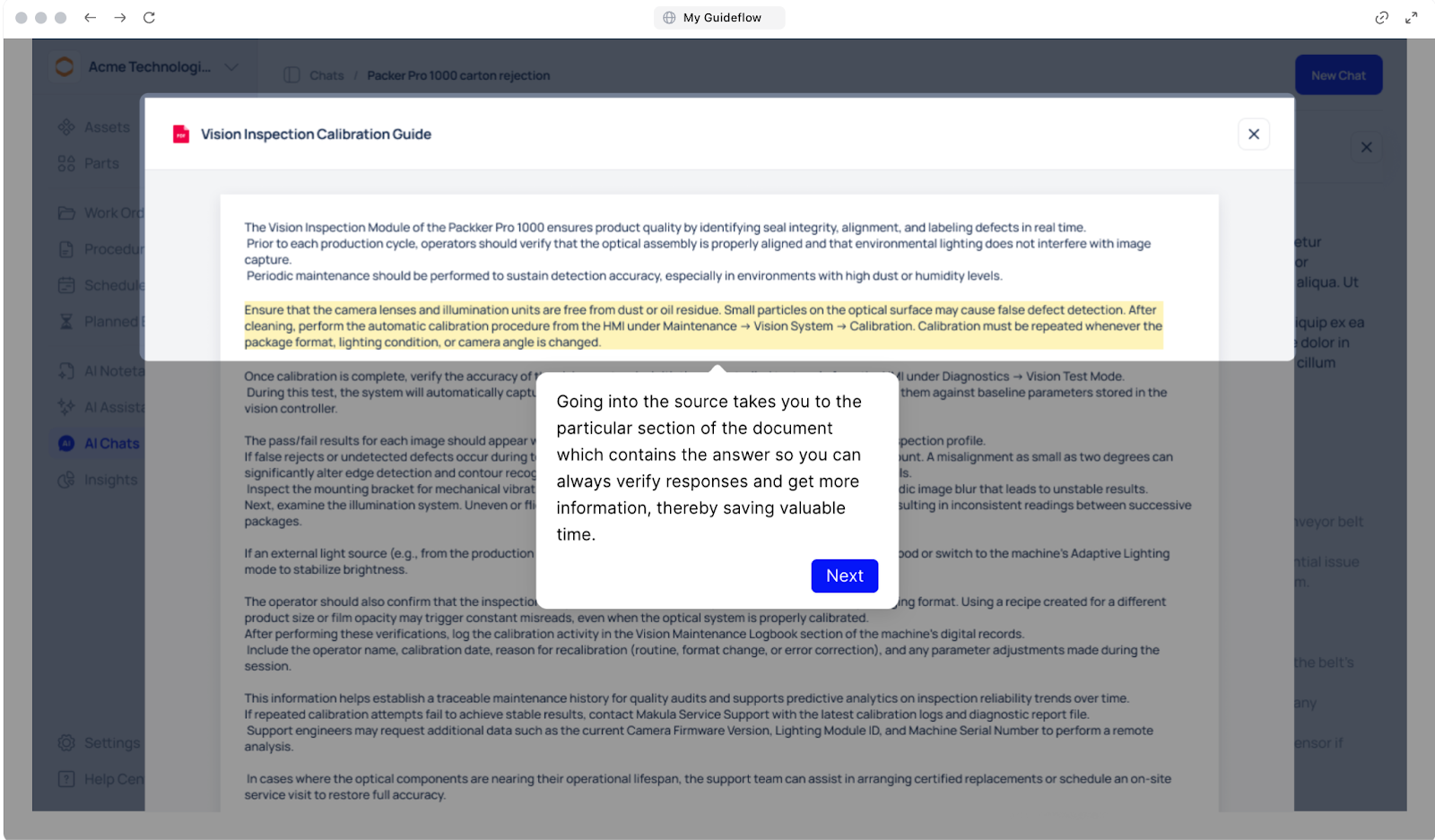
When a machine breaks down, every minute spent searching for torque specifications, part numbers, or troubleshooting steps extends costly downtime.
Makula's AI Copilot works as an intelligent assistant that searches through your equipment documentation. Instead of manually reading through PDF manuals or scrolling through lengthy technical documents, technicians simply ask questions in plain language.
Every response is cited from actual equipment documentation with direct links to the source.
Technicians can:
- Ask questions about equipment in any language, the Copilot supports multiple languages beyond English
- Click on cited sources to see a preview of the exact document referenced
- Jump directly to the specific section of the document where the information appears, highlighted in yellow
- Verify responses against original documentation to ensure accuracy
This eliminates the concern about AI "hallucinations" or incorrect information. Technicians get fast answers they can trust because everything traces back to verified equipment documentation.
Digital Checklists & Inspections for Consistent Equipment Maintenance

Paper-based inspection forms get lost, skipped steps lead to equipment issues, and managers can't verify equipment inspections were completed properly.
Makula's digital inspection checklists ensure nothing gets missed during routine maintenance. Technicians fill out service reports and checklists directly through the mobile app using standardised templates that guide them through every required step.
Report checklist templates include:
- To-Do List: Pre-defined inspection tasks specific to equipment type.
- Pre-Inspection Images: Photo documentation of equipment condition before work begins.
- Machine Information: Equipment details, serial numbers, and specifications.
- Inspection Checklist: Item-by-item verification (e.g., "Power supply checked", "Sensors verified", "Lubrication points serviced", "General cleanliness confirmed").
- Remarks Field: Notes on any issues discovered or additional work needed.
- Digital Signatures: Electronic signatures by technician and supervisor for compliance.
Each checklist item can be marked as checked or not checked, with mandatory photo uploads for critical inspection points. The system flags incomplete checklists and prevents technicians from closing work orders until all required steps are verified.
Parts Inventory Management for Manufacturing Operations

Critical repairs get delayed when spare parts aren't in stock, extending equipment downtime and production delays.
Makula's parts inventory system tracks consumables, spare parts, and components separately from the asset database. The parts inventory system:
- Tracks real-time stock levels for each part across multiple storeroom locations
- Sets automated reorder points that trigger alerts when stock drops below minimum levels
- Manages supplier information and purchase history for quick reordering
- Identifies which assets use specific parts, helping forecast future needs
- Flags obsolete inventory that's consuming space without being used
The system forecasts parts usage based on preventive maintenance schedules and historical consumption patterns. This prevents stockouts of critical components that cause extended downtime while identifying slow-moving parts that could be liquidated.
Mobile-First Platform for Technicians
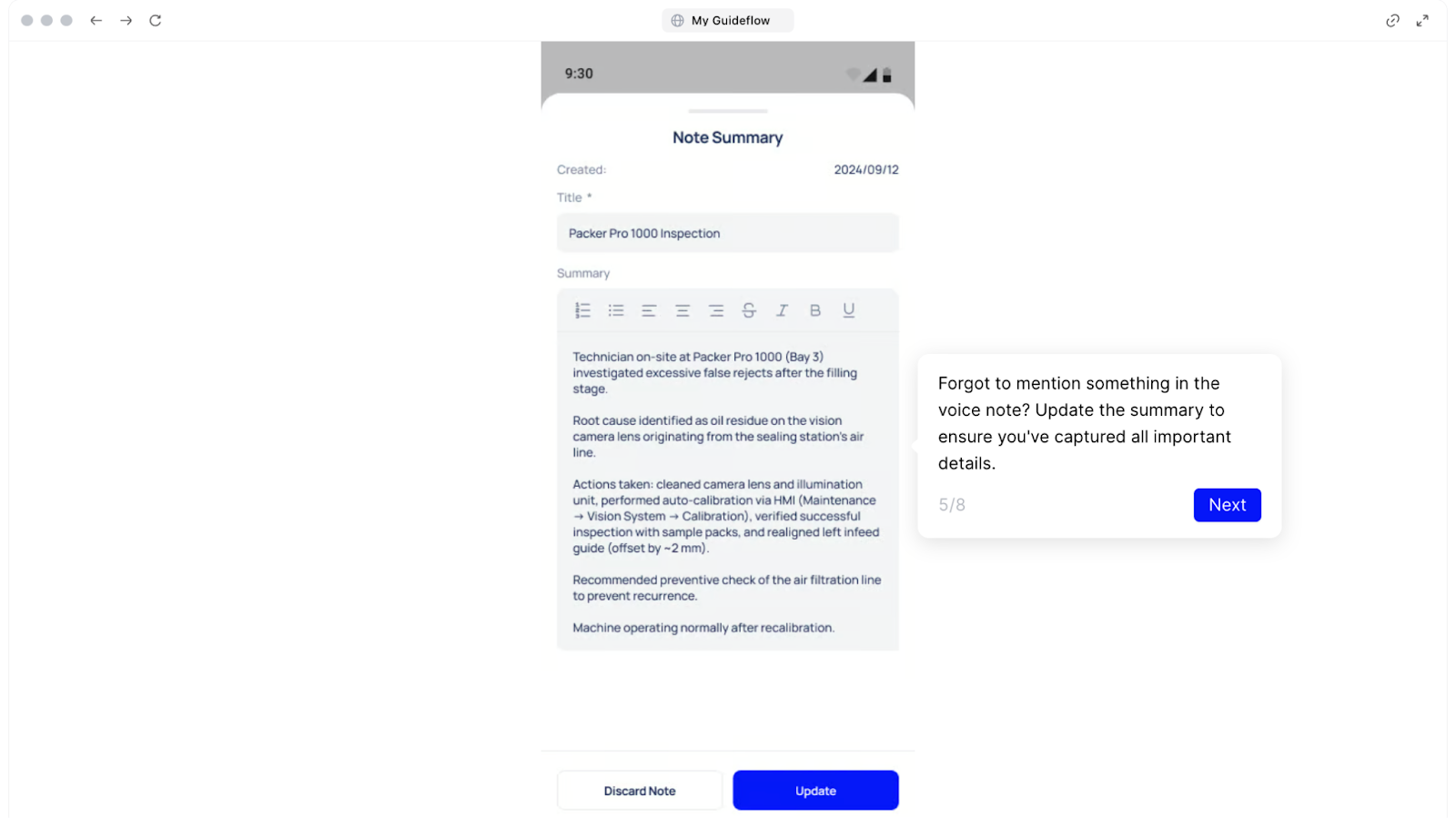
Makula’s Mobile App provides full CMMS functionality on smartphones and tablets with complete offline access. Technicians can access everything they need without an internet connection:
- Complete work orders and update status
- View and fill out digital inspection checklists
- Access equipment documentation, manuals, and specifications
- Scan QR codes to pull up asset information instantly
- Attach photos and add notes to work orders
- Check parts inventory levels
- Review asset maintenance history
The mobile app automatically syncs when connection returns, ensuring no data gets lost and that office staff see real-time updates on work progress.
Manufacturing-Specific Reporting & Analytics
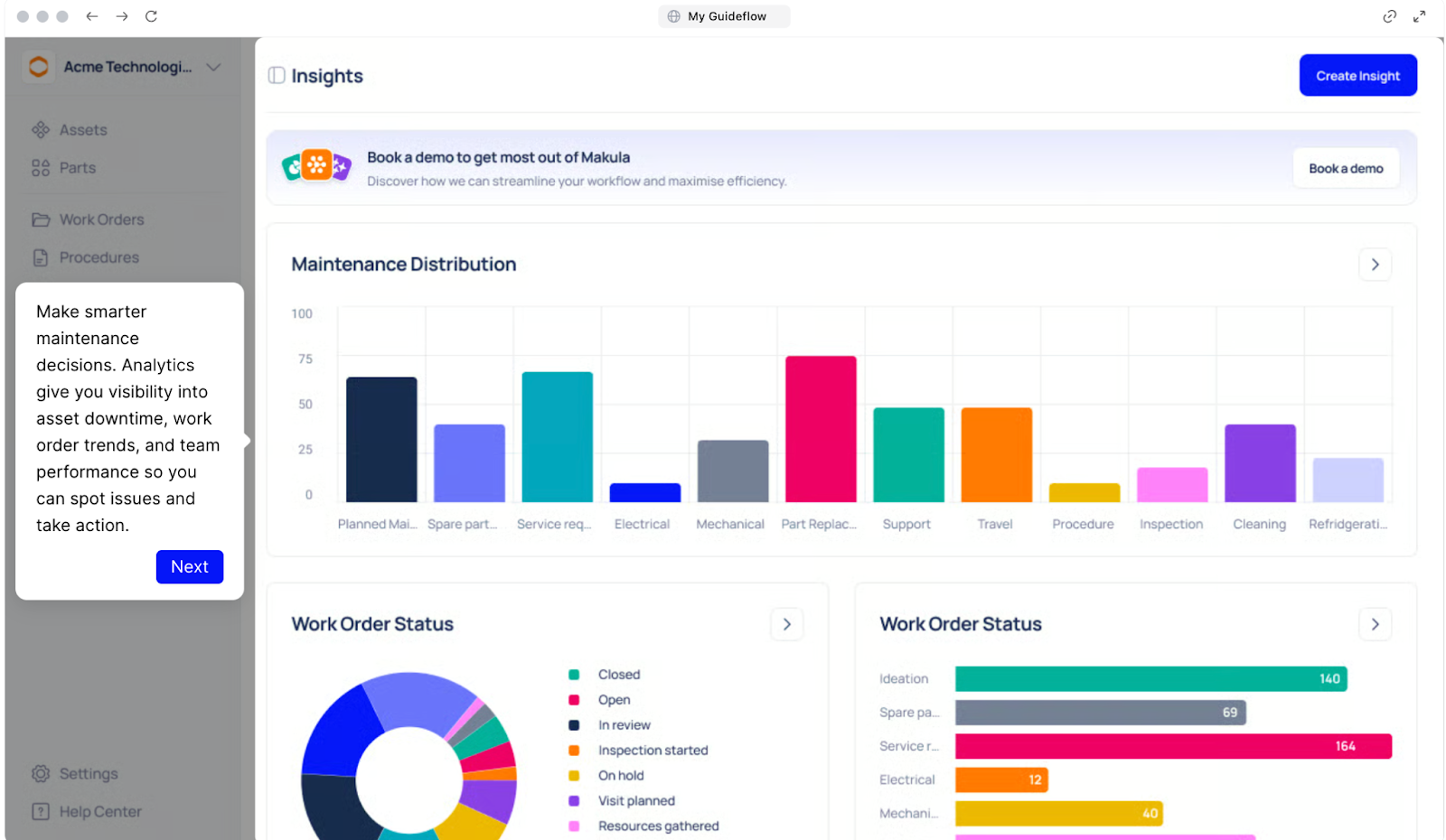
Leadership lacks visibility into maintenance costs, downtime impact, and team performance. Generic reports don't capture manufacturing-specific metrics like OEE, MTBF, and MTTR. Manual data compilation for audits consumes hours that could be spent on other work.
Most maintenance teams pull data from three or four systems when leadership asks why downtime increased last quarter. They spend hours building spreadsheets and still can't answer the follow-up: which machines caused the most production loss?
Generic reporting tools don't track OEE, MTBF, or MTTR out of the box. So teams build manual workarounds that break every time someone changes a formula.
Makula provides customisable dashboards that track equipment maintenance KPIs relevant to manufacturing operations:
- Overall Equipment Effectiveness (OEE): Availability, performance, and quality metrics combined.
- Mean Time Between Failures (MTBF): How long equipment runs before breakdowns.
- Mean Time To Repair (MTTR): Average time from failure to restored operation.
- Maintenance Cost Analysis: Spend by equipment, department, or facility.
- Work Order Status: Completion rates, overdue tasks, and backlog trends.
- Technician Productivity: Work orders completed, time per task, utilisation rates.
- Parts Consumption: Inventory usage patterns and reorder frequency.
- Downtime Analysis: Unplanned stops by equipment, cause, and duration.
Reports can be easily shared with leadership or external auditors through direct links, eliminating the need to export, format, and email spreadsheets manually.
Makula Pricing
Makula offers per-user pricing starting at €55/user/month.
Makula Reviews
Review #1: "Convenient management of information and service orders, especially for us as machine distributors."
Review #2: "Today, Makula has become one of the essential tools for delivering a complete and high-value solution to our customers, enhancing our ability to respond to their needs quickly and efficiently."
UpKeep
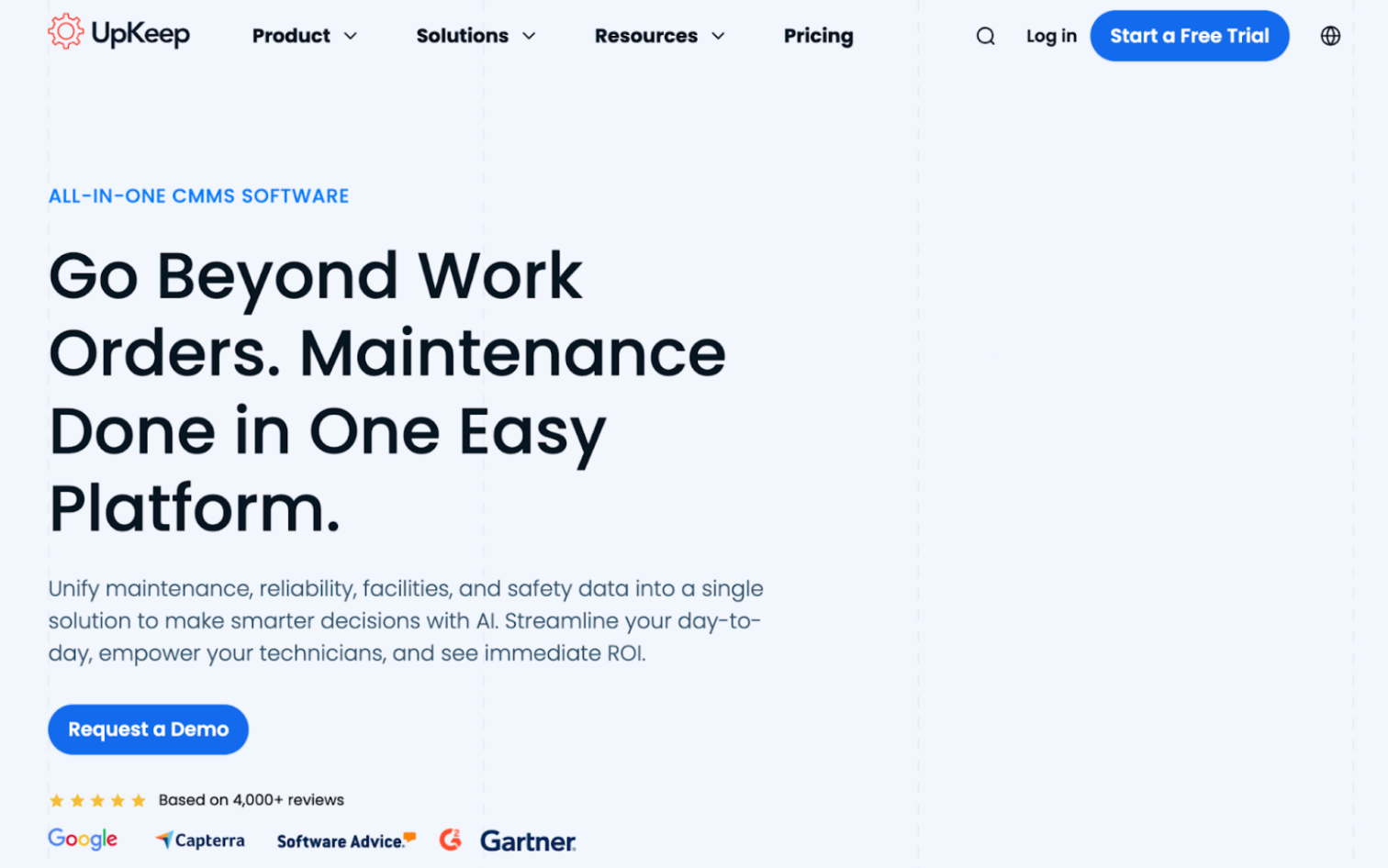
UpKeep is a mobile-first CMMS designed for teams that need to manage maintenance tasks on the go. The platform focuses on accessibility and ease of use, with work order management, asset tracking, and preventive maintenance scheduling.
The software integrates with various third-party applications through Zapier and other connectors.
The platform includes AI-powered insights through its Intelligence suite, helping teams identify maintenance patterns and optimize schedules.
Learn more: UpKeep Alternatives
UpKeep Key Features
- Mobile-first work order creation and management
- QR code and barcode asset tracking
- Preventive maintenance scheduling with meter-based triggers
- Inventory management with automated reorder alerts
- Real-time notifications and collaboration tools
- Integration with ERP systems and IoT sensors
- Customizable dashboards and reporting
UpKeep Pricing
Pricing starts at $20 per user per month.
Fiix (by Rockwell Automation)
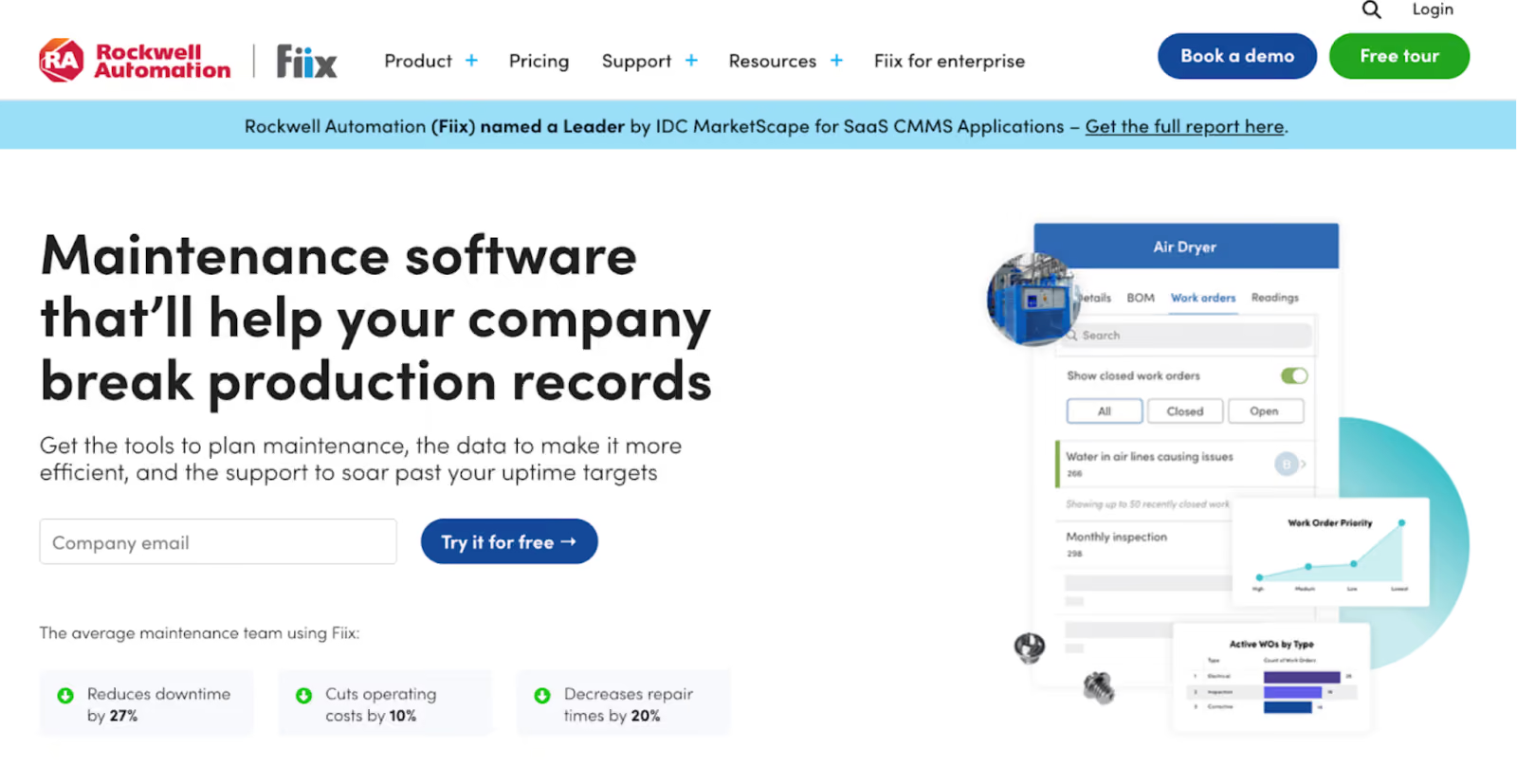
Fiix, now owned by Rockwell Automation, is a comprehensive CMMS platform with strong industrial automation capabilities. The system combines traditional maintenance management with advanced analytics through Fiix Foresight, an AI engine that analyzes maintenance data to forecast parts needs and identify work orders causing recurring breakdowns.
The platform's Integration Hub provides open APIs and pre-built connections to enterprise systems, making it valuable for manufacturers with existing industrial control systems and ERP platforms.
Read more: Fiix vs Limble vs MaintainX vs Makula
Fiix Key Features
- AI-powered Fiix Foresight for predictive maintenance insights
- Open API and extensive integration capabilities
- Drag-and-drop preventive maintenance calendar
- Multi-site management with asset hierarchies
- Mobile CMMS with offline access and QR code scanning
- Automated work order generation from sensor data
- Over 100 prebuilt reports and custom dashboards
Fiix Pricing
Pricing starts at $45 per user per month.
Limble CMMS
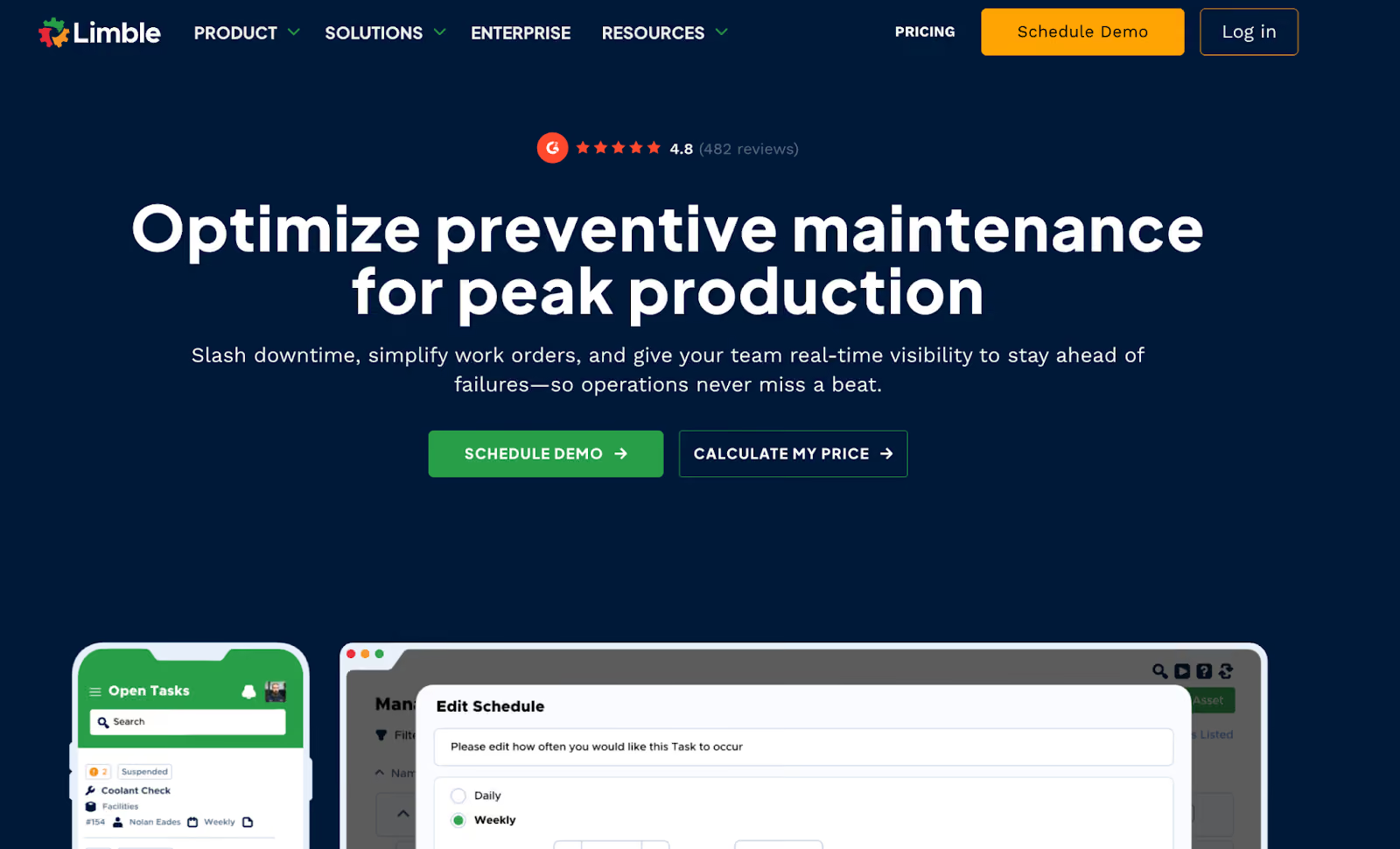
Limble CMMS emphasizes simplicity without sacrificing functionality, making it appealing to organizations transitioning from paper-based systems or spreadsheets.
The platform provides intuitive work order management, preventive maintenance scheduling, and asset tracking through both desktop and mobile interfaces. The platform's customization options allow teams to tailor workflows, dashboards, and reports to their specific needs.
Learn more: Limble vs Makula CMMS
Limble CMMS Key Features
- Intuitive work order creation with customizable templates
- Preventive maintenance automation with condition-based triggers
- QR code asset tracking and mobile barcode scanning
- Parts inventory management with min/max levels
- Customizable dashboards and KPI tracking
- Multi-site management capabilities
- Integration with ERP systems and IoT sensors
Limble CMMS Pricing
Limble offers custom pricing.
IBM Maximo
IBM Maximo represents the enterprise end of the CMMS spectrum, offering comprehensive EAM (Enterprise Asset Management) capabilities designed for organizations managing thousands of assets across multiple sites and countries.
The platform integrates AI capabilities through IBM Watson, enabling predictive maintenance, anomaly detection, and data-driven decision-making.
It supports complex asset hierarchies, advanced work order routing, and detailed lifecycle management from procurement to decommissioning. However, this power comes with complexity. The pricing reflects its enterprise positioning, making it most suitable for large organizations with substantial maintenance operations.
IBM Maximo Key Features
- AI-powered asset health monitoring with IBM Watson
- Comprehensive asset lifecycle management
- Advanced work order management with configurable workflows
- Multi-site, multi-currency, and multi-language support
- IoT integration for condition monitoring
- Predictive maintenance with failure forecasting
- Extensive customization and configuration options
- Mobile EAM for field technicians
IBM Maximo Pricing
IBM Maximo provides three plans (Essentials, Standard, and Premium) with pricing starting at $3,547 for up to 25 users.
eMaint (by Fluke)
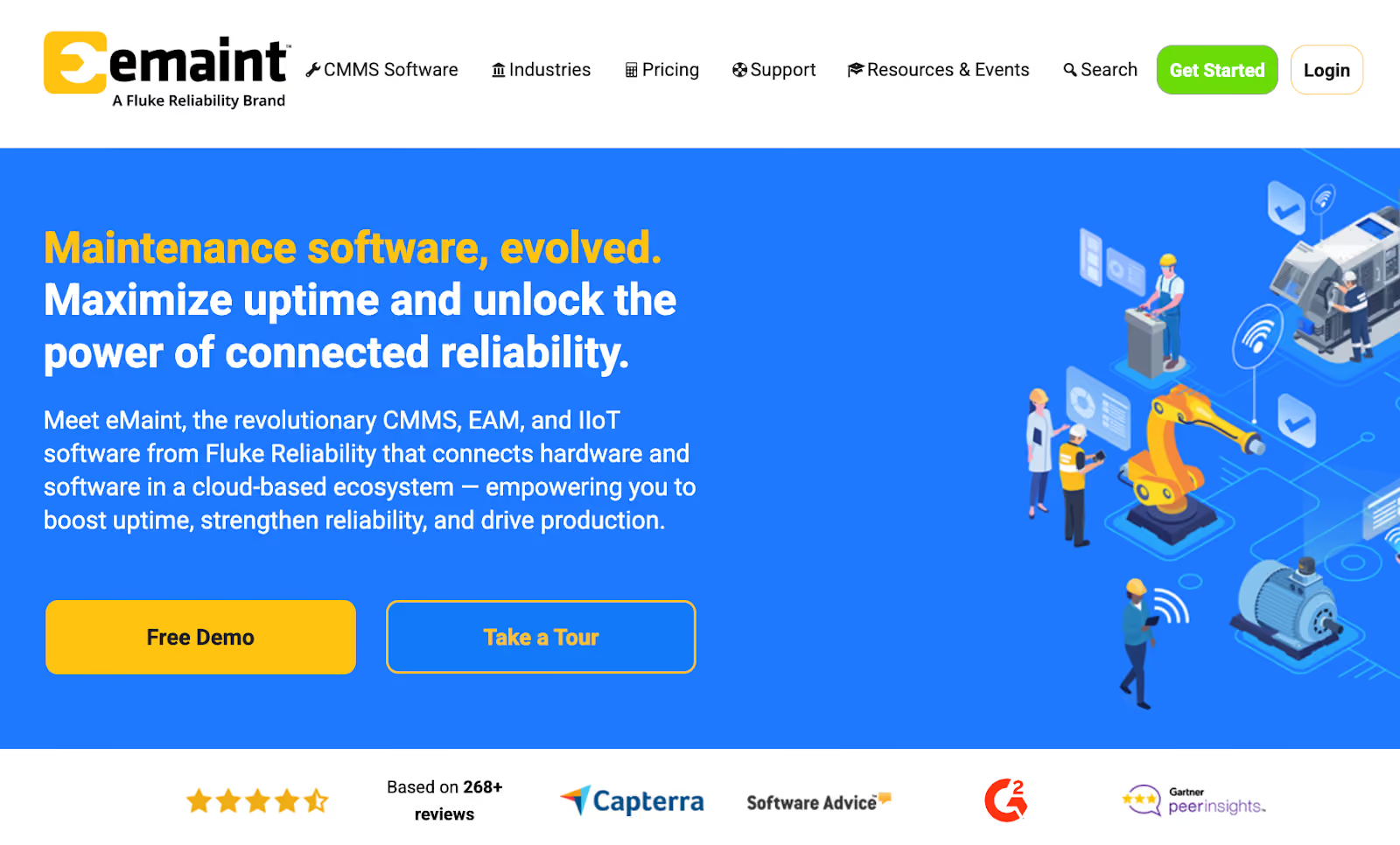
eMaint, now part of Fluke Reliability, bridges maintenance management with condition monitoring by seamlessly connecting CMMS functionality with Fluke's testing and calibration equipment.
This integration enables maintenance teams to trigger work orders automatically based on real-time sensor data, supporting the shift from reactive to predictive maintenance strategies.
The platform offers strong configurability, allowing organizations to customize workflows, dashboards, fields, and reporting to match their specific terminology and processes.
Learn more: eMaint vs Makula CMMS
eMaint Key Features
- Integration with Fluke sensor devices for condition monitoring
- Highly configurable workflows and dashboards
- Drag-and-drop preventive maintenance scheduling
- Multi-site management with centralized oversight
- Mobile CMMS with offline capabilities
- Spare parts forecasting and inventory optimization
- Automated work order generation from asset data
- Comprehensive audit trails for regulatory compliance
eMaint Pricing
eMaint offers three plans: Team at $69 per user per month, Professional at $85 per user per month, and Enterprise with custom pricing.
Hippo CMMS
Hippo CMMS (now evolving into Eptura Asset) is a CMMS platform with a user-friendly interface at competitive pricing. The platform provides work order management, preventive maintenance scheduling, asset tracking, and inventory control without overwhelming users.
Read more: Hippo CMMS vs Makula
Key Features
- Work order creation, assignment, and tracking
- Preventive maintenance scheduling and automation
- Asset tracking with location-based organization
- Parts inventory management with min/max controls
- Vendor management and purchase order integration
- Customizable reporting and dashboards
- Email notifications and work order alerts
Hippo CMMS Pricing
Hippo CMMS offers custom pricing.
7 Best Industrial Equipment Maintenance Software (Comparison Table)
How to Choose the Right Industrial Equipment Maintenance Software
Here are the key factors that matter most when choosing industrial equipment maintenance software:
Assess Your Facility Complexity
Count your equipment assets and locations. Facilities managing under 100 assets at a single site have different needs than multi-site operations tracking thousands of machines.
Equipment complexity matters too, for example, simple assets like conveyor belts require less detailed tracking than CNC machines with multiple sub-components.
Evaluate Integration Requirements
List systems that need to connect to your CMMS. Manufacturing operations typically require ERP integration for procurement and financial data.
Facilities with existing automation infrastructure benefit from platforms connecting to SCADA systems, PLCs, and sensors. Check whether platforms offer pre-built connectors or require custom API development.
Review Mobile Capabilities
Technicians working on plant floors need mobile access to complete work orders, access documentation, and update status without returning to desks. Facilities with unreliable connectivity in certain areas require offline functionality that syncs when connection returns.
Analyse Total Cost of Ownership
Beyond subscription costs, consider implementation fees, training requirements, and ongoing support. Some platforms include implementation and training in base pricing, while others charge separately.
Factor in time required to get operational, quick implementations measured in weeks differ significantly from multi-month enterprise deployments.
Prioritise Vendor Support
Implementation assistance matters, particularly for organisations without dedicated IT staff. Check what's included: online training resources, dedicated support representatives, or hands-on implementation help.
Response times and support availability during your operating hours affect how quickly teams resolve issues.
Request Demos with Real Data
Test platforms using your actual equipment list and maintenance scenarios. Upload sample asset data, create work orders for typical repairs, and evaluate whether the interface works for your team's technical comfort level.
Bottom Line: Makula is the Best Industrial Equipment Maintenance Software for Manufacturing Teams
Makula delivers industrial equipment maintenance capabilities for manufacturers through features like multi-level asset hierarchies accessible via QR codes, work order tracking, digital inspection checklists with photo verification, and AI-powered document search.
The platform handles operations scaling from 50 to 5,000+ assets without system migrations. Offline mobile functionality addresses connectivity issues in production environments.
Book a demo to see how Makula replaces scattered spreadsheets and paper logs with a single system your maintenance team will actually use.





