
UpKeep is a cloud-based Computerised Maintenance Management System (CMMS) designed to help teams organise, manage, and track maintenance tasks via mobile-first tools. It offers features like work order management, asset tracking, preventive maintenance scheduling, and mobile access.
Makula is a modern CMMS built for industrial manufacturers. Makula focuses on core CMMS functionality and cloud-based workflows to streamline maintenance processes and minimise downtime. Makula offers optional AI-assisted features. These AI features operate on data entered into Makula work orders and historical records.
UpKeep Pricing Plans (2025–2026)
UpKeep uses a tiered subscription model. As of 2025, the two published plans are:
- Essential (Entry) – $20 per user/month. Includes unlimited work orders, custom tasks, unlimited request users, asset management, and 24/7 phone/email/chat support. This plan even includes UpKeep’s Intelligence (AI) suite for basic insights.
- Premium (Mid-tier) – $55 per user/month. Includes all Essential features plus advanced preventive maintenance optimisation, custom checklists, inventory management/costing, time & manpower tracking, and 30-day analytics/reporting. UpKeep Intelligence (AI) features are also included at this level.
Higher tiers (Professional and Enterprise) are custom-priced and require contacting UpKeep’s sales team. For example, the official site shows Essential at $20 and Premium at $55 per user per month, while Professional/Enterprise only lists “Request pricing”.
Feature breakdown: UpKeep Essential covers core CMMS functionality (work orders, asset register, requests, basic analytics). Premium builds on that by adding inventory controls, manpower/time tracking, and richer analytics. For example, UpKeep’s Essential plan “includes unlimited work orders… asset management… 24/7 support”, whereas Premium “adds preventive maintenance optimisation, custom checklists, inventory management/costing, time and manpower tracking, and 30-day analytics”.
UpKeep Pricing Summary:
UpKeep also offers a 7-day free trial for new customers. There is no permanently free tier; all paid plans include unlimited requesters and basic maintenance features, with price scaling by user count and feature set.
Makula Pricing and Value
Makula takes a modular, transparent approach to pricing. The core CMMS package is €55 per user/month. This flat rate includes digital work orders, preventive scheduling, mobile access, inventory control, and analytics – essentially an all-in-one maintenance suite. Additional advanced AI features are optional, including things like a custom AI maintenance assistant and document search.
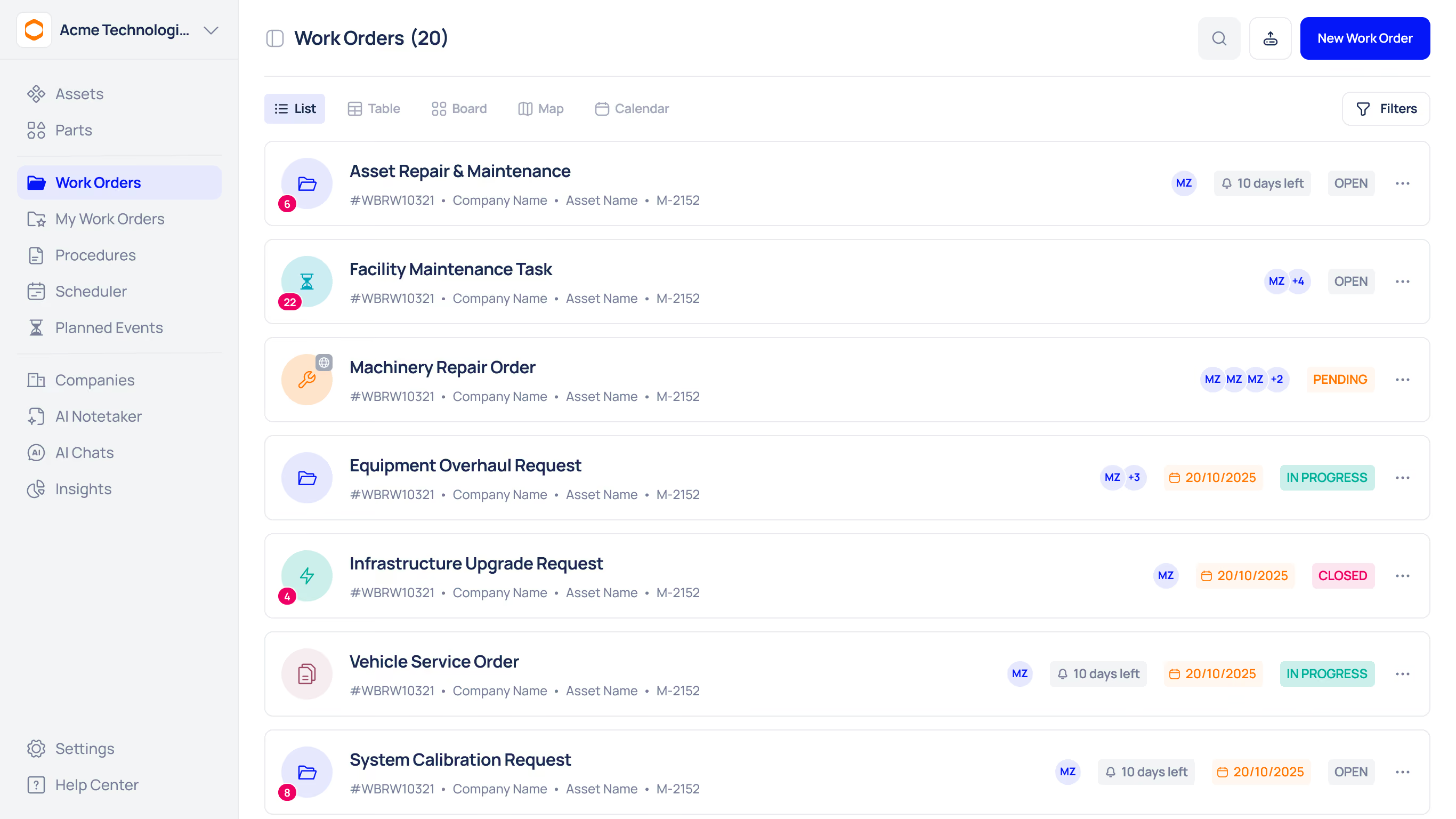
Makula targets manufacturing operations; its CMMS offering includes features that standard CMMS may lack. For example, Makula provides offline mobile access (technicians can update work orders without internet) – a key advantage in factories or construction sites.
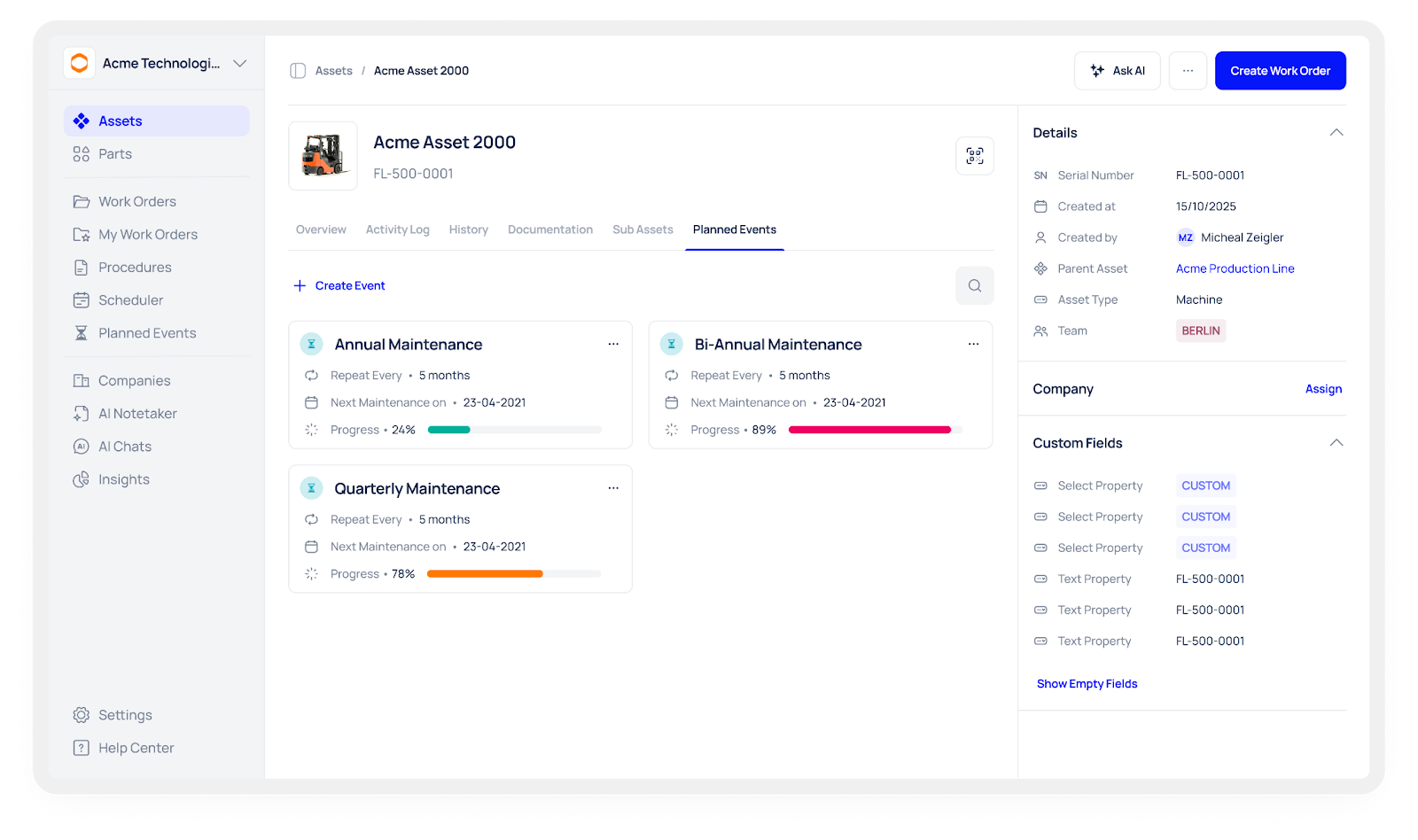
Makula supports time-based preventive maintenance scheduling; meter- or condition-based triggers are not currently supported. In practice, Makula’s flat-rate CMMS is competitive with UpKeep’s mid-tier on a per-user basis, but often delivers more for the price in industrial settings.
Feature Comparison: UpKeep vs Makula
This comparison shows that while UpKeep’s pricing is straightforward ($20 and $55 tiers), Makula’s single-tier €55 plan includes most maintenance features out of the box, plus robust offline and AI capabilities. In short, Makula delivers an all-in-one CMMS at a competitive price. Customers save the complexity of planning multiple add-ons or enterprise quotes, and avoid paying for unused extras.
Why Choose Makula Over UpKeep?
- Transparent, Predictable Pricing: Makula’s flat-rate CMMS avoids surprise quotes. UpKeep’s entry and mid tiers end at $20/$55, but Enterprise quotes can be much higher. Makula instead bundles key features for €55/user and lets you add AI if needed.
- Industrial Focus & Local Support: Makula is purpose-built for manufacturers and equipment-makers (often co-developed with an industrial partner). It offers factory-specific features and local engineering support, positioning it as an expert maintenance tool. UpKeep is more generic.
- Advanced Features (Offline & AI): Unlike UpKeep, Makula supports full offline mobile access, so field techs aren’t stalled by connectivity issues. Makula also highlights AI assistants and deep analytics as core offerings. These innovations often give Makula customers faster ROI.
- Rapid ROI and Efficiency Gains: Real-world users report major wins. For example, Swiss Can AG sped up service processes with Makula’s portal, and Döinghaus (an OEM) eliminated many Excel logs via Makula’s digital forms. These efficiency gains indirectly justify the cost advantage.
- Flexible Scale: Makula’s pay-as-you-grow model means you can add users or features without renegotiating contracts. You won’t outgrow an UpKeep plan unexpectedly.
Overall, Makula positions itself as the all-in-one, manufacturer-friendly CMMS that can match or beat UpKeep on features while delivering clearer pricing and stronger ROI.
Makula Customer Success Stories
Real Makula users highlight why Makula is a compelling UpKeep alternative:
- Dogtooth Technologies (Agricultural Robotics): Dogtooth streamlined maintenance across three sites with Makula. Engineers report that Makula “saves us a couple of hours at least a day per engineer” by eliminating manual follow-ups and paperwork. (They quickly logged dozens of robot part changes for analytics instead of calling home.)
- Cellumation (Intralogistics Automation): After deploying Makula, Cellumation cut wasted time dramatically. Work order creation and scheduling became 60% faster, and approvals 30% faster. Internal communication loops shrank by ~15%. Project handovers now take 1–3 hours less per project, thanks to structured data in Makula.
- The Glave Group (OEM Industrial Machines): The Glave Group used Makula to unify service across its companies. With Makula, the manufacturer and its in-house factory now treat internal equipment service like customer service – with shared workflows and full visibility. They “established a clear service relationship” between divisions, reduced friction in planning, and gained real-time visibility into machine status. Maintenance requests flow through one platform, improving coordination and accountability.
These case studies show that Makula customers experience faster maintenance cycles, better data, and higher productivity, with Makula’s pricing often lower than the legacy methods they replaced.
How CMMS Pricing Models Work
CMMS vendors use a variety of pricing structures to fit different business needs. Most commonly, cloud-based CMMS products charge a subscription per user or tier – fees rise as you add more licensed users or upgrade to higher tiers. Some plans are per-asset (each tracked machine or piece of equipment adds to the cost) or hybrid (combining user and asset counts). Subscription models (monthly or annual fees) dominate SaaS CMMS offerings, which include updates and support.
By contrast, on-premise systems may use perpetual licensing – a one-time license fee plus optional support contracts. Enterprises with unique requirements often negotiate custom pricing, where the vendor tailors a quote based on features, asset scale, and support needs.
For example, Makula’s CMMS is sold per technician per month (currently ~€55/user/month) with unlimited work orders and assets included. UpKeep likewise uses per-user subscriptions: its Essential plan starts at $20/user/mo for basic PM and asset tracking, while higher tiers ($55+) unlock inventory control, offline mobile, analytics and more.
Understanding these models helps facilities predict how costs will scale as their team or equipment base grows – for instance, adding users or integrating new sites should linearly affect a per-user plan but could trigger a jump to a next-tier plan under tiered pricing.
Key Factors Influencing CMMS Pricing
Several key factors determine a CMMS’s total cost beyond the base plan:
- Team Size (Number of Users): Since most CMMSs price by user, adding technicians, managers, or requestors increases the subscription cost. Volume discounts or tiered pricing may apply when you license many seats.
- Asset Base and Complexity: Managing more assets (or high-cost equipment) typically means higher fees. Simple facilities might need only basic tracking, but heavy industries (manufacturing, utilities, aviation, etc.), some vendors offer additional modules such as compliance workflows or reliability analytics, depending on industry needs. For example, a hospital with complex medical devices may pay more than a small office.
- Features and Functionality: Basic CMMS modules (work orders, preventive schedules, asset registry) are usually included in lower tiers. Advanced capabilities – maintenance analytics, AI-generated insights, extensive reporting, or full offline mobile apps – often live in higher-priced plans. (Makula’s base “Pro” includes offline mobile and analytics by default, whereas some vendors only add these in top tiers.) Identifying which features are “must-haves” versus nice-to-haves can avoid overpaying for unused functionality.
- Deployment Model: Cloud (SaaS) solutions bundle hosting, updates and backups into a subscription, usually with a lower upfront cost. On-premise systems require a large initial license fee plus IT infrastructure and support expenses. Organisations must weigh these against their budget and IT capabilities.
- Integrations and Customisation: Some CMMS platforms offer integrations with ERP or other operational systems. Advanced industrial integrations may require custom development or specialist platforms. Pre-built connectors may be included in higher plans, but custom API development or middleware is often extra. Custom reports or workflow tweaks likewise can incur implementation charges.
- Support & Training: Standard support (email or ticketing) is often included, but 24/7 phone support, dedicated account managers, or on-site training usually cost more. Higher support tiers with fast SLAs are common add-ons. Similarly, extensive onboarding services (data migration, personalisation, hands-on training) may be free, modest, or very costly depending on the vendor.
- Industry Requirements: Some vendors provide specialised compliance modules for highly regulated industries (healthcare, food & beverage, pharma, etc.) Such compliance modules can exist only in premium editions. Also, multi-site or global firms often need multi-location support and role-based security, which may drive them to more expensive enterprise tiers.
In short, CMMS pricing is shaped by your organisation’s size, industry, complexity, and desired capabilities. Two vendors with “similar” feature lists might quote very different prices if one requires fewer licenses or bundles more functionality. Always clarify how each factor (users, assets, add-ons) contributes to the quote.
How to Evaluate a CMMS Vendor (Beyond Pricing)
Choosing the right CMMS isn’t just about sticker price. A checklist approach can ensure you pick a system that truly fits your needs:
- Define Your Requirements: List critical features (asset types, work order workflows, reporting needs) before engaging vendors. Don’t get sold on bells and whistles you won’t use.
- Check Core Functionality: Verify the CMMS natively supports your must-haves: preventive maintenance scheduling, asset hierarchies, inventory control, mobile work order entry, etc. For example, if your techs work on plant floors, ensure the vendor’s mobile app is full-featured (iOS/Android, offline mode, photo/scanning support).
- Assess Ease of Use: A steep learning curve or clunky interface can doom adoption. Ask for a demo or trial with your actual users (technicians and planners). Field technicians should be able to view and close orders on mobile without wrestling with the app.
- Evaluate Scalability: Will the CMMS grow with you? Ensure it can handle multiple locations and a high volume of work orders without performance issues. Ask how pricing changes as you scale: is there a limit on assets, API calls, or data storage? Makula, for instance, uses a flat per-user model with no hidden “per asset” surcharges, which simplifies budgeting for growth.
- Integration Capabilities: Your CMMS should fit into your IT ecosystem. Check for open APIs, webhooks or built-in integrations with your ERP or maintenance hardware. Ask if third-party connectors or custom integrations are included or extra.
- Implementation and Training: Clarify the onboarding process. Good vendors provide project management, data migration assistance, and hands-on training. A structured rollout (often 4–8 weeks) with a dedicated support contact is a good sign. Understand who does the setup: the internal team or the vendor? Will you have ongoing training resources?
- Support and SLA: Ask about support channels (email, chat, phone) and response times. Critical environments may need 24/7 coverage. Confirm whether premium support is included or an add-on.
- Reporting and Metrics: The right CMMS should help you measure ROI. Verify that it tracks key KPIs (e.g. Mean Time To Repair, compliance rates, inventory turnover). Look for customizable dashboards or reports so managers can easily see uptime, costs, and maintenance trends.
- Vendor Reputation: Research case studies and user reviews. A vendor with a strong track record (especially in your industry) and responsive customer service is less risky. See if they have clients similar to your organisation and whether those users achieved the promised benefits.
- Total Cost of Ownership: Beyond subscription fees, consider all potential costs: extra for premium modules, support tiers, data migration, and hardware (e.g. barcode scanners, sensors). Double-check for any hidden fees (per-integration charges, user role limits, etc.). Ask vendors to outline all costs up front so you can compare apples-to-apples.
By going through this checklist, you’ll compare vendors on fit and value, not just price. As one CMMS expert advises, ask tough questions about implementation, support, mobile usability, analytics, and scalability and trust the vendors that answer clearly. This thorough evaluation ensures the CMMS you pick (whether Makula, UpKeep or another) will deliver real benefits.
CMMS ROI & Cost-Savings Benchmarks
Investing in a CMMS typically pays for itself through reduced downtime, lower maintenance expenses, and productivity gains. Here are representative ROI figures and savings that facilities often achieve:
- Maintenance cost reduction: Transitioning from reactive to preventive maintenance can cut repair and unplanned maintenance costs by roughly 12–18%. In one industry survey, factories reported that maintenance spending dropped by about a third in the first year after adopting CMMS and better planning.
- Downtime reduction: Industry data show average unplanned downtime drops 15–20% with CMMS use. In focused case studies, gains are even higher: one facility cut lift/elevator downtime by 70% and sped emergency response by 60% after CMMS rollout. Across the board, preventive maintenance can reduce machine downtime by 30–50%, greatly boosting uptime and throughput.
- Productivity gains: Automating work orders and mobile workflows frees up maintenance staff. For example, teams implementing CMMS report technician productivity improving 35–45%. Many users find that paperless processes and real-time updates dramatically shorten administrative tasks – one client saw report preparation time cut by 70%.
- Inventory and parts savings: Better visibility into spare parts usage often trims inventory costs. Customers commonly see up to 30% reduction in parts spending thanks to tighter reorder points and less emergency ordering. One study noted eliminating nearly 30% of unused inventory items after CMMS deployment.
- Extended asset life: By ensuring timely maintenance, CMMS users extend equipment lifespan. Preventive maintenance can increase machine life by 20–40%. Delaying costly equipment replacements is a major source of ROI.
- Overall ROI: When you quantify all savings (labour, parts, downtime, replacements), the financial return is very strong. A landmark analysis found 545% ROI on preventive maintenance investments. (Since a comprehensive CMMS enables ongoing preventive practices, similar ROI magnitudes can apply.) Even modest estimates yield high payback – for example, cutting just 20% of downtime or repairs can recover the CMMS cost in under two years.
In real-world terms, facilities moving from ad-hoc maintenance to a CMMS often report halving breakdowns and cutting maintenance budgets by 20–40% within months of implementation.
Both UpKeep and Makula emphasise these outcomes: by automating preventive schedules and enabling real-time monitoring, customers gain visibility that translates into measurable ROI.
Ultimately, these benchmarks show why investing in the right CMMS makes sense. The software cost is quickly eclipsed by lower emergency repairs, longer asset uptime, and more efficient teams.
When evaluating UpKeep vs. Makula, keep these ROI levers in mind – choose the solution that maximises the maintenance savings and efficiency gains for your operation.





