

A national CMMS survey published by Reliable Plant found that 94.7% of plant maintenance managers believe they are not using their CMMS to its maximum capability. Reflecting on the results, author Kris Bagadia said, “I knew it was going to be a high percentage. I didn’t know it was going to be that high.”
Here are some common reasons why implementing CMMS fails:
- Asset data isn’t ready. Equipment lists live in spreadsheets, binders, or tribal knowledge. When that messy data gets migrated, the CMMS becomes unreliable from day one.
- Processes aren’t clearly defined. Teams digitise current processes without standardising workflows, priorities, or responsibilities.
- Technicians don’t fully adopt the system. When training is rushed or the system doesn’t reflect how work happens on the floor, updates get skipped, and work orders go untracked.
- CMMS tools that don’t integrate cleanly with ERP, inventory, or purchasing systems create duplicate work instead of reducing it.
Getting implementation right matters because downtime is expensive. Siemens’ True Cost of Downtime 2024 estimates unscheduled downtime drains 11% of annual revenues for the world’s 500 biggest companies.
This article explains everything you need to know about implementing CMMS.
CMMS Implementation by Industry
CMMS implementation follows the same core steps across sectors. But the priorities, data structures, and friction points differ based on what breaks operations in each industry.
Manufacturing
Manufacturing plants fail CMMS implementation when asset hierarchies don't match production lines. If your CMMS groups assets by equipment type instead of production flow, technicians can't quickly isolate which machine stopped the line.
Data hierarchy priorities: Start with line → machine → subsystem. Map assets to production cells or zones where work actually happens. Avoid generic location labels like "Building A" that don't help route work.
Integration requirements: Your CMMS must connect to your ERP for real-time parts consumption and purchase order tracking. Without this link, technicians order duplicate parts or wait days for approvals.
Pilot scope: Run the pilot on one critical production line with high downtime costs. This forces real usage under pressure and surfaces workflow gaps fast.
Food & Beverage
Food and beverage operations lose CMMS momentum when compliance documentation becomes manual work instead of automatic capture. If technicians must log sanitation tasks separately from your CMMS, the system won't stick.
Compliance-first design: Structure work orders to capture food safety requirements automatically. Every PM should trigger required documentation, inspection checklists, and audit logs without extra steps.
Asset criticality: Prioritise cold chain equipment, CIP systems, and packaging lines. These assets cause the most production loss and compliance risk when they fail.
Training focus: Train on mobile-first execution. Technicians need to update work orders, attach photos, and complete sanitation checklists from the production floor, not the back office.
Energy & Utilities
Utilities struggle with CMMS implementation when the system can't handle geographically distributed assets or regulatory reporting requirements. If your CMMS treats a substation like a single machine, you lose visibility into critical component failures.
Asset structure: Build hierarchy around service territories and equipment criticality, not just physical location. Track transformers, circuit breakers, and backup generators as separate maintainable assets.
Regulatory capture: Configure mandatory fields for compliance reporting (NERC, OSHA, EPA). Don't rely on technicians to remember what regulators need. Build it into closure requirements.
Integration priority: Connect to SCADA or outage management systems. Work orders should trigger automatically when sensors detect failures or performance drops.
Facilities Management
Facilities teams fail CMMS implementation when service request routing is unclear. If tenants submit requests through email, calls, and portals simultaneously, your CMMS becomes a secondary logging tool instead of the single source.
Request management: Consolidate all service requests into one intake channel that feeds your CMMS. Route automatically by request type, location, and technician availability.
Multi-site consistency: Standardise naming conventions across buildings before rollout. If "HVAC Unit 1" means different things at different sites, reporting and parts management break down.
KPI focus: Track response time and first-time fix rate by request type. These metrics matter more than equipment uptime in facilities contexts.
What CMMS Implementation Involves
Implementing a CMMS is not a technical installation. It is an operational change.
At a minimum, implementation requires defining how maintenance work is requested, prioritised, executed, recorded, and reviewed. If those processes are unclear before rollout, the CMMS becomes a digital logbook rather than a system that prevents downtime.
CMMS implementation comes down to four priorities:
- Standardising how work orders are created, approved, assigned, and closed across teams and shifts
- Establishing a consistent asset hierarchy, naming conventions, and maintenance history that the system can reliably track
- Training technicians, planners, and supervisors on how the system fits into daily work, not just how the interface functions
- Ensuring the CMMS aligns with existing tools such as ERP, inventory, and purchasing systems, so information flows without duplication
When any of these are skipped or rushed, the CMMS doesn’t fundamentally change how maintenance teams operate. Work remains reactive, data quality erodes, and reporting becomes unreliable.
Step 1: Needs Assessment and Process Mapping
This step is about documenting the current state, identifying friction, and defining what “good” should look like before anything is configured.
Audit Your Maintenance Operations
If you can’t describe your maintenance system today, you can’t digitise it successfully. Run a short operational audit across assets, workflows, and reporting. Here’s what you need to capture:
- Asset List Coverage: Do you have a complete list of maintainable equipment, or only critical lines?
- Asset Hierarchy: How are assets grouped today (line → machine → subsystem → component)?
- Location Structure: Are assets tied to meaningful physical locations (plant/site/area/line)?
- Criticality: Which assets cause production loss, safety risk, or quality failures when down?
- Identifiers: Do assets have consistent IDs (tags, serial numbers, internal codes)?
What to look for:
- Duplicate asset names (e.g., “Pump 1” exists in three areas)
- Missing asset owners (no one knows who “owns” that machine)
- Assets tracked by informal nicknames rather than standard labels
Identify Internal Capabilities and Gaps
You need a one-page RACI (Responsible / Accountable / Consulted / Informed) for rollout.
Define the minimum owners upfront:
- CMMS owner: Accountable for rollout decisions and adoption enforcement.
- Data owner: Accountable for asset list quality and naming conventions.
- Process owner: Accountable for workflow standards (requests, approvals, closure rules),
- IT owner: Accountable for integrations, security, access, and devices.
- Training lead: Accountable for role-based training and onboarding schedule.
Document What’s Working and What Isn’t
Documenting clarifies what should be locked as a standard workflow and what must be fixed before the CMMS becomes the system of record.
What’s working (keep it)
Examples:
- Checklists that technicians trust and use
- Clear escalation for line-stopping failures
- Parts reorder rules that prevent stockouts
- A planner-led weekly schedule review that actually happens
Capture these practices because they should be reinforced in the CMMS configuration later.
What’s not working (fix it before rollout)
Examples:
- Multiple request channels that bypass logging
- No definition of priority levels across teams
- Work orders closed without meaningful notes
- Backlog exists, but no one reviews it
These issues don’t disappear with software. They get harder to fix after go-live.
Step 2: Tailored Solution Design and Integration Planning
In this step, you need to define the scope, structure data correctly, and plan integrations early enough to avoid rework later.
Define CMMS Scope and Priorities
Most implementations struggle because teams try to launch everything at once. A better approach is to define what must be operational on day one, then phase in the rest.
Start by locking three decisions:
- What must be live at launch (e.g., work orders, scheduling, core asset registry, and basic reporting)
- What can be phased later (e.g., advanced dashboards, complex approvals, and multi-site standardisation)
- Who does the system serve first (technicians, planners, or supervisors)?
Build Asset Hierarchies and Naming Conventions
Asset structure is the backbone of your CMMS. If the hierarchy is unclear or inconsistent, scheduling, tracking failures, and reporting by asset become unreliable.
Build a hierarchy that matches how the facility thinks and works. A typical structure looks like:
- Site / Plant
- Area
- Line
- Machine
- Subsystem (optional)
- Component (optional)
Not every facility needs deep component-level tracking at launch. Start with a level where maintenance teams can reliably identify the asset and log work.
Prepare and Migrate Asset Data
This is where most teams lose time. The objective isn’t to migrate everything. It’s to migrate the minimum data required to run maintenance properly.
What to prioritise for migration:
- Asset name + unique ID
- Location and hierarchy placement
- Equipment type/class
- Criticality (if used)
- Key documents needed for execution (SOPs, checklists, manuals)
Migrate selectively:
- Historical work orders and failure history
Only bring what can be tied to the correct asset and is clean enough to be useful. If history is messy, it creates noise and mistrust.
Don’t migrate:
- Duplicate or outdated asset entries
- Inconsistent “notes-only” histories with no structure
- Old schedules that no one follows anymore
Plan Integrations Early
Even if you don’t integrate everything at launch, you must define integration requirements now, because integrations change how workflows are designed. Start by mapping the systems that influence maintenance execution:
- ERP / finance: Cost codes, purchasing, vendor records
- Inventory/stores: Stock levels, spare parts usage, reordering
- Purchasing: PO creation, approvals, supplier workflows
Decide what needs to flow in which direction. Examples:
- CMMS → ERP: Parts consumption, maintenance costs, labour time summaries
- ERP → CMMS: Item master data, vendor lists, PO status
- Inventory system ↔ CMMS: Stock movements and minimum thresholds
Step 3: Interactive Demo and Use Case Validation
An interactive demo and use case validation confirm whether the CMMS will work in real operating conditions. This is where implementations either become predictable or start accumulating rework.
Evaluate System Fit Against Operational Criteria
Use a consistent rubric to score the platform against what matters on the floor. Keep it simple, comparable, and tied to day-to-day execution.
Below is an example CMMS evaluation scorecard you can customise:
Run a Short Use Case Simulation Workshop
A use case simulation is a controlled test with real participants. It should mirror how work happens on the floor, not how it looks in a demo environment. Here are the minimum participants:
- 1 technician (field user)
- 1 supervisor/lead tech (approval + accountability)
- 1 planner/scheduler (planning + backlog)
- 1 IT/ops rep (systems + integration awareness)
Here’s the recommended structure:
- Walk through 3–5 real scenarios
- Capture friction points live
- Decide what must be adjusted
You should leave this step with a short list of fixes to complete before the pilot and a documented set of workflow standards, so teams apply the CMMS consistently.
Align Stakeholders Before Go-Live
Most adoption problems are not user resistance; they’re misalignment. Before moving into pilot, lock these decisions:
- Which system is official for work order tracking from go-live onwards?
- What must be recorded every time (e.g., labour time, failure notes, parts usage)?
- Who checks compliance weekly (supervisors, planner, CMMS owner)?
- What adoption level is required to expand?
Step 4: Implementation and Training
This is where most CMMS projects either become the system of record or fade into “optional software.” The difference is execution discipline after go-live.
Deliver Role-Based Training That Matches Daily Work
Training fails when it is generic. It works when it is tied to what each role must do every day.
Technicians (field execution) should be able to:
- Receive and start work orders
- Update status (in progress, waiting on parts, blocked, complete)
- Record labour time and key notes
- Attach photos and close work orders correctly
- Complete required fields without back-and-forth.
Planners/schedulers (control and coordination) should be able to:
- Review incoming work and prioritise backlog
- Assign work orders with required information
- Build weekly schedules and manage capacity
- Create and adjust tasks and frequencies (as defined)
- Track overdue work and escalation.
Supervisors/leads (accountability and review) should be able to:
- Enforce usage standards (no work outside the CMMS)
- Review closure quality (notes, time, parts)
- Monitor backlog, compliance, and exceptions
- Coach teams when data quality drops.
Run a Pilot That Forces Real Usage
A pilot is only useful if it runs under real conditions. If teams keep a parallel system (paper, Excel, WhatsApp), you won’t learn what breaks. Pilot scope should be deliberate:
- One line, one area, or one maintenance crew
- A defined asset set (critical + representative)
- A fixed time window (e.g., 2–4 weeks).
Establish Go-Live Standards
Most teams lose momentum after launch because expectations are unclear. Go-live needs explicit rules. Lock these standards before expansion:
- Which work must be logged
- Which fields are mandatory before closure
- What “good” closure notes look like
- When work can be paused and how it should be documented (waiting on parts, waiting on shutdown, vendor support).
Stabilise Usage Before Expanding
Expansion should be earned. If usage is inconsistent during the pilot, scaling only spreads the inconsistency. Stabilisation focuses on three things:
- Adoption: Are technicians and supervisors consistently using the CMMS?
- Data quality: Are work orders being closed with usable information?
- Workflow compliance: Is work being routed and prioritised through the system?
Expand the scope only after the pilot runs cleanly without parallel processes.
Measuring Success After CMMS Implementation
Go-live is not the milestone that matters. The CMMS is successful only when it improves execution quality, increases planned work, and produces data that leadership can trust. The fastest way to confirm that is to track a small set of operational KPIs and a separate set of adoption and data-quality metrics.
Operational KPIs to track:
Makula Is a CMMS for Factories Built for Fast Implementation
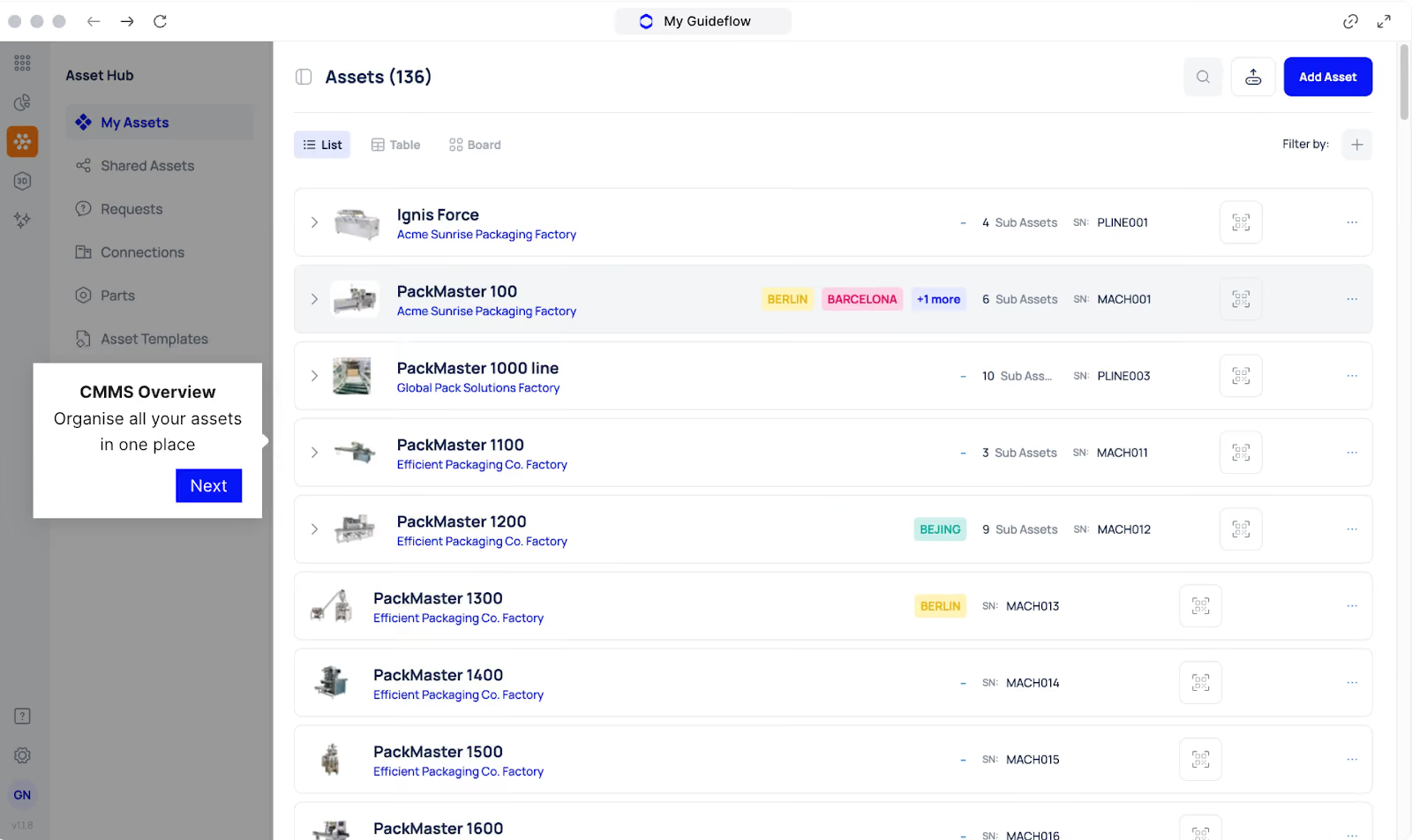
Makula is a CMMS built for factories that need a single system to manage maintenance work across assets, production lines, technicians, planners, and supervisors. It replaces spreadsheets and disconnected tools with a structured way to plan, execute, and track maintenance work on the shop floor.
Makula includes the key CMMS features factory maintenance teams rely on:
- Asset management by site, area, line, and machine
- Work order management for corrective, preventive, and inspection tasks
- Mobile application for technicians on the shop floor
- Maintenance reporting for backlog, compliance, and work volume
- ERP and inventory integrations
These capabilities are designed to enforce standard workflows and reliable data capture.
Once you purchase Makula, we handle CMMS implementation through a structured four-phase rollout. We start with discovery and planning to define goals and workflows. Then we set up your asset data, configure users, and connect integrations. Next, we train your team by role and run a controlled pilot. Finally, we provide ongoing support to stabilise adoption, resolve friction quickly, and expand usage across lines and sites. The goal is to get your team live and using one standard system in weeks, not months.
Book a demo to see how Makula works and how we support rollout from setup to daily use.





