

Maintenance teams are handling more work than they were a few years ago, but the way many organisations manage work orders hasn’t changed much. Emails, spreadsheets, and paper logs are still common, even in asset-heavy operations.
Over 55% of facility managers report higher work order volumes, and 44% say tracking work order progress is their most time-consuming task.
As workloads increase without better systems in place, teams struggle to keep up. Inspections are delayed, technicians work without full asset context, and managers lack a clear view of backlog and capacity.
Work order management software addresses these challenges by centralising requests, automating assignment, supporting mobile execution, and providing real-time tracking.
In this guide, we review top work order management softwares used by manufacturing, industrial, and multi-site organisations.
What is Work Order Management Software?
Work order management software is a digital platform that streamlines the creation, assignment, tracking, and completion of maintenance tasks.
These systems replace fragmented manual processes (email requests, paper forms, verbal communications) with structured workflows that provide accountability. Here are some key functions of work order management software:
- centralised request intake through mobile apps, web portals, or automated email processing
- Automated assignment based on technician skills, location, and current workload
- Real-time status tracking from initial submission through completion and closeout
- Mobile execution enables technicians to access work orders, update progress, and document repairs at equipment locations
- Complete documentation capturing labor hours, parts consumed, work performed, and equipment condition
Organisations use work order management software to stop maintenance requests from getting lost. It speeds up response times with automated routing and improves first-time fix rates by giving technicians clear equipment information.
Top Work Order Management Systems in 2026
Let’s review some top work order management systems in detail:
Makula
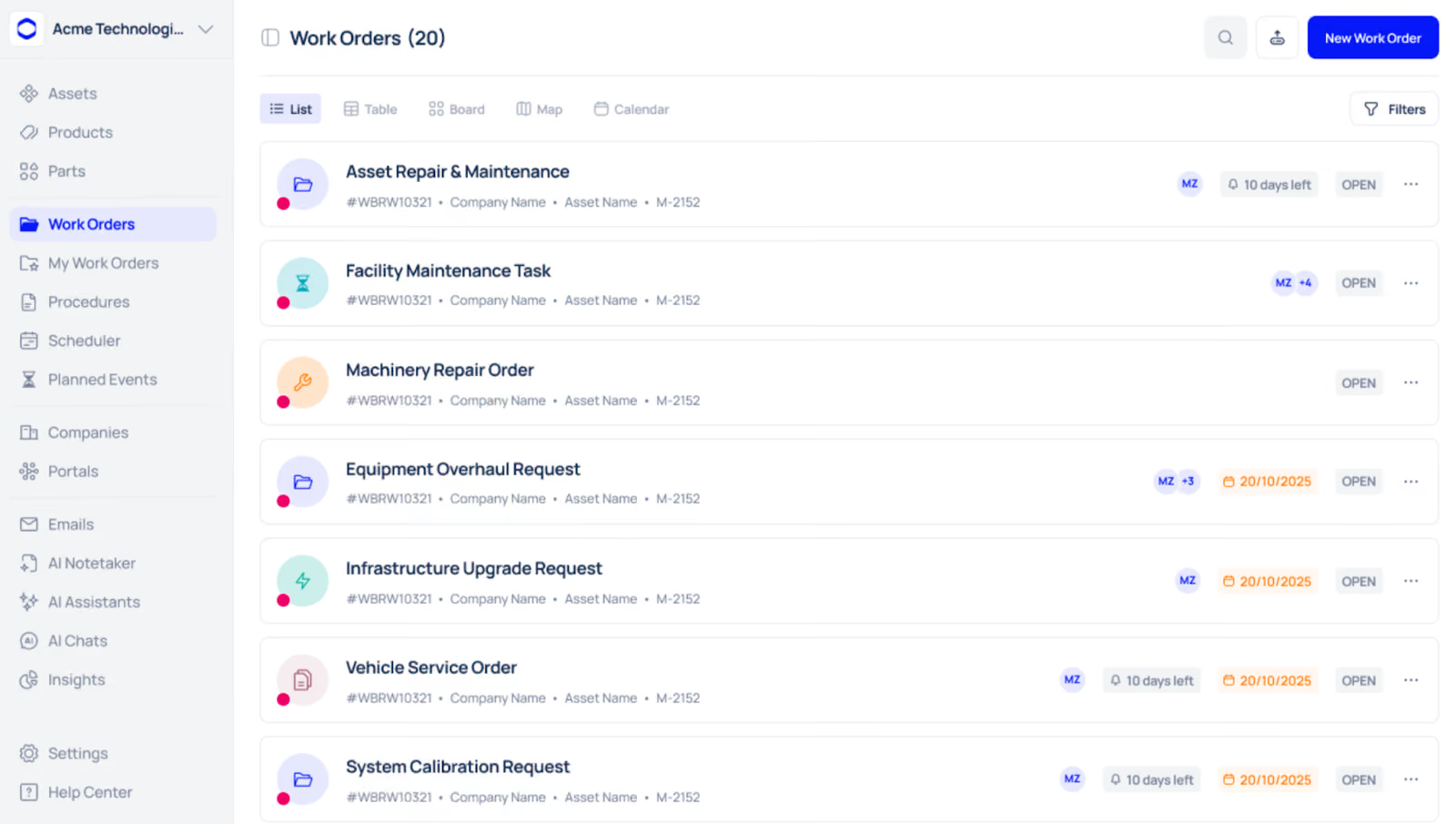
Makula is a CMMS platform built for industrial and manufacturing operations that manage maintenance across multiple sites. It’s designed for operations where work orders, asset data, and inventory must stay closely connected to avoid delays, rework, and information gaps.
The platform brings work orders, asset histories, documentation, and spare parts into a single system, giving technicians the context they need before starting a job.
Makula supports both reactive maintenance and structured preventive maintenance programs, with a focus on coordination, visibility, and consistency across sites.
Here's how Makula streamlines the work order cycle for industrial operations:
Real-Time Work Order Dashboard and Analytics
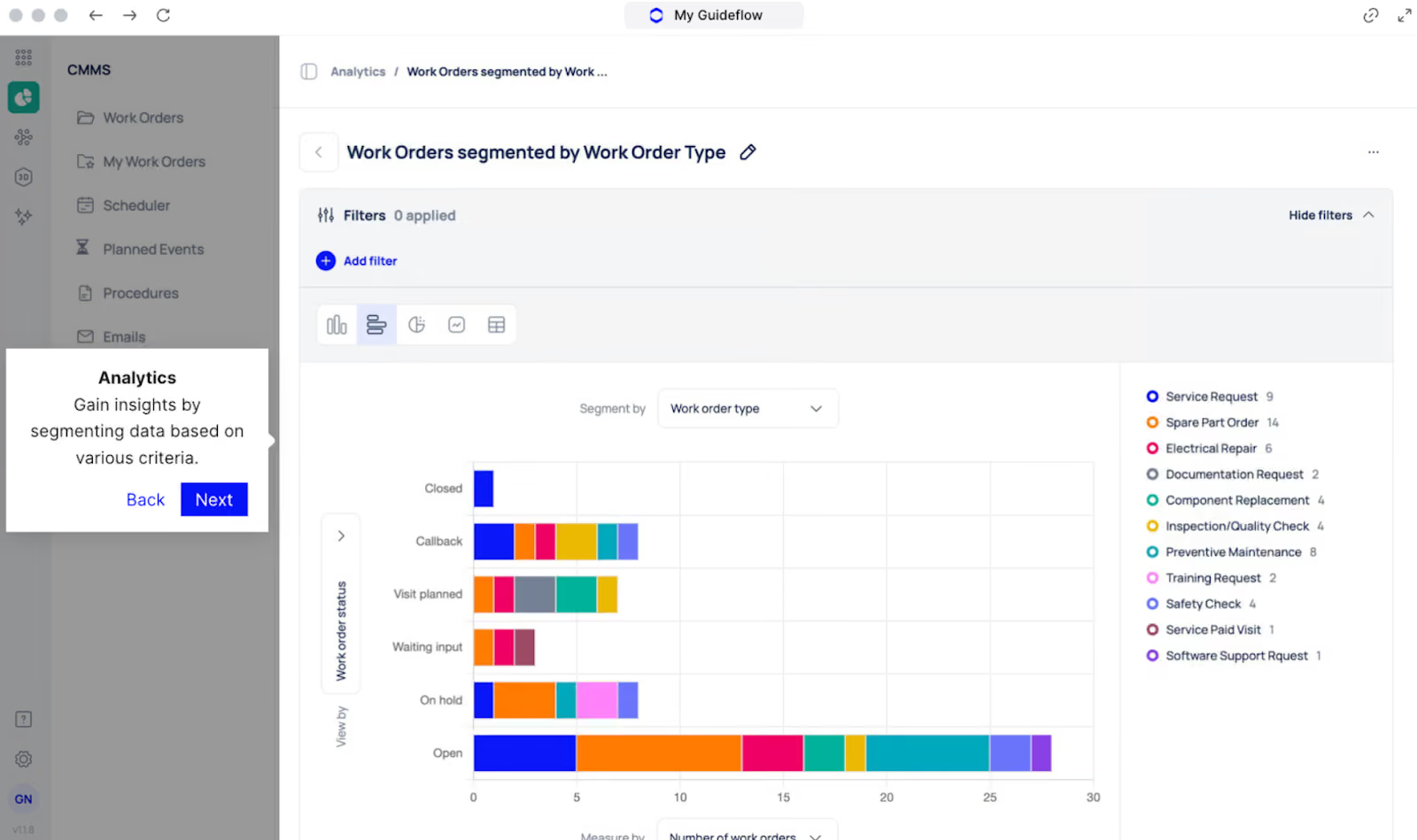
Without centralised visibility into maintenance metrics, managers can’t track completion rates or measure performance against targets.
Makula’s dashboard gives maintenance teams a view of ongoing work without relying on manual reports. The layout is visual and structured, making it easy to understand workload, status, and distribution at a glance.
From the dashboard, you can:
- View the total number of work orders
- View the total number of assets
- Track work order status (closed, open, in review, inspection started, on hold)
- Analyse maintenance distribution by category
- Monitor backlog and completion trends
- Filter data by asset, location, or time period
This information is presented using summary cards, bar charts, and status-based charts, allowing teams to quickly interpret performance without checking detailed reports.
Preventive Maintenance Templates with Automated Scheduling
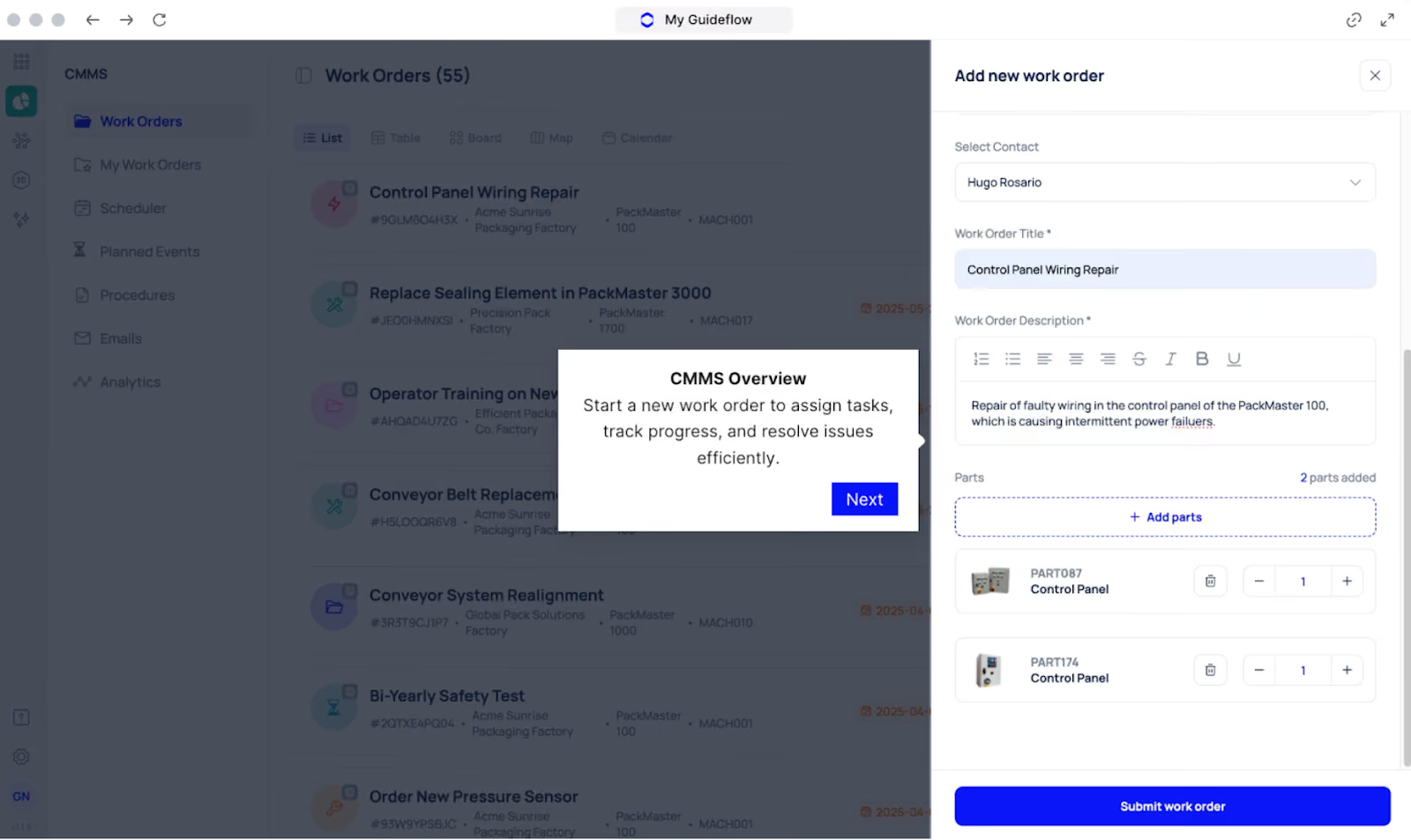
Manual preventive maintenance scheduling leads to missed inspections and inconsistent service intervals. Recreating the same work orders also adds unnecessary overhead.
Makula uses asset-linked preventive maintenance templates to automate recurring work. Schedules can be set using time-based or usage-based intervals, and work orders are generated automatically.
For example, a single asset, such as a CNC Milling Machine, can have multiple preventive maintenance templates assigned. One template can cover bi-annual lubrication, while another handles an annual overhaul, each tracked independently with its own schedule and progress.
This keeps preventive maintenance consistent while reducing manual scheduling effort.
Work Order Scheduling and Assignment
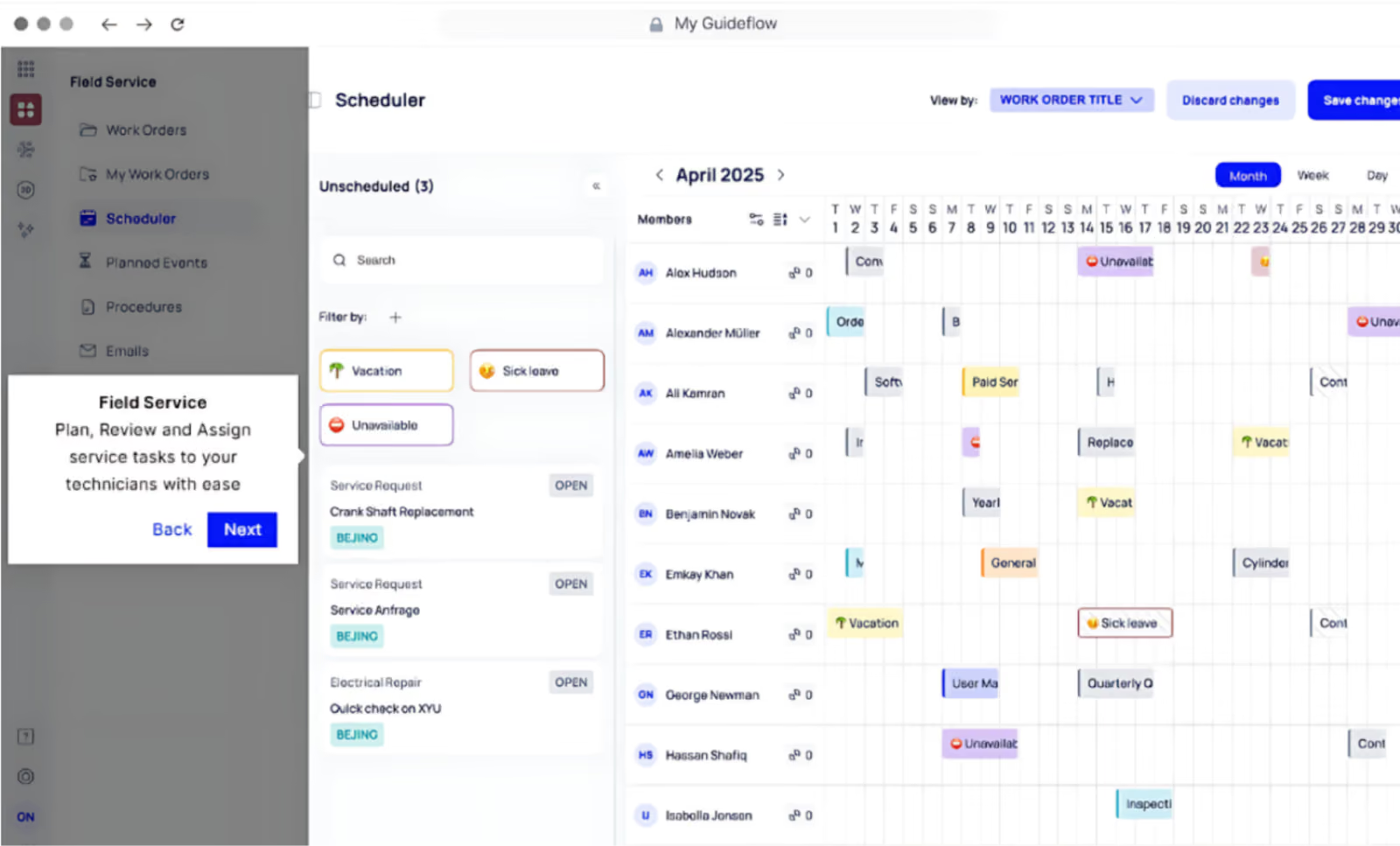
Poor scheduling visibility leads to uneven workloads, missed jobs, and inefficient use of technician time.
Makula organises scheduling through a centralised calendar view where all assigned work orders and technician availability are visible in one place.
Each work order is clearly identified (for example, #WBRW10321, #WBRW10322) and includes essential context such as creation date, reporter, assignee, and scheduled date and time.
This structure supports better coordination and capacity planning, helping maintenance teams execute work on time without overloading resources.
Mobile Work Order Execution with Offline Access
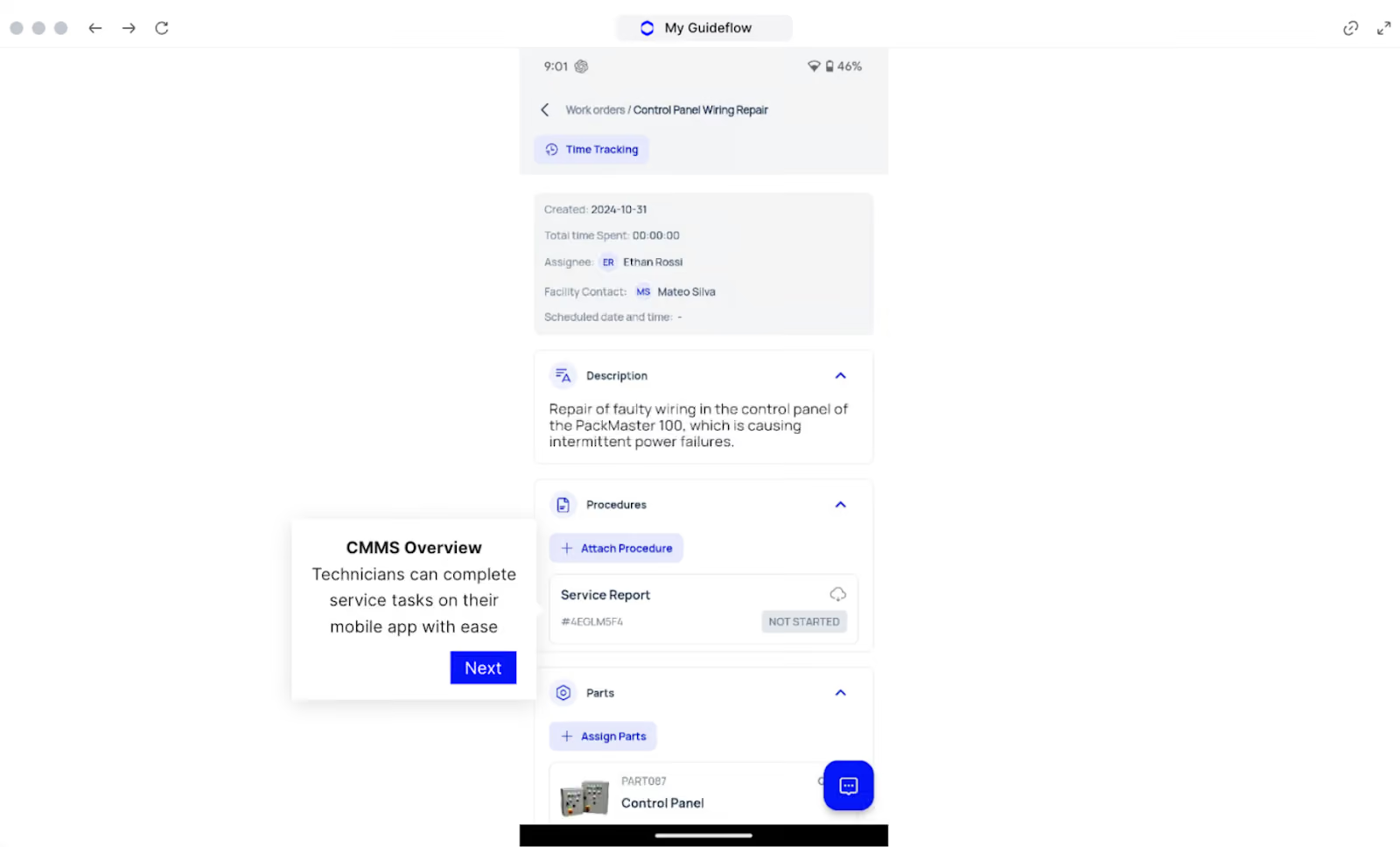
When technicians need to return to their workstation for job updates, it slows execution and leads to incomplete records.
Makula allows technicians to execute work orders entirely from mobile-friendly work order apps. Job status can be updated directly in the field (for example, NOT STARTED, IN PROGRESS, COMPLETED), with work saved offline when connectivity is unavailable.
With our field service mobile app, you can:
- Create and update work orders from smartphones or tablets
- Save work offline when connectivity is limited
- Capture digital signatures for job completion
- Maintain date-stamped verification and audit trails
- Sync all updates automatically when the connection returns
This allows you to document maintenance work accurately at the point of execution, without interrupting technician workflows.
Multiple View Options for Work Order Management
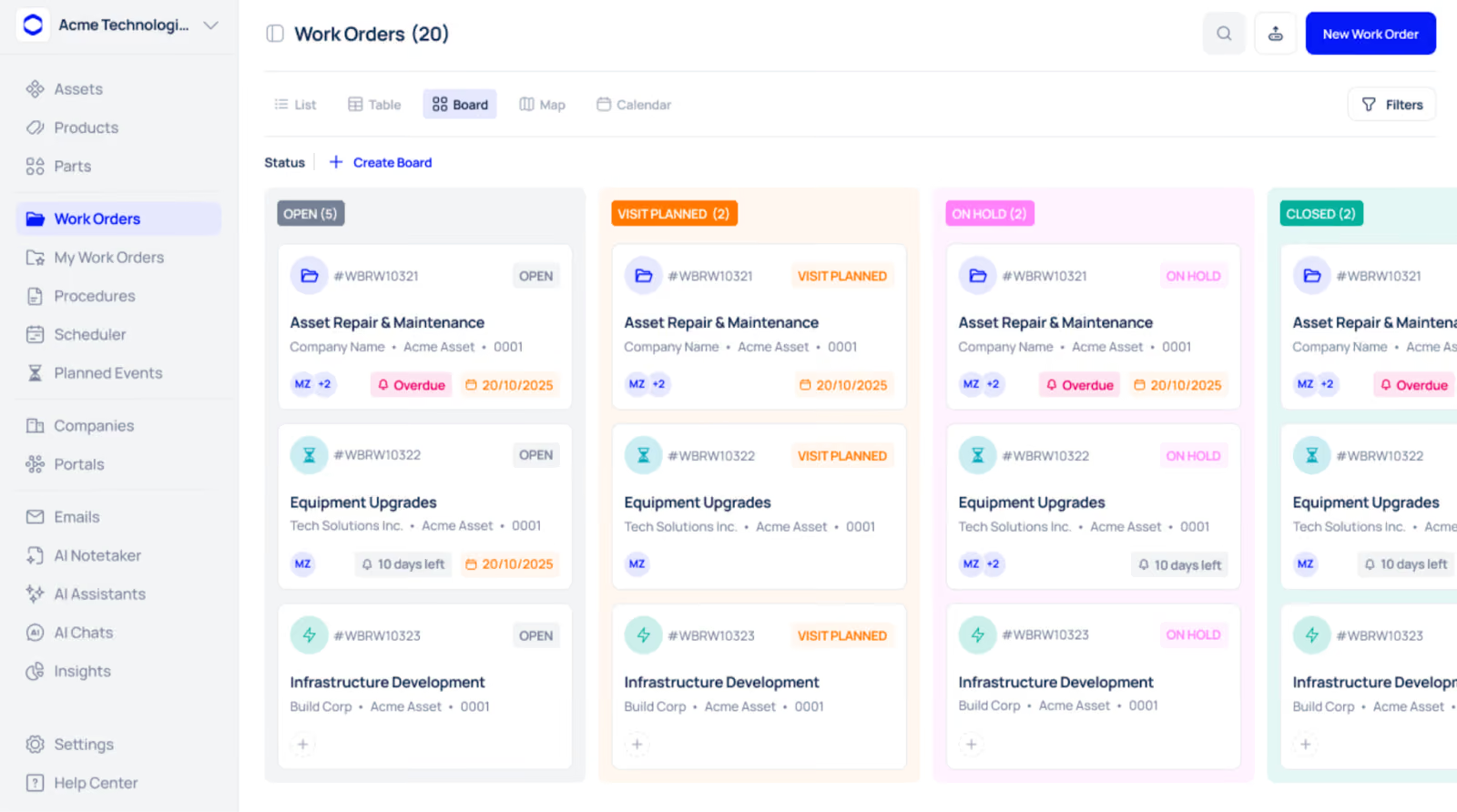
Managing work orders through a single view limits how teams plan and execute maintenance. Different roles need different perspectives depending on how they interact with work.
Makula provides multiple view options so work orders can be managed in the format that best fits each task:
- List View: Displays all work orders with quick filtering and search for fast access
- Table View: Presents work orders in a detailed, sortable grid for deeper analysis
- Board View: Shows Kanban-style columns by status (for example, OPEN, VISIT PLANNED, ON HOLD, CLOSED)
- Map View: Visualises work orders by geographic location for field coordination
- Calendar View: Enables time-based scheduling and workload planning
Each view surfaces key details such as asset information, assignees, due dates, and overdue indicators, allowing teams to switch perspectives without losing context.
Work Order Types for Structured Maintenance Management
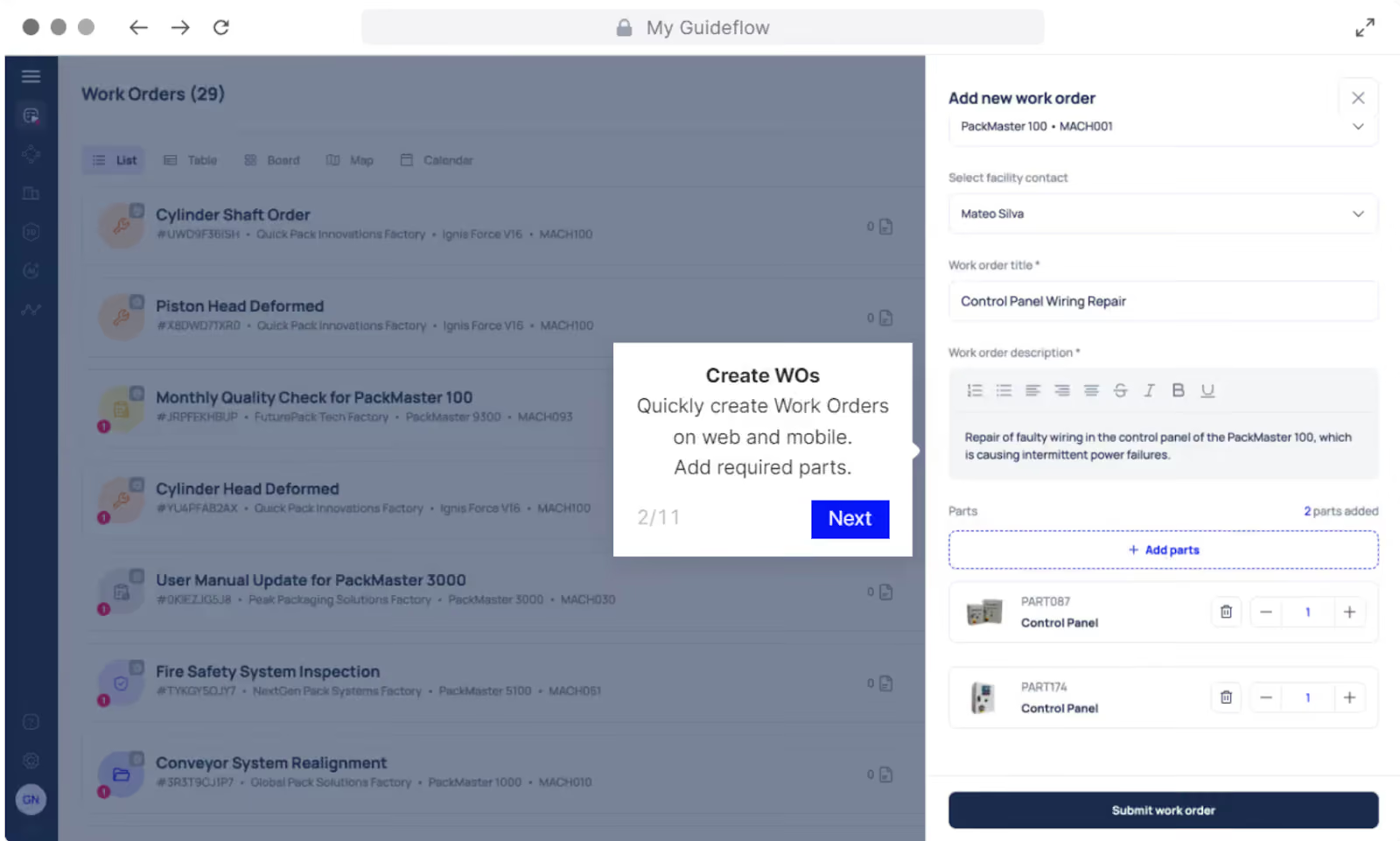
Treating all work orders the same makes prioritisation unclear and limits analysis. Makula supports distinct work order types, each with its own workflow and data capture:
- Preventive Maintenance Work Orders: Scheduled tasks generated automatically based on time or usage (for example, monthly conveyor lubrication or quarterly calibration).
- Corrective / Reactive Work Orders: Used for failed or underperforming equipment, capturing failure details for analysis. Repeated corrective work can flag assets for PM review.
- Emergency Work Orders: Automatically escalated for safety or production-critical issues, bypassing standard approvals and notifying technicians immediately.
- Predictive Maintenance Work Orders: Triggered by condition-monitoring data such as vibration or thermal readings.
- Service / Contractor Work Orders: Track external vendor work separately, including costs and warranty details.
- Inspection / Audit Work Orders: Used for compliance checks and condition assessments, with findings triggering follow-up work when needed.
Each work order type uses its own templates, fields, and reporting. This makes it easier to analyse the maintenance mix and identify gaps.
Makula Pros and Cons
Pros:
- Complete integration of work orders, assets, inventory, and preventive maintenance
- Mobile application with full offline functionality for disconnected environments
- AI-powered assistance for troubleshooting and root cause analysis
- Flexible visualisation options (list, Kanban, calendar, map) for work order tracking
- Automated preventive maintenance scheduling with configurable triggers
- Real-time analytics and customizable reporting
Cons:
- Advanced features need initial setup and user training
Makula Pricing
Makula's CMMS platform starts at €55 per user per month. Pricing varies based on team size and selected modules. Contact us for more details.
Limble CMMS
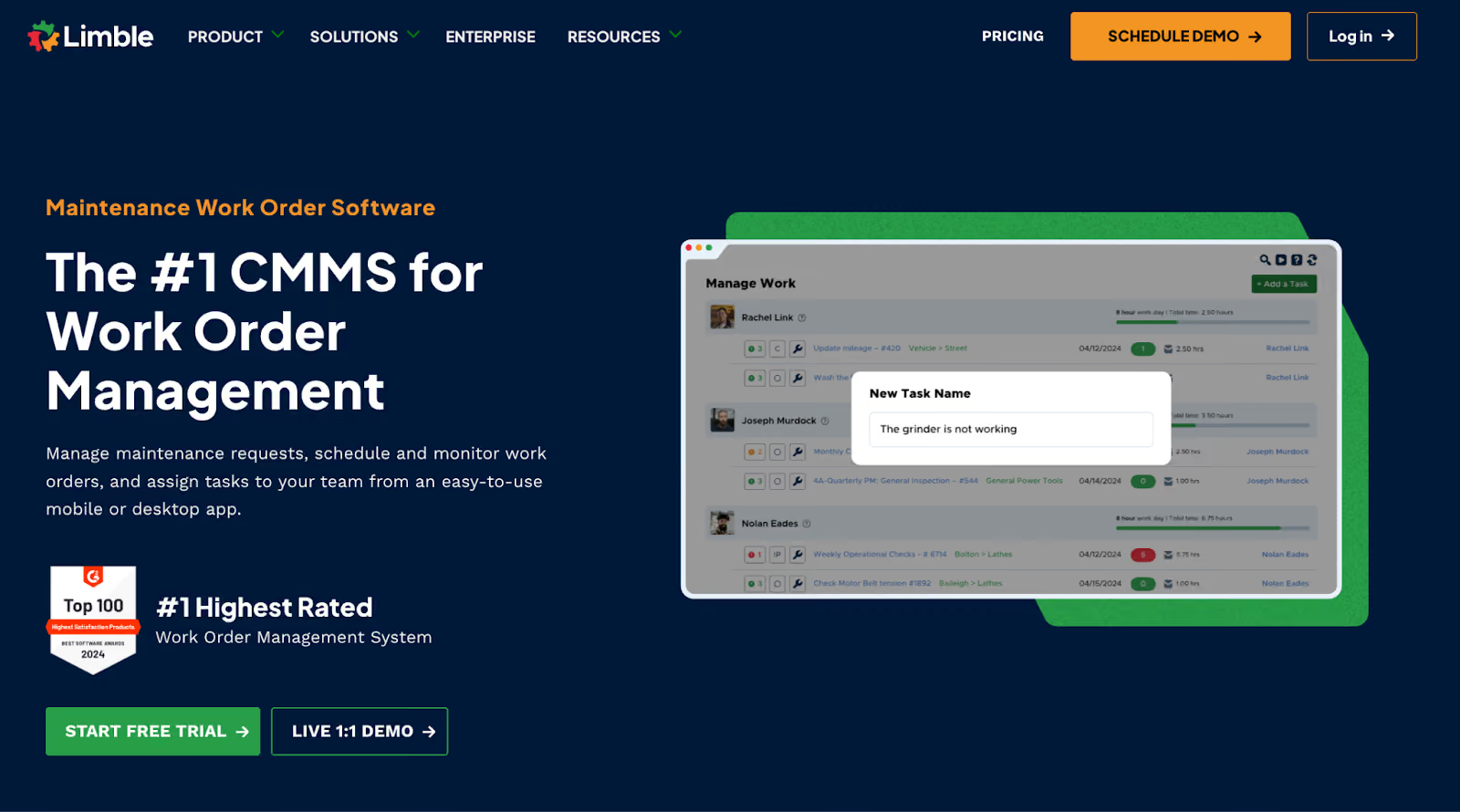
Limble CMMS focuses on simplicity and fast adoption. It's designed for maintenance teams that want powerful functionality without spending weeks on setup or training.
The platform's drag-and-drop interface makes work order management feel intuitive from day one. Technicians can create, update, and close work orders directly from their phones, even in areas with poor connectivity because of its offline mode. Everything syncs automatically when the application is connected to the internet again.
Limble's preventive maintenance scheduler automates recurring tasks and generates work orders based on calendar dates or meter readings. With QR code scanning, real-time notifications, and customizable dashboards, it's ideal for teams that need to digitize operations quickly.
Learn more: Limble vs Makula CMMS
Limble CMMS Key Features
- Drag-and-drop work order scheduling
- Mobile app for iOS and Android with offline functionality
- QR code and barcode scanning for asset identification
- Automated preventive maintenance scheduling
- Real-time notifications and status updates
- Parts inventory tracking with automated reorder alerts
- Customizable dashboards and reporting
- Integration with ERPs, calendars, and IoT sensors
Limble CMMS Pricing
Limble offers Standard, Premium+, and Enterprise plans with custom pricing.
UpKeep
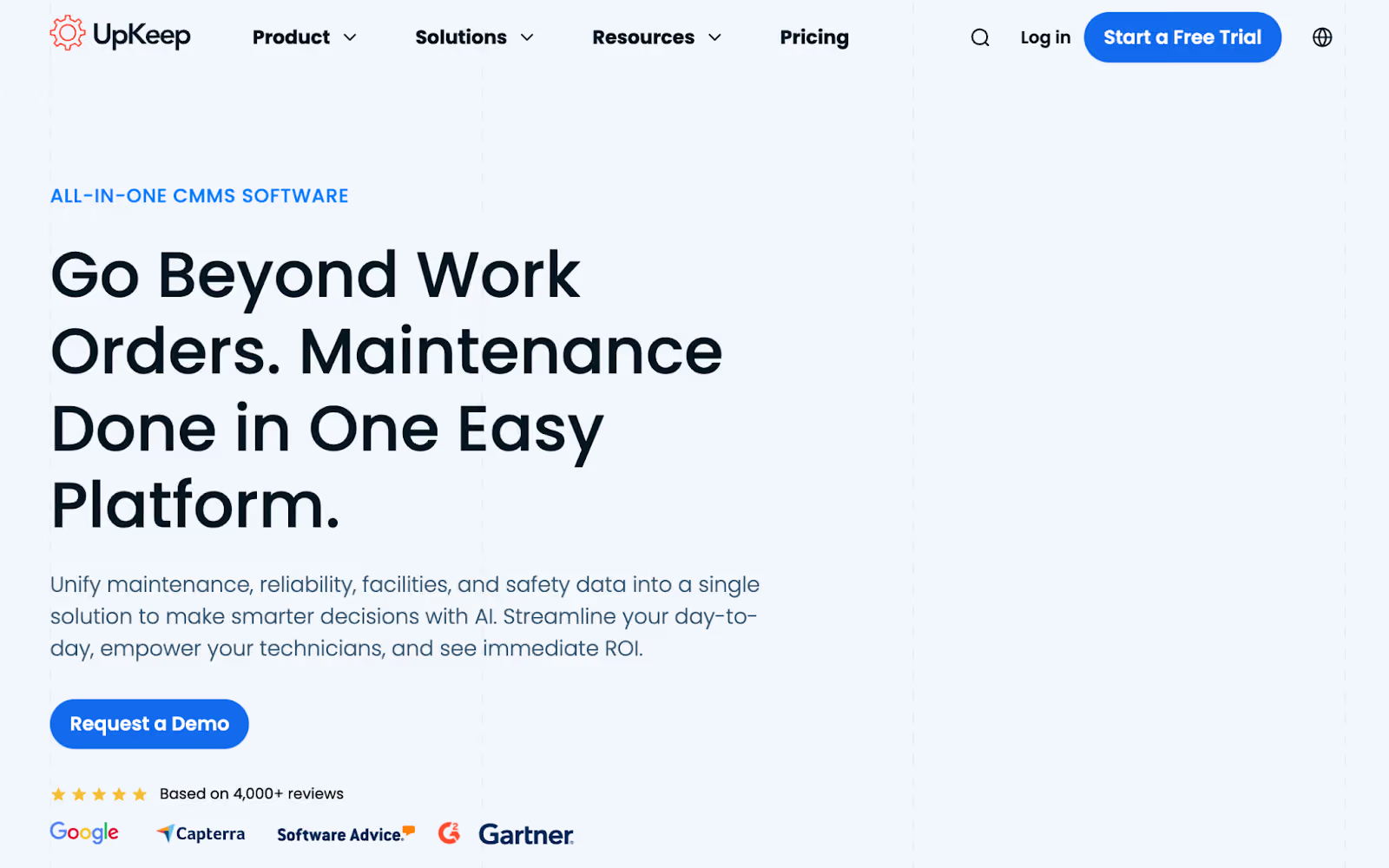
UpKeep is built for maintenance teams that spend more time in the field than at a desk. It's designed to replace paper logs and spreadsheets with a mobile platform accessible from any device.
The software allows you to create work orders on-the-go, add photos and files, set priority levels, and assign tasks to technicians. Work orders can be triggered automatically based on preventive maintenance schedules, meter readings, or IoT sensor data.
UpKeep's mobile app sends real-time push notifications when work orders are updated or equipment needs attention. Technicians can scan barcodes to pull up asset information, complete checklists, and capture signatures for completed work. The platform works offline and syncs when connectivity returns.
Learn more: UpKeep Alternatives
UpKeep Key Features
- Mobile work order creation with priority ratings and due dates
- Automated preventive maintenance scheduling
- Barcode and QR code scanning for asset tracking
- Real-time push notifications for task updates
- Parts inventory management with low-stock alerts
- Work request portal for non-technical staff
- Offline mode for areas with limited connectivity
- Pre-built KPI dashboards and reporting
UpKeep Pricing
UpKeep offers Essential, Premium, and Business plans. Pricing starts at $20 per user per month.
Fiix
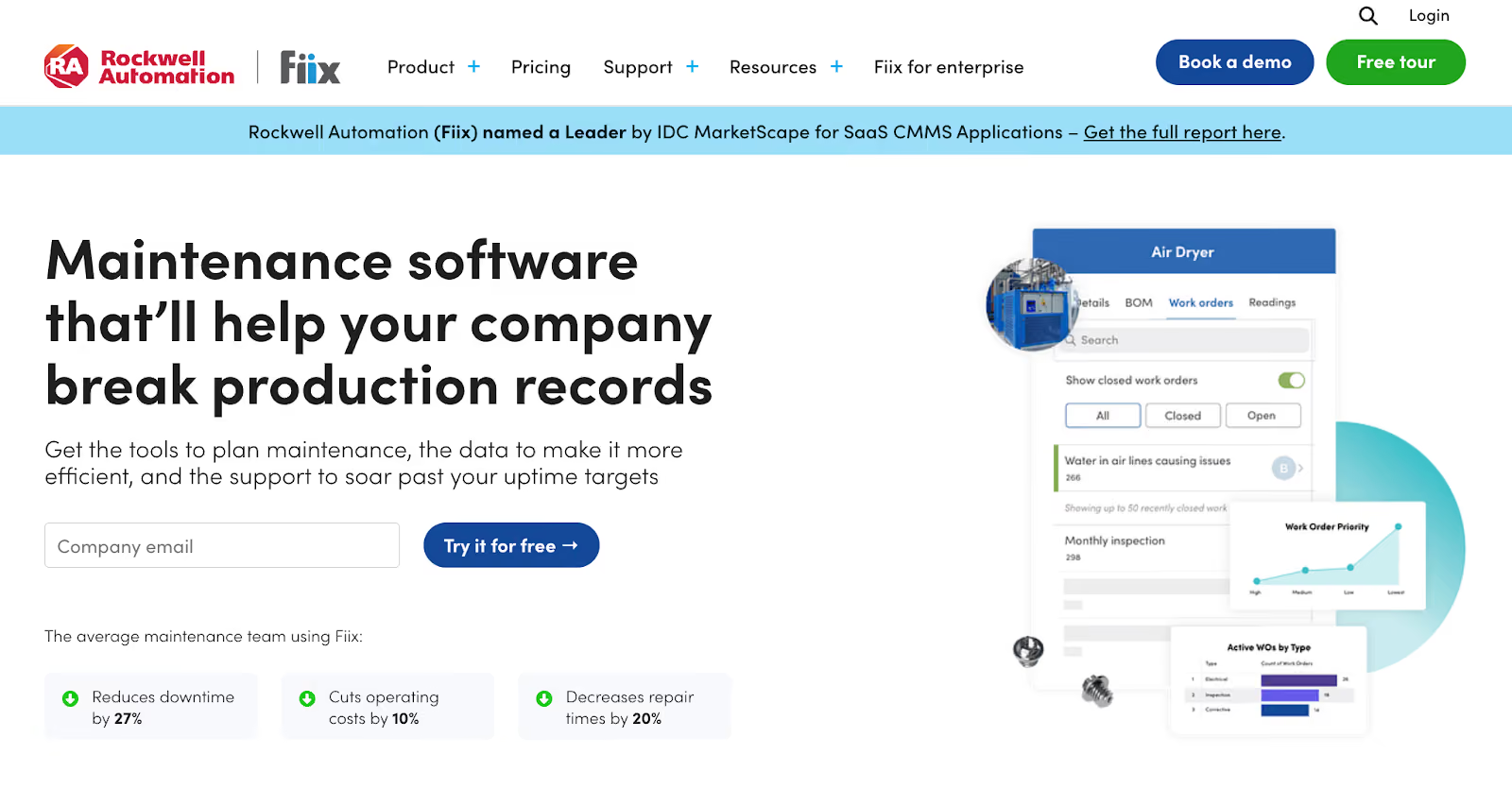
Fiix is built for teams that want to move from reactive to predictive maintenance. Owned by Rockwell Automation, it's designed for manufacturers that need data and AI to predict equipment failures before they happen.
The platform helps you create and assign work orders quickly without complicated workflows. Technicians can update work orders from their phones, even offline. When they reconnect, everything syncs automatically.
Fiix stands out with its AI Copilot feature that lets you ask questions about assets in plain language and get real-time insights like risk scores and maintenance history. The platform also includes Fiix Foresight for predictive maintenance, which analyses historical data to forecast when equipment might fail.
Read more: Fiix vs Limble vs MaintainX vs Makula
Fiix Key Features
- Drag-and-drop calendar for work order scheduling
- AI Copilot for natural-language asset queries
- Preventive and predictive maintenance scheduling
- Mobile app for iOS and Android with offline mode
- Multi-site management with centralised dashboards
- Parts forecaster that predicts needed inventory
- Integration with 1000+ apps and ERP systems
- Custom analytics and automated reporting
Fiix Pricing
Fiix offers Free, Basic, Professional, and Enterprise plans. Pricing starts at $45 per user per month.
eMaint CMMS

eMaint CMMS is built for enterprise teams that need deep customization and multi-site coordination. The software is designed for organisations managing multiple facilities or operating in regulated industries.
The platform lets you customise nearly everything, from field names and workflows to dashboards and reports. You can set up work orders that match your exact terminology and processes without forcing your team to adapt to rigid software.
eMaint's drag-and-drop PM calendar makes scheduling visual and straightforward. Work orders can be triggered automatically based on asset data from connected sensors. The platform tracks everything for audit compliance and generates enterprise-level reports.
Learn more: eMaint vs Makula CMMS
eMaint CMMS Key Features
- Customizable work order templates and workflows
- Drag-and-drop preventive maintenance calendar
- Mobile app for field work order updates
- Multi-site management with standardized processes
- Automated work orders triggered by IoT sensor data
- Integration with 1000+ apps, ERPs, and SCADA systems
- Audit-ready dashboards and compliance tracking
- E-signature capabilities for work order approvals
eMaint CMMS Pricing
eMaint offers Team, Professional, and Enterprise plans. Pricing starts at $69 per user per month.
MaintainX
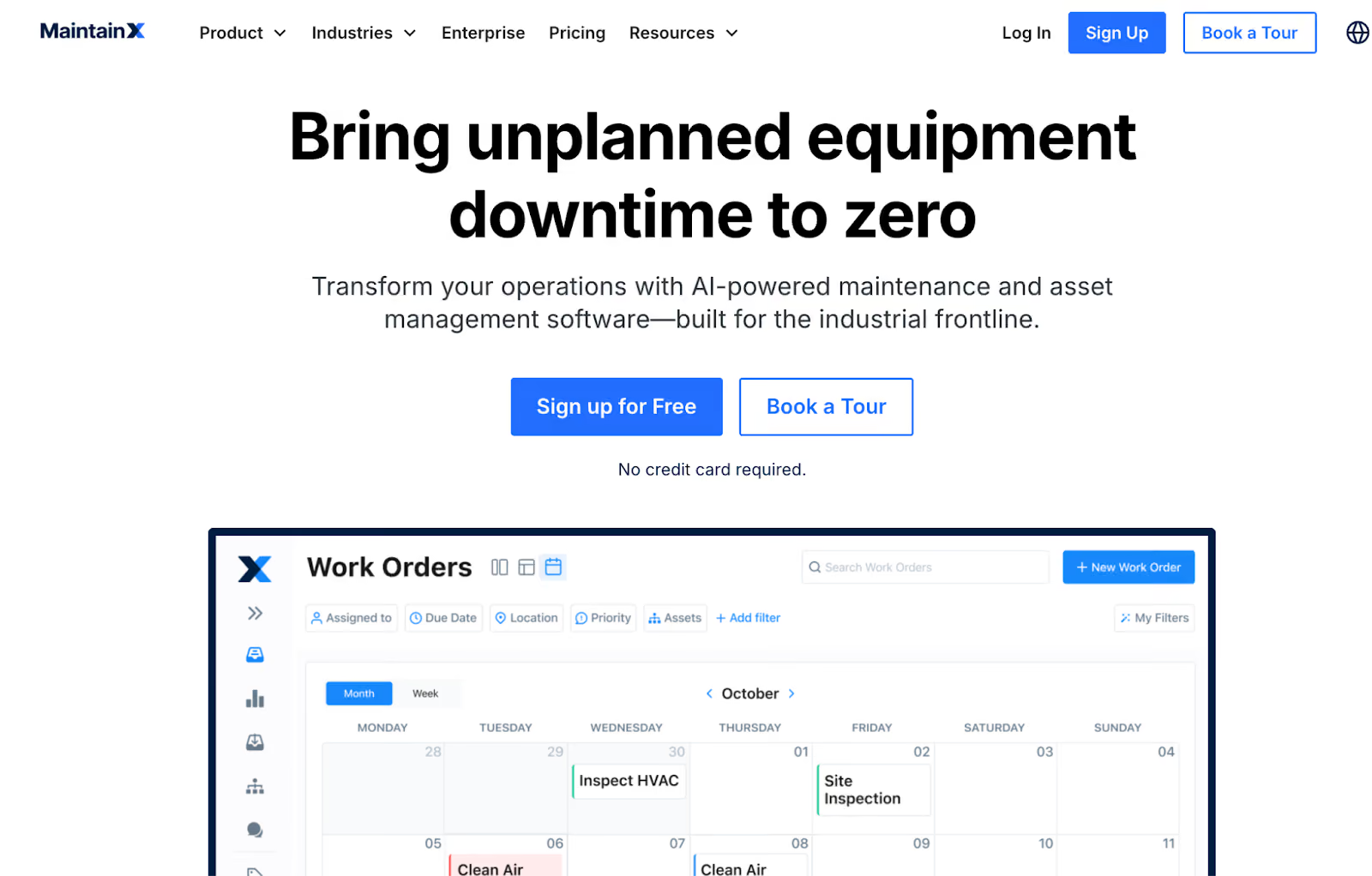
MaintainX is designed for teams that prioritize procedural control and compliance.
The platform's chat-style interface allows technicians to communicate directly within work orders to troubleshoot problems in real-time.
MaintainX's mobile app works offline and syncs automatically when the internet connection returns. The platform includes digital standard operating procedures, customizable checklists, and automated preventive maintenance schedules.
With AI-powered features like Copilot, you can ask questions about assets in natural language and get instant insights.
Read more: MaintainX Alternatives
MaintainX Key Features
- Mobile work orders and real-time updates
- Built-in chat and messaging within work orders
- Digital SOPs and customizable inspection checklists
- AI Copilot for asset queries and insights
- Preventive and repeating work order scheduling
- QR/barcode scanning for asset tracking
- Parts and inventory management
- Offline mode for disconnected areas
- Multi-site management and reporting dashboards
- IoT sensor integration for condition-based maintenance
MaintainX Pricing
MaintainX offers Free, Essential, Premium, and Enterprise plans. Pricing starts at $20 per user per month.
Top Work Order Management Software: Comparison Table
What to Look for in Top Work Order Management Software
If you’re evaluating work order management software, focus on features that directly affect execution speed, visibility, and long-term usability.
Mobile-First Design with Offline Access
The system must work where maintenance happens. Technicians should be able to receive, update, and close work orders directly in the field without relying on desktops.
Check that the software offers native mobile apps with full offline functionality. Asset scanning, photo uploads, digital signatures, and real-time notifications should all work seamlessly. If mobile usage feels limited or unreliable, adoption will suffer.
Automated Workflows and Routing
Manual work order assignment is a bottleneck. The platform should automate creation, prioritization, assignment, and approvals.
Look for systems that route work orders based on technician skills, availability, and priority rules. Preventive maintenance should generate recurring work automatically, not require manual setup every time. Approval workflows should trigger only when needed, based on cost or operational impact.
Asset and Inventory Integration
Work orders should not be isolated from asset and parts data. Technicians should see asset history, documentation, and spare part availability directly within the work order.
Evaluate whether the system automatically deducts parts used, tracks labor and material costs, and links every job back to the asset. This is essential for accurate cost tracking and long-term asset planning.
Role-Based Access and Permissions
Different users require different levels of access. Technicians, managers, operators, and contractors should each see only what’s relevant to them.
Confirm that the platform supports customizable roles, approval authority based on cost thresholds, and complete audit logs. Strong access control improves usability while supporting compliance and accountability.
Customization and Scalability
The software should adapt to your workflows, not the other way around.
Check whether work order forms, fields, and workflows can be customised without development work. For growing organisations, ensure the system can handle additional users, assets, and locations without performance issues or complex reconfiguration.
Reporting and Maintenance Analytics
You should be able to measure maintenance performance without exporting data to spreadsheets.
Look for built-in dashboards covering backlog, MTTR, preventive maintenance compliance, and asset costs. The ability to create custom reports and schedule automated delivery is important for ongoing visibility and planning.
Ease of Use and Adoption
If the system is difficult to use, data quality will decline.
Evaluate how quickly common tasks can be completed, especially on mobile. Work order creation, updates, and closure should take seconds, not minutes. A clean interface and strong search functionality are essential for consistent usage.
Vendor Support and Implementation
Assess whether the vendor provides structured onboarding, role-based training, and responsive support. A clear product roadmap and regular updates indicate long-term commitment to the platform.
Before making a decision, test workflows during demos, create work orders, assign them, update from mobile, close tasks, and review reports. The right work order management system should simplify execution, improve visibility, and scale with your business.
Best Practices for Implementing Work Order Management Software
The following best practices help teams drive adoption, reduce friction, and see measurable operational improvements.
Start with Clear Work Order Categories and Priorities
Before rollout, define a shared system for categorizing and prioritizing work orders. This ensures consistency across technicians, supervisors, and requesters.
Create clear categories based on maintenance type, such as corrective, preventive, predictive, and emergency work. Each category should have simple criteria so requests are routed correctly from the start.
Pair this with a priority framework that reflects real operational risk. Most teams use four levels (emergency, urgent, high, and low) based on safety impact, asset criticality, and production risk. When priorities are obvious, technicians know exactly what needs immediate attention and what can be scheduled later.
Define Standard Procedures for Common Tasks
If the same job is done multiple ways, efficiency drops.
Identify the maintenance tasks your team performs most often and document one standard approach for each. Work with technicians who already do these jobs well and capture their steps (tools, safety checks, expected time, and quality checks).
Attach these SOPs directly to work orders so technicians can access them on their phones while working. This speeds up onboarding and ensures consistent results.
Train Technicians on Mobile App Usage
Mobile adoption determines whether the system succeeds.
Keep training hands-on and focused on daily tasks: receiving work orders, updating status, adding photos, scanning asset barcodes, and closing jobs. Skip long feature walkthroughs.
Show how offline mode works (especially in basements, mechanical rooms, or remote areas). Technicians need to know their updates will sync automatically once connectivity returns.
Set Up Automated Preventive Maintenance Schedules
Reactive maintenance is costly and disruptive.
Start with critical assets that would impact operations if they failed. Set preventive schedules based on manufacturer guidance, usage, or time intervals. For example, every 30 days, every 500 operating hours, or when sensor thresholds are reached.
Use recurring work orders for inspections, lubrication, and routine checks. Track Planned Maintenance Percentage (PMP) over time.
Establish Approval Workflows for Quality Control
Some work orders require review before work begins. Set approval rules for specific cases . For example, repairs over $5,000, work requiring production downtime, or contractor work routed through procurement. This helps control costs and avoid unexpected disruptions.
Conditional routing handles approvals automatically and creates a clear audit trail showing who approved each task and when.
Review Backlog and Completion Metrics Weekly
Implementation doesn’t stop at go-live. Ongoing reviews are what turn software into real performance gains. Review these key metrics weekly:
- Work order completion rate
- Mean Time to Repair (MTTR)
- Planned Maintenance Percentage
- Past-due work order backlog
- Preventive maintenance compliance
Use dashboards to spot trends. Rising MTTR or backlog usually signals issues with staffing, scheduling, or prioritization.
Continuously Improve Based on Data
The best maintenance teams don’t treat their CMMS as a finished project.
After the first few months, ask your technicians and managers what’s slowing them down. You’ll find opportunities to simplify work order forms, adjust priority definitions, refine PM schedules, or connect the system with inventory or ERP tools.
Track the same metrics month after month. If completion rates improve, MTTR drops, and preventive maintenance compliance rises, you’re on the right track. If not, the data will tell you where to adjust.
Bottom Line: Makula is the Top Work Order Management Software in 2026
After reviewing top work order management software, Makula stands out as the most balanced option among the tools reviewed.
Makula connects core maintenance functions in one system. Work orders are directly tied to assets, inventory, preventive maintenance schedules, and reporting.
This makes our software well suited for organisations that need a structured approach to maintenance without adding operational complexity.
Book a demo to see how Makula streamlines work order execution, reduces manual coordination, and improves maintenance visibility across operations.





