
A hydraulic leak spotted Monday morning becomes a work order Thursday afternoon. By then it's damaged a sensor and taken the line offline for a shift. Nobody did anything wrong. The request just moved through too many hands.
This is how requests reach most maintenance teams. An operator texts a supervisor. A plant manager emails a PDF. A customer calls the OEM service desk. Each channel has its own queue and no shared view. Urgent issues slip between shifts, duplicates clog the backlog, and simple fixes escalate into emergency repairs.
Maintenance request software gives every request one front door. This article reviews the seven best platforms in 2026, evaluated across the full request lifecycle so you can choose the right fit.
What Is Maintenance Request Software?
Maintenance request software gives everyone in your organisation, from machine operators and floor staff to external service partners, a single, consistent way to report maintenance issues.
Instead of relying on phone calls, emails, or verbal handoffs, requests go through a standardised digital form that captures the right details upfront and feeds them into your CMMS.
Here's how the process typically works:
- Request Logged: The requester fills out a digital form with the asset name, location, urgency level, and a photo of the issue.
- Automatically Prioritised: The system tags the request by category, flags duplicates, and assigns a priority level based on the criteria you've set.
- Work Order Generated: The approved request converts into an assignable work order without manual re-entry.
- Technician Notified: The assigned technician receives a push notification with full request details and relevant asset history.
- Requester Kept Informed: Status updates go out automatically as the job moves from assigned to in progress to completed.
- Record Saved to Asset History: Once the job closes, all details are logged against the asset as part of its permanent maintenance record.
This six-step workflow is what separates maintenance request software from a shared spreadsheet or a group chat. Every request follows the same path, every step is tracked, and every outcome is documented.
7 Best Maintenance Request Software Compared (2026)
We've reviewed the best maintenance request software platforms to help you find the right system for structured request intake and resolution:
Makula - Best for Factories/ Manufacturing Teams Replacing Scattered Request Channels with One System

Makula is a cloud-based CMMS built for manufacturers, OEMs, and industrial service teams that need to manage maintenance requests tied to physical assets.
Unlike general-purpose helpdesk tools repurposed for maintenance, Makula is designed around the way industrial teams work. Maintenance requests are linked directly to machines and every request carries the asset's full history, documentation, and service record.
The platform covers the complete customer request management process:
- Operators can submit requests from the shop floor using the mobile app or by scanning a QR code on the machine itself.
- Managers triage and assign work through Kanban boards with full visibility into what's pending, in progress, or overdue.
- Technicians get the context they need before they even walk to the asset, including manuals, past service records, and AI-sourced troubleshooting steps.
For teams still running requests through spreadsheets, WhatsApp groups, or email threads, Makula replaces all of that with a single, trackable process.
Here are Makula’s key features that help you standardise your maintenance requests:
Help Desk and Ticketing to Replace Scattered Request Channels
Alt text: Makula help desk and ticketing dashboard showing centralised request queue
Makula’s help desk and ticketing system centralises all incoming requests into a single, structured queue. Each request is automatically logged as a ticket, with the asset, location, and requester details already attached. Managers get a real-time view of every open request and can:
- Capture requests from multiple channels into one queue
- Automatically link each ticket to the correct asset and its full service history
- Visualise workload and request status using Kanban boards and map views
- Convert incoming emails into trackable tickets without manual data entry.
For example, a packaging manufacturer handling 30+ daily requests across email and phone can consolidate everything into Makula’s ticketing queue. Instead of manually copying requests into spreadsheets, each ticket arrives pre-linked to the asset and ready for assignment.
Digital Inspection Checklists for Structured Request Documentation
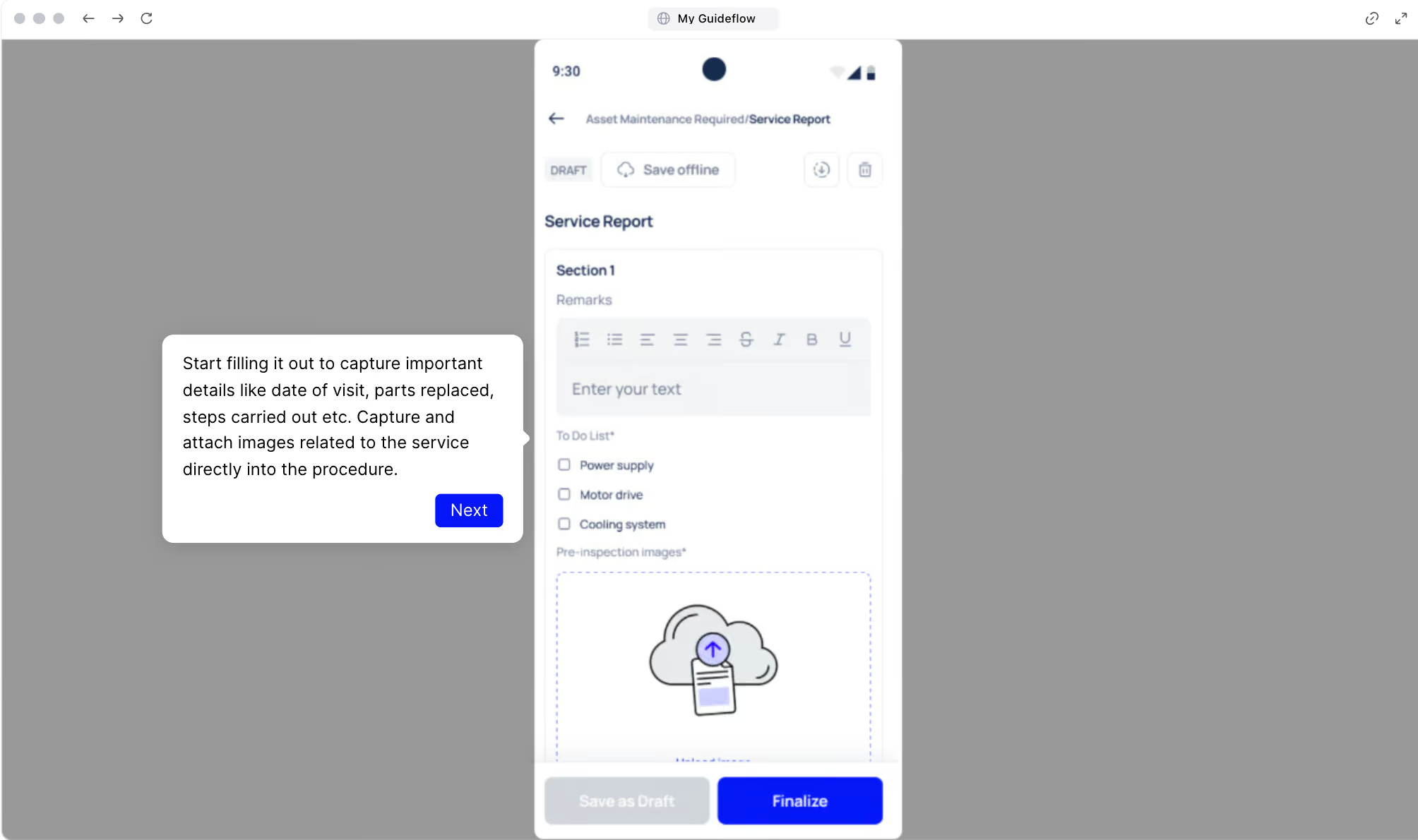
When a request leads to an on-site inspection, the findings need to be recorded consistently. Paper forms get lost, handwritten notes are hard to read, and there's no way to tie results back to the original request.
Makula's digital checklists attach directly to work orders and assets. Technicians follow step-by-step instructions on their mobile device and can:
- Capture photos as evidence at each step of the inspection
- Collect digital signatures for sign-off and compliance
- Flag issues in real time that require follow-up action
- Record measurements, pass/fail results, and notes against each checklist item.
Every completed checklist becomes part of the asset's permanent record. If an inspection reveals a deeper problem, a follow-up work order can be generated directly from the findings.
For example, after a request flags vibration on a conveyor motor, the technician runs a standard inspection checklist through the app. The results, including photos and bearing measurements, are logged against the asset. The checklist flags bearing wear, and a follow-up work order is created automatically before the issue escalates.
AI Assistant to Resolve Requests with Equipment Context
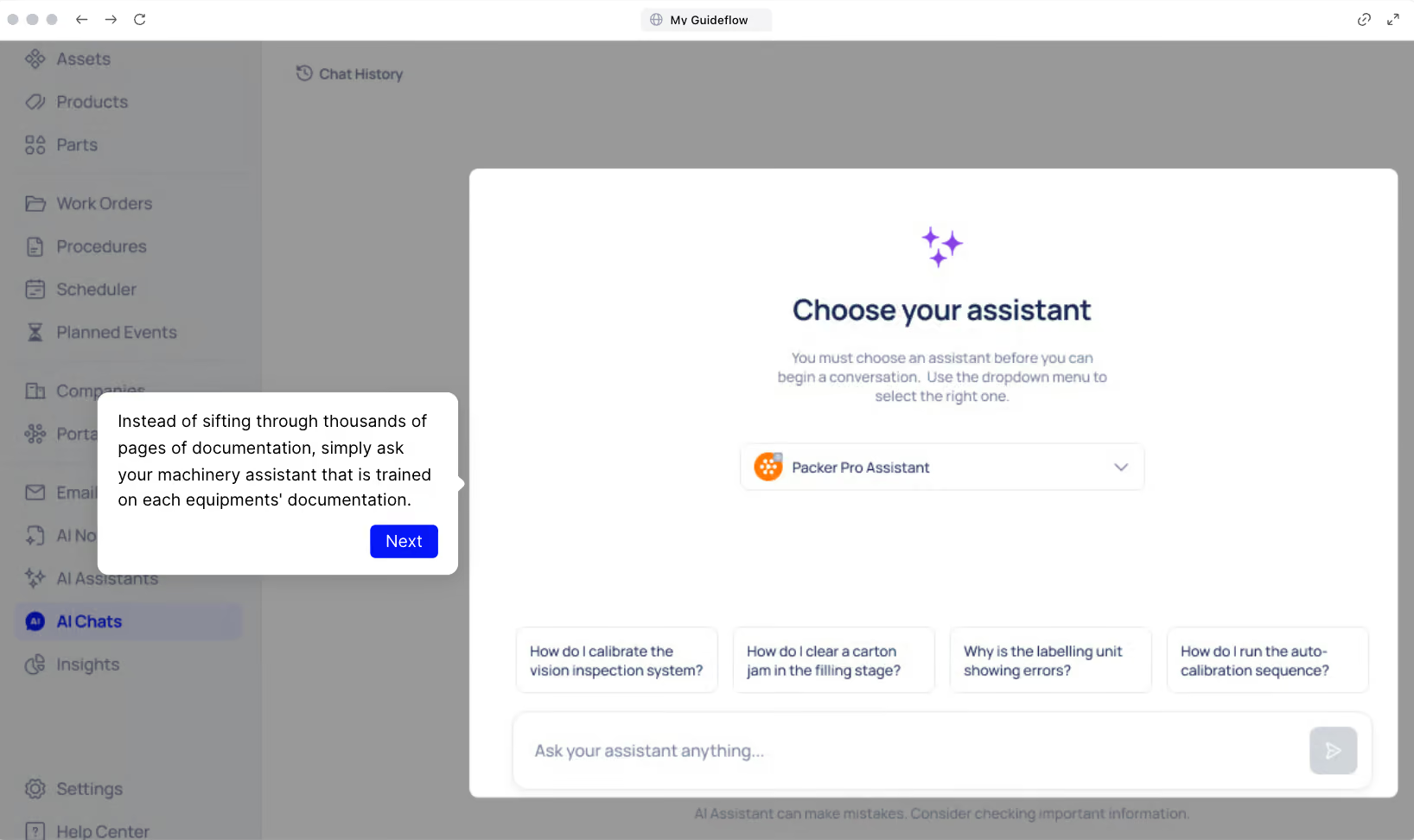
Makula's AI Assistant retrieves cited answers from the equipment's own documentation. Technicians ask a question in plain language and get a sourced response specific to that machine. It pulls from:
- Uploaded equipment manuals and technical documentation
- Past service records and maintenance history for that asset
- Troubleshooting guides and previously resolved issues
- Manufacturer specifications and operating procedures.
For example, a junior technician receives a request about a recurring fault code on a CNC machine. The senior engineer who usually handles this model is on leave. Instead of waiting, the technician asks the AI Assistant. It pulls the relevant section from the machine's service manual and links to a similar issue resolved six months ago, with the exact steps that fixed it.
Mobile App for On-the-Floor Request Submission and Updates
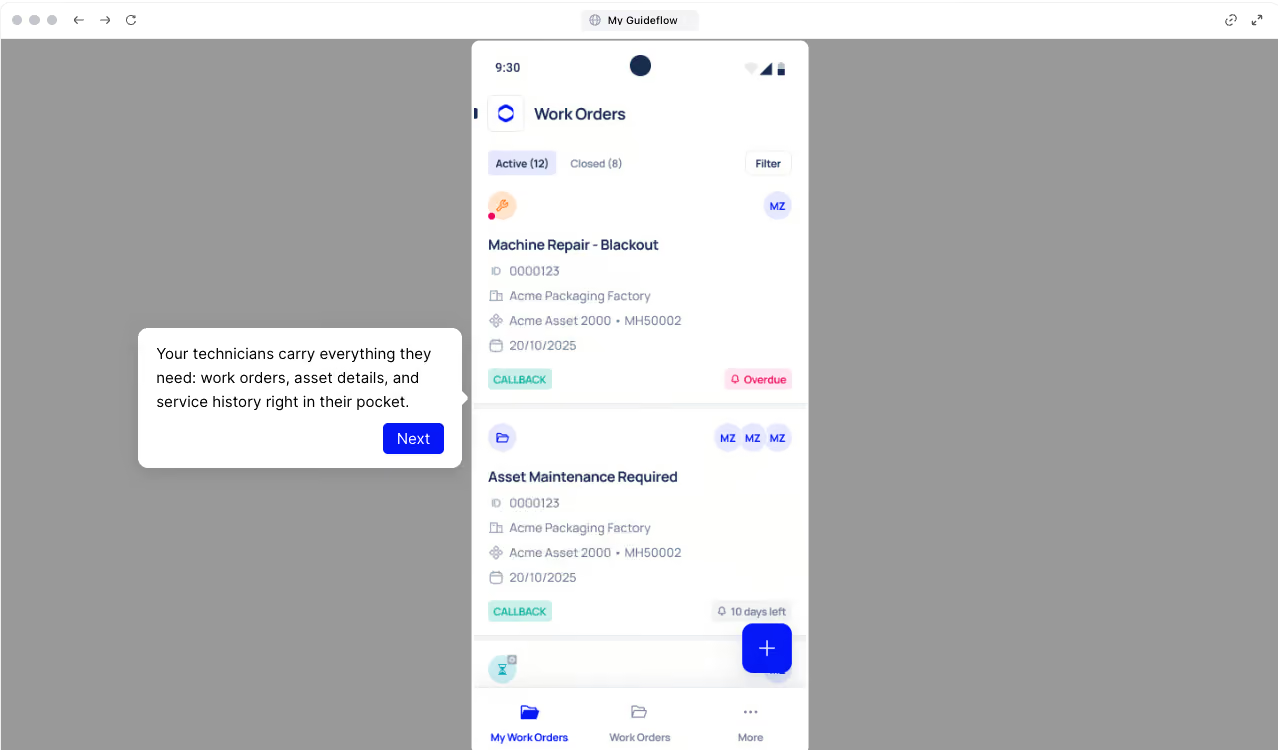
If operators can't submit a request from where they're standing, and technicians can't update a job without walking back to a computer, the system won't get used consistently.
Makula's mobile app works on iOS and Android with full offline access. It supports both sides of the request process:
For operators submitting requests:
- Scan a QR code on any asset to open a request form pre-populated with machine details
- Attach photos, select urgency level, and submit in under 30 seconds
- Track the status of submitted requests without chasing anyone for updates
For technicians working on requests:
- Receive push notifications the moment a job is assigned
- Access work orders, asset history, manuals, and checklists from the field
- Log work, attach photos, add notes, and close jobs without returning to a desktop
- Work offline in low-connectivity areas and sync everything when back online
For example, a machine operator on a night shift notices a hydraulic leak. They scan the QR code on the press, snap a photo, select "urgent," and submit. The request reaches the on-call technician's phone within seconds, with the asset's full service history attached.
Reports and Analytics to Track Request Volume and Response Times
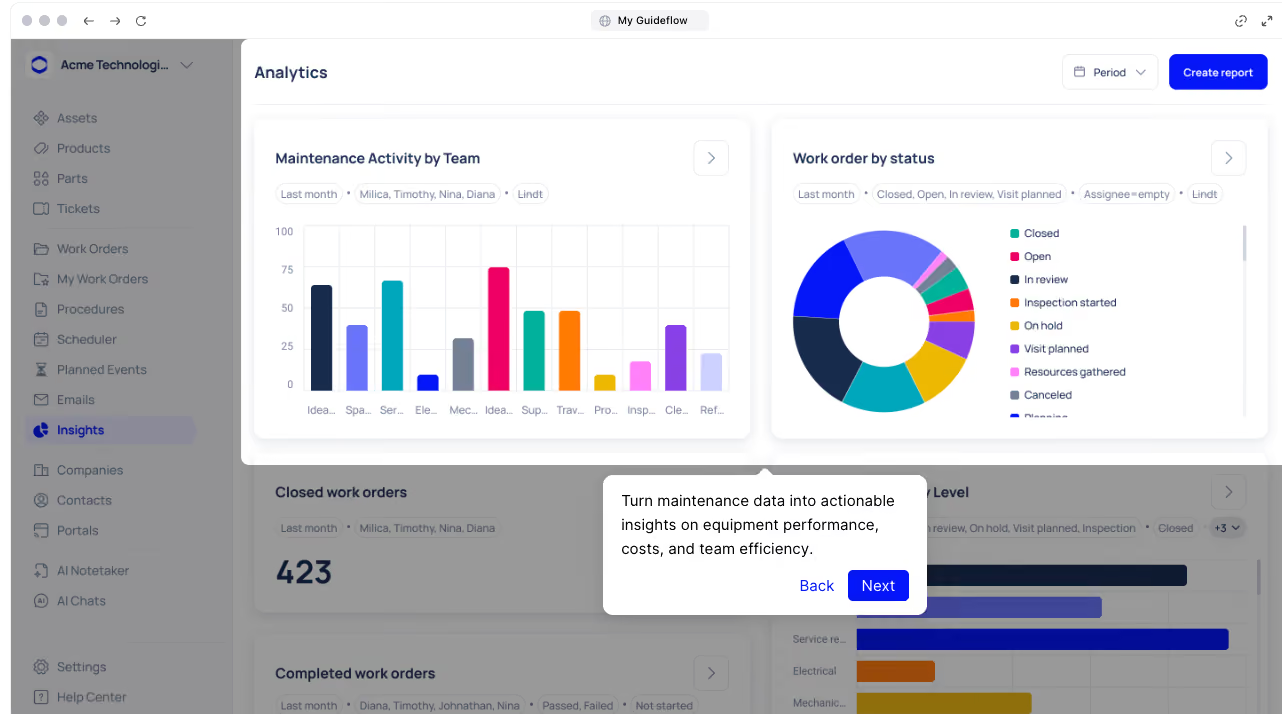
Without data on your request process, you can't spot bottlenecks, justify additional headcount, or show leadership that response times are improving.
Makula's reporting tools give you real-time visibility into how your request process is performing. Dashboards can be filtered by site, asset, team, or time period, and cover:
- Request volume trends over time, broken down by asset, location, or category
- Average response and resolution times measured against your own targets
- Recurring issues by asset or asset type, flagging candidates for preventive maintenance
- Technician workload distribution to identify capacity gaps or imbalances
- Cost tracking per request, per asset, or per site for budget planning
The data isn't just for maintenance managers. Operations leads can use it to understand which equipment is generating the most requests. Finance can tie maintenance spend to specific assets. And leadership gets a clear picture of team performance without asking for a manual report.
Makula Pros and Cons
Pros:
- Faster setup than legacy CMMS platforms, with guided onboarding and dedicated support
- Mobile-first design with full offline access
- All-in-one platform covers request intake, work orders, inspections, inventory, and reporting
- Transparent pricing
- AI Assistant pulls cited answers from your own equipment documentation for faster diagnosis
Cons:
- Learning curve on advanced modules, but the support team is there to onboard
Makula Pricing
Makula's pricing starts at €55 per user per month.
Makula Reviews
Review #1: "We have had a great experience with the Makula team from the sales process to onboarding and then helping with day to day support if needed. The team are always quick to come back to us and provide solutions to requests." — Lizzie W
Review #2: "The software is very user-friendly and intuitive to use. The team assists very intensively with the transformation process and onboarding. We have managed to integrate the tool into our daily processes, thereby promoting our internal coordination and ultimately our spare parts sales." — Flynn S
UpKeep

UpKeep is a cloud-based CMMS built around mobile access. Its standout feature for request management is a dedicated portal where anyone in the organisation can submit maintenance requests.
Requests auto-convert into work orders with priority levels, asset associations, and automatic status notifications, so requesters can track progress without chasing the maintenance team.
Technicians work primarily from the mobile app, where they receive push notifications, attach photos, log labour time, and capture signatures from the field.
Advanced features like workflow automation, detailed analytics, and third-party integrations are locked behind higher-priced tiers, and per-user costs can climb quickly for larger teams.
Learn more: UpKeep Alternatives
UpKeep Key features
- Request portal with unlimited requesters on all plans
- Auto-conversion of requests to work orders with priority and asset linking
- Mobile app with push notifications, photo attachments, and GPS tracking
- Preventive maintenance scheduling by time or meter triggers
- Barcode and QR code scanning for quick asset lookup
UpKeep Pricing
UpKeep’s pricing starts at $20 per user per month.
Limble CMMS
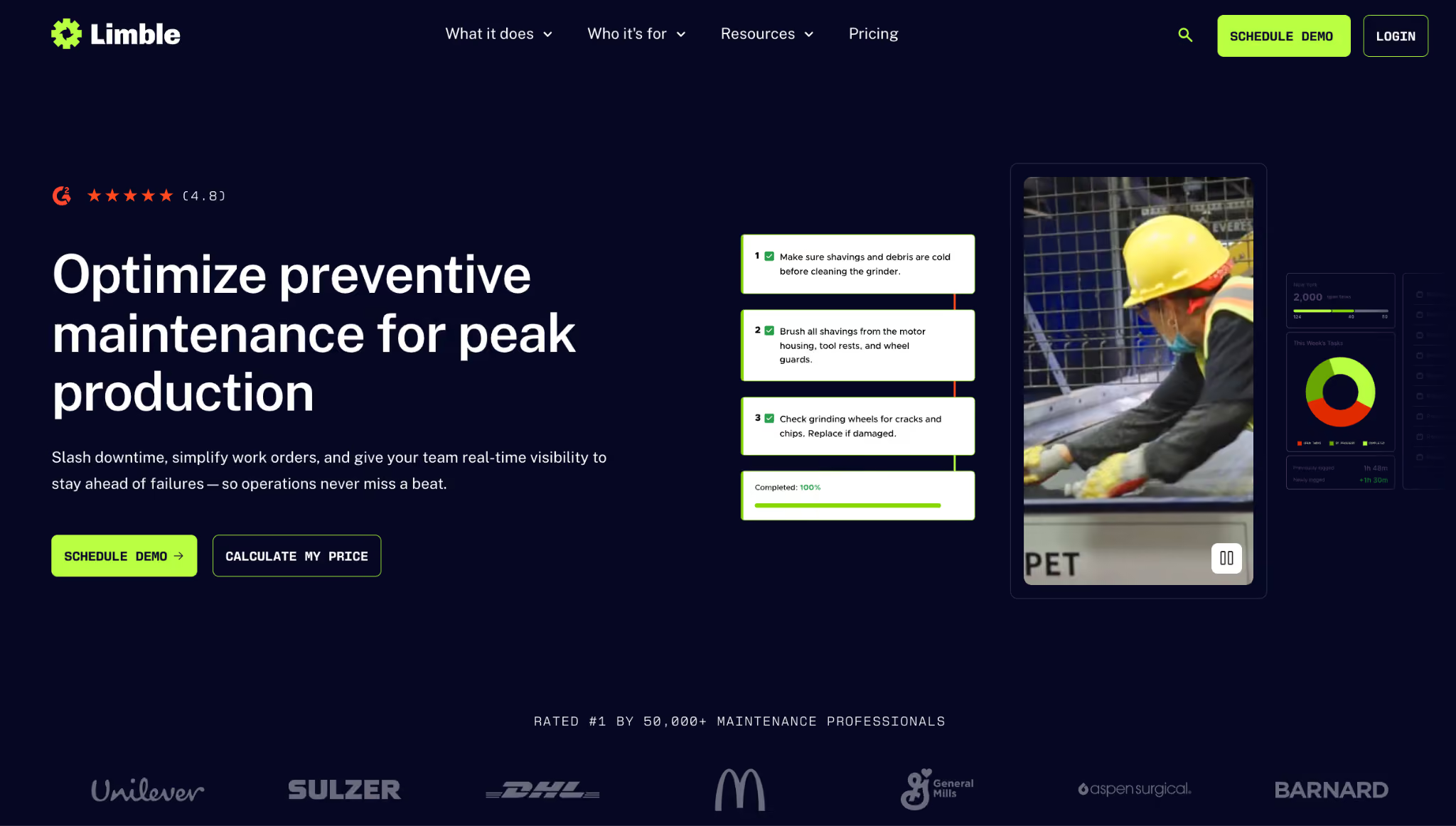
Limble lets anyone submit work requests through QR codes, shared links, or a simple web form.. Requests feed into a central queue where managers can prioritise, assign, and convert them into work orders.
The platform also includes preventive maintenance scheduling, asset tracking with full history, inventory management, and customisable dashboards for KPI tracking.
Limble's mobile app supports offline mode, so technicians can complete assigned tasks without internet and sync updates when reconnected.
Read more: Limble vs Makula CMMS
Limble CMMS Key features
- Work request submission via QR codes, shared links, or web forms with no login required
- Drag-and-drop PM scheduling with calendar and threshold-based triggers
- Asset tracking with full maintenance history and cost data
- Customisable dashboards for downtime, KPIs, and technician performance
- Offline mobile access with automatic sync
Limble CMMS Pricing
Limble offers three plans, Standard, Premium+, and Enterprise with custom pricing.
MaintainX

MaintainX is a mobile-first CMMS that helps maintenance teams manage work requests, preventive maintenance, and digital procedures from one platform.
Staff can submit requests through the app or web, and technicians receive assignments with real-time updates, photo attachments, and built-in messaging. The platform also includes AI features that generate procedures from simple inputs and transcribe voice memos into structured notes.
Advanced reporting, automation, and custom fields are only available on Premium or Enterprise plans.
Learn more: MaintainX Alternatives
MaintainX Key Features
- Work request submission with in-app chat, photos, and voice-to-text
- AI-generated procedures and digital checklists
- Preventive maintenance with conditional logic and automated triggers
- Parts inventory tracking with low-stock alerts
- Customisable dashboards on Premium and Enterprise tiers
MaintainX Pricing
MaintainX pricing starts at $20 per user per month.
Fiix
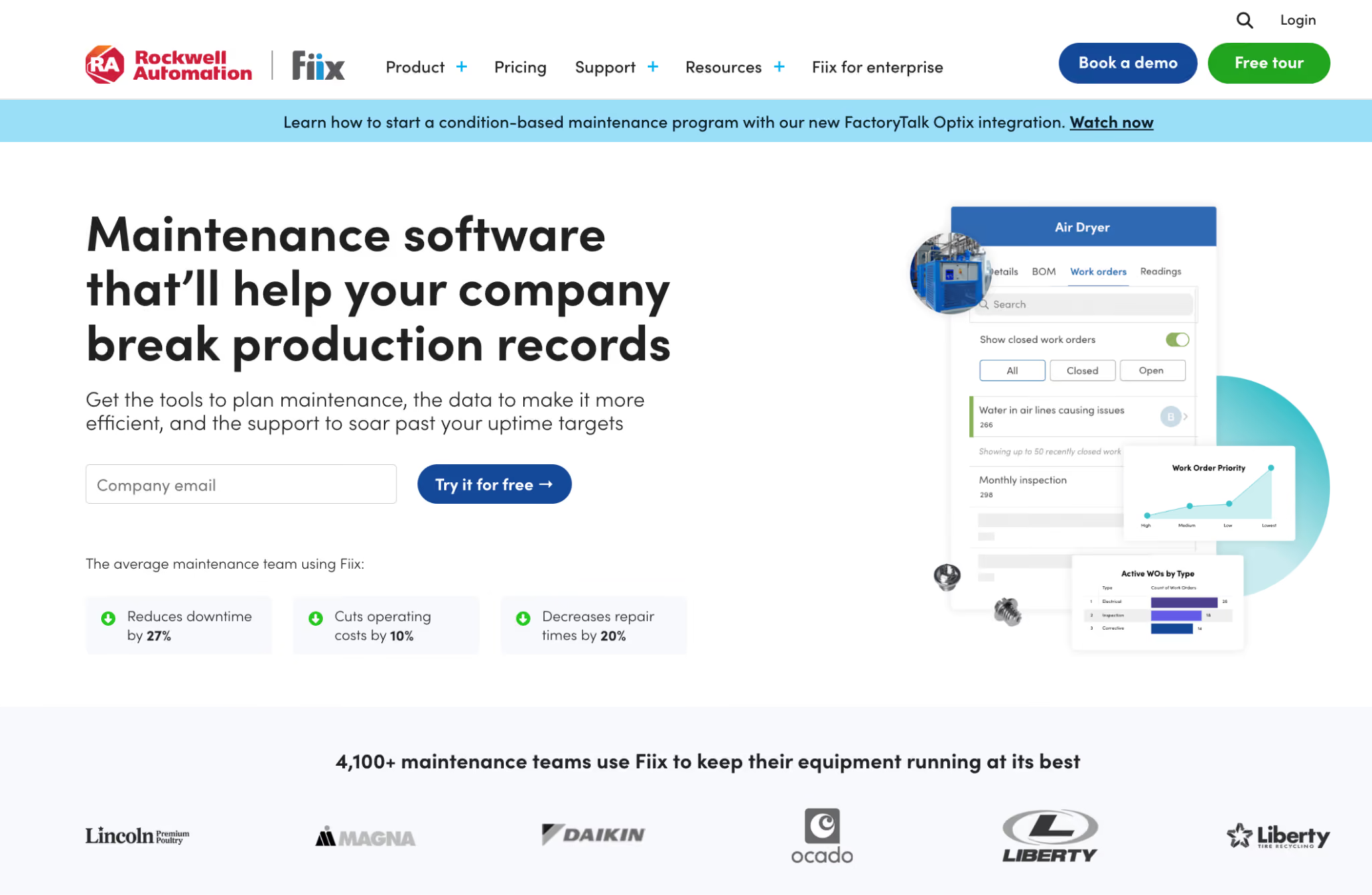
Fiix is a cloud-based CMMS that handles work orders, preventive maintenance, asset tracking, and spare parts inventory. For request management, it offers a customisable portal where anyone in the organisation can submit unlimited requests without a full licence.
Requests feed into the maintenance queue and convert into work orders with priority and asset details attached. The platform also includes an AI engine called Fiix Foresight that analyses your maintenance history and recommends optimised PM intervals based on actual failure patterns.
Read more: Fiix vs Makula
Fiix Key Features
- Work request portal with unlimited submissions and custom forms
- AI-powered PM optimisation through Fiix Foresight
- Mobile app with offline access and QR code scanning
- Asset hierarchy management with drag-and-drop organisation
- Open API with pre-built connectors for ERP and industrial systems
Fiix Pricing
Fiix offers four plans: Free, Basic, Professional, and Enterprise with pricing starting at $45 per user per month.
eMaint

eMaint covers work orders, preventive maintenance, asset tracking, inventory management, and compliance reporting. For request management, eMaint offers three intake options: dedicated requestor logins, email-to-request conversion, and a web form you can embed on your company intranet.
The software tracks inventory parts across unlimited stockrooms with bin locations, automated reorder points, and vendor management.
Learn more: eMaint vs Makula
eMaint Key Features
- Three request intake methods: requestor logins, email conversion, and embeddable web forms
- Multi-stockroom inventory tracking with automated reorder alerts
- Preventive maintenance with calendar, meter, and condition-based triggers
- Fluke sensor integration for real-time condition monitoring
- Configurable reporting with MTBF, MTTR, and cost-per-asset analysis
eMaint Pricing
eMaint offers three plans: Team, Professional, and Enterprise with pricing starting at $69 per user per month.
OxMaint
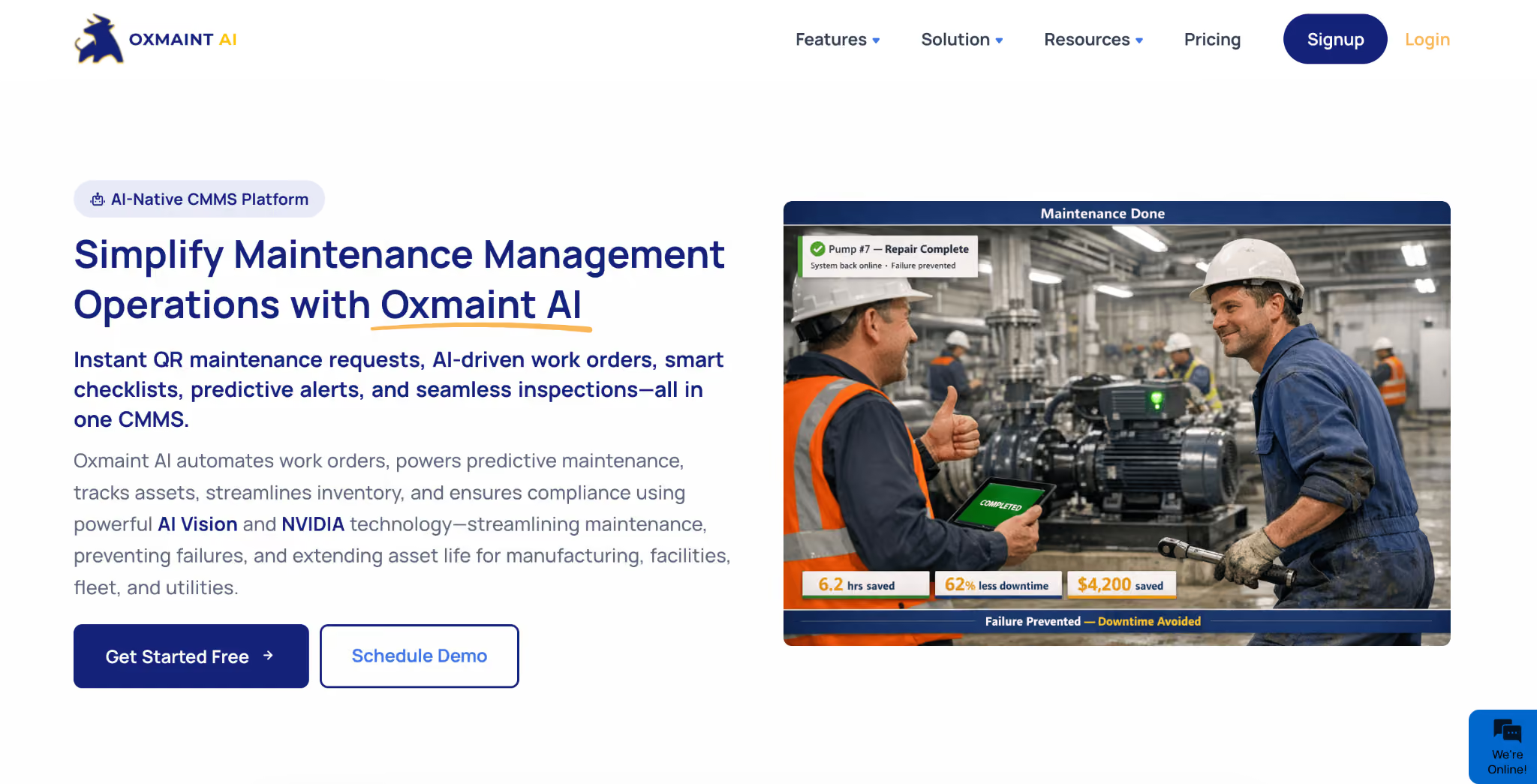
OxMaint combines standard maintenance management with AI-powered capabilities like predictive failure analysis, vision-based defect detection, and automated work order creation.
For request management, staff can submit issues by scanning a QR code on any asset or through the web and mobile app. The platform then uses AI to auto-create work orders, assign the nearest available technician, and reserve parts from inventory without manual steps.
OxMaint covers preventive maintenance, inspections with digital checklists, parts and inventory tracking, safety compliance, and analytics.
OxMaint Key Features
- QR code scanning for instant asset lookup and one-tap request submission
- AI-powered work order creation with smart technician assignment
- Predictive maintenance using IoT sensor data and ML models
- AI Vision cameras for real-time defect detection across facilities
- Native SAP integration with bidirectional sync
- Mobile app with full offline capability
OxMaint Pricing
OxMaint offers three pricing plans: Lite, Business, and Enterprise, with pricing starting at $30 per user per month.
How to Choose the Right Maintenance Request Software
Use these five criteria to evaluate each platform against how your team actually works:
Request Submission and Accessibility
If submitting a request takes more than a minute or requires a desktop login, operators will default to texting a supervisor or mentioning it in passing.
Look for platforms that offer multiple submission methods: mobile app, QR code scanning, web forms, and email conversion.
The form should capture the right details upfront, including the asset, location, urgency, and a photo, without requiring the requester to know how the CMMS works. Bonus if the system allows submissions without a login, so anyone on the floor can report an issue.
Triage and Prioritisation Workflows
Once a request enters the system, someone needs to decide what happens next. Without a triage step, every request sits at the same priority level, and the loudest requester gets served first.
Check whether the platform lets you set priority rules based on asset criticality, request category, or location. Look for duplicate detection so the same issue reported by three people doesn't generate three separate work orders.
The triage process should be fast enough that a manager can review and assign a batch of requests in minutes, not hours.
Work Assignment and Scheduling
A request that's been triaged but not assigned is still a request that's not getting fixed. The platform should make assignments fast and informed.
Look for scheduling tools that show technician availability, skill sets, and current workload. Calendar views, Kanban boards, and map-based dispatch all help managers route work without guesswork.
Resolution Tracking and Documentation
Closing a request shouldn't mean marking a checkbox. The platform should capture what was done, what parts were used, what was found during the inspection, and whether any follow-up work is needed.
Check whether technicians can log notes, attach photos, collect digital signatures, and complete checklists from their mobile device. Every completed request should write back to the asset's maintenance history automatically. If a technician has to re-enter data into a separate system after closing a job, that's a gap in the workflow.
Reporting and Maintenance Intelligence
Request data is only useful if you can turn it into decisions. The platform should track request volume, response times, resolution rates, and recurring issues without requiring manual report building.
Look for dashboards that filter by site, asset, team, or time period. The best platforms flag patterns automatically, like an asset generating repeat requests every quarter or a specific shift consistently falling behind on response times.
Bottom Line: Makula Is the Best Maintenance Request Software in 2026
Makula stands out for manufacturing teams because it connects every request directly to the asset, its history, its documentation, and its service record.
Book a demo to see how Makula turns scattered maintenance requests into a structured, trackable workflow, from submission to resolution.





