
%20Software.jpg.avif)
40% of organisations using EAM solutions report a 20-25% reduction in unplanned equipment downtime, leading to direct cost savings and improved productivity.
Yet most large organisations still track assets through disconnected systems. They track procurement in one platform, maintenance in another, and financial data somewhere else.
This causes asset failures to happen without warning, and maintenance costs can't be tracked accurately by equipment.
Enterprise asset management software solves this by connecting asset lifecycle tracking, maintenance histories, and multi-site coordination in real time. Teams see complete equipment records, predict failures before they happen, and demonstrate compliance without scrambling through files.
This article reviews the seven best enterprise asset management software for industrial operations in 2026.
What Is Enterprise Asset Management (EAM) Software?
Enterprise asset management software tracks and manages physical assets throughout their entire lifecycle, from initial procurement and commissioning through operations, maintenance, and disposal.
Unlike basic maintenance management systems, EAM platforms are built for enterprise scale. They handle thousands of assets across multiple sites, connect financial data with operational performance, and provide the visibility executives need for capital planning decisions.
Organisations in asset-intensive industries use EAM software to:
- Track complete asset lifecycles from purchase to disposal
- Coordinate maintenance across multiple facilities and geographic regions
- Link asset performance data to financial systems for accurate cost tracking
- Meet regulatory compliance requirements with complete audit trails
- Make data-driven capital investment decisions based on the total cost of ownership
EAM platforms reduce total cost of ownership, extend asset lifespans, improve regulatory compliance, and provide the data needed to justify major capital expenditures.
Top 7 Enterprise Asset Management Software in 2026
We've reviewed the leading enterprise asset management platforms to help you find the right system for multi-site operations:
Makula
Makula is an enterprise asset management platform for manufacturing and industrial operations that need full asset lifecycle visibility and multi-site coordination.
Traditional EAM platforms often take 6–12 months to implement and require $100,000–$500,000 in consulting before delivering value. Makula goes live in weeks at a fraction of the cost.
Our software brings asset tracking, maintenance histories, parts inventory, and work orders into a single system. While legacy platforms rely on heavy customization and complex training, Makula delivers enterprise-grade functionality through modern interfaces that technicians adopt quickly.
Makula also automates preventive maintenance, applies AI-powered failure analysis, and generates compliance documentation automatically.
Here’s how Makula transforms asset management for industrial operations:
Searchable Asset Database for Instant Equipment Access
Enterprise operations with multiple facilities store asset information in disconnected systems. Manuals, specifications, and maintenance records are spread across spreadsheets, procurement tools, and local files, making it difficult to access what teams need when equipment goes down.
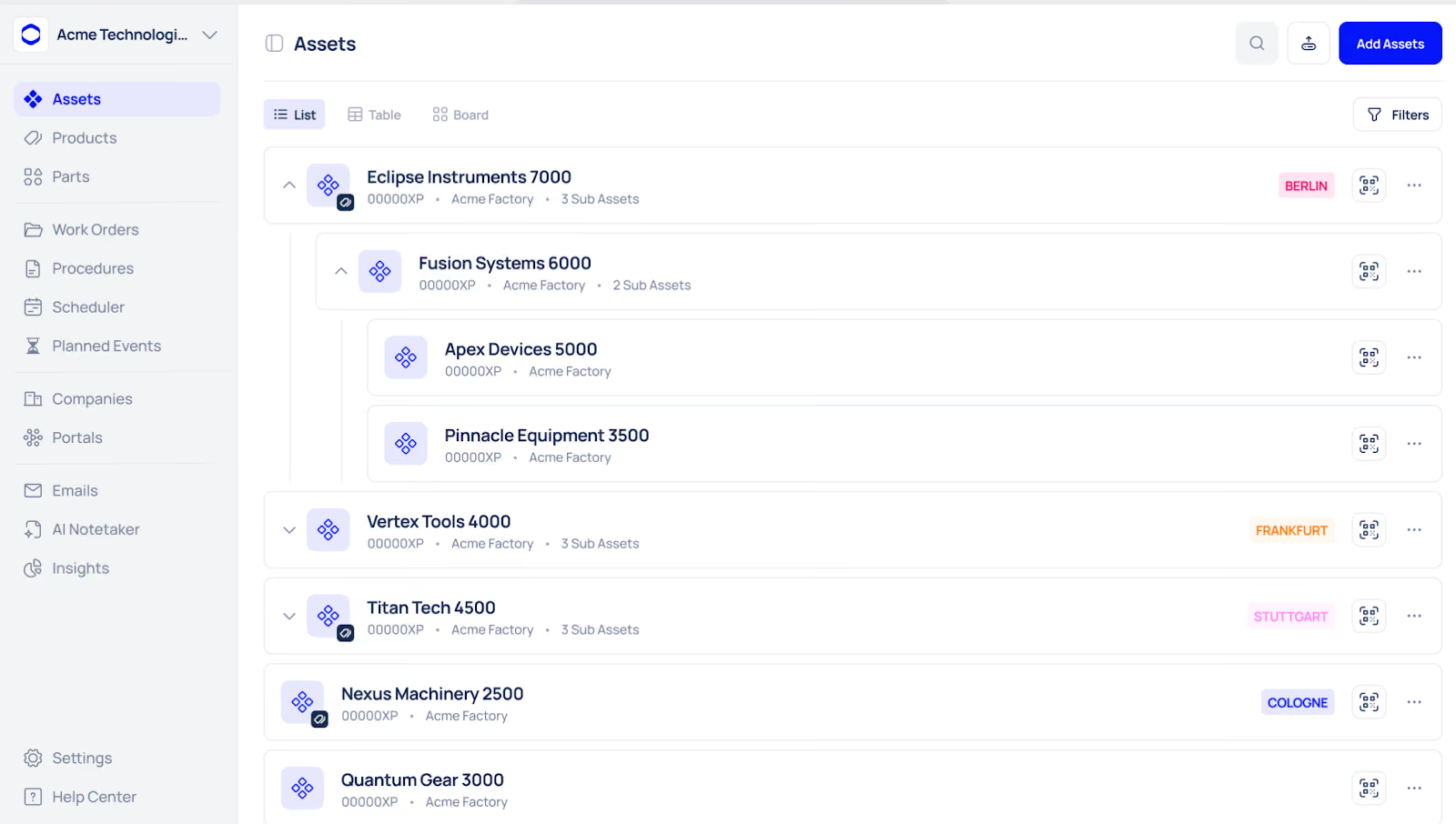
Makula provides a centralised asset database accessible from any facility. The platform offers List, Table, and Board views that display complete equipment records instantly. Teams can:
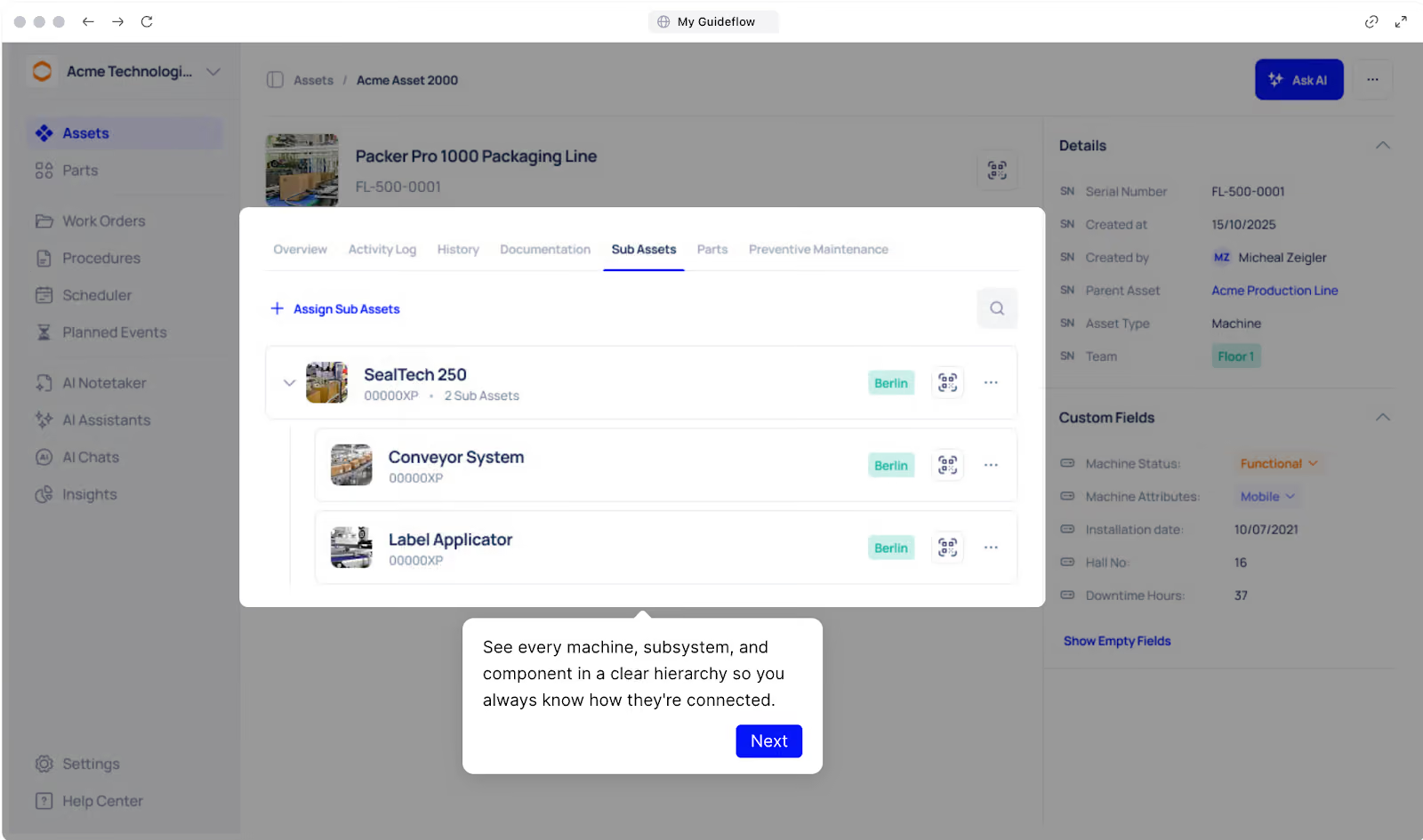
- Track unlimited assets with unique codes and hierarchical organisation
- View parent equipment with sub-assets (packaging line displays its three sub-assemblies)
- Organize by department, location, or production line
- Search and filter across the entire inventory in seconds
- Access equipment details regardless of which facility houses the asset
Centralised Documentation Storage for Faster Repairs
Equipment information scattered across spreadsheets, procurement systems, and tribal knowledge wastes hours when assets fail at remote sites. Teams hunt for specifications and maintenance histories across disconnected sources instead of fixing problems.
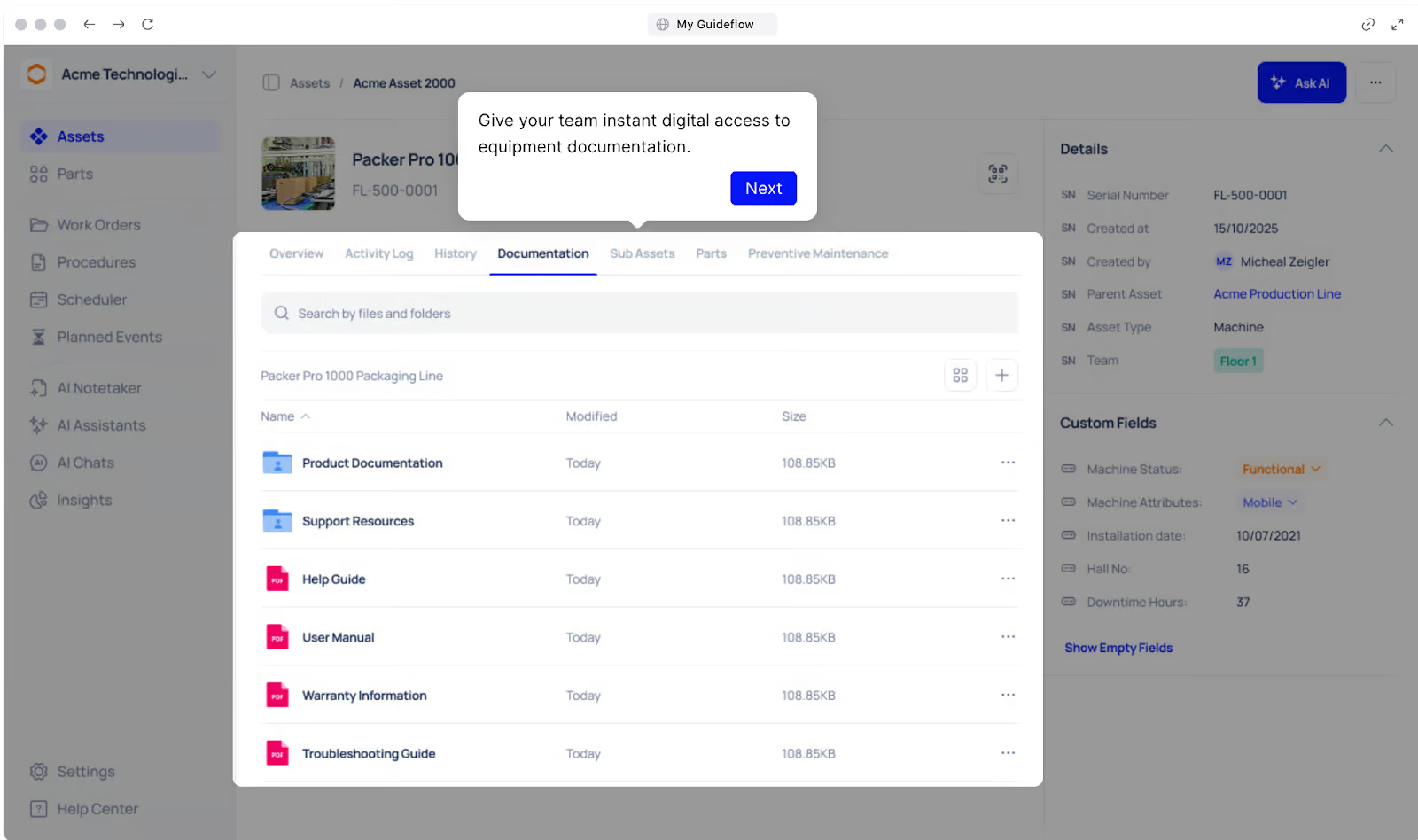
Makula attaches documentation directly to each asset profile. Teams can:
- Upload guide documents, operating manuals, and circuit diagrams to specific assets
- Store spare part lists and 3D models in asset profiles
- Organize documents into folders for quick navigation
- Search within each asset's documentation library
- Access everything from mobile devices during repairs
For example, when a technician repairs "Acme Asset 2000" (FL-500-0001) at a remote facility, they pull up operating manuals, circuit diagrams, and spare part lists on their phone. The repair starts immediately, rather than waiting for someone to locate and send the documentation.
Complete Maintenance History to Prevent Repeat Failures
Asset histories trapped at individual facilities prevent corporate teams from spotting patterns. Similar failures repeat across locations because learnings don't transfer between sites.
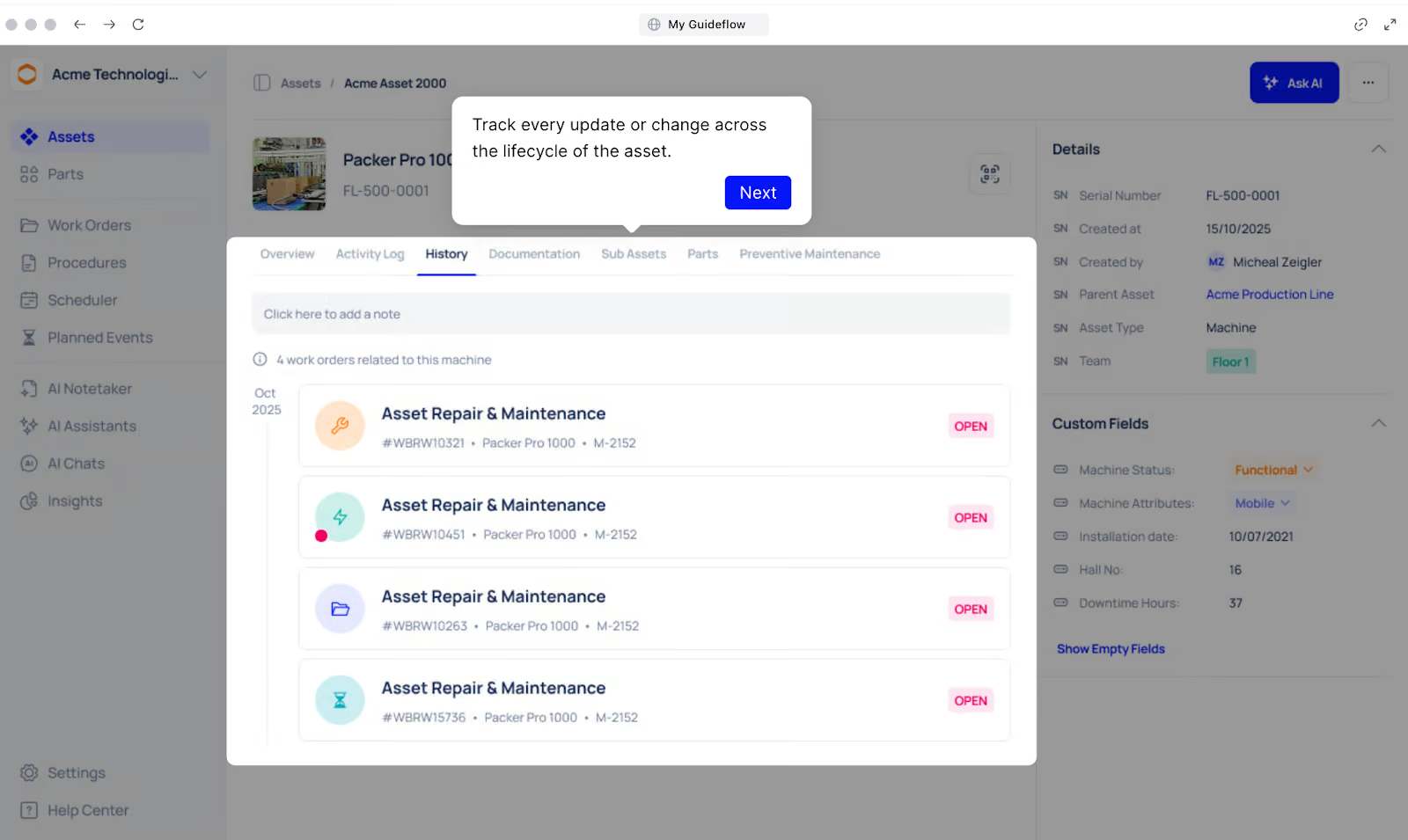
Makula automatically captures every maintenance event in a centralised system. The platform:
- Shows all work orders chronologically across every facility in a timeline view
- Tracks equipment overhauls, restoration orders, and routine maintenance
- Links work order details to specific dates and technicians
- Keeps task assignments and completion status visible to corporate and site teams
- Provides notes and activity logs with troubleshooting context for technicians anywhere
For example, an enterprise notices recurring overhaul requests that appear every January across multiple sites. Corporate maintenance leadership identifies the systemic failure mode and implements preventive measures enterprise-wide. Without central visibility, each facility would keep solving the same problem independently.
Automated Preventive Maintenance Scheduling for Zero Missed Inspections
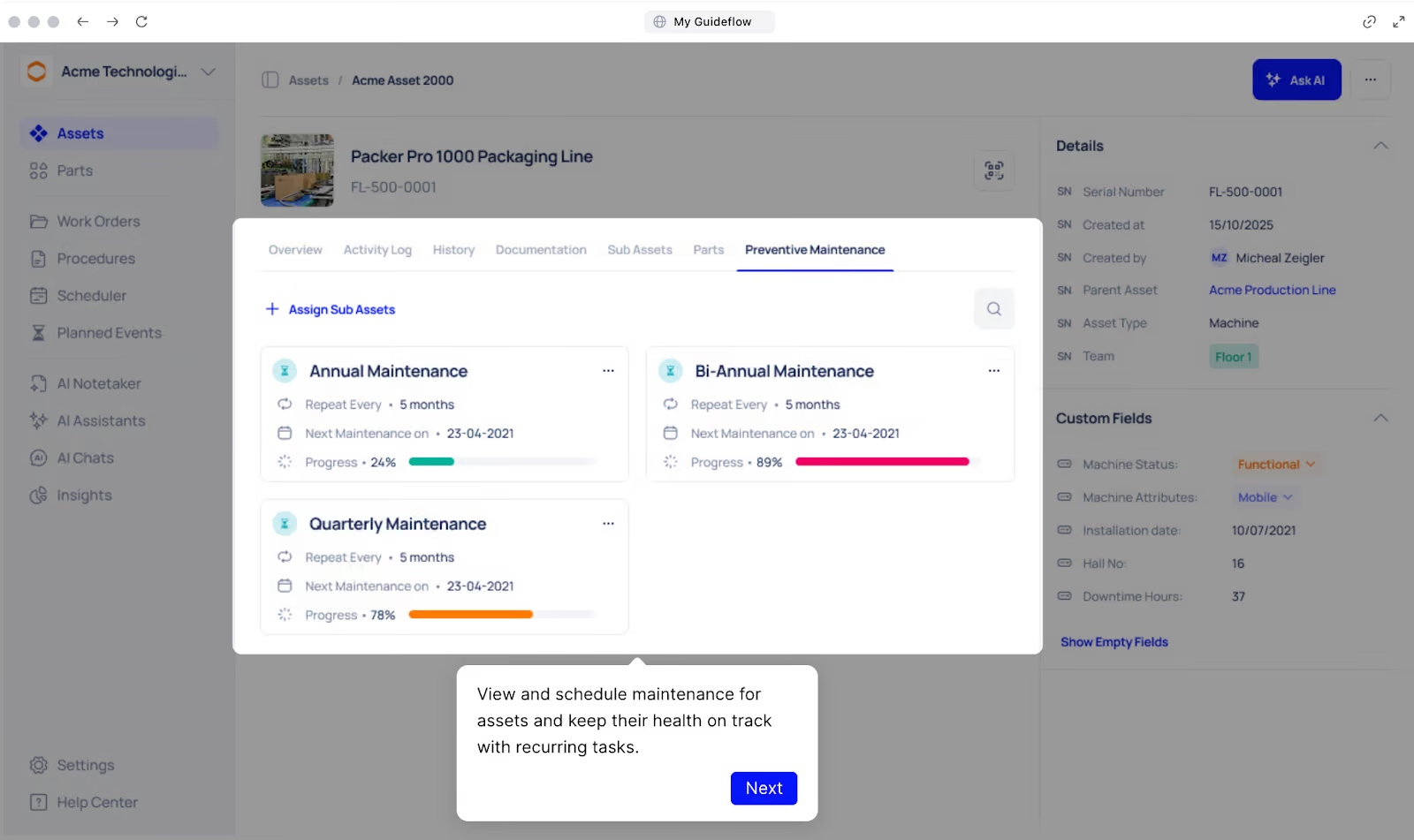
Manual preventive maintenance coordination across dozens of facilities leads to missed intervals and compliance gaps. Sites use separate tracking methods while the corporation lacks visibility into who's falling behind.
Makula automates recurring maintenance with real-time progress tracking across all facilities.
Teams can:
- Set up multiple preventive maintenance schedules per asset (Annual, Bi-Annual, Quarterly)
- Configure repeat intervals based on time or usage thresholds
- Track next maintenance dates automatically across the entire enterprise
- View visual progress bars showing completion status at the corporate and site levels
- Generate work orders automatically when intervals are reached
For example, a utility company managing 10,000+ poles and transformers can't afford to miss a single inspection. Each asset needs three separate maintenance schedules: annual, bi-annual, and quarterly. Without automation, that's 30,000+ schedule entries to track manually across hundreds of locations. Makula generates work orders automatically when each interval is due. Managers see exactly which schedules are on track and which sites are falling behind, without chasing spreadsheets from every field office.
Asset Performance Insights for Data-Driven Decisions
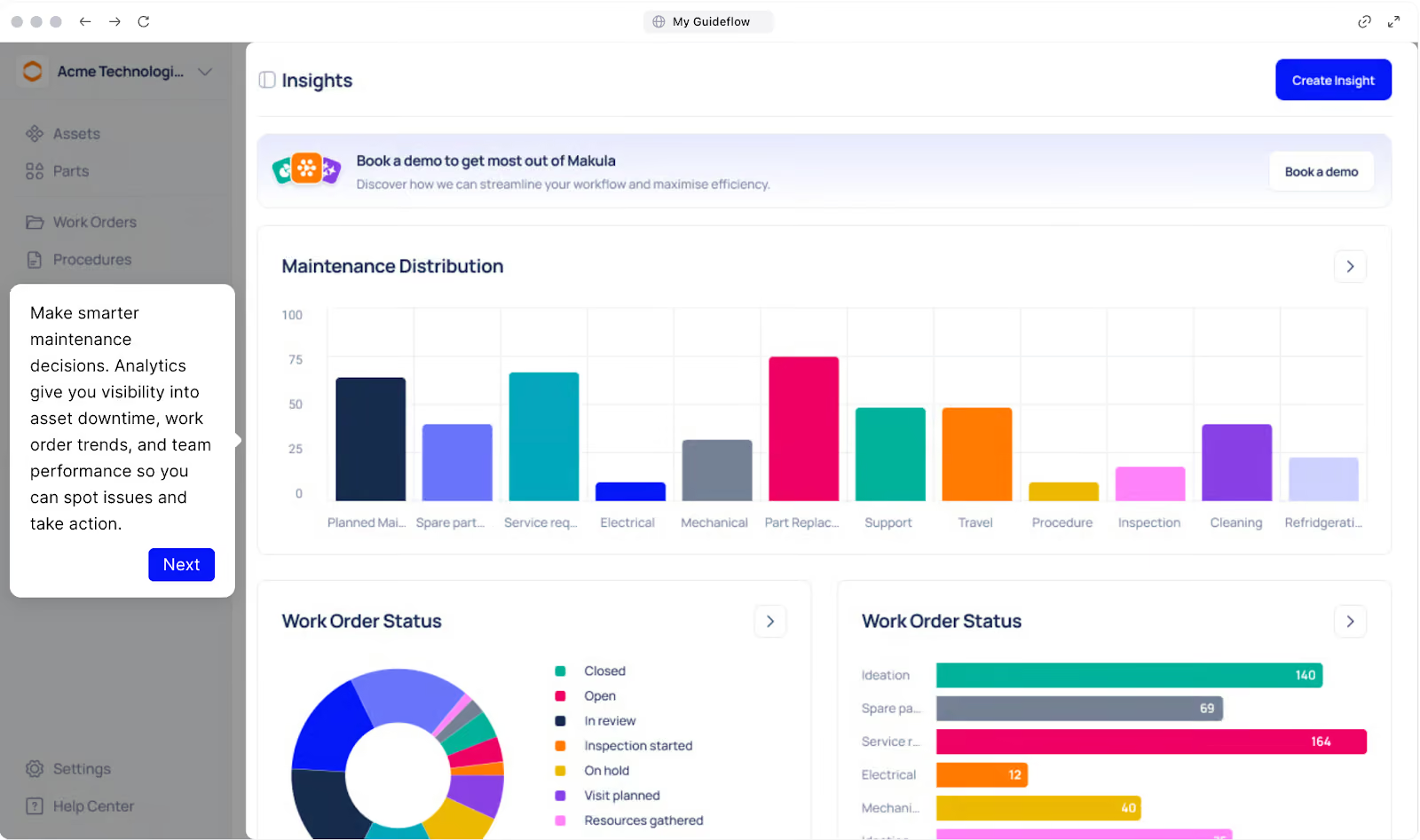
Strategic decisions about capital allocation rely on individual site reports instead of consolidated data. Leaders can't identify which facilities consume excessive resources or where capital investments should focus.
Makula's analytics and reporting reveal maintenance patterns across the enterprise with:
- Asset status reports consolidating all facilities (Operational, Maintenance, Repair Scheduled)
- Work order distribution showing resource allocation by category
- Bar charts displaying maintenance workload patterns by location
- Performance trending supporting capital planning decisions
- Export features delivering portfolio-level executive reporting
For example, an operations director managing twelve plants notices that one facility generates three times more service requests than facilities of the same size. That pattern was invisible when each plant reported independently. Now she can investigate whether the spike is caused by ageing equipment, undertrained staff, or deferred maintenance, and redirect budget before reliability drops.
Mobile Access for On-Site Asset Management
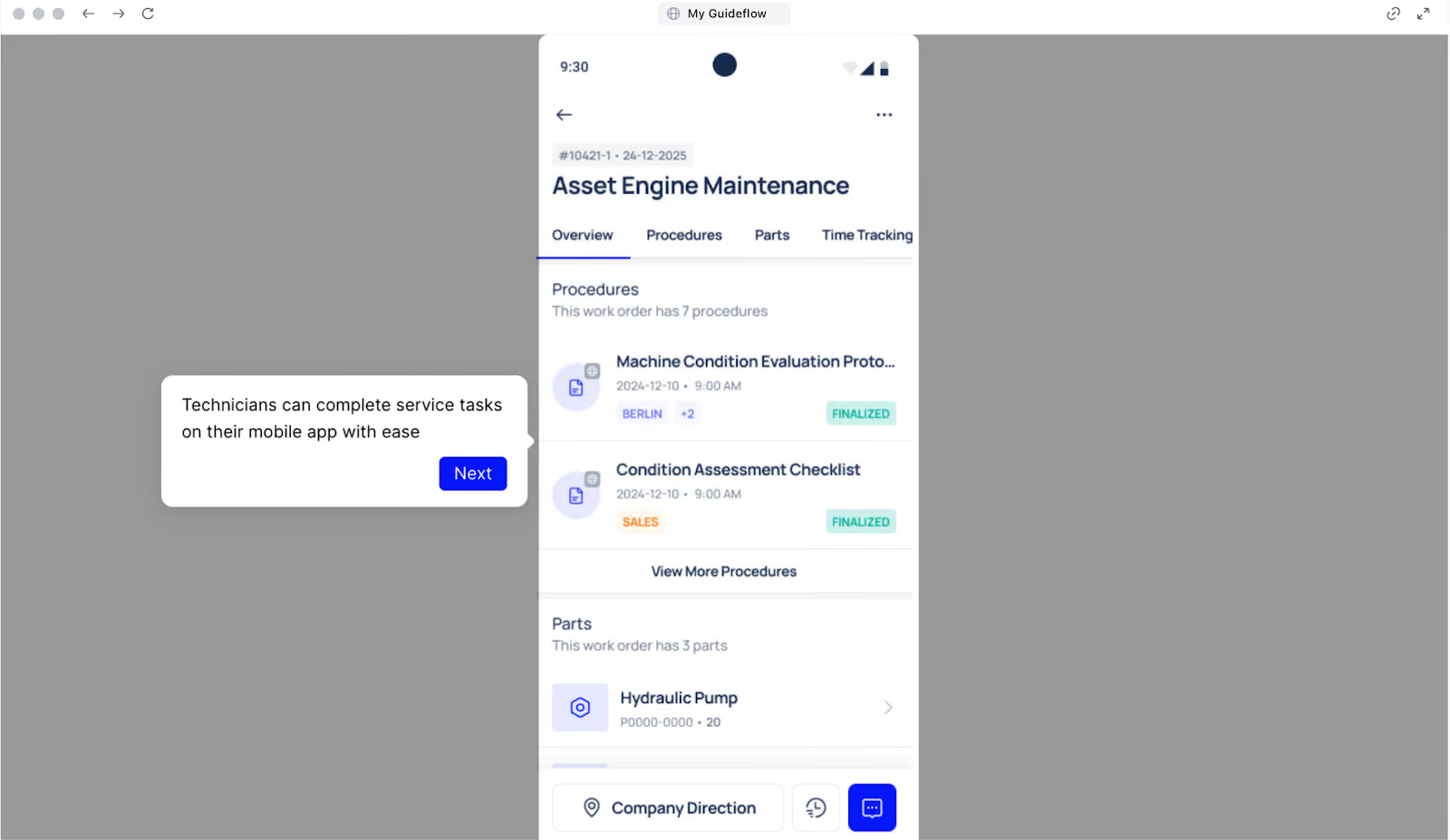
Makula works on smartphones and tablets with offline capability. Field teams can:
- Access complete asset information from any location
- View documentation and histories at equipment locations
- Update work orders without an internet connection
- Capture photos and digital signatures offline
- Sync automatically when the connection returns
For example, field technicians at 50+ remote utility substations execute work with full system access despite limited connectivity. They access asset profiles, work histories, and technical documentation without traveling to regional offices.
Integrated Platform to Eliminate Duplicate Data Entry
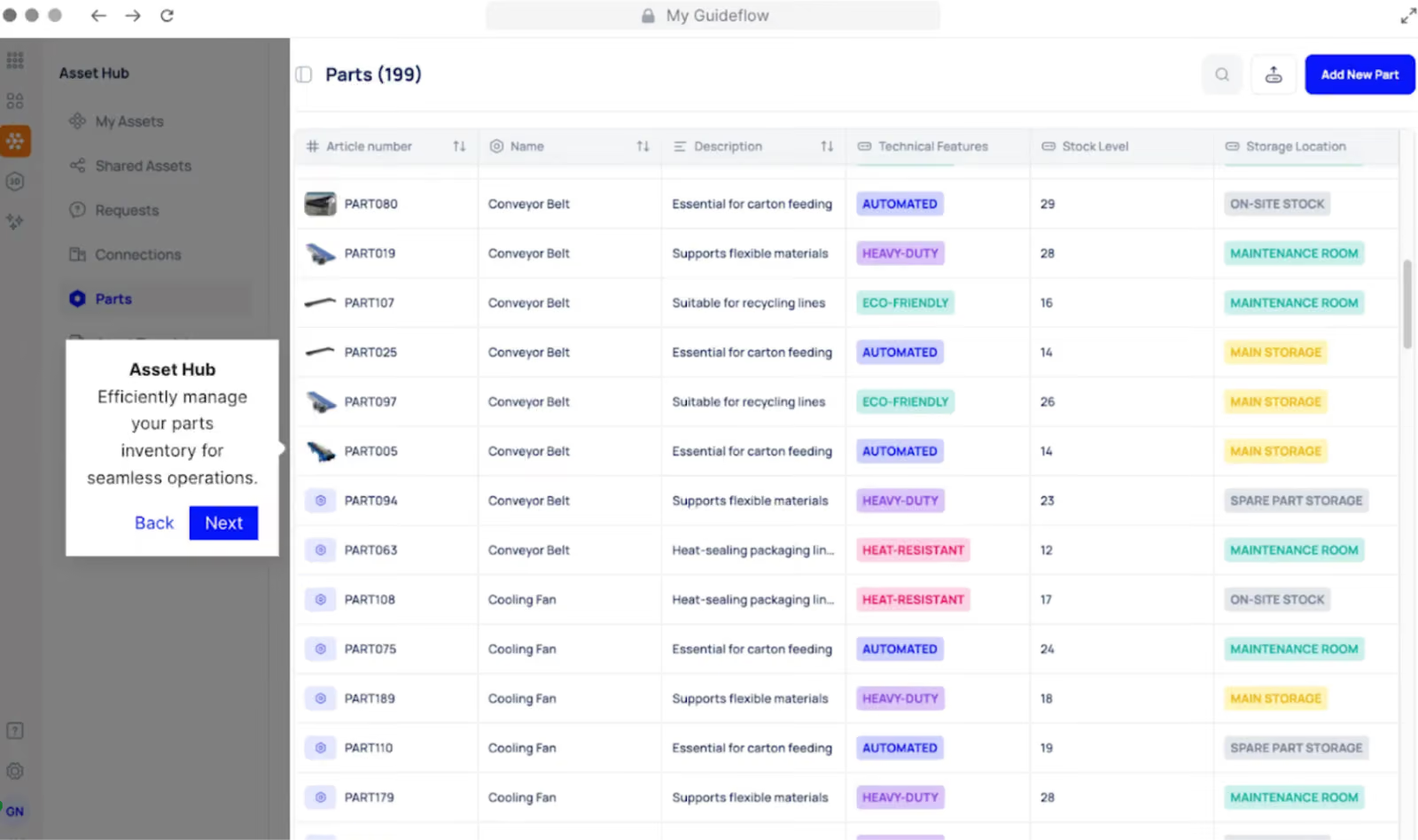
Separate systems for assets, inventory, work orders, and procedures force technicians to enter the same data multiple times. Asset updates don't sync between platforms while finance reconciles costs from disconnected sources.
This fragmentation wastes hundreds of staff hours monthly.
Makula unifies everything in one database with:
- Direct navigation between Assets, Parts, Work Orders, and Procedures
- Automatic linking of spare parts to specific assets
- Work order completion updating asset history without manual entry
- Parts usage tracking against assets automatically
- Unified search across all modules
For example, a technician viewing an asset profile sees spare parts inventory levels across all warehouses, open work orders at any facility, and maintenance procedures. No system switching required. The integration saves 15-20 hours weekly of manual data synchronization across the enterprise.
Makula Pros and Cons
Pros:
- Faster implementation than traditional enterprise EAM (weeks versus months)
- Modern interface designed for mobile-first workflows
- Integrated approach eliminates the need for separate inventory and PM systems
- Transparent pricing without per-asset fees or hidden charges
- AI-powered assistance for root cause analysis and troubleshooting
- Strong multi-site coordination without sacrificing single-facility usability
Cons:
- Learning curve on advanced features, but customer support is there to onboard
Makula Pricing
Makula’s pricing starts at €55 per user per month.
Makula Reviews
Review #1: “I have all my products well organised, and all the relevant information is available in one place. I no longer need Excel spreadsheets, SharePoint, or other scattered tools. Everything I need for customer service is consolidated into a single solution.”
Review #2: “Fast and personal support – The team responds quickly and thinks along with us. Flexible on technical challenges – from API integration to shared mailbox setup, they help find solutions.”
IBM Maximo
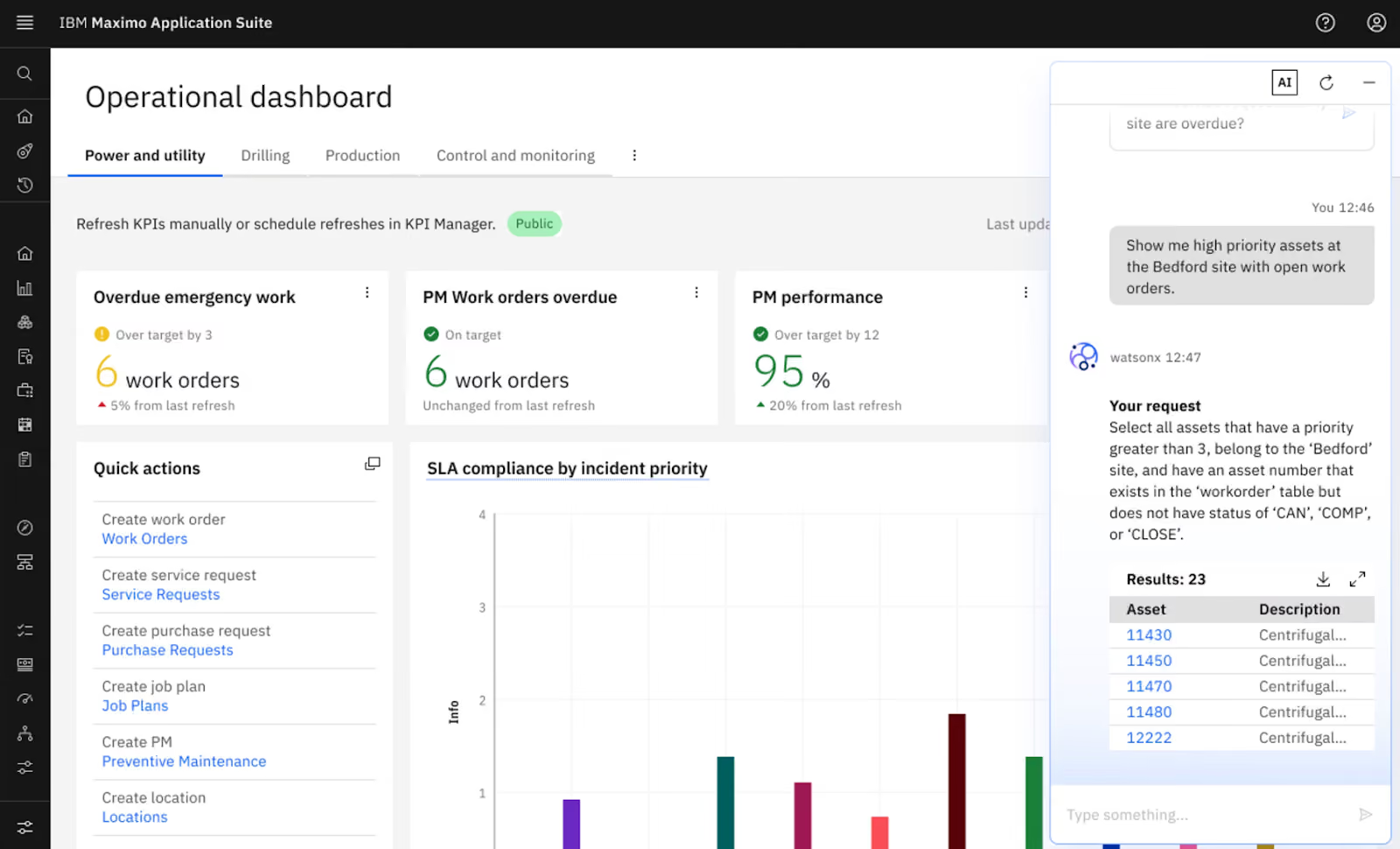
IBM Maximo is the established leader in enterprise asset management, serving the largest organisations across energy, utilities, transportation, and manufacturing sectors. The platform handles complex, multi-site operations with thousands of assets requiring lifecycle tracking.
Owned by IBM, Maximo delivers comprehensive functionality, including asset performance management, predictive maintenance, and deep integration with enterprise systems.
IBM Maximo Key Features
- Asset performance management with AI-driven predictive analytics
- IoT sensor integration for real-time condition monitoring
- Comprehensive work order and maintenance management
- Mobile applications for iOS and Android with offline capability
- Customisable workflows and approval processes
- Advanced analytics and custom reporting
- Integration with major ERP, SCM, and HCM systems
IBM Maximo Pricing
IBM Maximo offers three plans (Essentials, Standard, and Premium) with pricing starting at $3,547 for up to 25 users.
SAP EAM
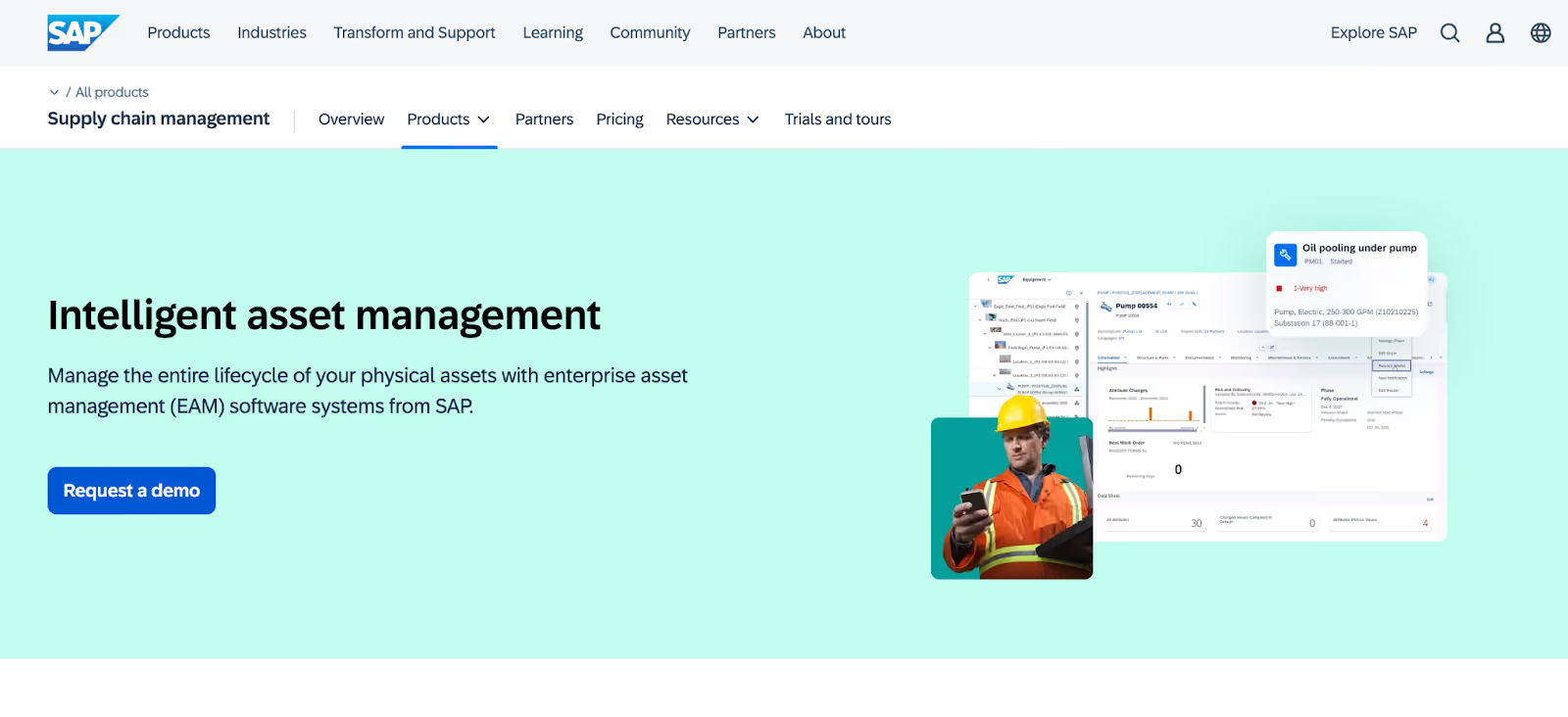
SAP EAM is built for enterprises already invested in the SAP ecosystem, providing integration with SAP ERP, Finance, and Materials Management modules. The platform targets large organisations with complex asset portfolios requiring unified visibility across operational and financial systems.
SAP EAM eliminates data silos by connecting asset management directly to procurement, controlling, and financial planning processes.
SAP EAM Key Features
- Deep integration with SAP ERP and financial modules
- Model-based asset analysis and lifecycle simulation
- Preventive and predictive maintenance capabilities
- Mobile applications for field technicians
- Advanced analytics and what-if scenario planning
- IoT integration for real-time asset monitoring
- Industry-specific templates and workflows
SAP EAM Pricing
SAP EAM offers custom pricing.
Oracle EAM Cloud
Oracle EAM Cloud is a comprehensive asset management platform for enterprises. It primarily operates within the Oracle technology ecosystem. The platform provides integration with Oracle's E-Business Suite, connecting asset operations with procurement, finance, and supply chain management.
Built for asset-intensive industries such as mining, manufacturing, and utilities, Oracle EAM handles complex maintenance processes, inventory management, and regulatory compliance.
Oracle EAM Cloud Key Features
- Comprehensive work order and maintenance management
- Asset tracking with complete lifecycle visibility
- Preventive maintenance scheduling and optimization
- Mobile access for field technicians
- Inventory and procurement integration
- Real-time analytics and performance dashboards
- Regulatory compliance and audit support
Oracle EAM Cloud Pricing
Oracle does not list official public pricing for Oracle EAM Cloud.
However, third-party sources suggest two pricing tiers, with estimated costs ranging from $250 to $500 per user, depending on configuration and usage.
Infor EAM
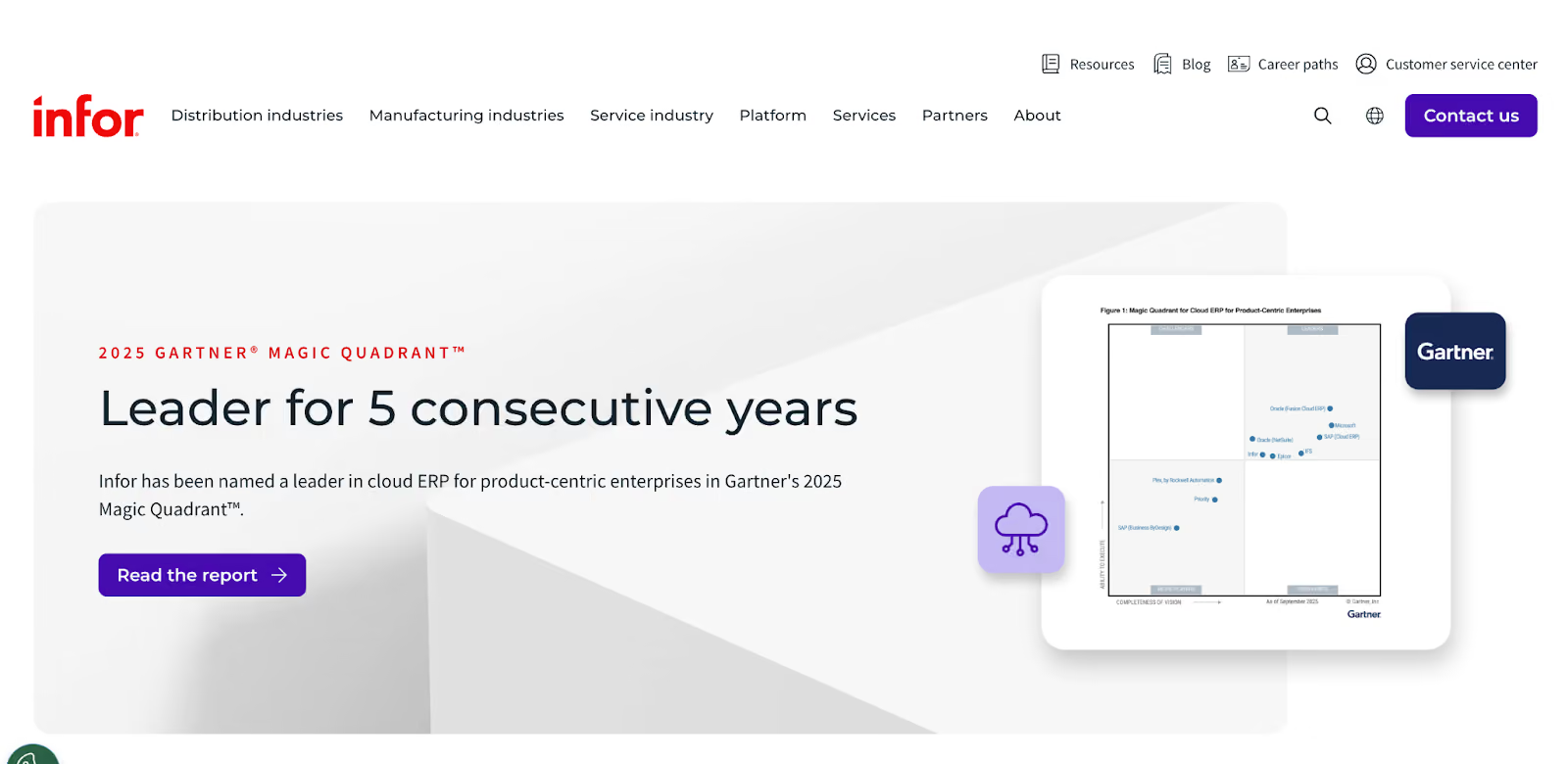
Infor EAM specializes in asset-intensive industries with pre-configured solutions for specific sectors, including aviation, healthcare, energy, and public infrastructure. The platform combines enterprise asset management with industry-specific workflows that reflect how these sectors actually operate.
Organisations benefit from industry best practices built into the software rather than starting with generic templates.
Key Features
- Industry-specific asset management templates and workflows
- Comprehensive maintenance and work order management
- Asset performance monitoring and analytics
- Mobile EAM for field operations
- Inventory and procurement integration
- Linear asset management for utilities and infrastructure
- Regulatory compliance tools
Infor EAM Pricing
Infor EAM offers custom pricing.
IFS Applications
IFS Applications combines enterprise asset management with field service management, making it ideal for organisations that maintain internal assets and deliver service to external customers.
The recent acquisition of Copperleaf Technologies enhanced IFS's asset investment planning capabilities, helping organisations optimise capital allocation across asset portfolios. The platform excels at connecting maintenance execution with strategic asset planning.
IFS Applications Key Features
- Asset lifecycle management with investment planning
- Integrated field service management
- Mobile EAM for technicians and service teams
- IoT integration and predictive maintenance
- Work order optimisation and scheduling
- Parts and inventory management
- Customer portal for service requests
IFS Applications Pricing
Infor EAM uses a custom pricing model.
eMaint
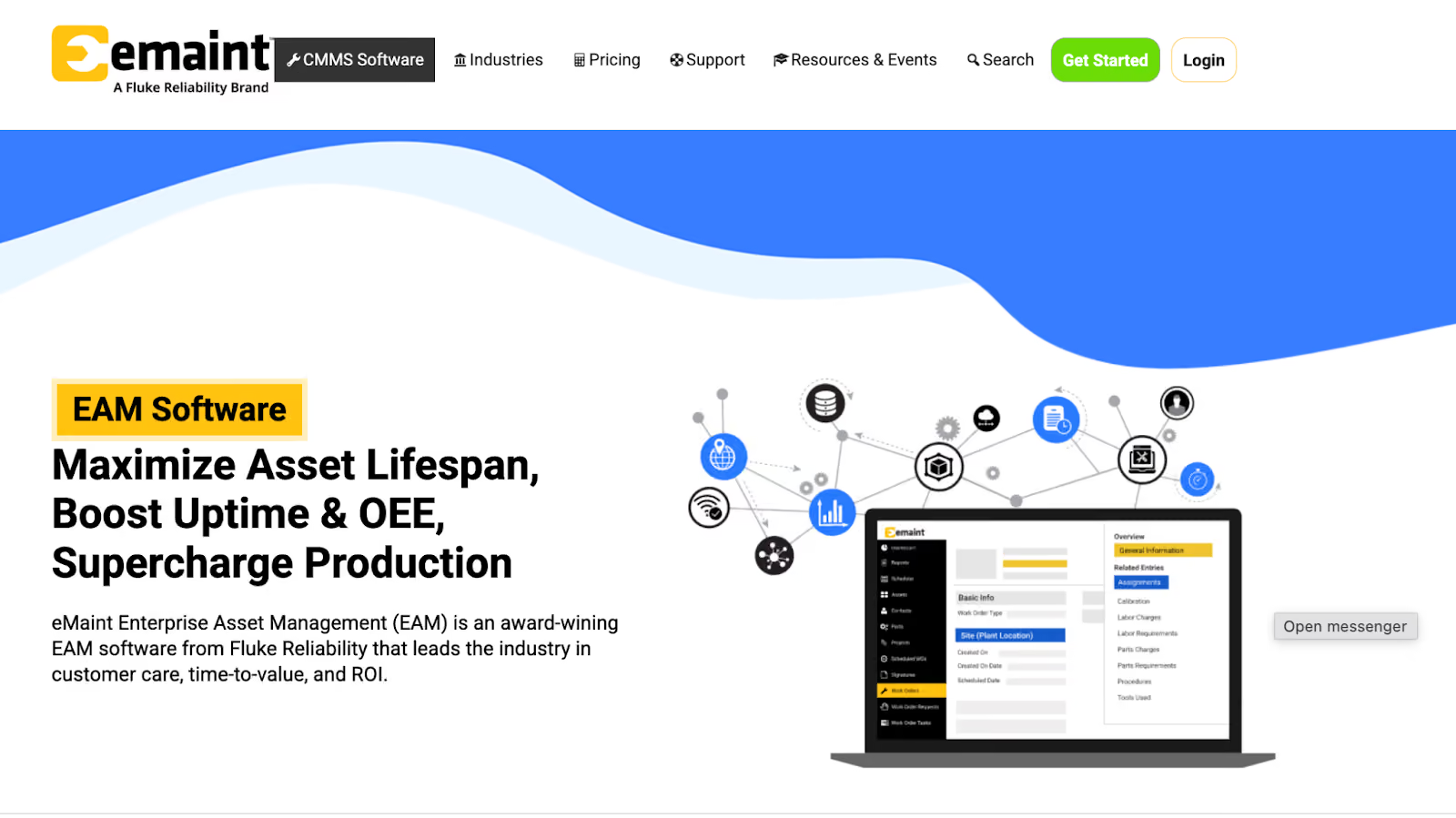
eMaint targets mid-sized organisations seeking enterprise EAM capabilities without the complexity and cost of platforms like Maximo or SAP. eMaint focuses on practical asset management for organisations managing 200-2,000 assets.
The platform delivers core EAM functionality, asset tracking, preventive maintenance, work orders, and inventory management, through a user-friendly interface.
Read more: eMaint vs Makula
eMaint Key Features
- Asset hierarchy and tracking
- Preventive maintenance scheduling
- Work order management with mobile access
- Inventory and purchasing integration
- Customisable dashboards and reporting
- IoT sensor integration
- Multi-site support
eMaint Pricing
eMaint offers three plans: Team at $69 per user per month, Professional at $85 per user per month, and Enterprise with custom pricing.
Best Enterprise Asset Management Software in 2026: Quick Comparison Table
Key Features to Look for in Enterprise Asset Management Software
Enterprise asset management platforms deliver value through specific capabilities that address operational challenges at scale.
Here's what matters most when evaluating EAM systems:
Asset Lifecycle Visibility
Look for systems that track assets from procurement through disposal with complete cost capture at every stage. The platform should automatically record acquisition costs, maintenance expenses, depreciation, and disposal value.
Check whether the system integrates with your financial platforms. Asset performance data should flow directly to accounting records without manual reconciliation.
Multi-Site Asset Coordination
Enterprise operations need centralised visibility with local flexibility. Evaluate how the platform handles different maintenance practices across facilities while maintaining corporate standards.
Can you share preventive maintenance templates across sites while allowing local modifications? Does the system support inter-facility asset transfers with proper documentation?
Predictive Maintenance Capabilities
Evaluate how the platform uses condition data to prevent failures rather than just scheduling fixed-interval maintenance. Can the system automatically generate work orders when sensor readings indicate developing problems?
Look for an AI-powered failure prediction that learns from your equipment's actual performance patterns.
Regulatory Compliance Management
Check whether compliance documentation happens automatically or requires manual preparation. The system should capture digital signatures, timestamp all activities, and maintain complete audit trails without extra effort from your team.
Financial Integration and Cost Tracking
Evaluate how maintenance costs connect to your financial systems. The platform should automatically capture labour hours, parts usage, and contractor expenses, then allocate these costs by asset, department, or cost center without manual entry.
Look for real-time cost tracking that shows maintenance spend as it happens, not weeks later during month-end closing. Integration with your ERP should be native or use pre-built connectors, not custom development work.
Advanced Analytics and Business Intelligence
Check whether the platform delivers insights that corporate leadership actually needs for strategic decisions. Does it automatically calculate maintenance KPIs such as MTBF and MTTR? Can you compare performance across facilities to identify best practices?
Look for customisable dashboards that answer your specific questions without requiring data exports to Excel. Trend analysis should reveal patterns in asset performance, helping you predict when entire asset classes will need to be replaced.
Scalability for Enterprise Growth
Evaluate whether the platform can grow with your operations without performance degradation or forced upgrades. The architecture should handle 10,000+ assets as smoothly as 500, with an API that supports whatever integrations your business needs in the future.
Bottom Line: Makula is the Best Enterprise Asset Management Software for Industrial Operations
Legacy EAM platforms like IBM Maximo and SAP EAM were built for a time when enterprises had dedicated IT teams, six-figure implementation budgets, and months to spare before going live. They still work for the largest organisations with those resources.
But most mid-market manufacturers and industrial operations don't have that luxury. They need asset lifecycle tracking, multi-site coordination, and compliance documentation without a year-long rollout.
That's where Makula fits. It covers the same core EAM capabilities at a fraction of the cost and timeline. Teams go live in weeks, not months, and pay per user instead of navigating complex licensing models.
Book a demo to see how Makula manages assets across multiple sites with better visibility and lower cost than traditional enterprise EAM platforms.





