

Maintenance teams that implement inventory monitoring systems achieve over 20% savings in repairable spare parts costs while maintaining 90% service levels. The savings come from eliminating duplicate orders, reducing excess stock, and preventing emergency purchases caused by stockouts.
But most maintenance teams still track spare parts through spreadsheets, paper logs, and institutional knowledge. This creates three problems:
- Parts get ordered twice because nobody checks what's already in stock
- Critical components run out during urgent repairs
- Slow-moving inventory ties up capital that could be used elsewhere.
Inventory monitoring systems solve this by connecting parts data to work orders, asset histories, and maintenance schedules in real time. Teams see what's available, where it's stored, and when it needs reordering without manual checks or phone calls.
This guide reviews the ten best inventory monitoring systems for maintenance operations in 2026.
What Is an Inventory Monitoring System?
An inventory monitoring system tracks spare parts, tools, and maintenance supplies across facilities. It provides real-time visibility into stock levels, automates reorder thresholds, and links parts usage directly to work orders and assets.
Unlike general warehouse software, maintenance-focused systems integrate inventory with equipment records. When a technician issues a motor from stock, the system records which asset received it, who installed it, and when a replacement is required.
As a result, organisations can identify failure patterns, manage warranty claims, and demonstrate compliance during audits. CMMS-integrated inventory systems also reduce administrative overhead by eliminating duplicate data entry.
Top 10 Inventory Monitoring Systems for Maintenance Operations
We've reviewed the leading inventory monitoring systems to help you find the right system for your maintenance operations. Here are the top choices that connect inventory tracking with work orders, asset management, and procurement workflows:
Makula
Makula is a computerized maintenance management system (CMMS) built for manufacturing and industrial facilities.
The platform combines inventory monitoring with maintenance management and asset tracking in one unified system, eliminating the need to switch between disconnected tools. When a technician completes a job, they can log parts usage from their mobile device.
The system automatically deducts stock, updates the asset history, and triggers reorder alerts if inventory drops below set levels.
Here are the key features that help maintenance teams optimise inventory management:
Parts and Inventory Tracking for Faster Repairs
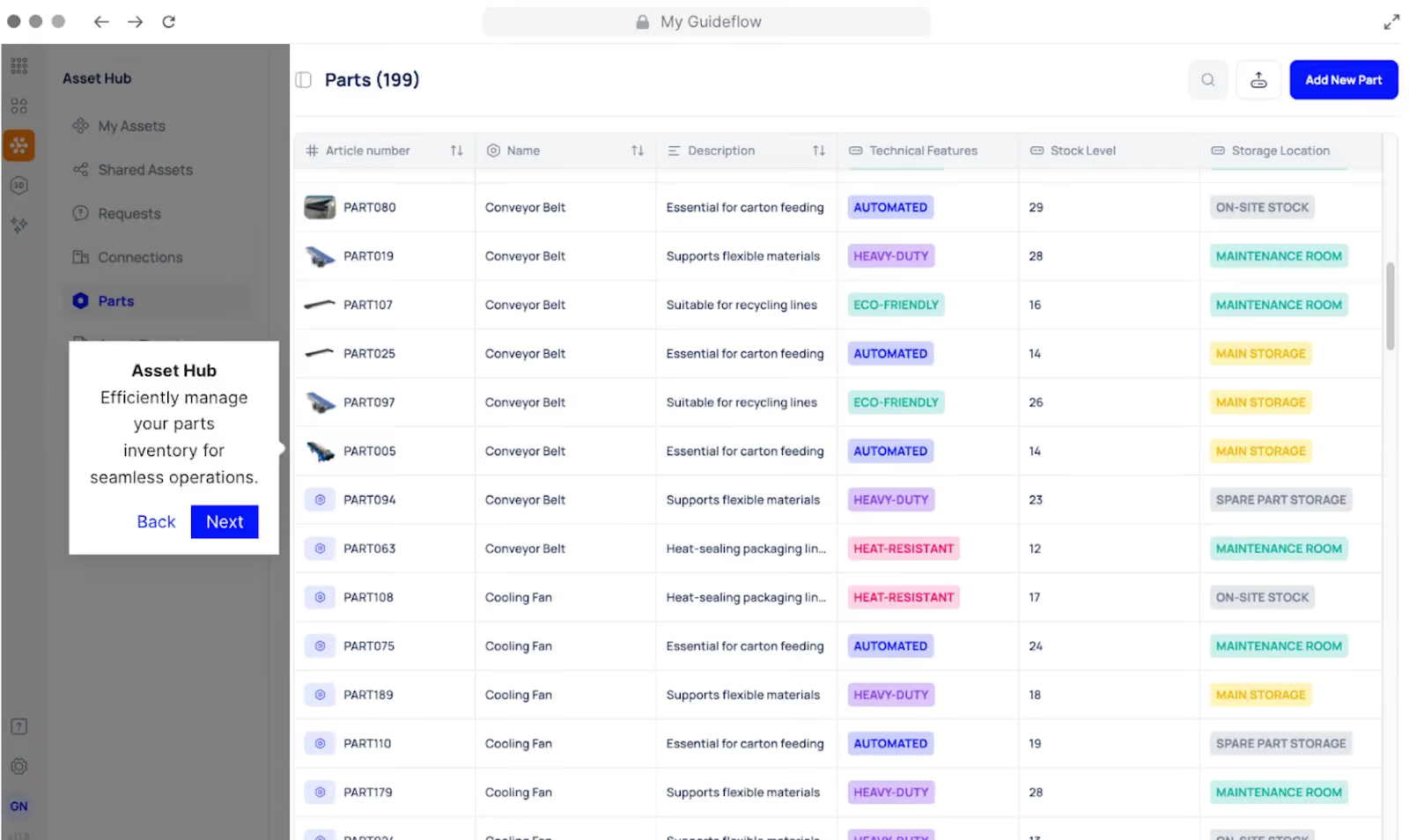
Searching through storage bins or calling the warehouse wastes valuable repair time. When equipment fails, technicians need to locate the right part immediately, but manual tracking systems leave them walking through facilities or waiting for someone to check stock levels.
Makula provides a centralised inventory system where all spare parts are tracked with complete visibility. Each part entry includes the part’s name, article number, available stock quantity, and storage location.
From the parts inventory dashboard, you can:
- View all parts with article numbers, names, and descriptions
- Monitor available stock quantities in real time
- See storage locations for each part
- Reserve parts for upcoming work orders to prevent shortage delays
- Receive automated alerts when stock hits reorder thresholds
- Track which parts are allocated to specific maintenance jobs
This eliminates the manual work of checking bins and calling suppliers, while ensuring critical parts are always available when technicians need them.
Centralised Asset Management with Linked Inventory
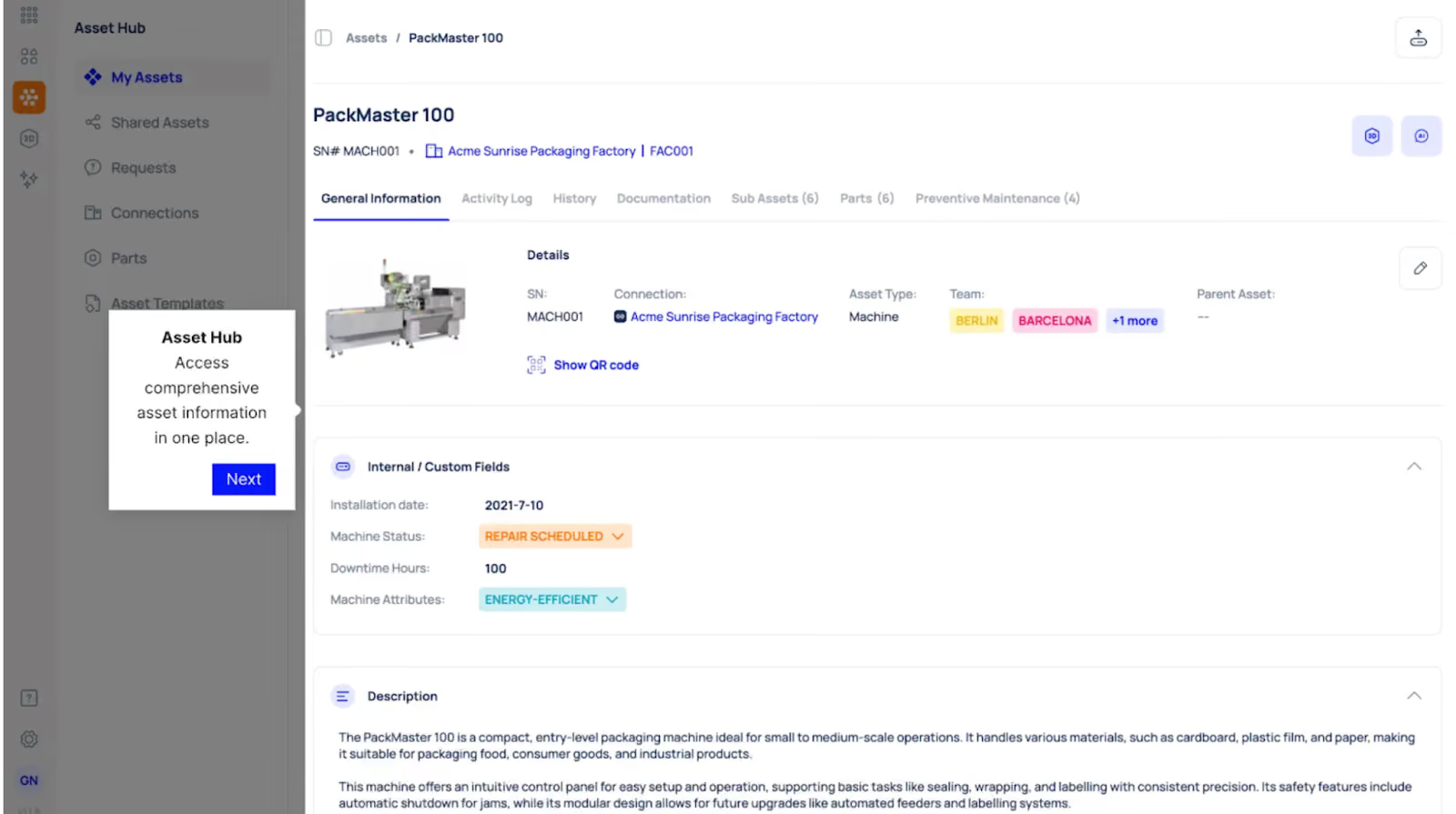
Managing equipment information across spreadsheets and paper files makes it difficult to find asset histories during repairs or audits.
Makula provides a searchable asset database where all equipment information is stored in one place. For each asset, you can:
- Attach all necessary documentation (PDFs, parts catalogues, installation guides, warranty information)
- View complete history of parts used on that asset with purpose and usage details
- Track health metrics and performance trends over time
- See maintenance activities linked to specific equipment
- Access asset records instantly through QR code scanning
For example, a hydraulic press can show attached documentation including the installation manual, parts catalog, and warranty certificate, plus a complete history showing that seal kits were replaced three times in the past year due to pressure leaks.
This complete visibility makes audits faster and helps technicians understand asset behaviour before starting repairs.
Work Orders with Automatic Parts Allocation
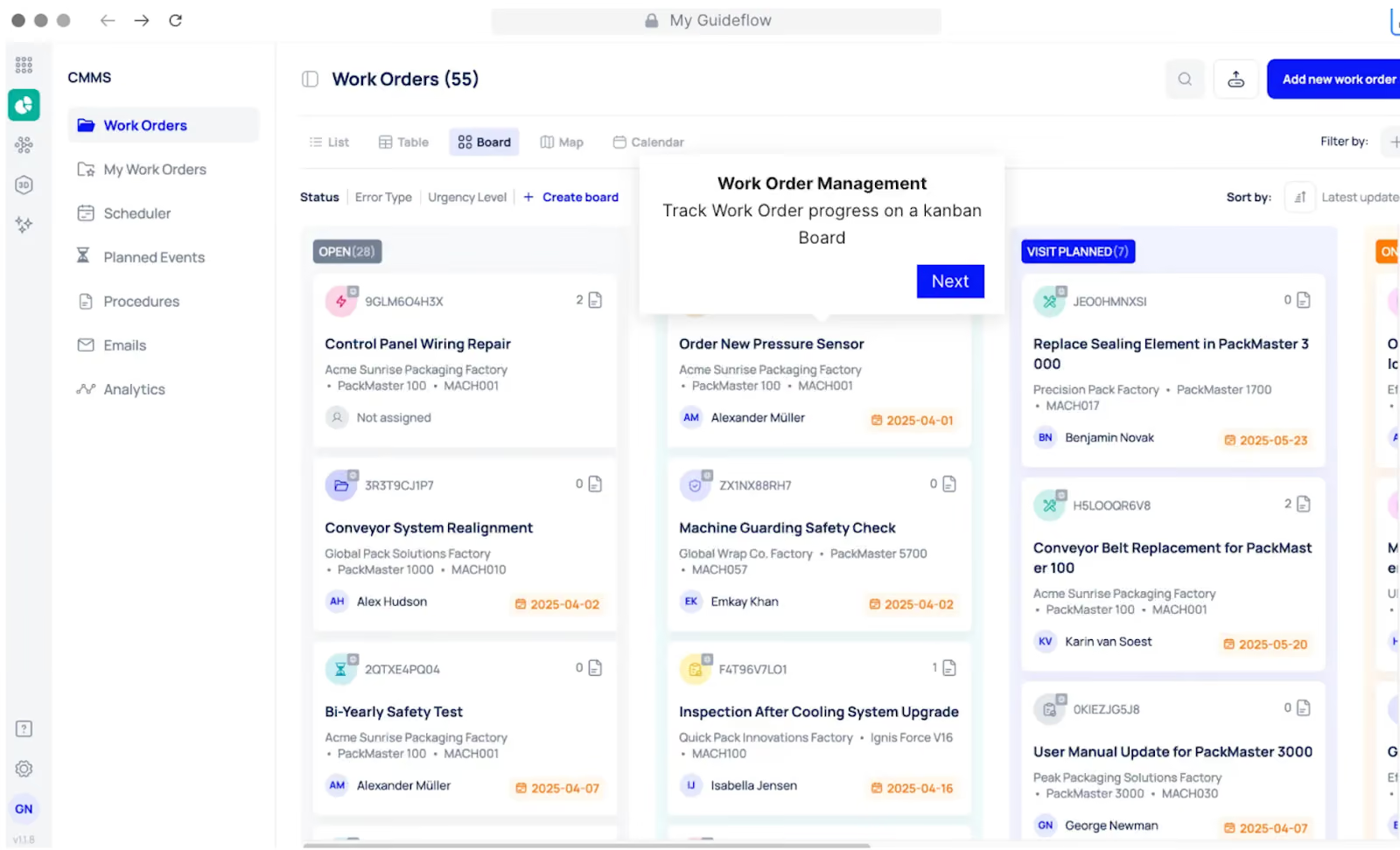
Planning maintenance jobs without visibility into parts availability leads to delays, rework, and idle technician time. Makula connects work orders directly to inventory so parts availability is checked as soon as a job is created.
With automatic parts allocation, teams can:
- Add required parts directly to each work order
- See real-time stock levels for every item
- Reserve available parts for specific jobs
- Identify shortages early and trigger reorders before scheduling
Technicians can also see exactly which parts are allocated to their work orders in the mobile app. This prevents last-minute delays and reduces time wasted searching for components.
Mobile App with Parts Lookup and Usage Tracking
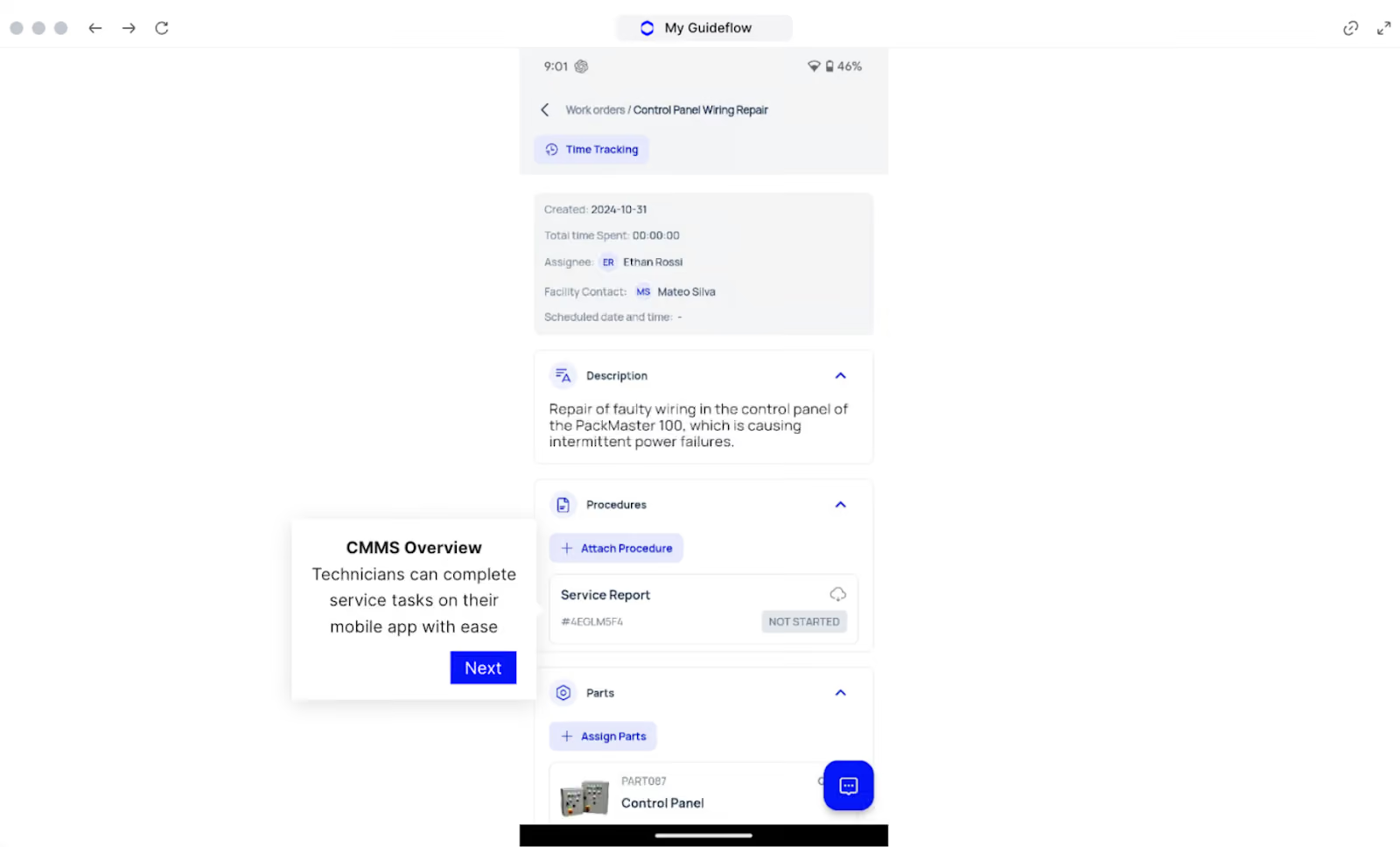
Technicians shouldn't need to return to an office or call someone to check if a part is available. This back-and-forth slows down repairs and creates data entry errors when updates are recorded manually after the fact.
Makula's mobile app allows technicians to look up parts on-site. They can check stock levels, see storage locations, and log usage without leaving the work site.
The app works offline in areas with poor connectivity, and all updates sync automatically once the device reconnects to the network.
For example, if a technician realizes an additional O-ring (Part #OR-1625) is needed while repairing a packaging line, they can open the Makula mobile app, search the part number, confirm it’s in stock at the main warehouse, and reserve it for the active work order.
Automated Reordering and Low-Stock Alerts
Manual inventory checks miss reorder points, leading to stockouts during critical repairs. Teams discover they're out of parts only when they need them, forcing expensive emergency orders or extended downtime.
Makula monitors inventory levels continuously. When stock drops below your preset minimum, the system sends alerts to purchasing or generates draft purchase orders for approval. You can set different reorder points for critical and non-critical parts.
With our automated reordering, you can:
- Receive alerts before you run out of critical parts
- Set custom reorder points based on lead times and usage rates
- Auto-generate purchase orders when minimums are reached
- Adjust thresholds by priority level (critical vs. general supplies)
For example, high-priority items like motor bearings can trigger alerts at 10 units remaining, while general supplies trigger at 5 units.
Integration with ERP and Procurement Systems
Manually syncing inventory data between your CMMS and ERP creates errors and delays. Financial teams can't see accurate parts costs, and purchasing works from outdated information.
Makula connects with ERP platforms to sync part costs, vendor data, and purchase orders. When you receive inventory, financial records update automatically without manual data entry.
This integration keeps parts costs accurate in both systems and simplifies month-end reconciliation.
Makula Pros and Cons
Pros:
- Integration between inventory, assets, and work orders eliminates duplicate data entry
- Mobile access with offline capability works in areas with poor connectivity
- Automated reorder alerts and purchase order generation prevent stockouts
- Multi-location tracking and transfers reduce duplicate purchasing
- Detailed usage analytics by asset and part optimise stock levels
- QR code scanning speeds up parts lookup and usage logging
- Customisable reorder points by part priority and criticality
- Real-time synchronisation between inventory and work completion
Cons:
- Requires initial setup to configure reorder points and part categories
Makula Pricing
Makula starts at €55 per user per month. Pricing includes inventory management, CMMS, and asset tracking. Contact us for more details.
Fiix
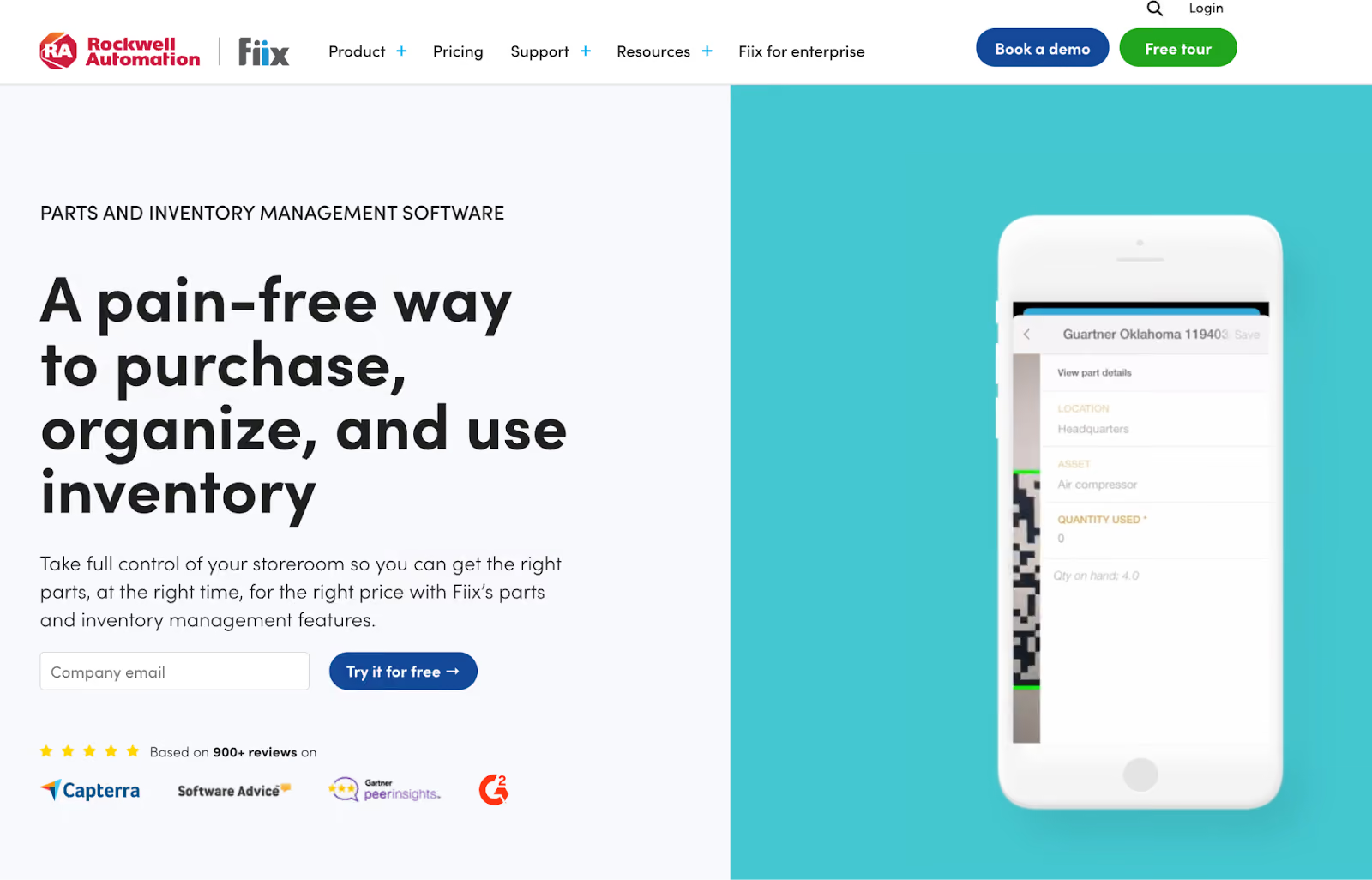
Fiix connects inventory tracking with maintenance analytics to help predict part needs before failures happen. The platform uses usage data and equipment history to forecast which parts you'll need and when.
This predictive approach reduces emergency orders and stockouts. You maintain leaner inventory while improving parts availability for planned maintenance.
Fiix Key Features
- Real-time inventory tracking across multiple sites
- Automated reorder points and purchase order creation
- Parts usage linked to work orders and assets
- Vendor management and price comparisons
- Mobile barcode scanning for quick lookups
- Inventory cost tracking and budget reporting
- Integration with accounting and procurement systems
Fiix Pricing
Fiix offers multiple pricing tiers with a starting price of $45/month.
Limble
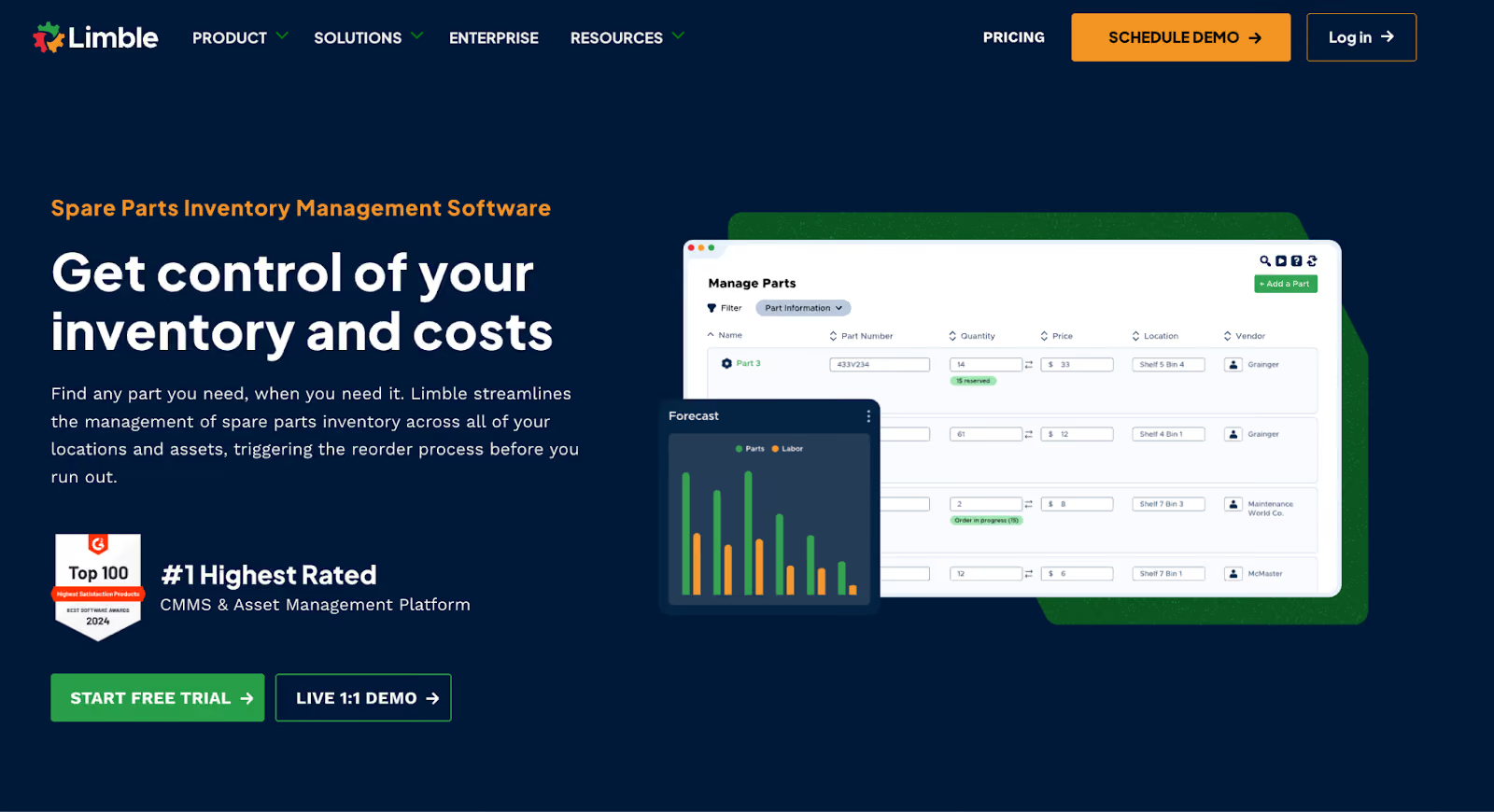
Limble's inventory module focuses on simplicity without sacrificing functionality. Teams can start tracking parts within hours of setup, making it ideal for facilities moving away from spreadsheets.
The drag-and-drop interface requires minimal training. Technicians adapt quickly, which drives adoption and improves data accuracy.
Read more: Limble vs eMaint
Limble Key Features
- Simple inventory setup with templates
- Automatic reorder alerts and minimum stock levels
- Parts usage tracked by work order and asset
- Multi-location support with transfer requests
- Mobile app with barcode scanning
- Vendor contact and pricing information
- Parts cost reporting and inventory valuation
Limble Pricing
Limble offers three pricing tiers: Standard, Premium, Enterprise with custom pricing.
UpKeep
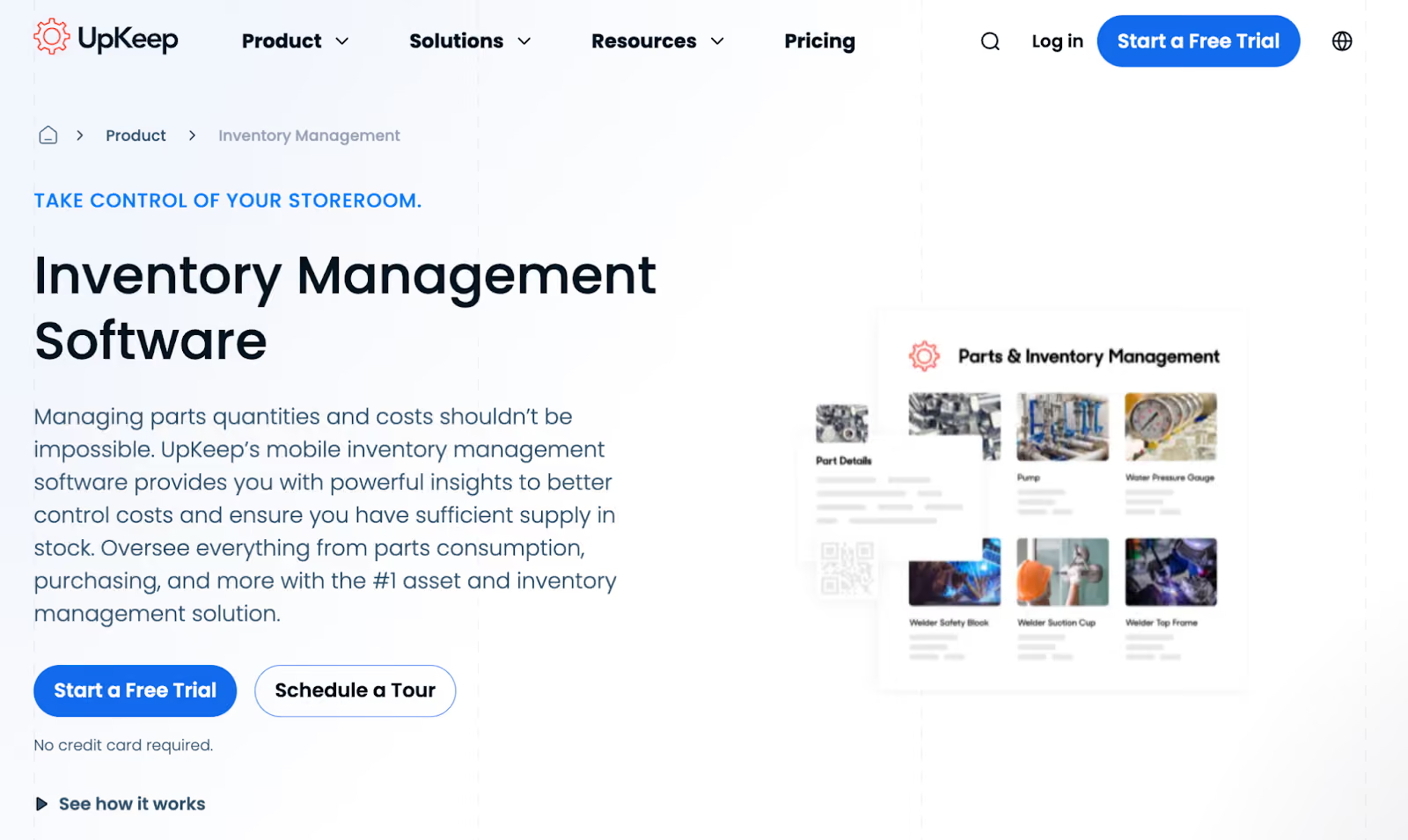
UpKeep provides a mobile-first inventory management solution as part of its broader CMMS. The software helps maintenance and operations teams track parts and supplies, control stock levels, and reduce downtime caused by shortages.
It integrates inventory directly with work orders and assets so counts update automatically as parts are used, preventing overordering and unexpected stockouts.
Read more: MaintainX vs UpKeep
UpKeep Key Features
- Mobile inventory management with offline access
- QR code and barcode scanning for fast lookups
- Automated reorder points and vendor management
- Parts reservations linked to work orders
- Multi-warehouse tracking and transfers
- Usage analytics by asset and technician
- Integration with procurement and accounting systems
UpKeep Pricing
Pricing starts at $20/month.
eMaint
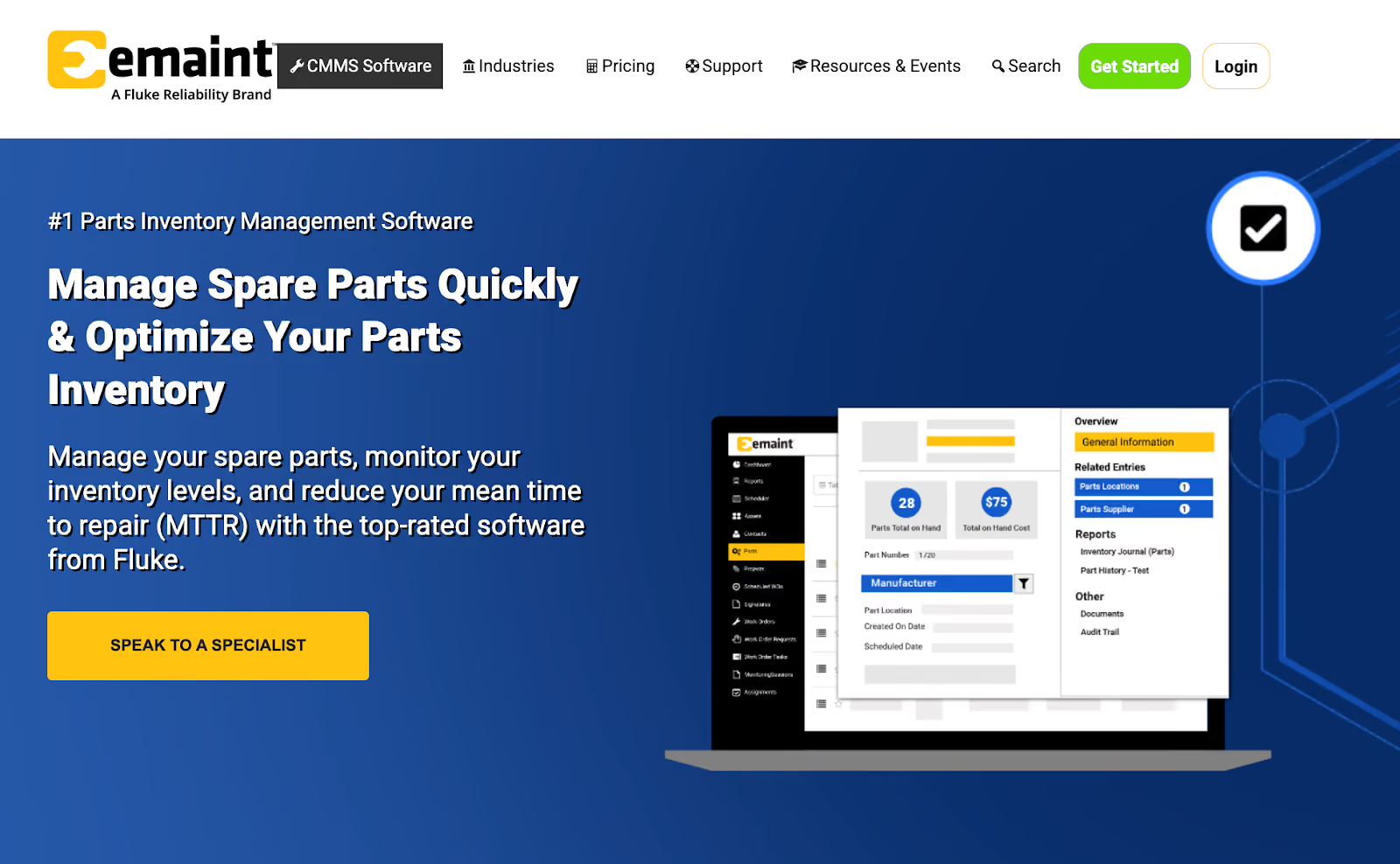
eMaint handles inventory workflows across multiple sites and departments. The platform supports custom approval processes, vendor performance tracking, and detailed cost analysis. Large operations benefit from eMaint's flexibility and control. You can create location-specific reorder rules and set different permissions for each facility.
eMaint Key Features
- Multi-site inventory with centralised visibility
- Custom reorder workflows and approval routing
- Vendor performance tracking and cost comparison
- Parts usage by asset, department, and cost center
- Batch and serial number tracking
- Inventory cycle counting and reconciliation
- Integration with ERP and financial systems
eMaint Pricing
eMaint offers Team, Professional, and Enterprise plans with custom pricing.
Fishbowl

Fishbowl specializes in inventory management for manufacturing and warehousing. It integrates directly with QuickBooks and Xero, making it a best fit for teams already using these accounting platforms.
The system handles complex inventory scenarios including assemblies, work orders, and multi-location tracking. Maintenance teams in manufacturing environments can track spare parts alongside production inventory.
Fishbowl Key Features
- QuickBooks and Xero integration for financial sync
- Barcode scanning and mobile inventory access
- Multi-location tracking with transfers
- Automated reorder points and vendor management
- Serial number and lot tracking
- Assembly and kit management
- Purchase order and receiving workflows
Fishbowl Pricing
Fishbowl offers three pricing tiers: Essentials, Growth, Scale, and Advanced with custom pricing.
Zoho Inventory
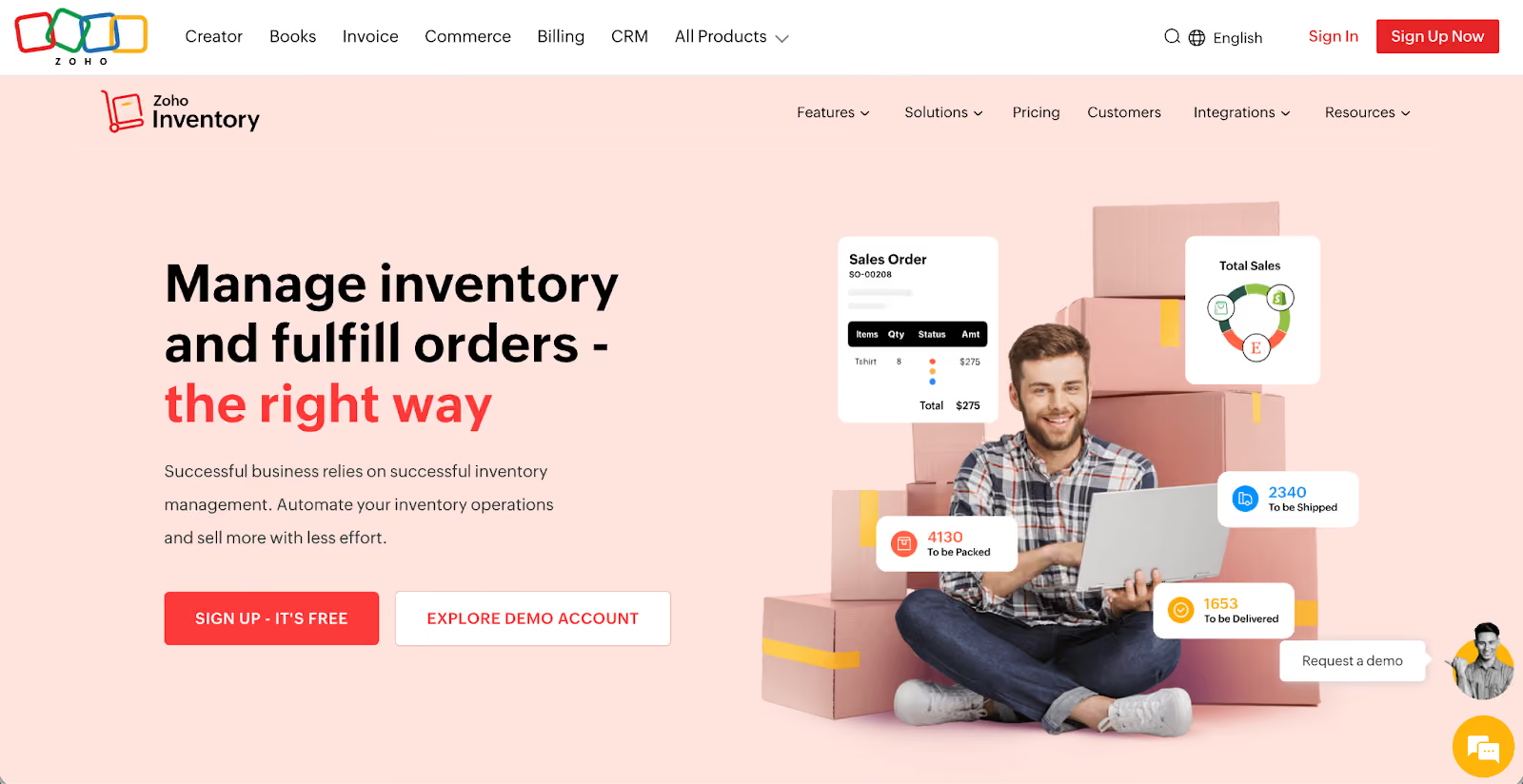
Zoho Inventory delivers inventory tracking at a lower price point than most competitors. It works well for teams that don't need deep CMMS integration but still want automated reordering and multi-location support. The platform integrates with other Zoho tools like Books and CRM, creating an affordable ecosystem for small facilities.
Zoho Inventory Key Features
- Cloud-based inventory with multi-location tracking
- Automated reorder points and purchase orders
- Barcode generation and scanning
- Vendor management and price lists
- Serial number and batch tracking
- Shipping integration with major carriers
- Integration with Zoho Books for accounting
Zoho Inventory Pricing
Zoho Inventory offers four tiers with a starting price of $29.
NetSuite Inventory Management
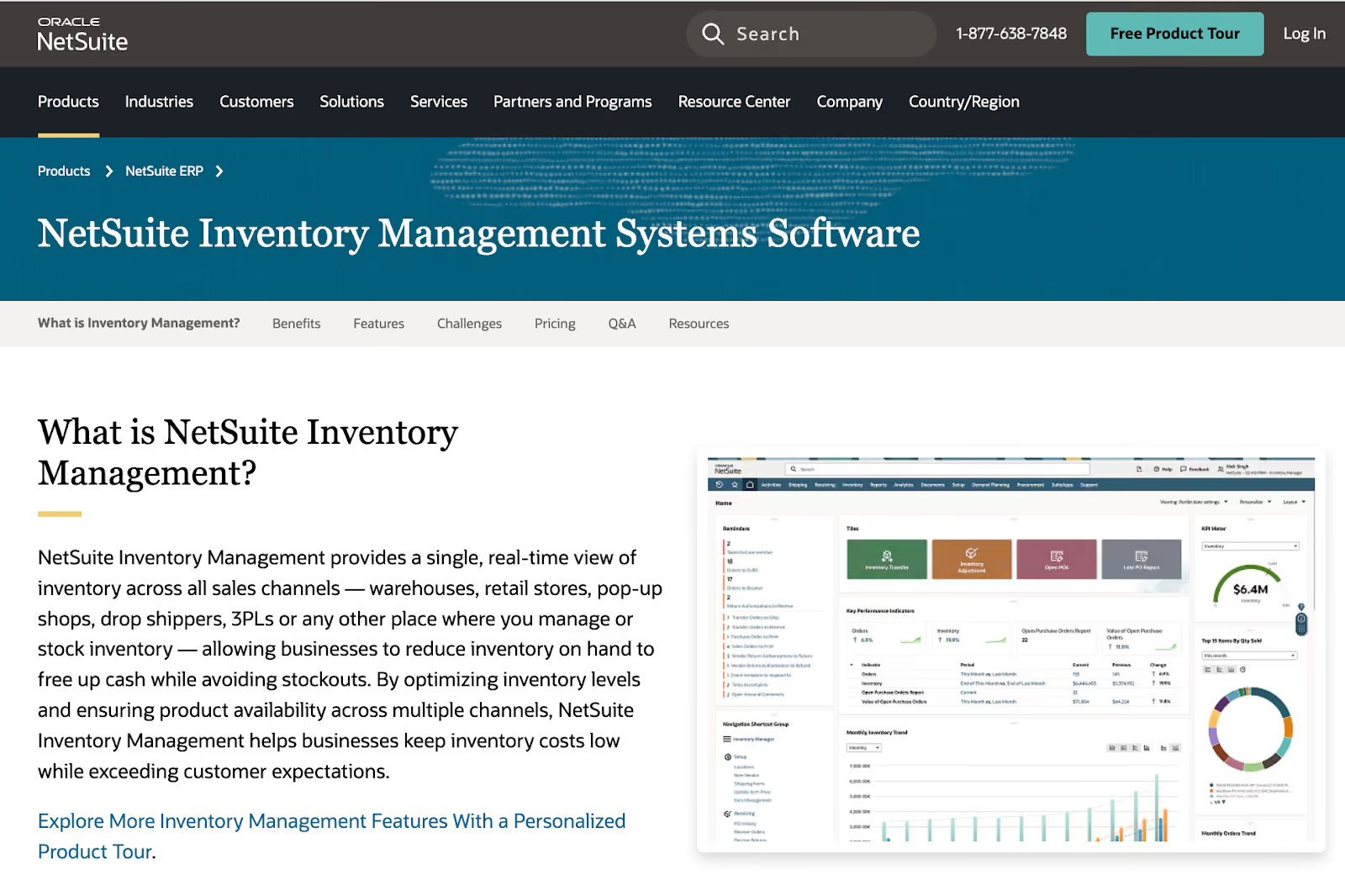
NetSuite provides enterprise-grade inventory management as part of its cloud ERP platform. The system handles complex inventory scenarios across multiple locations, currencies, and business units.
Maintenance teams in large organisations benefit from NetSuite's deep integration with finance, procurement, and supply chain modules. All inventory transactions flow directly into financial records without manual reconciliation.
NetSuite Key Features
- Real-time inventory visibility across all locations and channels
- Automated reorder points with demand planning
- Multi-location and multi-currency support
- Bin and lot tracking with serial number management
- Advanced fulfilment and warehouse management
- Demand-based replenishment and forecasting
- Complete integration with financials and procurement
NetSuite Pricing
NetSuite pricing varies based on modules, users, and implementation scope. Contact the team for a custom quote.
SAP Business One Inventory Management
SAP Business One delivers enterprise inventory capabilities designed for small to mid-sized operations. The system connects inventory tracking with procurement, production, and financial modules in one database.
Maintenance teams benefit from real-time stock updates, automatic reordering, and detailed traceability. The platform handles complex inventory scenarios including consignment stock, batch management, and alternative items.
SAP Business One Key Features
- Real-time inventory tracking and stock level monitoring
- Automated reorder recommendations based on stock levels
- Multi-warehouse and multi-location management
- Batch and serial number tracking for traceability
- Integration with procurement and production planning
- Alternative item suggestions when parts are unavailable
- Mobile inventory management through SAP Business One app
SAP Business One Pricing
Custom Pricing.
Cin7
Cin7 combines inventory management with order fulfilment, making it ideal for maintenance teams that also manage customer-facing parts sales or service contracts.
The platform connects inventory across warehouses, retail locations, and online channels. Maintenance teams can track spare parts while also managing parts sales to customers or other departments.
Cin7 Key Features
- Multi-location inventory tracking with automated reordering
- Barcode scanning and mobile inventory management
- Real-time stock level monitoring across all channels
- Purchase order automation and supplier management
- Integration with major ERPs and accounting platforms
- Bill of materials (BOM) management for assemblies
- Inventory forecasting and demand planning
Cin7 Pricing
Cin7 offers Standard, Pro, Advanced, and Omni plans. Pricing starts at $349 per month.
Comparison Table: Top Inventory Monitoring Systems in 2026
How to Choose the Right Inventory Monitoring System for Your Operation
Your facility's size, complexity, and integration needs determine which system fits best. Use this framework to match your requirements to the right platform:
Step 1: Assess Your Inventory Complexity
Count how many unique parts you stock. Small facilities with 200-500 SKUs have different needs than plants managing 5,000+ items.
Identify which parts are critical to operations. These items need tighter controls, lower reorder points, and faster replenishment than general supplies.
Determine if you need multi-location tracking. Single-site operations can use simpler systems, while multi-facility teams need centralised visibility and transfer capabilities.
Step 2: Evaluate Integration Requirements
Check if the inventory system connects to your CMMS or ERP. Integrated platforms eliminate duplicate data entry and keep information synchronized across systems.
Look for automatic work order linkage. When technicians complete jobs, parts usage should update inventory and asset records without manual steps.
Confirm procurement integration. The best systems generate purchase orders automatically and sync with your purchasing workflows.
Step 3: Consider Implementation Timeline
Evaluate data migration complexity. Moving historical inventory data takes time, especially if you're consolidating information from multiple spreadsheets.
Step 4: Calculate ROI
The right inventory system pays for itself by eliminating waste and downtime. Here's how to quantify the return:
- Stockout Costs: Your production line stops because a critical part isn't available. Calculate your hourly downtime cost and multiply by how often this happens each month. Most maintenance teams reduce stockout incidents by 60-80% after implementing inventory monitoring.
- Excess inventory: Count the total value of parts sitting unused for over 12 months. Better tracking typically cuts this waste by 20-30%, freeing up cash for other investments.
- Manual Counting Time: Add up hours spent on physical inventory counts, reconciliation, and searching for parts. Automated systems eliminate most of this work, saving 10-15 hours per week for typical maintenance teams.
- Emergency Order Premiums: Review invoices from the past quarter. How much extra did you pay for rush shipping or expedited delivery? Prevention through smart reordering removes these premium costs almost entirely.
Features to Look for in an Inventory Monitoring System
Once you've narrowed down your options, evaluate each inventory monitoring system against these core capabilities. These features separate basic inventory tools from platforms built specifically for maintenance operations:
Real-Time Stock Tracking
The system should show current quantities across all locations instantly. When someone pulls a part, inventory levels update immediately so other users see accurate information.
Look for low-stock alerts that trigger before you run out. You want notifications with enough lead time to order and receive parts before hitting zero.
Automated Replenishment
Set minimum and maximum stock levels for each part. The system monitors quantities and generates purchase requisitions when you hit reorder points.
Better systems calculate reorder quantities based on usage rates and lead times. This prevents ordering too much or too little.
Multi-Location Support
Track inventory across warehouses, storage rooms, and job sites from one dashboard. Users should see quantities at each location and request transfers when needed.
The system should handle location-specific reorder points. Parts at a remote site might need higher minimums due to longer lead times.
Barcode/QR Code Scanning
Mobile scanning speeds up parts lookup and usage logging. Technicians scan items to check availability, reserve parts for jobs, and record consumption.
QR codes can link directly to asset records, showing which parts fit specific equipment and current stock levels for those items.
Mobile Access with Offline Capability
Technicians need inventory access from anywhere in the facility. Mobile apps should work in areas with poor connectivity and sync data when back online.
Offline mode prevents work delays when network access is unavailable. Users can continue updating parts usage and the system syncs changes automatically.
Analytics and Reporting
Track parts costs by asset, department, and time period. This shows where your maintenance budget goes and highlights opportunities to reduce spending.
Identify slow-moving and obsolete items with aging reports. You can stop ordering parts that don't move and free up warehouse space.
Analytics and reporting help predict future needs based on historical consumption. This improves planning for preventive maintenance and major projects.
Integration Capabilities
The system should connect with your CMMS to link parts usage to work orders and assets automatically. Technicians log parts once, and data flows to all connected systems.
ERP integration syncs part costs, vendor information, and purchase orders. Financial records stay current without manual updates.
Procurement connections allow automatic PO generation and receiving workflows. When parts arrive, quantities update in inventory and on related work orders.
Bottom Line: Makula is the Best Inventory Monitoring System for Maintenance Teams
Inventory monitoring systems that don't connect to your CMMS can't link parts to assets or track which equipment consumes the most inventory. You lose the ability to spot patterns, predict failures, or prove maintenance costs during budget reviews.
Makula eliminates these disconnects by integrating inventory directly into maintenance workflows. Technicians log parts once from their mobile device, and the data updates inventory levels, work orders, asset histories, and cost reports simultaneously.
Facilities using Makula cut stockouts by setting automated reorder points tied to actual usage patterns. Multi-location tracking shows inventory across all sites, so teams can transfer parts instead of ordering duplicates.
Book a demo to see how Makula connects inventory, work orders, and assets in a single maintenance workflow.





