
Inventory management software tracks stock levels, orders, sales, and deliveries in real time. It replaces spreadsheets and manual records with a single digital system that shows exactly what inventory you have and where it’s located.
Today, adoption is widespread. Around 65% of small businesses now use cloud-based inventory systems to improve accessibility, scalability, and accuracy.
At its core, inventory software connects physical goods to digital records. Every receipt, usage, transfer, or return updates the system instantly. In this guide, we explain how inventory management software works step by step, break down key components, and show why Makula CMMS is our top recommendation for modern inventory and maintenance teams.
“Inventory management software is used for tracking inventory levels, orders, sales, and deliveries.”
Step 1: Capture Stock Movements
Inventory tracking begins when stock moves. This includes goods received, items issued to production or maintenance, sales shipments, transfers, and returns.
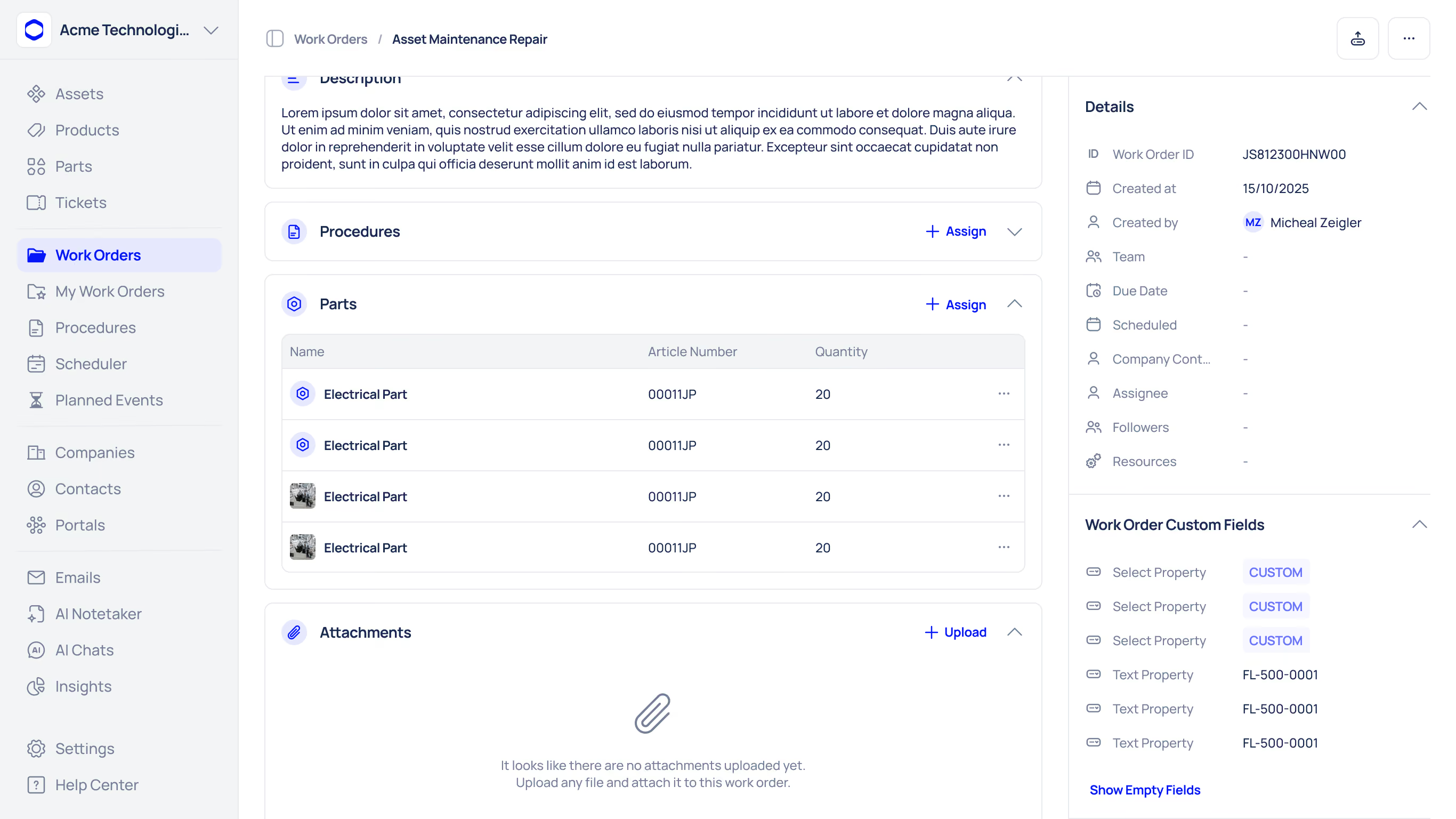
These movements are captured digitally using:
- Barcode or QR scanning
- RFID or IoT sensors
- Manual entry (when needed)
Modern systems integrate directly with scanners and mobile devices, reducing human error and ensuring each movement is recorded immediately.
Step 2: Update the Perpetual Inventory Ledger
Once a movement is captured, it updates the perpetual inventory ledger. This is a continuously updated record of on-hand quantities and inventory value.
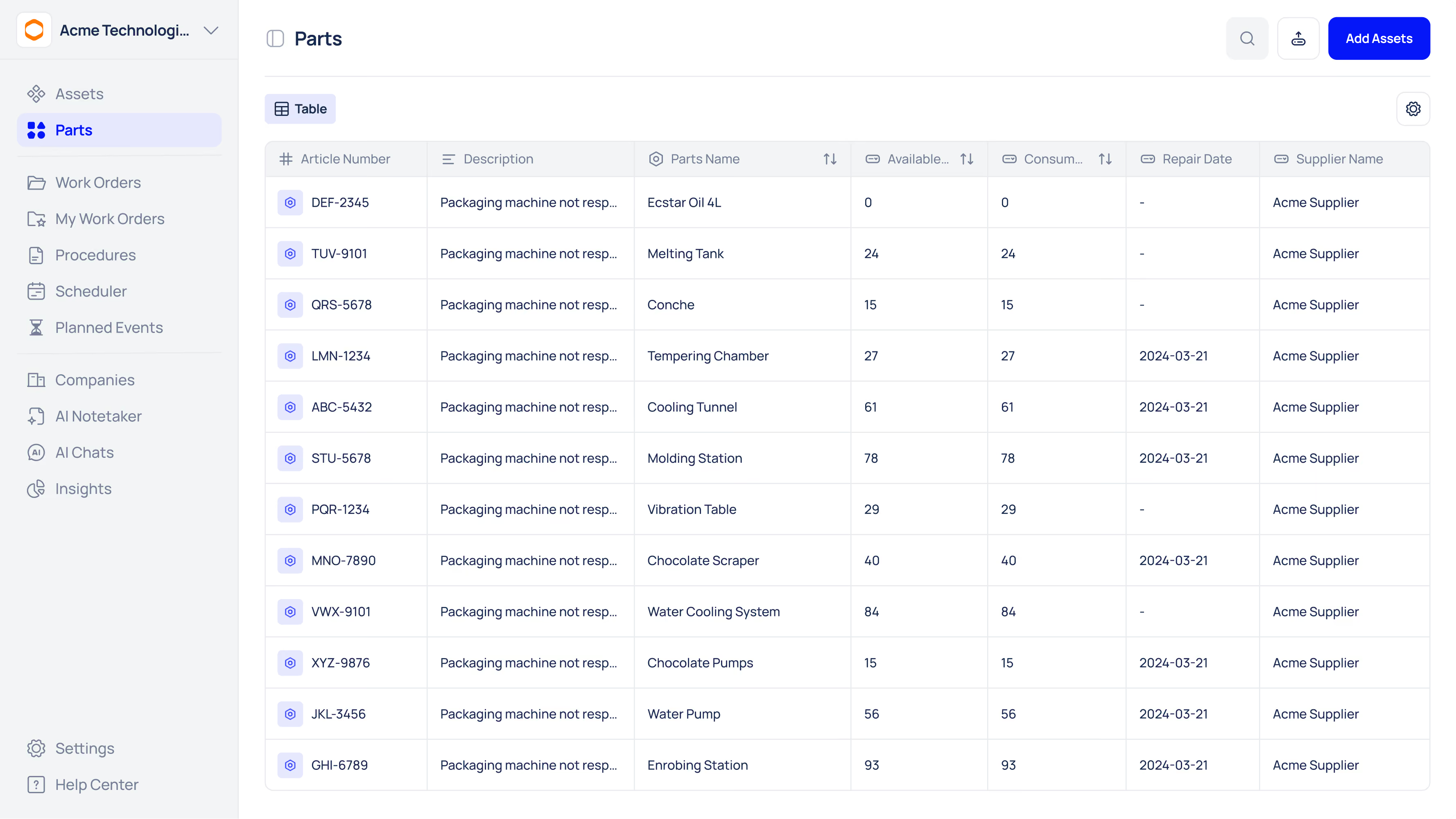
Every receipt, transfer, pick, adjustment, or return is posted in real time. Quantities increase or decrease automatically, so stock levels are always current. Finance teams can also view inventory valuation and cost of goods sold at any time.
“Every movement—whether a receipt, transfer, pick, adjustment, or customer return—is posted in real time to a perpetual inventory ledger.”
Step 3: Process Transactions Through Workflows
Inventory software uses transaction workflows to control how stock moves through the system.
For example:
- A purchase order receipt may require quantity checks and quality approval
- Issuing parts to a machine may require a job assignment or authorisation.
- Customer shipments trigger inventory updates and invoices.
These workflows ensure consistency, traceability, and compliance with internal policies. They also create an audit trail of who did what and when.
Step 4: Apply Automation Rules
Automation rules reduce manual oversight by triggering actions automatically.
Common examples include:
- Reorder points that generate alerts or purchase requests
- Auto-reserving parts for scheduled jobs
- Cycle count reminders based on usage
- Notifications for expiring or slow-moving stock
“Should inventory reach a specific threshold, the system can be programmed to tell managers to reorder that product.”
By automating routine decisions, teams prevent stockouts and overstocking without constant monitoring.
Step 5: Sync with Other Systems
Inventory software works best when connected to other platforms, such as:
- ERP and accounting systems
- Warehouse management software
- E-commerce and POS platforms
- CMMS and field service tools
Integrations ensure that a sale, service order, or purchase instantly updates inventory everywhere. Research shows that about 70% of businesses improve efficiency when inventory software is integrated with POS or e-commerce systems.
This creates a single source of truth and eliminates errors from duplicate data entry.
Step 6: Enable Mobile Access
Mobile-first inventory systems allow staff to update stock from anywhere.
Using smartphones or tablets, employees can:
- Scan parts in or out
- Check availability on the shop floor.
- Adjust quantities in real time.e
“The rise in mobile technology usage is enabling businesses to manage inventory on the go.”
Mobile access improves accuracy and speed, especially in manufacturing plants, hospitals, warehouses, and field operations.
Step 7: Generate Analytics and Reports
Inventory software turns transaction data into insights through dashboards and reports.
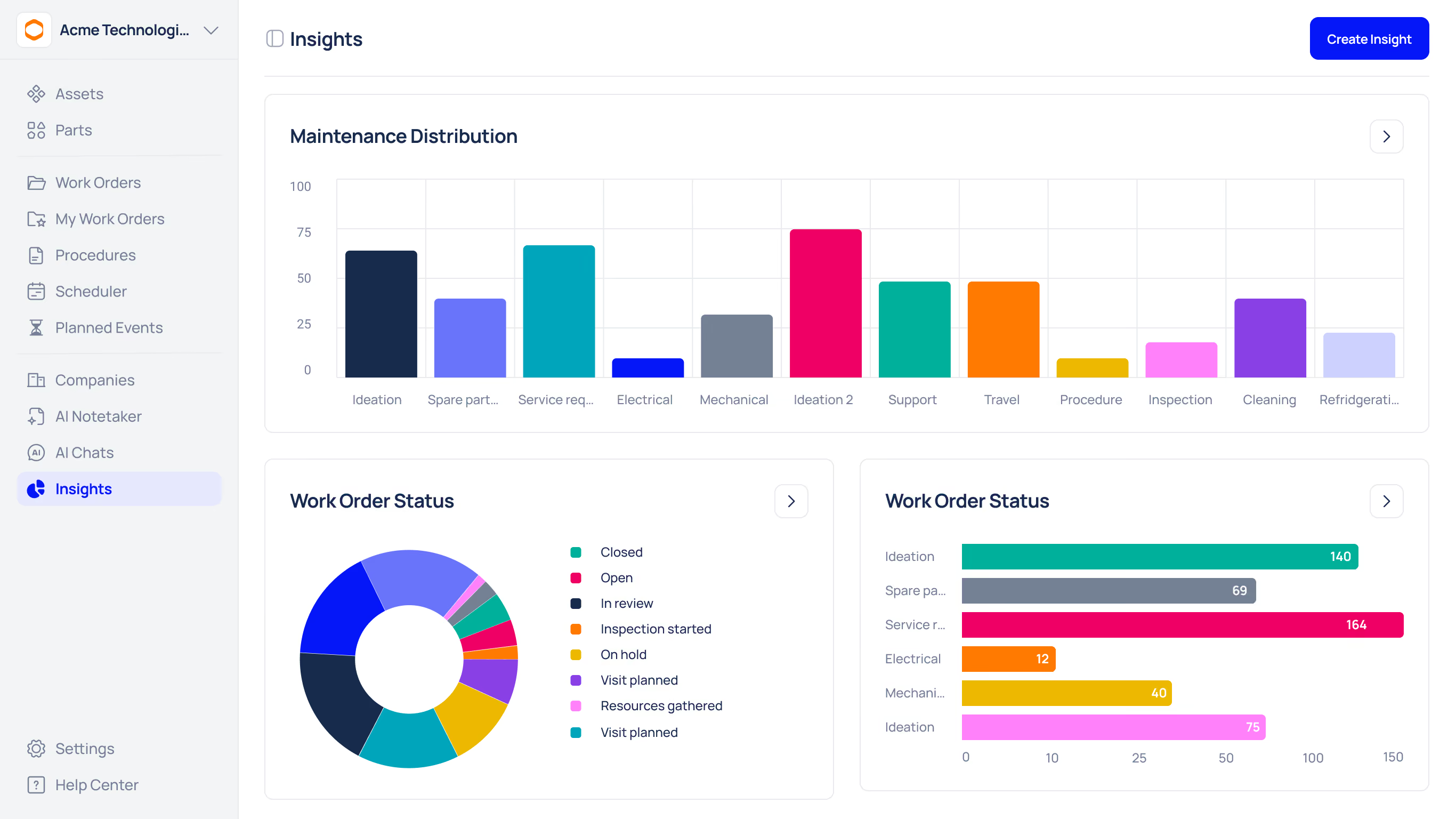
Common metrics include:
- Inventory turnover
- Days of stock on hand
- Demand forecasts
- Stock ageing
- Supplier performance
Businesses using analytics-driven inventory management report measurable gains. One survey found a 15% increase in sales after adopting data-backed inventory optimisation.
Analytics help teams reduce waste, avoid shortages, and free up working capital.
Key Inventory Management Components Explained
Perpetual Inventory Ledger
A continuously updated record of inventory quantities and values. It ensures system counts match physical stock and supports accurate accounting and audits.
Real-Time Tracking
Instant updates via barcode, RFID, or IoT scanning. Real-time systems achieve 98–99% inventory accuracy, compared to 90–95% with manual methods.
Transaction Workflows
Structured steps that guide receipts, issues, transfers, and returns. Workflows improve accountability and create traceable records.
Automation Rules
Predefined triggers that initiate actions like reorders, alerts, or reservations. Automation keeps inventory optimised with minimal manual effort.
Integrations
Connections with ERP, accounting, sales, and maintenance systems. Integrations eliminate silos and keep all data synchronised.
Mobile Access
Smartphone and tablet apps that allow real-time updates from the field, warehouse, or shop floor.
Analytics
Dashboards and forecasts that turn raw data into decisions, improving turnover, availability, and profitability.
Comparison of Leading Inventory Management Tools
Makula CMMS – Best Inventory Software for Maintenance & Spare Parts
Best for: Maintenance-driven inventory and spare parts control
Makula CMMS combines maintenance management with built-in inventory control, making it ideal for teams that manage spare parts alongside work orders. Its key differentiator is an AI-powered Technician Copilot that helps technicians troubleshoot issues using manuals, wiring diagrams, and historical maintenance data, directly at the point of work.
Key inventory features
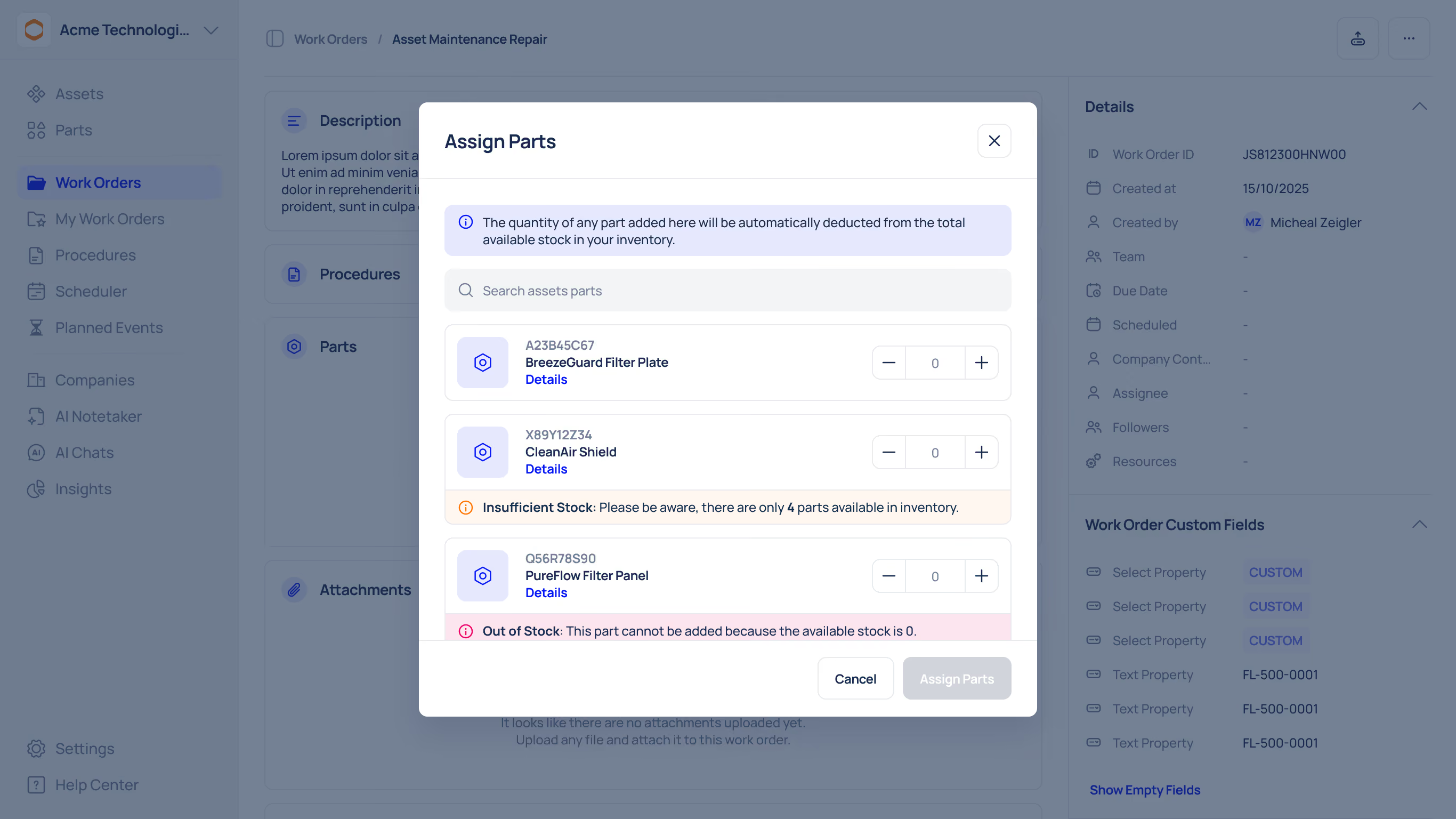
- Real-time spare parts tracking across locations
- Automated reorder points and low-stock alerts
- Barcode and QR code scanning via mobile app
- Part reservations for upcoming maintenance jobs
Why choose Makula
Makula is mobile-first and works even offline, allowing technicians to issue or return parts directly from the shop floor. It is well-suited for manufacturing, healthcare facilities, and multi-site operations that need tight integration between maintenance and inventory in one system.
Zoho Inventory
Best for: Small and growing businesses with sales-focused inventory
Zoho Inventory is designed for small businesses that need a straightforward inventory and order management solution. It covers core inventory tasks such as stock tracking, batch and serial number management, expiry tracking, and FIFO costing.
Key inventory features
- Sales and purchase order management
- Batch, serial, and expiry tracking
- Automated reorder rules
- Detailed inventory and valuation reports
Why choose Zoho
Zoho Inventory integrates deeply with Zoho Books, Zoho CRM, and major e-commerce platforms, keeping inventory, sales, and accounting data in sync. It’s a solid, affordable option for SMBs without maintenance or asset-heavy requirements.
inFlow Inventory
Best for: Simple inventory management without complexity
InFlow Inventory focuses on ease of use and fast adoption. It is built for small to mid-sized businesses looking to move away from spreadsheets without implementing a full ERP system.
Key inventory features
- Barcode scanning and label printing
- Sales orders, invoices, and purchase orders
- Multi-location inventory tracking
- Basic kits and bills of materials
Why choose inFlow
inFlow offers a clean interface and intuitive workflows that teams can learn quickly. It’s ideal for companies that want simple stock control and reporting without advanced automation or enterprise-level features.
NetSuite ERP
Best for: Large and complex inventory operations
NetSuite is a full cloud ERP platform designed for mid-sized and large enterprises. Its inventory module provides a single, real-time view of inventory across warehouses, sales channels, and regions.
Key inventory features
- Advanced demand planning and forecasting
- Lot and serial number tracking
- Automated replenishment and kitting
- Deep integration with finance and supply chain modules
Why choose NetSuite
NetSuite excels in handling complex manufacturing and distribution workflows. However, it requires a higher budget and longer implementation, making it best suited for organisations with mature processes and large-scale operations.
UpKeep
Best for: Maintenance teams managing spare parts
UpKeep is a mobile-first CMMS platform with built-in inventory tracking for maintenance parts. Inventory usage is directly tied to work orders, ensuring parts are deducted automatically when jobs are completed.
Key inventory features
- Barcode-based parts issuance
- Minimum stock levels and alerts
- Purchase order creation for low stock
- Parts usage analytics
Why choose UpKeep
UpKeep is easy to use and highly rated for mobile workflows. Its inventory capabilities are designed for maintenance teams rather than full warehouse operations, making it best for spare parts control.
Fishbowl Inventory
Best for: Manufacturing and warehouse-heavy businesses
Fishbowl Inventory is built for manufacturers, distributors, and larger SMBs that require advanced inventory and warehouse management features.
Key inventory features
- Multi-location real-time tracking
- Lot, serial, and batch control
- Multi-level BOMs and kitting
- Automated purchasing and reordering
Why choose Fishbowl
Fishbowl integrates tightly with accounting platforms like QuickBooks and supports complex inventory workflows. It’s powerful but can feel heavy for businesses looking for a lightweight solution.
Inventory Management Software Comparison Table
Why Choose Makula CMMS for Inventory Management?
Makula CMMS is our top recommendation for businesses that need inventory control tightly connected to maintenance operations.
Makula CMMS unifies maintenance and inventory:
- Mobile-first CMMS for real-time updates anywhere
- Parts & Inventory module with automated reorder points
- AI Maintenance Copilot provides manuals, procedures, and asset history
- Mobile barcode/QR scanning ensures instant accuracy
Inventory is tracked in real time across locations, with automated reorder points and smart notifications. Parts can be reserved for upcoming jobs, preventing delays and emergency purchases.
Makula’s AI Maintenance Copilot provides contextual answers from manuals, work orders, and asset history. Technicians can ask questions like:
- “Which part was replaced last time?”
- “Show me the procedure for this asset.”
Mobile barcode and QR scanning ensure inventory updates happen instantly, even on the shop floor or in the field.
In short, Makula unifies work orders, parts, mobile access, and AI assistance in one platform, reducing downtime, admin effort, and inventory risk.





