

Many manufacturing teams still manage maintenance through paper forms, spreadsheets, and phone calls, which slows response times and makes maintenance harder to track.
A maintenance app connects work orders, inspections, asset history, and preventive maintenance in one system. But not every app might be a fit for your manufacturing operations.
This article reviews the six best maintenance apps for manufacturing teams in 2026, what each platform offers, and how their mobile capabilities hold up on the shop floor.
What Is a Maintenance App?
A maintenance app is a digital tool that centralises your entire maintenance workflow in one place: work orders, preventive maintenance scheduling, asset tracking, parts and inventory management, and reporting.
Older CMMS platforms were built for desktop use only. Modern maintenance apps are designed to run on a phone or tablet, which matters in manufacturing because technicians spend their shifts on the floor, moving between machines, often in areas where connectivity drops entirely.
The app your team uses needs to account for that reality. It should give technicians everything they need to do the job without walking back to a desktop or calling the maintenance office:
- Work orders, asset history, and documentation accessible from both mobile and desktop
- Preventive maintenance schedules that technicians can receive and action from the floor
- Parts and inventory visibility at the point of work, not just from a storeroom terminal
- Full functionality without a stable internet connection, with automatic data sync on restoration
- Field data including photos, signatures, and inspection records linked directly to the relevant asset or job
The platform you choose determines how well your maintenance operation runs. The mobile experience determines whether your technicians actually use it.
Here are some of the best maintenance apps for manufacturing teams in 2026:
Makula
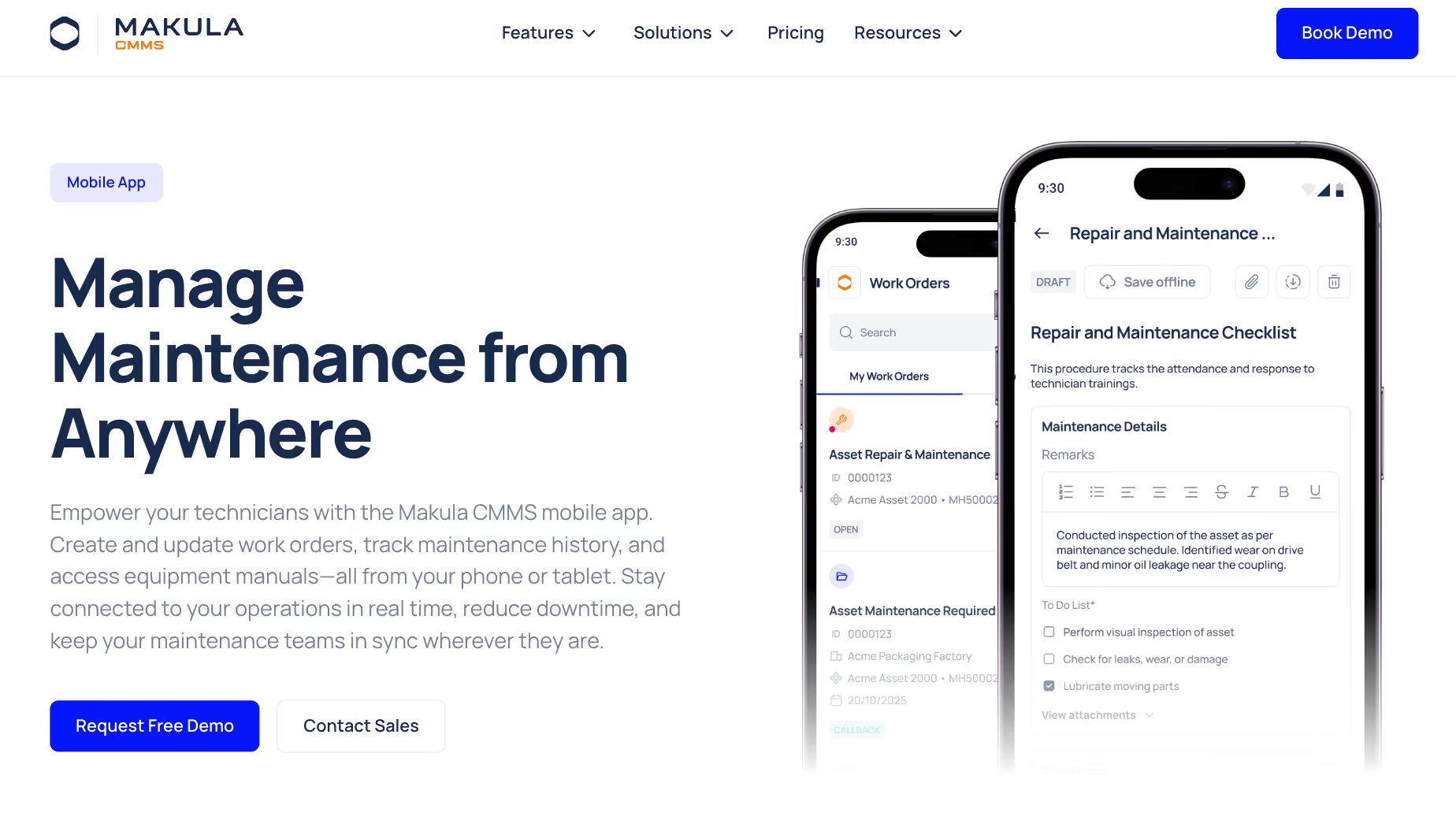
Makula helps factories and machine manufacturers digitise their maintenance operations, from work order management and preventive maintenance scheduling to parts tracking and compliance documentation.
The platform centralises every maintenance activity in one place. Maintenance managers get full visibility into asset health, job status, and team workload. Technicians get a mobile app that works on the shop floor, even without internet connection (everything syncs back when signal is available).
For factory teams, the app sits at the centre of how maintenance work gets done. Technicians raise tickets from the line, access equipment documentation mid-repair, and complete digital inspections before a shift ends, all from their phone.
Here's how Makula supports maintenance operations on the shop floor:
Mobile App with Offline Access Keeps Technicians Working Without Connectivity
Basement-level plant rooms, large-span production halls, and thick concrete walls regularly kill mobile signals on factory floors. When connectivity drops, most maintenance apps stop working entirely.
Makula's mobile app allows technicians to view assigned work orders, complete checklists, log findings, attach photos, and access equipment documentation without any internet connection. Once connectivity is restored, everything captured offline syncs back to the platform automatically.
In practice, a technician servicing a compressor two floors below ground level completes the full inspection, closes the work order, and moves on to the next job. The record appears on the platform the moment they walk back into range, with no manual re-entry and no gaps in the audit trail.
Work Order Management Lets Technicians View, Act On, and Close Jobs
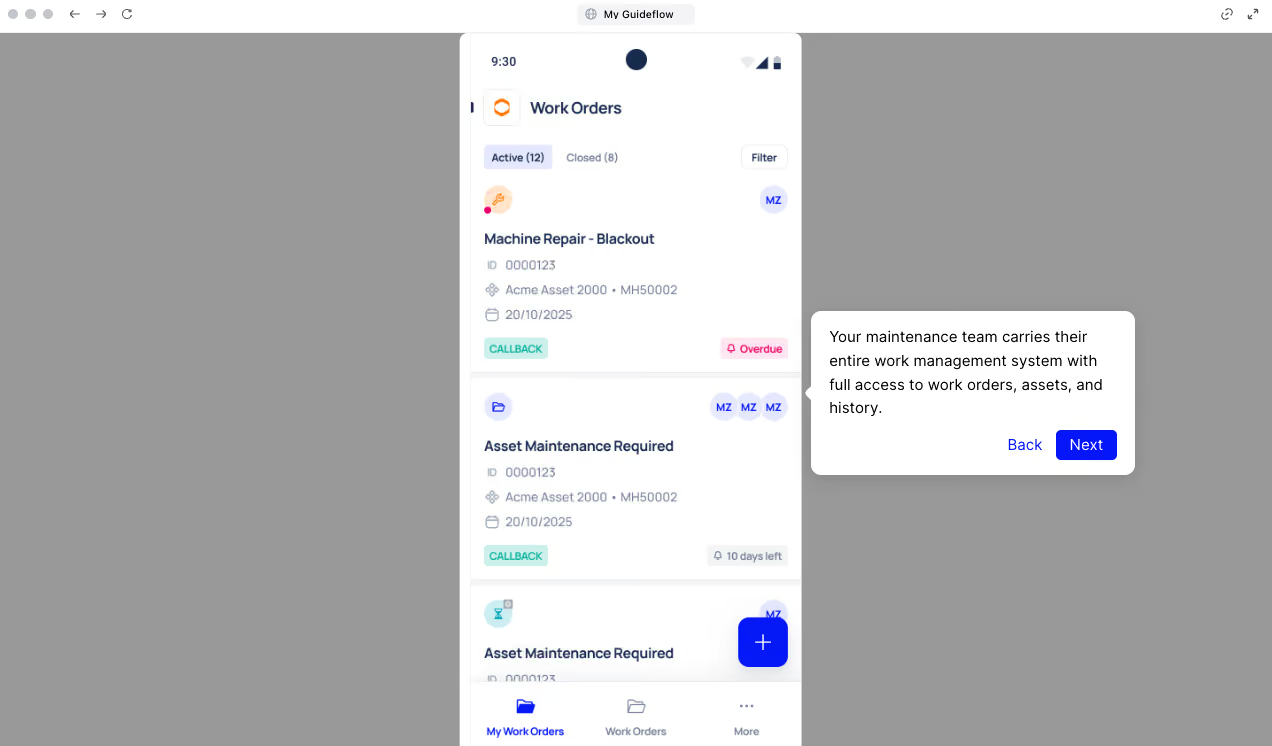
Most CMMS platforms handle work orders well enough on a desktop. The problem is that technicians rarely do their work at a desk. They need to receive a job, understand what it involves, execute the repair, and close it out, all while standing next to the machine.
Makula's work order experience is designed for exactly that. From the mobile app, technicians get the full picture without a phone call to the maintenance office or a trip back to a terminal:
- View open work orders with priorities, due dates, and full instructions, filterable by status or asset
- Start, pause, and close jobs directly from mobile without returning to a desktop to update the status
- Attach photos, notes, measurements, and voice comments to work orders during execution
- All updates reflect in the Makula platform instantly, or once connectivity is restored
- Role-based permissions control what each user can view and action, with every entry recorded in the audit trail
That visibility runs both ways. A maintenance manager assigning a breakdown job from the web platform sees the status update the moment the technician starts work on the floor. No phone call, no manual check-in.
Digital Checklists and Inspections to Capture Notes, Photos, and Signatures
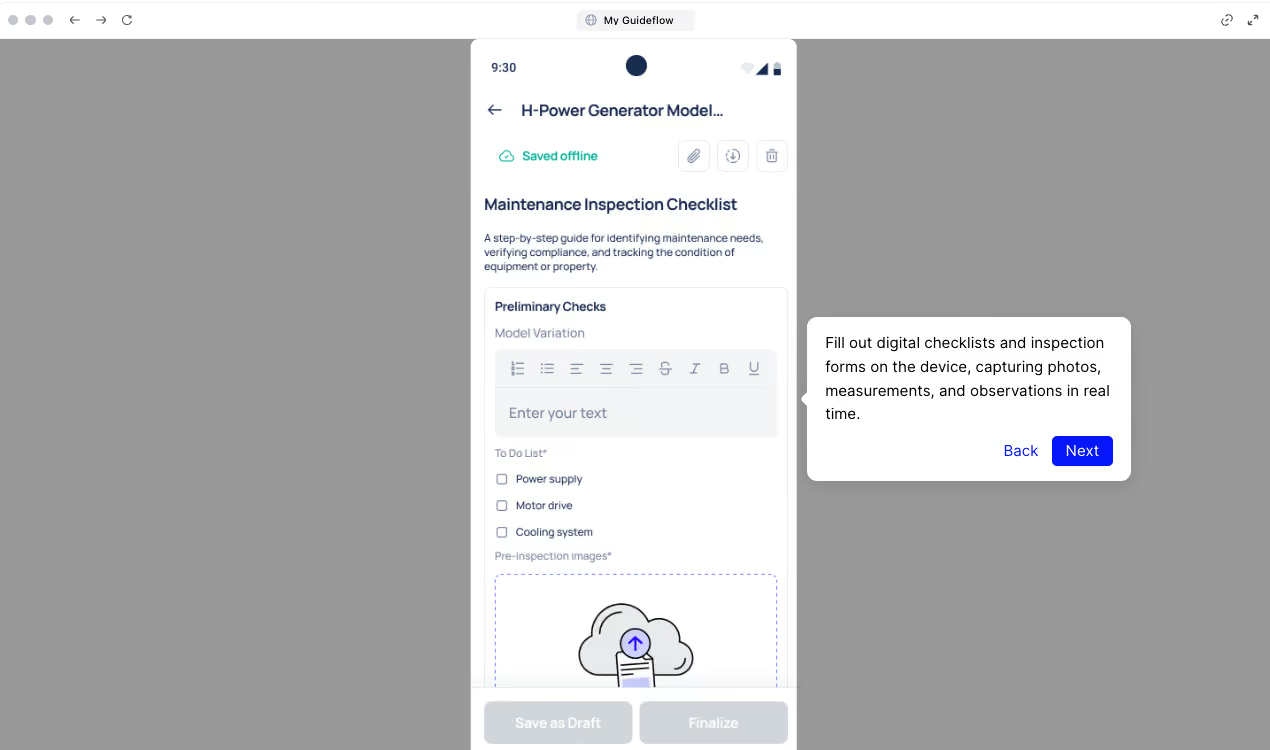
Paper inspection forms get lost, filled in from memory, or left until the end of a shift. A technician who completes six inspections across a twelve-hour shift and then documents all of them at a desk is not capturing accurate data.
Makula replaces that workflow with digital checklists completed during execution, at the machine, with the evidence attached in real time.
Checklists support conditional logic, so steps adapt based on what the technician records. Mandatory fields prevent incomplete submissions. The data captured goes directly into the compliance record without any manual transfer.
Here is what that looks like in practice:
- Complete checklists and inspection forms on mobile during task execution
- Attach photos, measurements, and findings directly to the checklist record
- Capture technician signatures and timestamps for audit and compliance purposes
- Automatically generate audit trails for every completed inspection
- Save checklists for offline use ahead of planned maintenance.
Preventive Maintenance Scheduling to Reduce Unplanned Downtime
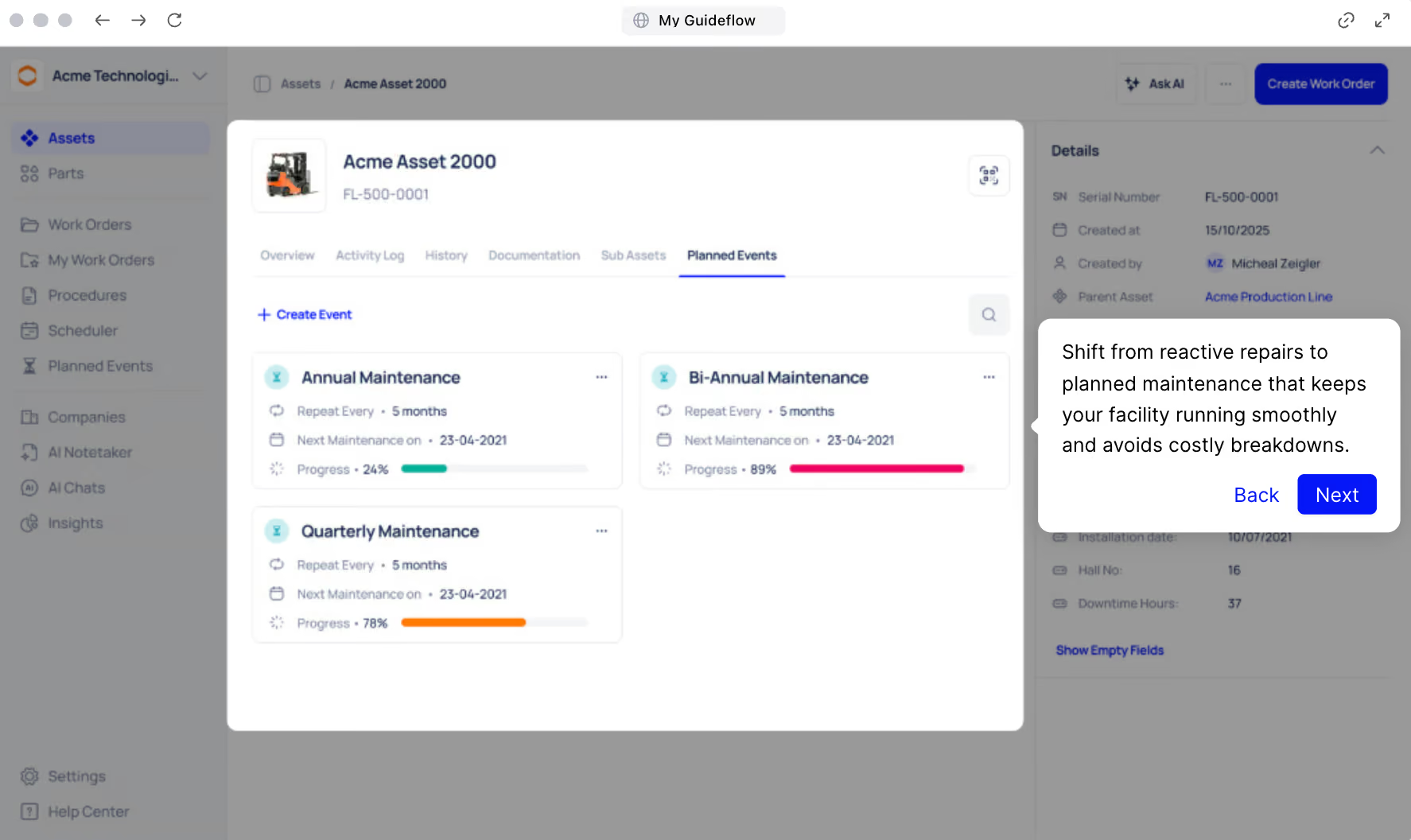
Makula's preventive maintenance scheduling automates recurring maintenance tasks before equipment has a chance to fail.
Here’s how you can set up preventive maintenance programme in Makula:
- Select the asset and create preventive maintenance events tied to it
- Set the schedule to run automatically based on time, usage, or meter readings
- Link the relevant work order template so tasks generate and assign without manual input
- Complete the work order on mobile or desktop, with all activity logged against the asset
- Track completion rates and preventive maintenance history from the reporting dashboard
For example, a factory running a compressor on a 500-hour service interval sets the schedule once in Makula. Every 500 hours, a work order generates automatically, gets assigned to the relevant technician, and appears in their queue before the service window closes.
QR Code Scanning Pulls Up Asset Data, History, and Tasks Instantly
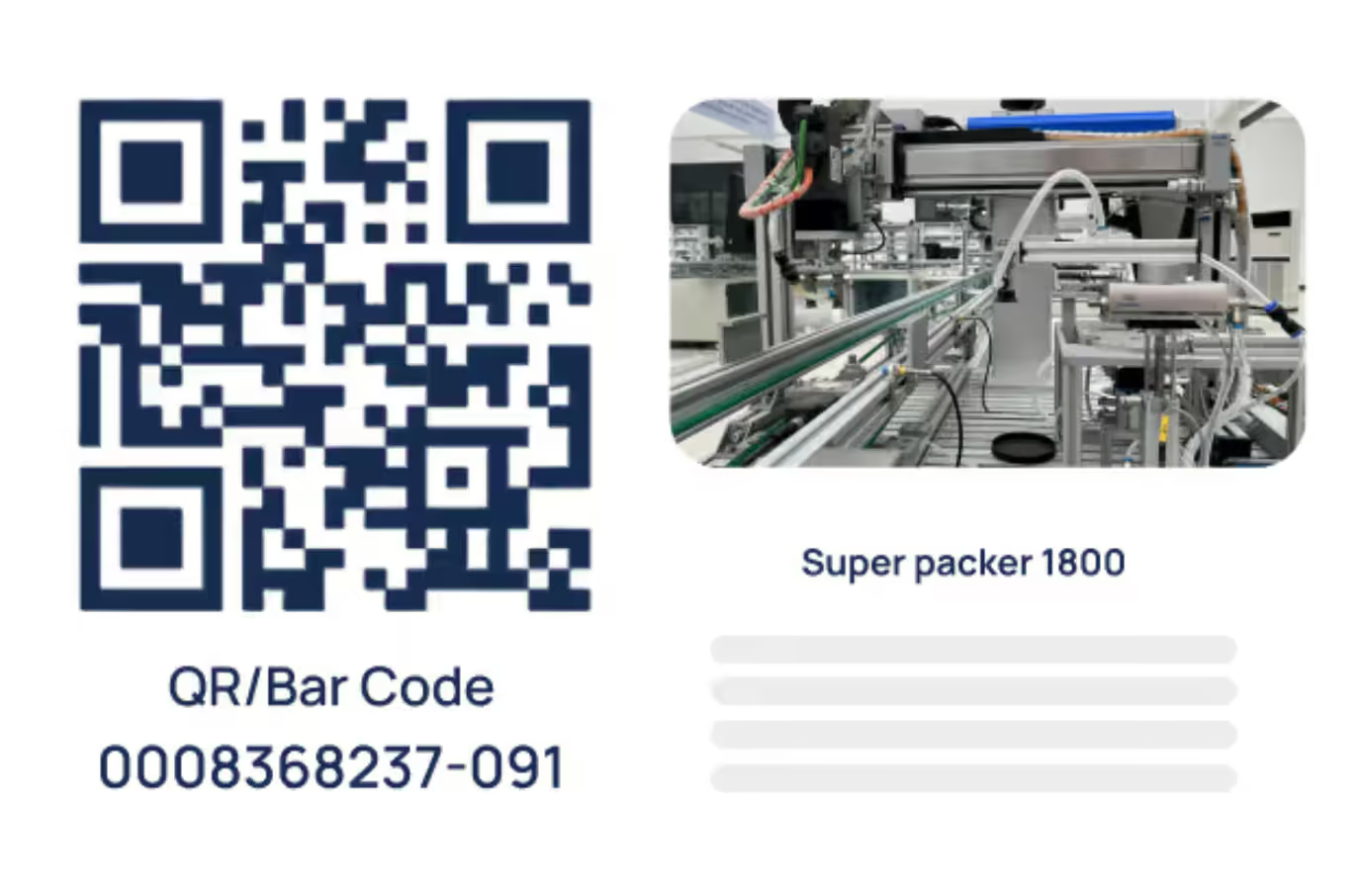
On a production line with forty machines that look nearly identical, finding the right asset record manually wastes time and introduces risk. A technician searching by name or scrolling through a list can easily log a repair against the wrong asset, and that error compounds every time someone pulls that machine's history to diagnose a recurring fault.
Scanning the QR code on the machine eliminates that entirely. Makula’s app opens the correct asset record immediately, showing the full maintenance history, linked work orders, spare parts information, and any open tasks. The technician starts work with full context in under ten seconds, with no possibility of logging against the wrong record.
Documentation Access Puts Manuals and SOPs in the Technician's Hand Mid-Repair
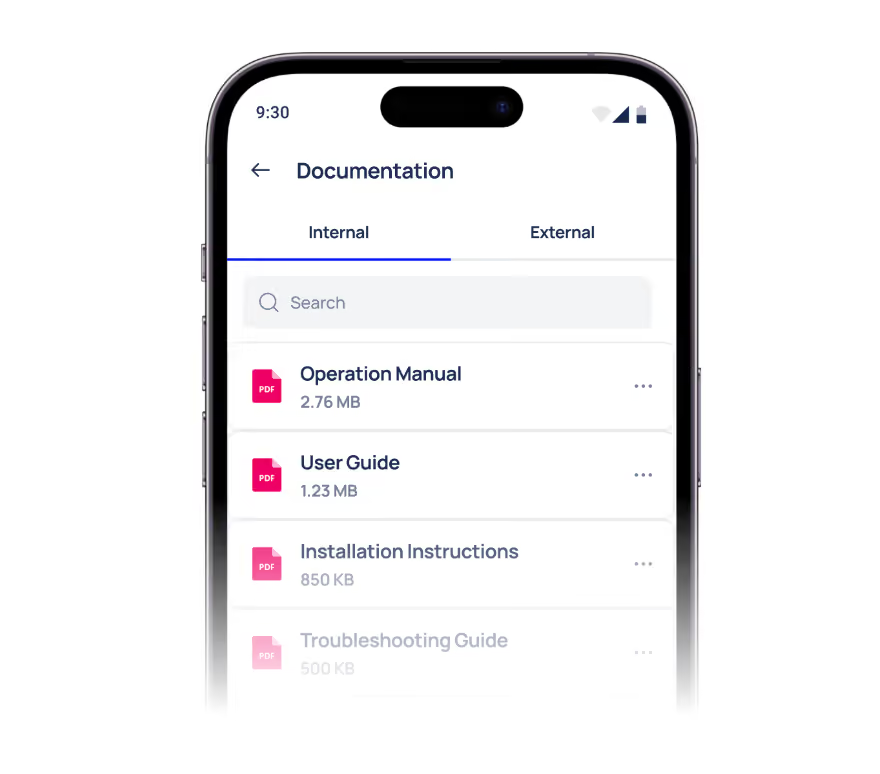
The information a technician needs mid-repair is rarely where they are. Makula's mobile app gives your technicians access to the full documentation library from the field, covering both internal files and external manufacturer documentation, organised and searchable.
The library includes:
- Operation manuals, user guides, installation instructions, and troubleshooting guides
- Internal SOPs, diagrams, and permit-to-work documents accessible within a work order
- Both internal and external documentation tabs, searchable from the app
- Full offline availability for documentation saved ahead of planned maintenance.
Asset Management for Complete View of Every Machine's History & Health
Without a centralised system, asset information ends up scattered across spreadsheets, filing cabinets, and the memory of whoever has been there the longest.
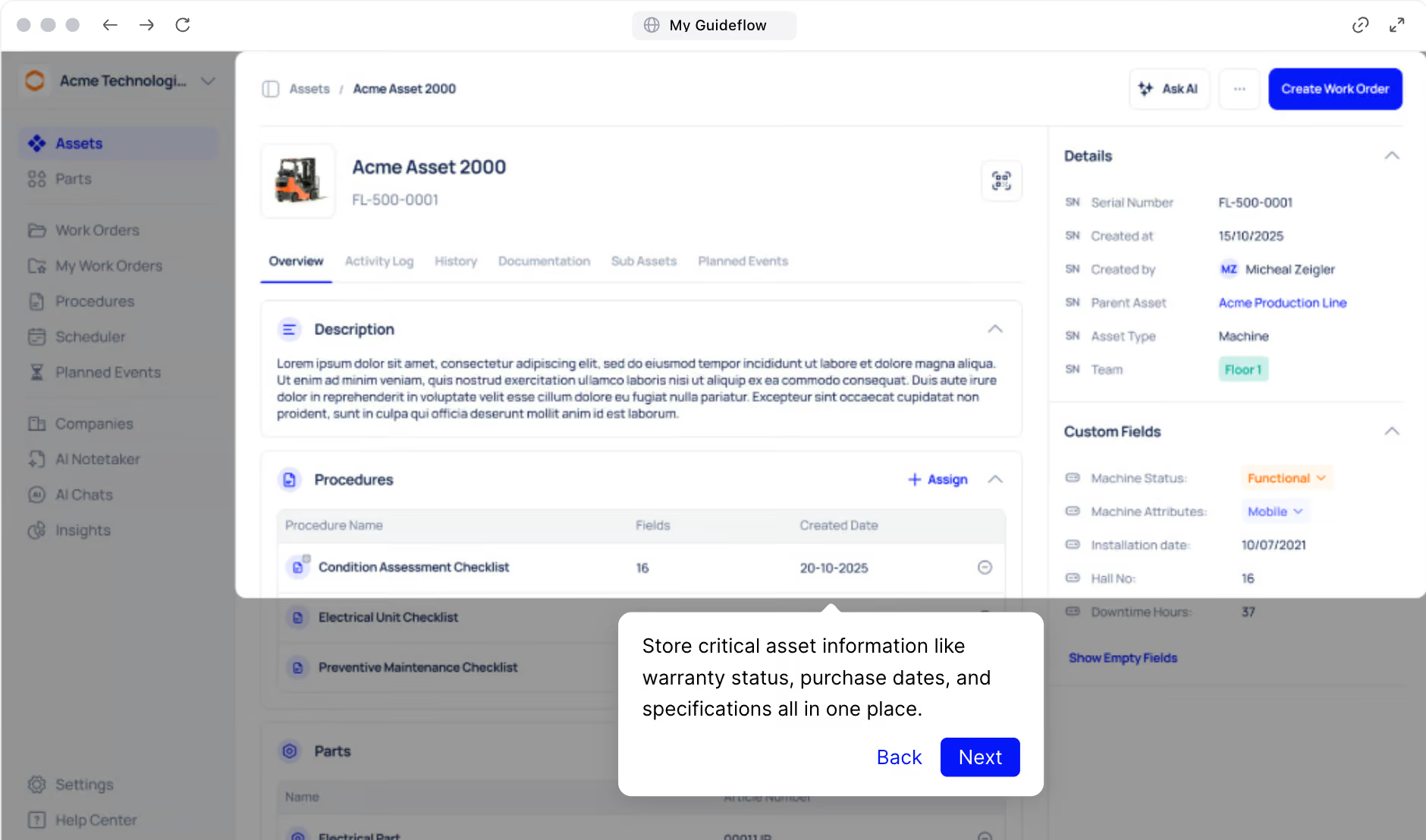
Makula's asset management gives maintenance managers a single, organised record for every piece of equipment in the facility. Here's what that looks like in practice:
- Organised, searchable asset database with technical details, location, and criticality ratings
- All documentation in one place, including manuals, SOPs, and service records linked directly to each asset
- Full maintenance history per asset, covering every repair, inspection, and parts replacement logged against it
- Preventive maintenance scheduling tied to each asset, with triggers based on time, usage, or meter readings
- Asset health tracking and performance metrics to identify recurring faults and inform replacement decisions
For example, a maintenance manager reviewing a conveyor with a history of recurring failures opens the asset record in Makula and sees the same bearing replaced four times in eight months, each logged with date, technician, and parts used. That data is enough to escalate to engineering for a root cause review rather than scheduling a fifth replacement.
Parts and Inventory Management Gives Technicians Stock Visibility from the Floor
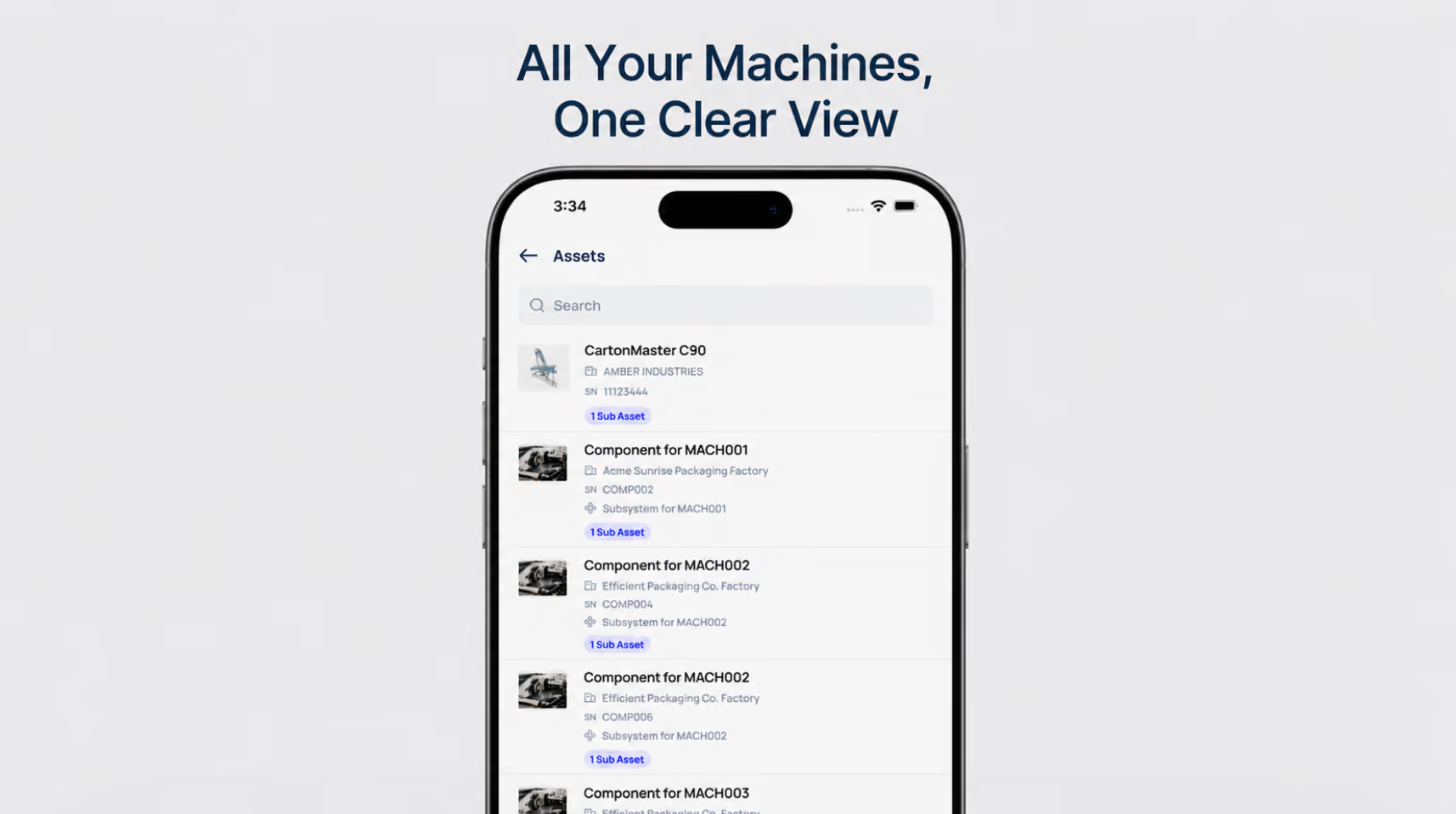
Arriving at a job without the right part is one of the most avoidable causes of extended downtime. Makula's parts and inventory management gives maintenance teams full visibility into spare parts availability, stock levels, and parts usage.
At the platform level, managers can set minimum stock thresholds, track parts consumption across jobs, and receive low-stock alerts before critical spares run out. Every parts request is logged against the relevant work order and asset, building an accurate record of what was used, when, and on which machine.
For technicians on the floor, that same information is accessible from the mobile app. Parts linked to an active work order are visible within the task screen. Stock levels can be checked and parts requested without returning to a desktop or contacting a planner separately.
For example, before starting a planned repair, a technician confirms the required parts are in stock from their phone. If stock is low, the request goes in before the job starts rather than after the line has already stopped.
Makula Pricing
Makula's pricing starts at €55 per user per month.
Makula Pros and Cons
Pros:
- Mobile app works fully offline with automatic sync
- AI Copilot retrieves cited answers from equipment documentation, not generated responses
- QR code scanning pulls up the full asset context instantly
- Digital checklists support conditional logic, signatures, and photo evidence
- Built specifically for manufacturing and industrial operations
Cons:
- Has a learning curve, but Makula's support team handles onboarding
UpKeep
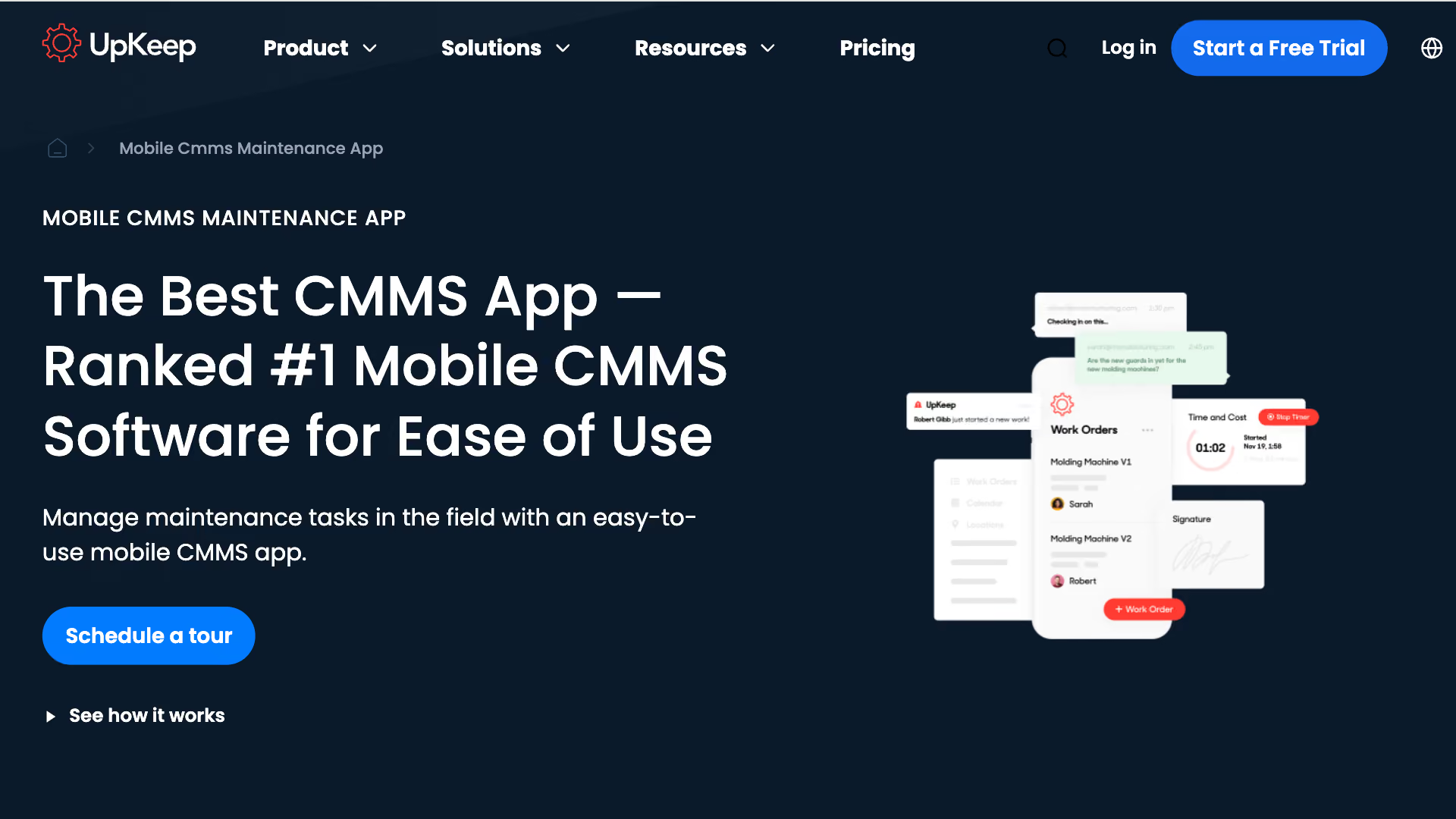
UpKeep is a mobile-first CMMS used across manufacturing, hospitality, and food and beverage. The platform is built around the mobile experience, making it a common choice for smaller maintenance teams transitioning off paper-based processes.
On the mobile app side, UpKeep covers work order management, preventive maintenance scheduling, and asset tracking from mobile. The platform recently added Nova AI, an AI assistant that surfaces work order suggestions and flags anomalies within the workflow.
UpKeep Key Features
- Create, assign, and update work orders from mobile with photo and note attachments
- Scan barcodes and QR codes to pull up asset records and linked tasks
- Receive push notifications for new assignments, status changes, and overdue jobs
- Access asset history, documentation, and parts information from the app
- Complete preventive maintenance tasks and inspection checklists on mobile
- Offline access with automatic sync when connectivity is restored
UpKeep Pricing
UpKeep's pricing starts at $24 per user per month for the Essential plan.
MaintainX
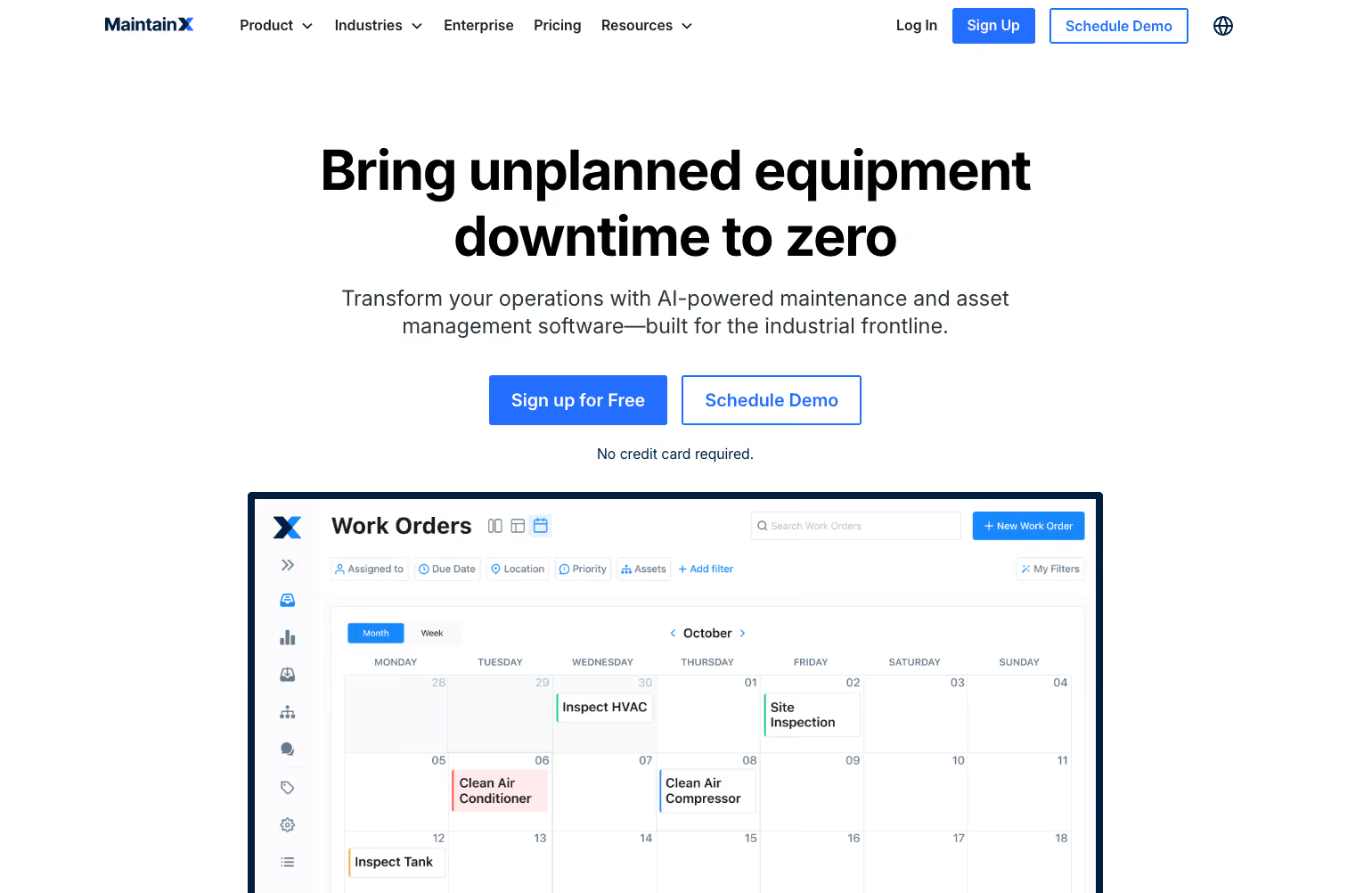
MaintainX centres its mobile experience around digital procedures, allowing teams to build step-by-step SOPs that technicians follow directly from the app. The platform sees adoption in compliance-driven industries such as food and beverage, pharmaceuticals, and chemical manufacturing.
The mobile app covers work orders, inspections, and team communication in one place. Built-in messaging within work orders keeps job-related communication tied to the task rather than scattered across separate tools.
Read more: MaintainX vs Makula
MaintainX Key Features
- Complete step-by-step digital procedures with conditional logic built into each task
- Submit and track parts requests from mobile without leaving the active work order
- Log meter readings and condition-based data from the app to trigger maintenance workflows
- Work requests through a mobile request portal that routes directly to the maintenance queue
- Message teammates directly within a work order without switching to a separate communication tool
MaintainX Pricing
MaintainX offers three plans: Basic (free), Essential ($20 per user per month), and Premium ($65 per user per month), with custom pricing available for Enterprise.
Limble CMMS
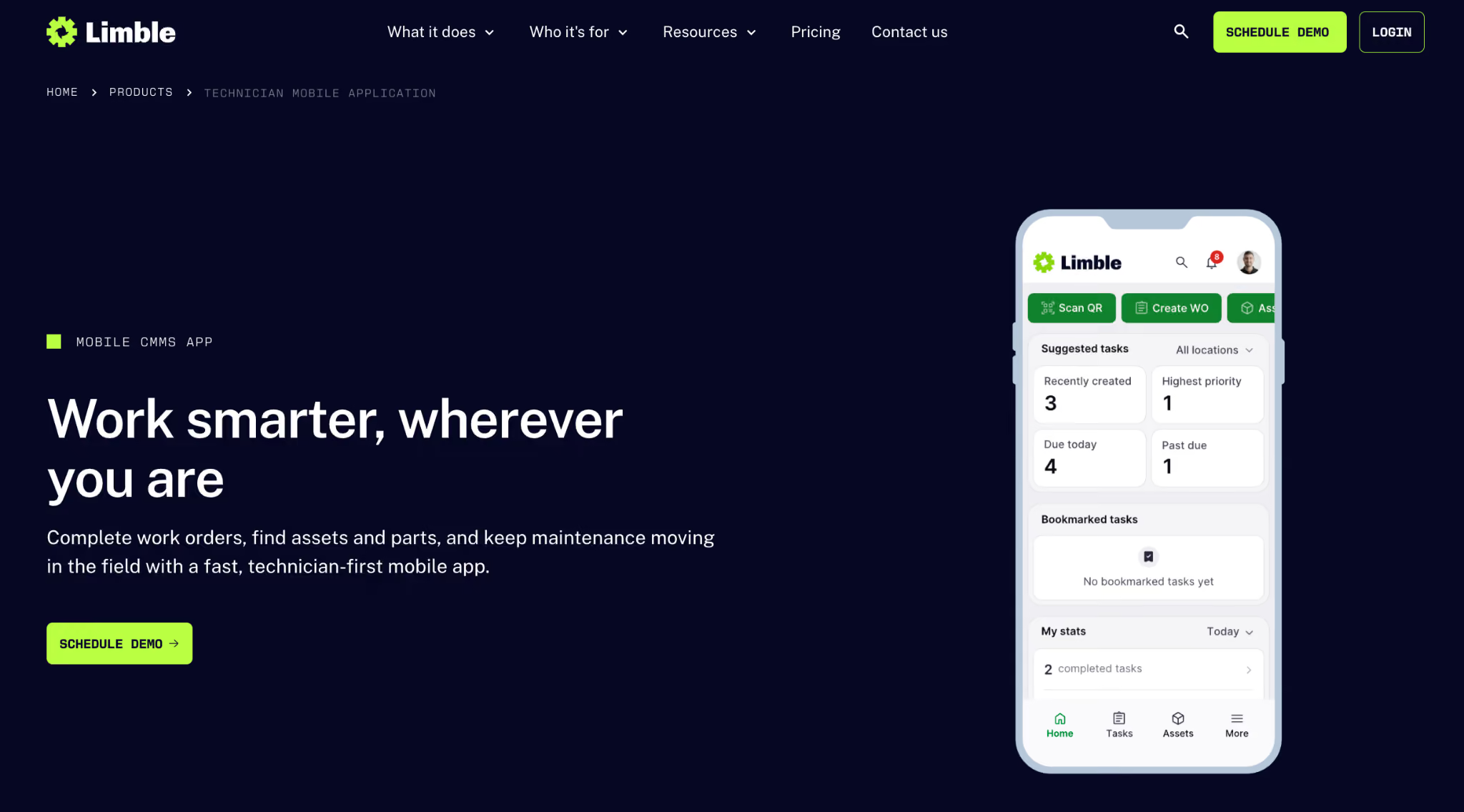
Limble CMMS is used across manufacturing, food production, and municipal operations. The platform is known for a relatively quick setup process and a mobile interface that prioritises ease of use for technicians with varying levels of technical experience.
The mobile app focuses on preventive maintenance scheduling and customisable dashboards that surface maintenance KPIs directly from the phone. Teams can track asset performance, manage work orders, and action scheduled tasks without switching to a desktop.
Learn more: Limble vs Makula
Limble CMMS Key Features
- View and action work orders from a customisable mobile dashboard tailored to each technician's role
- Access real-time maintenance KPIs and asset performance data directly from the app
- Set up and receive automated PM reminders triggered by time, usage, or meter readings
- Track asset downtime and failure history from mobile to identify recurring problem equipment
- Manage vendor information and purchase orders from the app without switching to a desktop
Limble CMMS Pricing
Pricing is available on request.
Fiix (Rockwell Automation)
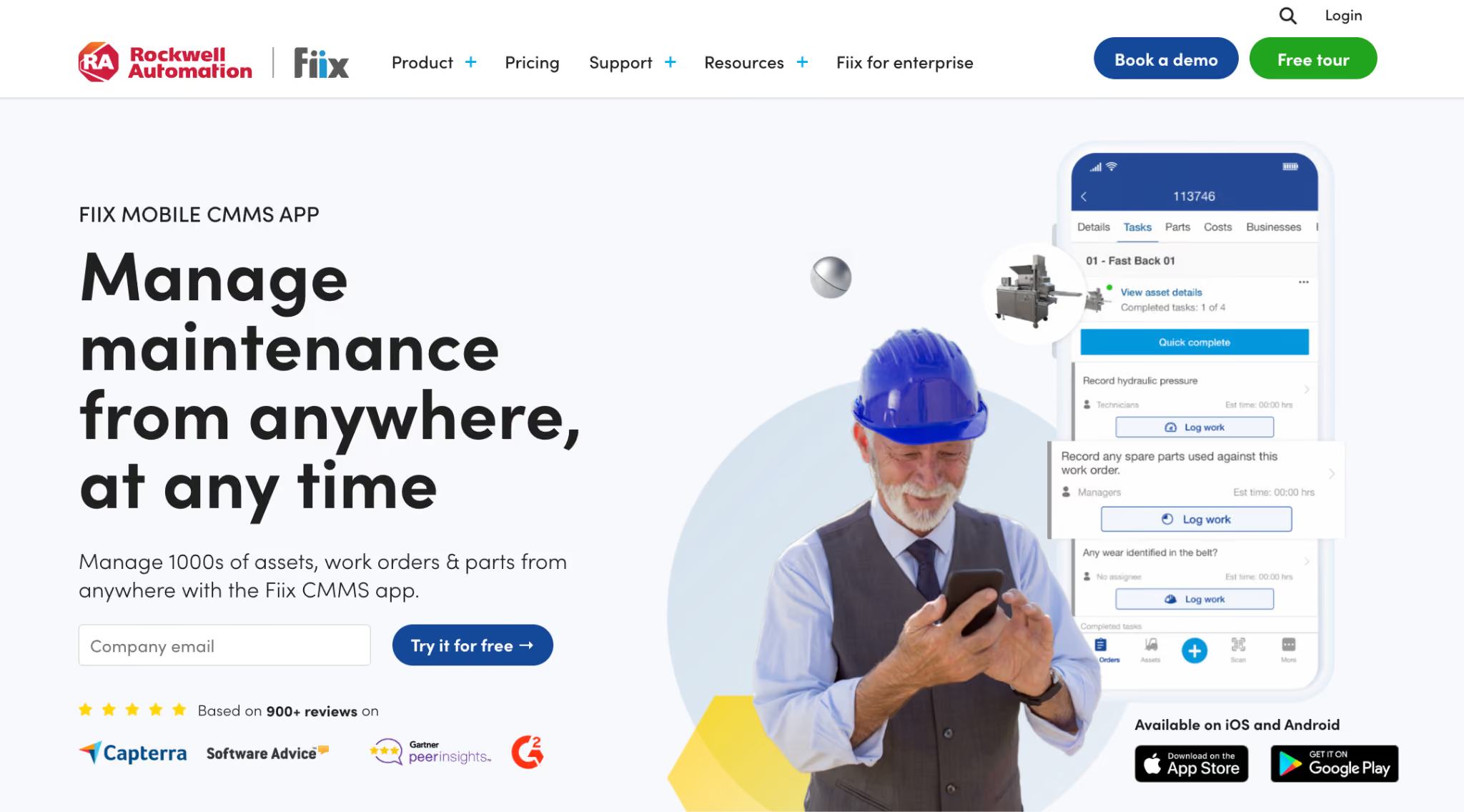
Fiix is used across manufacturing, oil and gas, food and beverage, and utilities. The Fiix mobile app covers work order management, asset tracking, and parts management on iOS and Android. The platform is known for its open API and integration capabilities, making it a practical option for manufacturing teams that need their CMMS to connect with ERP systems and other operational tools.
Learn more: Fiix vs Makula
Fiix Key Features
- Swipe to close work orders directly from the mobile task list without navigating through settings
- Mark work orders as closed from mobile for accurate and up-to-date maintenance records
- Attach photos to work orders on-site as visual evidence of completed repairs
- Search across current and historical work orders to find past jobs and asset records quickly
- Access a library of manuals, diagrams, and critical asset documentation directly from the app
Fiix Pricing
Fiix offers four plans: Free, Basic ($45 per user per month), Professional ($75 per user per month), and Enterprise with custom pricing.
eMaint (Fluke)
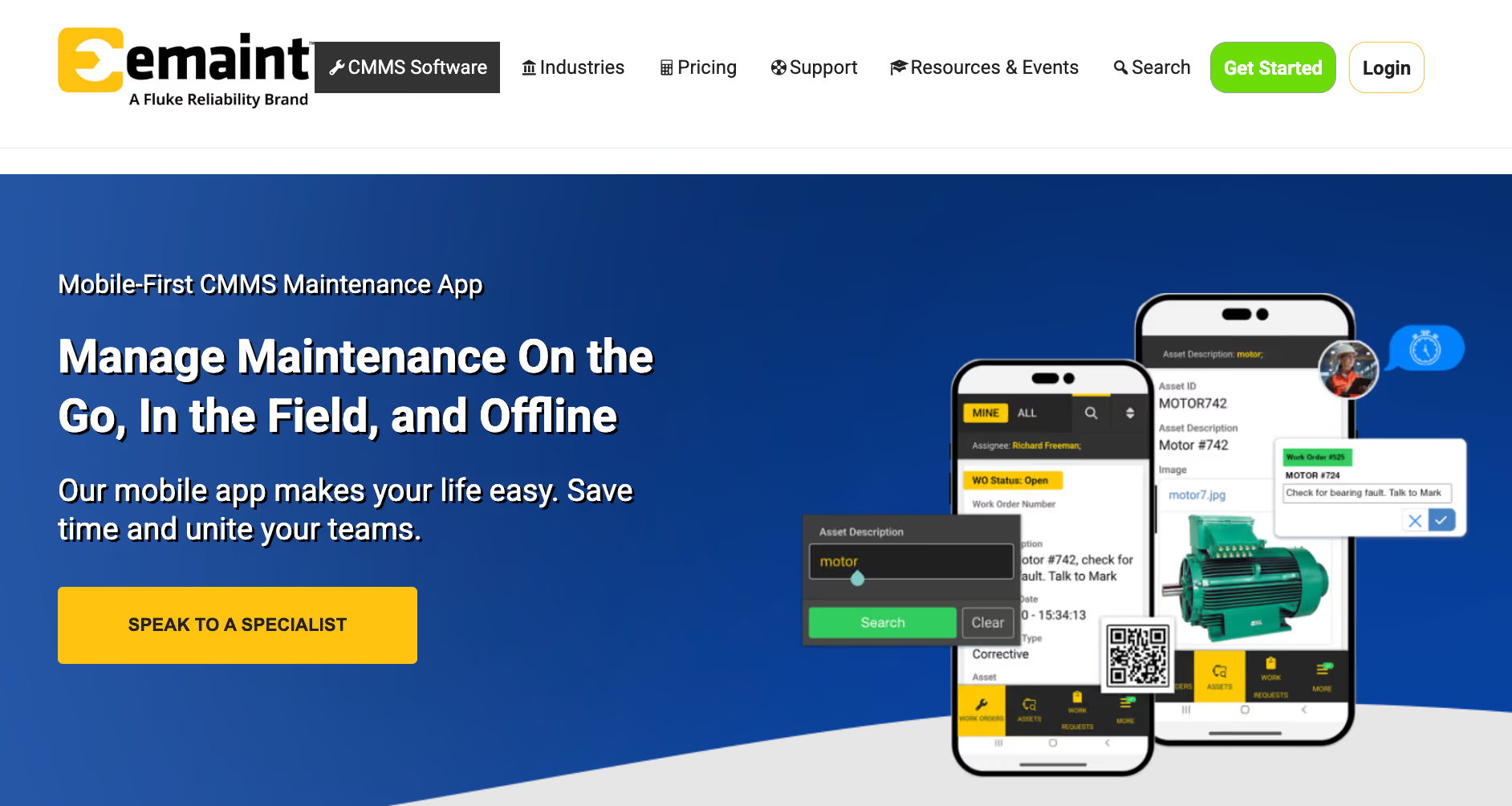
eMaint is a CMMS owned by Fluke Corporation, used across manufacturing, oil and gas, life sciences, and facilities management. It's a good fit for multi-site and global operations that need standardised maintenance workflows across locations, languages, and time zones.
The eMaint mobile app is built for technicians working in remote sites and network-unfriendly environments. It supports full offline work order execution, with an audit trail that records the actual time of actions rather than the sync time.
Read more: eMaint vs Makula
eMaint Key Features
- Complete work orders offline and upload photos, with automatic sync once connectivity is restored and an audit trail that captures the actual time of each action
- Scan barcodes to view asset or spare part details and history, or scan QR codes to submit a work request directly from the asset
- See other open work orders for nearby assets when already in the field, reducing unnecessary return trips
- Book spare parts for jobs from mobile, with visibility into stock levels across global locations
- Manage role-based permissions and field-level security, with password-protected e-signatures required for key actions
eMaint Pricing
Pricing is available on request.
6 Best Maintenance Apps in 2026: Comparison Table
Benefits of Using a Maintenance App
Maintenance apps change how quickly problems get resolved, how accurately work gets recorded, and how much operational knowledge stays in the organisation when people move on. Here are the key benefits manufacturing teams see after making the switch:
Faster Response to Breakdowns
When a machine goes down, every minute counts. A maintenance app puts the work order in the right technician's hand the moment it's created, with asset history, documentation, and parts information attached.
There's no waiting for a phone call, a printed job card, or a desktop login. The technician gets to the machine with the context they need already in their pocket.
Accurate Maintenance Records Without the Admin
Paper-based maintenance records depend on technicians remembering to fill them in, filing them correctly, and someone transferring that data into a system later. A maintenance app captures records at the point of work.
Photos, notes, timestamps, and signatures are attached to the job as it happens, producing a complete and accurate maintenance history without any additional admin.
Better Visibility for Maintenance Managers
A maintenance manager who can only see job status by walking the floor or making phone calls is always behind. A maintenance app gives managers a live view of what's open, what's in progress, and what's overdue, from wherever they are. That visibility makes it easier to prioritise, reassign jobs, and spot patterns before they become bigger problems.
Reduced Downtime Through Preventive Maintenance
Reactive maintenance is consistently more expensive than planned maintenance. A maintenance app makes preventive maintenance schedules actionable from mobile, so technicians receive, complete, and close recurring tasks without the job getting lost in a desktop queue or missed during a shift handover.
Knowledge That Stays in the Organisation
When an experienced technician leaves, their knowledge of specific machines, common faults, and effective fixes typically leaves with them.
A maintenance app with documented work history, attached procedures, and accessible equipment records means that knowledge stays in the system, available to every technician who works on that asset in the future.
How to Choose a Maintenance App
Here's what manufacturing teams should evaluate before committing to a platform:
Offline Access and Connectivity
An app that stops functioning without connectivity is not usable on a factory floor. Confirm whether offline mode is available on the plan you're evaluating, and check specifically what data is accessible and actionable without a connection, not just whether the feature exists.
Integration with Existing Systems
A maintenance app that can't connect to your ERP, procurement system, or IoT sensors creates a new data silo rather than eliminating existing ones.
Check which integrations are available natively, which require third-party connectors, and whether the integration depth covers the data flows your operation actually depends on.
Mobile Interface for Field Technicians
A well-designed mobile interface for a desk-based user is not the same as one built for a technician wearing gloves in a noisy environment.
Evaluate the app on the device your technicians will actually use. Tasks should be completable in a few taps. Navigation should work single-handed. Poor test adoption on the shop floor is often an interface problem, not a training one.
Work Order and Ticket Management
The work order workflow is the core of any maintenance app. Check how quickly a technician can receive, start, and close a job from mobile. Look at how work requests from operators reach the maintenance team, and whether the handoff from request to assigned work order is structured or manual.
Preventive Maintenance and Scheduling Capabilities
A maintenance app should make preventive maintenance easier to execute on the floor, easier to schedule. Confirm that technicians can receive, complete, and close recurring tasks entirely from mobile, and that triggers based on time, usage, or meter readings work as expected without requiring desktop intervention.
Reporting and Analytics Accessible on Mobile
Maintenance managers should be able to track open jobs, overdue tasks, and asset performance without needing to sit at a desktop. Check whether the mobile app surfaces the KPIs your team tracks daily, or whether meaningful reporting is locked to the web platform only.
Bottom Line: Makula Is the Best Maintenance App for Manufacturing Teams
Most maintenance apps are built for a broader industry use. Manufacturing environments have different requirements: poor connectivity, complex equipment, compliance obligations, and maintenance knowledge concentrated in a small number of experienced people.
Makula is built specifically for that environment. The mobile app works offline, gives technicians access to equipment documentation and asset history at the point of work, and includes an AI Copilot that retrieves cited answers from your own equipment documentation.
For manufacturing teams evaluating maintenance apps, Makula delivers the most complete mobile experience purpose-built for the shop floor.
Book a demo to see how Makula's CMMS helps your team reduce downtime, stay on top of preventive maintenance, and keep operations running.





