

You can buy maintenance software with a mobile app, but that does not mean technicians will actually use it.
That is where many implementation projects fail.
A system may look good in a sales presentation, but once it reaches the shop floor, technicians often run into the same problems: too many taps, too much typing, slow navigation, and workflows that do not match the way they actually work.
If you want real adoption, you need to test the mobile workflow before you buy.
The best way to do that is to evaluate how one technician’s real day will look inside the system. Not a generic task. Not a polished sample workflow. Your actual job types, your actual checklists, and your actual maintenance process.
Why mobile adoption fails
Maintenance teams do not reject software because they dislike technology. They reject it when the tool adds friction.
A mobile app becomes a problem when it:
- takes too long to open a job
- requires too much scrolling
- makes simple checks feel complicated
- forces technicians to type instead of work
- does not support offline use
- does not match real field conditions
When that happens, technicians work around the system instead of using it properly. That creates poor data, weak reporting, and low return on investment.
Test Technician Mobile Workflows Before You Buy CMMS Software
See how real technicians actually interact with maintenance software in the field. Learn how Makula helps you test mobile workflows using real job types, real checklists, and real maintenance conditions before you make a buying decision.

What a real mobile workflow test should show
Before buying software, you should know whether the mobile experience works in practice.
A proper workflow test should show:
- how quickly a technician can access a job
- how many steps are needed to complete a task
- whether safety checklists are easy to use
- whether parts and notes can be logged quickly
- whether the app supports the real job structure
- whether the workflow still works in poor signal areas
If the workflow feels natural, adoption is much more likely.
What to compare before making a decision
This is the difference between software that gets purchased and software that actually gets used.
What to test with your own jobs
The best test is not a fake example. It is one technician’s real schedule.
That may include:
- planned preventive maintenance
- reactive breakdown jobs
- safety inspections
- calibration work
- parts usage
- completion notes
When you test the workflow using real job types, you can see where the friction appears immediately.
What maintenance leaders should look for
If you are evaluating software, ask yourself these questions:
- Can a technician complete a job without unnecessary steps?
- Can they move through the mobile app without confusion?
- Can they log parts, notes, and safety checks quickly?
- Can they do the work without losing time to admin?
- Would a busy engineer actually keep using this every day?
If the answer is unclear, the software is not ready for the shop floor.
Why this matters for buying decisions
This is not just about usability.
It is about whether the system will become part of daily maintenance work or sit unused after rollout.
A mobile workflow that fits the technician’s day gives you:
- better adoption
- cleaner data
- faster job completion
- less resistance from the team
- stronger reporting later on
That makes the buying decision much easier to justify.
How Makula CMMS helps
Makula CMMS is designed to support real maintenance work, not just store data.
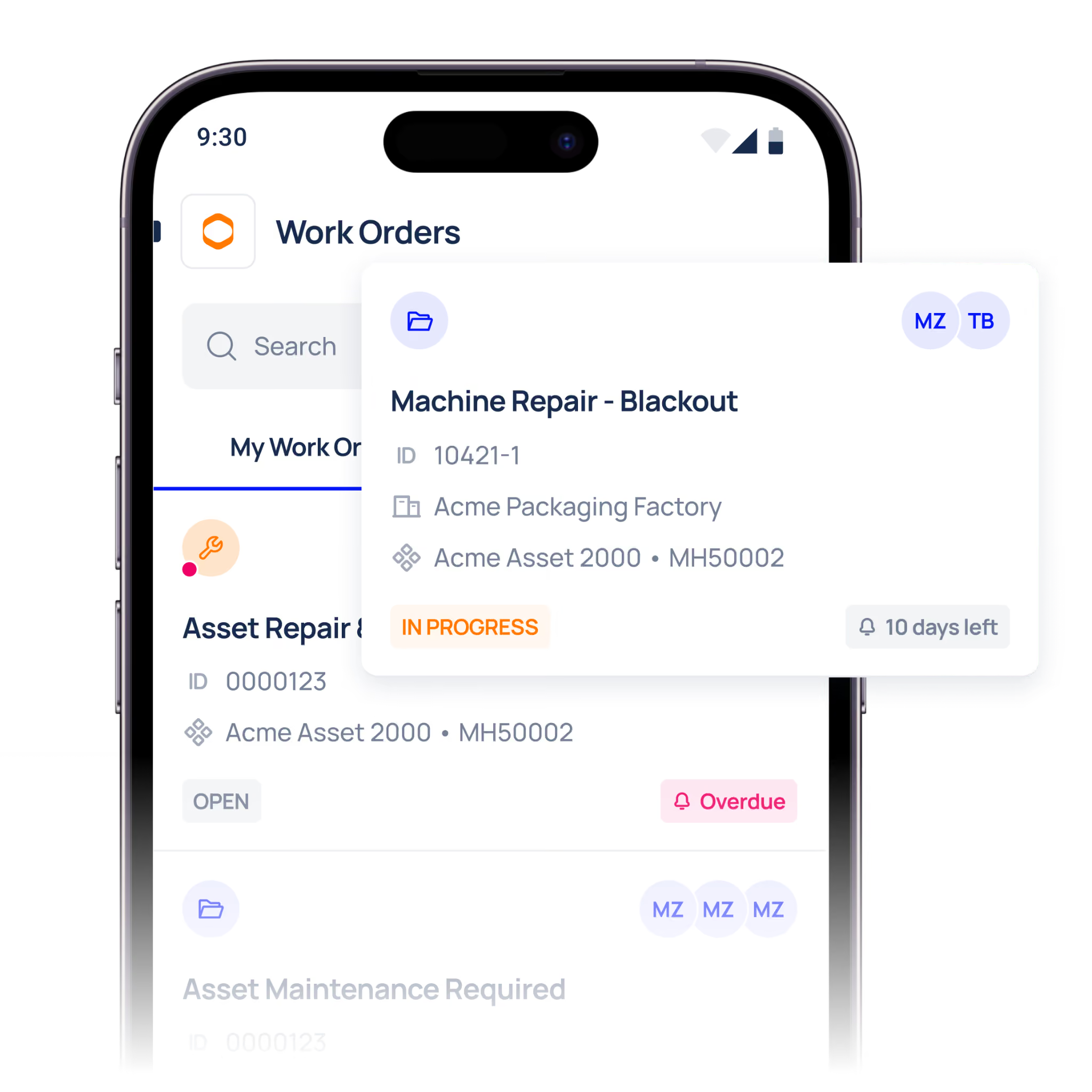
That means teams can review how their job types, checklists, and field workflows would work inside a structured mobile environment. When the mobile experience is aligned with the technician’s actual day, the system becomes much easier to adopt.
That is especially important for teams that want:
- faster job completion
- less admin burden
- better mobile usability
- stronger maintenance data
- smoother frontline adoption
What to do next
If you are comparing maintenance software, do not stop at the feature list.
Test the mobile workflow using your real job types and see how the system performs in practice. That will tell you much more than a polished presentation ever could.
Conclusion
The right maintenance software should make a technician’s day easier, not harder.
If the mobile workflow feels natural, your team is more likely to use it. If it feels clunky, adoption will suffer no matter how good the reporting or dashboard looks.
That is why mobile workflow testing should be part of every software decision.
Review your real job types with Makula and contact us to see whether the mobile workflow fits the way your technicians actually work.





