
It's one of the most common complaints heard on the workshop floor: "Using a phone takes longer than just writing it down." Maintenance technicians say it. Supervisors repeat it. And before long, a new digital system gets quietly abandoned in favour of the clipboard that's been hanging on the wall for 20 years.
But is there any truth to it? Or is this a case of familiarity being mistaken for efficiency?
The answer, it turns out, depends less on the technology itself and more on how it's been set up and what you're actually measuring. Mobile CMMS speed is a real concern worth addressing, but the data tells a more complicated story than "paper is faster."
Why Technicians Feel Slower on Mobile
Feelings matter. If a tech feels like they're slower, that perception affects morale, adoption rates, and ultimately, your return on investment. So before dismissing the complaint, it's worth understanding where it comes from.
Several factors contribute to this perception:
- Unfamiliar interfaces: A new app requires learning. During the adjustment period, every tap takes longer because the user is thinking, not just doing.
- Poor connectivity: If the system requires a signal to load a work order, dead zones in a facility can grind the process to a halt.
- Over-engineered forms: Some CMMS platforms ask for far more data than a technician needs to capture in the field. Long forms feel slow because they are slow.
- Device issues: Worn-out tablets, cracked screens, and outdated hardware all add friction.
None of these is problems with the mobile CMMS speed as a concept. They're implementation problems, and they're fixable.
What the Comparison With Paper Actually Looks Like
Let's be honest about what "pen and paper" really means in practice. A tech scribbles a note. That note sits in a pocket, gets transferred to a logbook, then gets typed up by someone in the office, reviewed, filed, and if you're lucky, actually acted on.
The write-down step is fast. Everything that comes after is not.
Here's a side-by-side comparison of a typical work order process:
The first step, logging the fault, is the only moment where paper has a speed advantage. Everything downstream favours mobile.
The Hidden Costs of "Fast" Paper
Speed is only valuable if it leads to the right outcome. A quickly scrawled note that gets lost, misread, or forgotten isn't fast; it's a liability.
Paper-based maintenance processes are prone to:
- Transcription errors when handwritten notes are re-entered digitally
- Lost records, especially in high-turnover environments
- No audit trail, which causes serious problems during compliance checks
- Delayed response times because work orders aren't visible until someone physically delivers them
Mobile CMMS eliminates most of these risks by design. The data is captured once, stored automatically, and immediately visible to everyone who needs it.
When Mobile Genuinely Is Slower (And What to Do About It)
In fairness, there are real scenarios where a poorly configured mobile system will slow technicians down. Recognising them is the first step to fixing them.
Forms that ask too much
If a technician needs to fill in 15 fields to log a simple fault, the form is the problem. Good mobile CMMS platforms allow you to customise forms so techs only see what's relevant to the job. Trim the unnecessary fields.
No offline mode
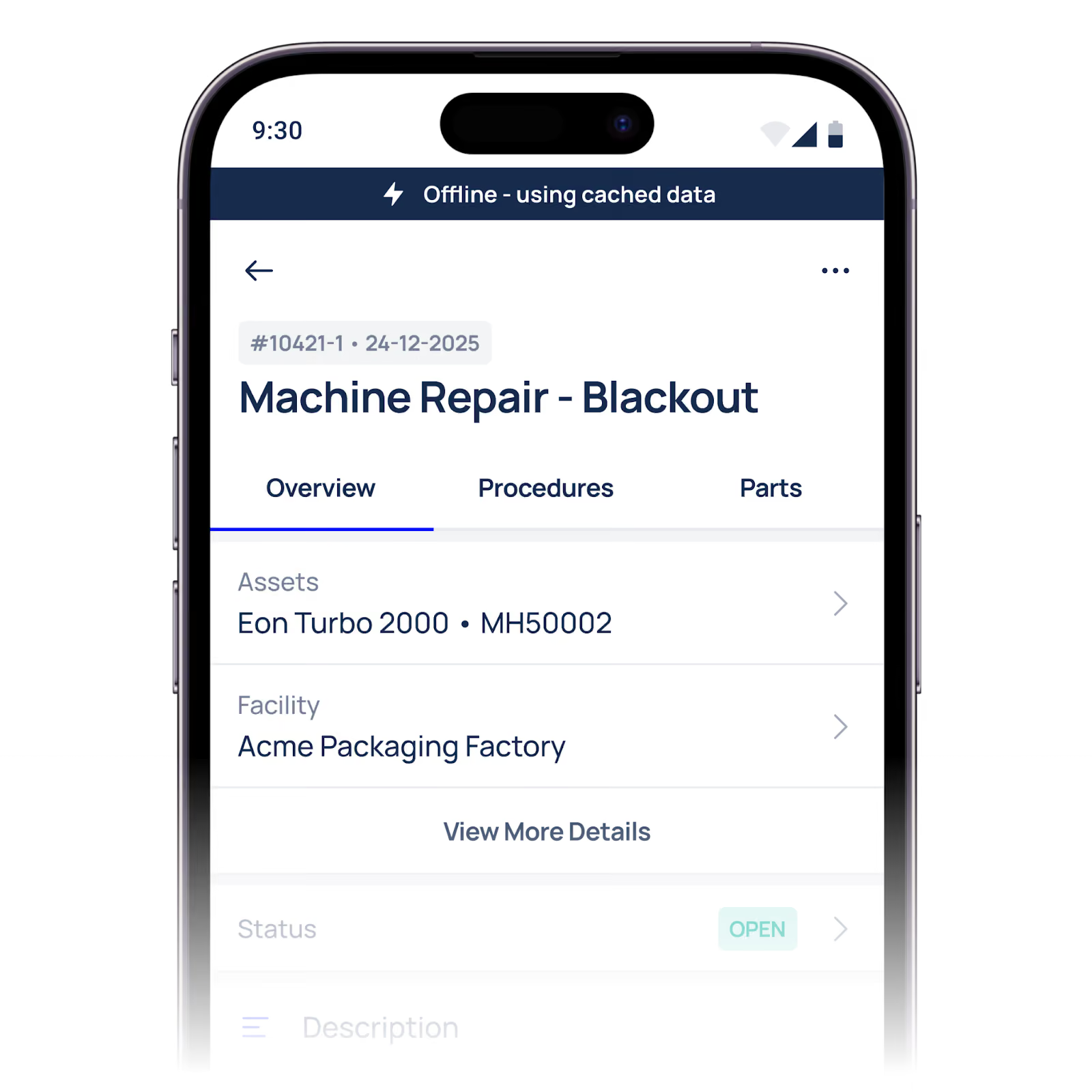
Signal dead zones are common in large facilities, basements, and plant rooms. A system without offline functionality will freeze at the worst possible moment. Choose a platform that supports offline data capture and syncs automatically when connectivity is restored.
Inadequate onboarding
The learning curve is real, but it's temporary. Teams that receive proper training, not just a quick walkthrough, typically reach full proficiency within two to four weeks. Structured onboarding pays for itself quickly.
Hardware that's past its best
A slow device makes any software feel slow. If technicians are using hardware that's three or four years old, the bottleneck isn't the app. Budget for regular device refreshes as part of your maintenance programme.
What Good Mobile CMMS Speed Actually Looks Like
When a mobile CMMS is set up well, the speed gains are significant not just in individual tasks, but across the entire maintenance operation.
Platforms like Makula are built with field technicians in mind, which means streamlined workflows, offline capability, and interfaces that don't require a manual to navigate. The goal isn't to replicate paper on a screen. It's to remove the steps that paper requires in the first place.
Technicians who've made the switch and been properly supported through it rarely go back. The complaint shifts from "this is slower" to "I can't believe we used to do it the other way."
Paper Was Never the benchmark.
The technicians raising concerns about mobile CMMS speed aren't wrong to ask the question. Slow technology is a real problem, and their frustration deserves a real answer, not dismissal.
But the answer isn't to go back to paper. It's to look honestly at what's making the mobile experience feel slow, fix those specific issues, and measure performance across the full workflow, not just the first thirty seconds.
Paper feels fast because it's familiar. Mobile CMMS, set up correctly, is fast because it works.
How Makula CMMS solves the paper problem (practical, non-promotional)
- One source of truth. Move checklists, work orders and PM schedules into a single asset record so technicians stop carrying separate notebooks and spreadsheets.
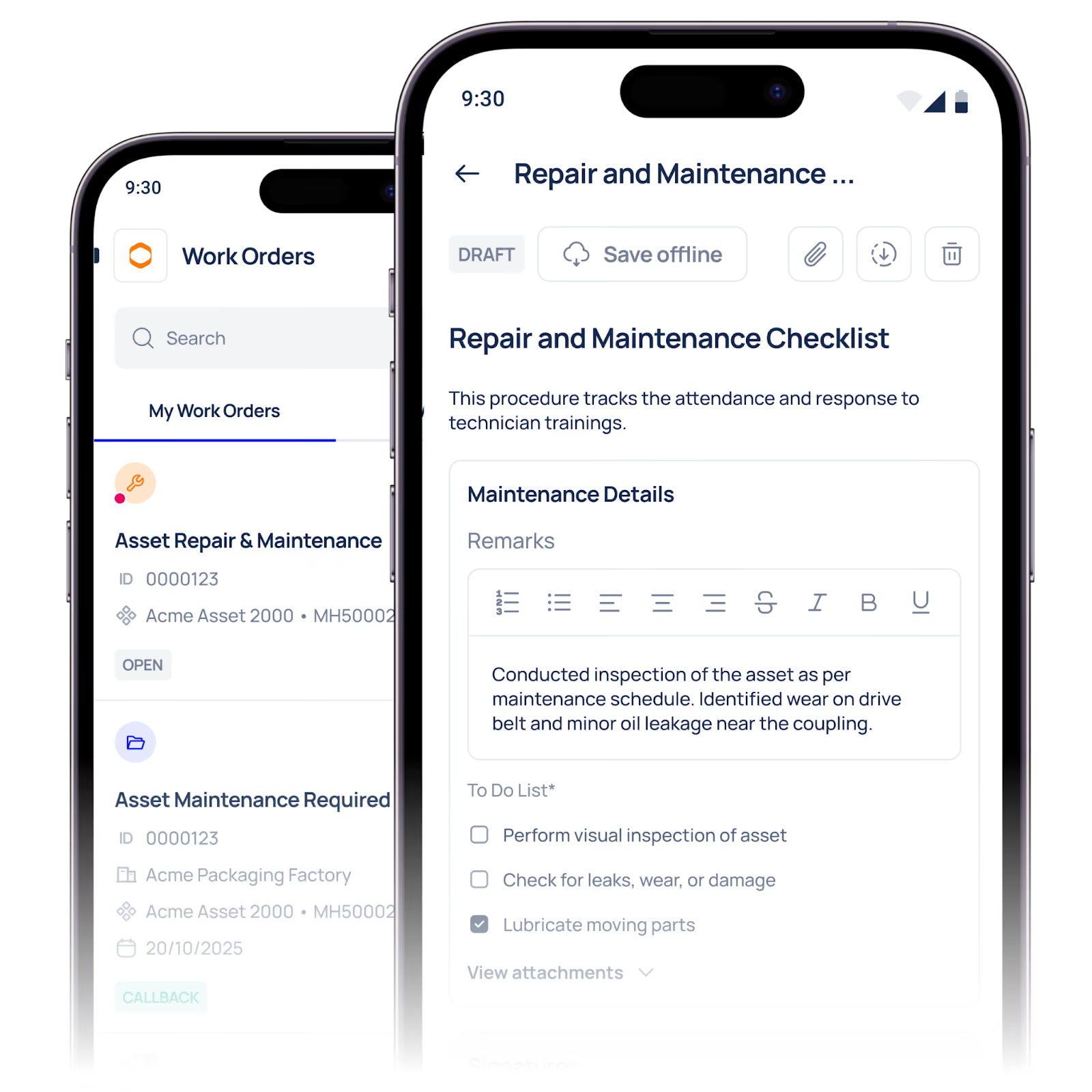
- Mobile-first, minimal forms. Structured, role-based mobile forms show only the fields needed for the job (no 15-field form for a simple fix) so logging takes one quick action instead of a multi-step chore.
- Mandatory timestamps & audit trail. When a task is created, started and completed on mobile the system records those times automatically, no late batch entry and no guesswork for MTTR.
- Asset-centric attachments. Manuals, past fixes and parts lists live on the asset record so technicians don’t waste time hunting for the right document.
- Faster downstream work. Once data is captured in the CMMS the work order is visible instantly to planners, stores and supervisors, no more manual handoffs, phone tags or transcription errors.
(Use this block where you explain “what good mobile CMMS speed looks like.” It’s factual and product-aligned without hard-selling.)
30-Day Mobile CMMS Adoption Plan (step-by-step)
Goal: get one team comfortable with mobile entry and show measurable time savings in 30 days.
Week 0: Prep (before go-live)
- Pick a pilot shift and 10–15 critical assets.
- Simplify the mobile form for pilot tasks (3–6 fields max: asset, fault, part used, comments).
- Ensure devices are charged and network/ Wi-Fi mapped (note any dead zones).
Week 1: Train & Launch
- Run a 60–90 minute hands-on training with the pilot shift (device + live logging exercises).
- Shadow the first 3 shifts, a super-user or trainer accompanies techs, answers questions, fixes form issues.
- Start measuring: time-to-log (paper vs mobile) and time-to-close.
Week 2: Iterate
- Review week-1 metrics and technician feedback; remove any unnecessary fields.
- Add quick-reference help into the app (one-tap SOP links or photos).
- Continue measuring adoption (work orders logged via mobile %).
Week 3: Expand & Embed
- Add the next shift; repeat training fast.
- Introduce one automation (e.g., automatic assignment or push notifications).
- Track MTTR and work order completion rates.
Week 4: Report & Scale
- Compare baseline to current: average time-to-log, percent mobile adoption, MTTR trend.
- Create a short report for leadership showing wins and next steps.
- Plan the rollout across all crews, using lessons learned.
Quick success metric: aim for >70% mobile logging for pilot tasks and a measurable reduction in admin time within 30 days.





