
.avif)
A primary conveyor belt grinds to a sudden halt. The engineering team quickly diagnoses the issue: a burnt-out drive motor. It is a simple fix, provided you have the right component on the shelf. The lead technician rushes to the storeroom, only to find a space where the motor should be.
Suddenly, a minor mechanical fault turns into a major operational crisis. You are losing thousands of pounds every hour the line sits idle, all because of a single missing item.
If this scenario sounds familiar, your facility is likely wrestling with a very common, yet highly destructive problem: "We don't know which SKUs are critical to uptime."
Treating every spare part in your storeroom with the same level of importance is a recipe for disaster. You end up overstocking cheap, easily accessible items while severely understocking the highly specialised components that actually keep your machinery running.
To regain control of your inventory and protect your production schedules, you need to evaluate your current setup. By taking our comprehensive spare parts health quiz, you can identify the hidden risks in your storeroom, categorise your most critical SKUs, and build a resilient maintenance strategy.
The danger of treating all spare parts equally
Many maintenance departments fall into the trap of flat inventory management. They apply the same reordering rules to a standard pack of cable ties as they do to a custom-machined hydraulic valve.
This approach creates a dangerous illusion of preparedness. Your inventory dashboard might boast a 95 per cent stock availability rate, but if the missing five per cent consists entirely of critical, long-lead-time items, your operation remains incredibly vulnerable.
Failing to understand which SKUs actively drive your uptime leads to three major problems:
- Bloated capital: You tie up vital company funds in slow-moving, non-critical stock that sits on shelves gathering dust for years.
- Excessive downtime: When a critical component fails, and you have no backup, you are forced into expensive emergency shipping or extended production delays.
- Technician frustration: Your team loses faith in the storeroom, leading them to secretly hoard parts in their lockers to protect themselves from future stockouts.
You must stop guessing and start analysing.
Evaluating your storeroom strategy
If you answered mostly 'A' or 'B', your facility is at high risk. You are operating blindly, hoping that the parts you need will magically be there when machinery breaks down. You urgently need to rethink how you evaluate your SKUs.
If you answered mostly 'C', congratulations. You possess a strong understanding of inventory criticality. However, even the best facilities can benefit from continuous optimisation.
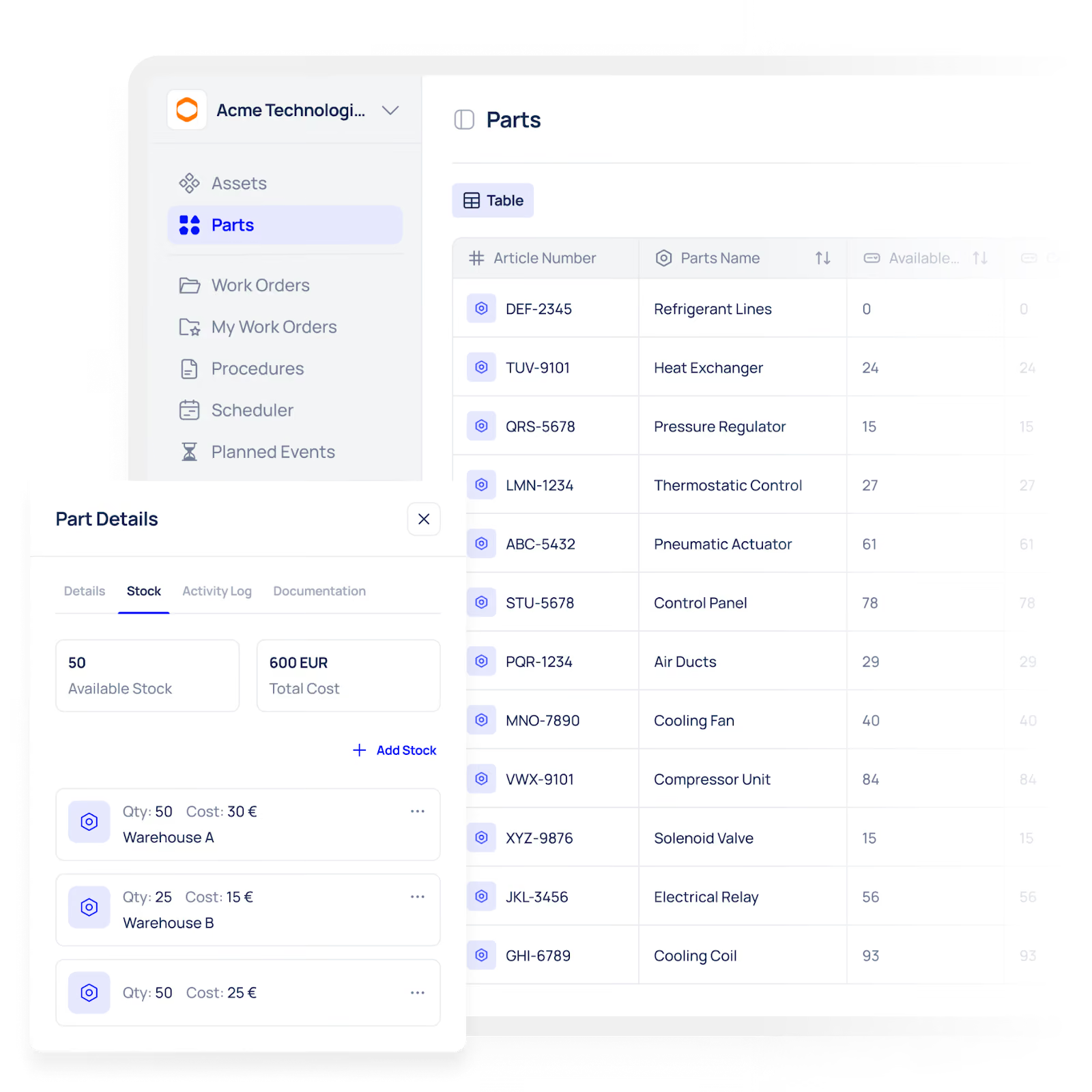
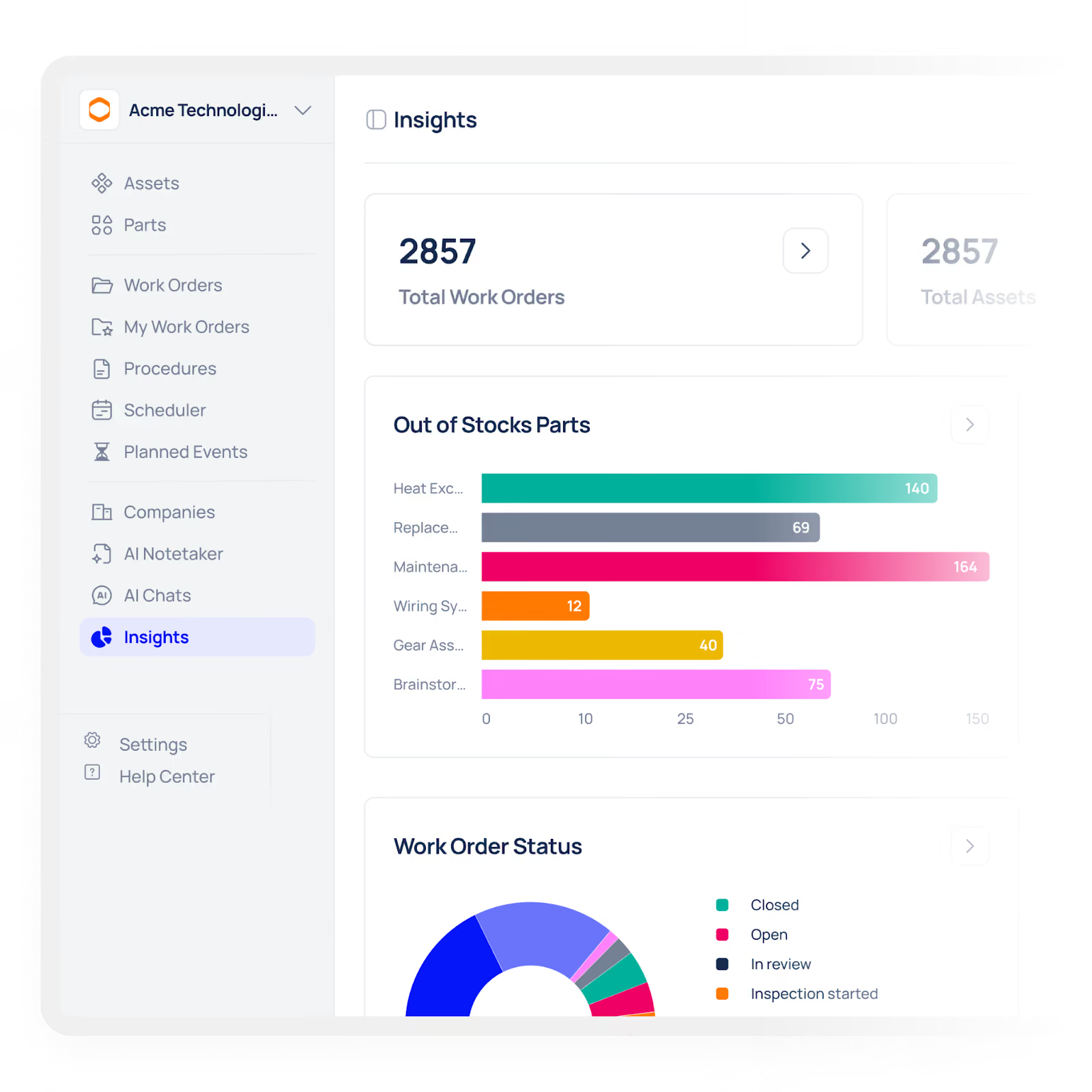
The key to achieving those 'C' answers permanently is visibility. When you implement a dedicated maintenance and inventory platform like Makula, you remove the guesswork from your storeroom. The system tracks the exact lifecycle of every SKU, automatically highlighting the parts that cause the most downtime and ensuring your purchasing team focuses their budget exactly where it matters most.
Key insights: Categorising your SKUs
To help you move forward after taking the spare parts health quiz, review this summary table. It outlines the standard method for breaking down your inventory based on critical impact.
What “Parts Health” Actually Means (and Why It Matters)
Most teams think inventory health is about stock levels. It is not.
Parts health is the ability of your storeroom to:
- Prevent downtime before it happens
- Support fast, first-time fixes
- Align inventory spend with operational risk
A storeroom can look “well-stocked” and still be unhealthy.
Example:
- 2,000 items in stock
- 95% availability
- But missing 3 critical long-lead SKUs
Result: Production still stops.
Healthy inventory ≠ with full shelves
Healthy inventory = the right parts, at the right time, for the right assets
The Hidden Cost of the Wrong SKUs
Most facilities don’t fail because they lack inventory.
They fail because they hold the wrong inventory.
Here’s what that looks like in practice:
1. Capital trapped in dead stock
- Slow-moving SKUs sit untouched for years
- Working capital is locked with zero operational return
2. Emergency procurement premiums
- Overnight shipping
- Supplier rush fees
- Expedited customs (for imported parts)
3. Downtime ripple effects
- Missed production targets
- Delayed customer deliveries
- Over time, labour costs
One missing critical SKU often costs more than an entire storeroom of consumables
The 80/20 Rule of Spare Parts (Where to Focus First)
Not all parts matter equally.
In most facilities:
- 20% of SKUs drive 80% of downtime risk
- 80% of SKUs have minimal operational impact
Your goal is to identify and control that critical 20%
Focus your effort here:
- Bottleneck machine components
- Long lead-time parts
- Failure-prone components
- Custom or non-standard items
If you optimise only this segment, you’ll see immediate uptime gains.
How to Identify Critical SKUs (Step-by-Step)
After taking the quiz, here’s how to move from insight to action:
Step 1: Start with critical assets
Identify machines that:
- Stop production completely
- Create bottlenecks
- Impact safety or compliance
Step 2: Map their key components
Pull:
- Bill of Materials (BOM)
- Maintenance history
- Failure logs
Step 3: Score each SKU on 3 factors
- Downtime impact (high/medium/low)
- Lead time (days or weeks)
- Failure frequency
Step 4: Classify into categories
- Critical (must always be in stock)
- Important (controlled reorder)
- Non-critical (simple management)
Step 5: Set minimum stock rules
Base this on:
- Lead time
- Usage rate
- Risk tolerance
Warning Signs Your Storeroom Is Hurting Uptime
If you see these, your parts strategy is broken:
- Technicians “hide” parts in lockers
- Frequent emergency purchase orders
- Stockouts on critical items
- Overstock of low-value consumables
- Inventory data doesn’t match physical stock
- Repeated breakdowns caused by the same missing parts
These are not inventory problems
These are visibility and prioritisation problems
How a CMMS Turns Guesswork into Control
Manual systems fail because they rely on:
- Memory
- Spreadsheets
- Reactive decisions
A modern CMMS like Makula CMMS changes this completely:
What it enables:
- Track which parts are linked to which assets
- Analyse failure patterns automatically
- Set smart reorder points based on real usage
- Maintain real-time inventory accuracy
- Highlight high-risk SKUs instantly
Instead of asking “What should we stock?”
You start seeing “These 12 SKUs caused 80% of downtime last quarter”
That’s the shift from reactive to predictive maintenance inventory.
Quick Wins You Can Implement This Month
You don’t need a full transformation to see results.
Start with these:
Week 1
- Identify the top 10 critical machines
- List their key spare parts
Week 2
- Check stock levels vs lead times
- Fix any immediate gaps
Week 3
- Remove obvious dead stock candidates
- Free up storage and capital
Week 4
- Introduce basic SKU categorisation
- Set minimum stock levels for critical items
Even this simple process can reduce unexpected downtime within 30 days
KPIs to Track Spare Parts Health
To sustain improvements, measure what matters:
- Stockout rate (critical SKUs)
- Inventory accuracy (%)
- Emergency purchase frequency
- Inventory carrying cost
- First-time fix rate
- Mean Time to Repair (MTTR)
If these improve, your parts strategy is working.
What to Do After the Quiz (Next Step CTA Section)
You’ve identified your risk level. Now it’s time to act.
- If you scored mostly A/B, → You need visibility immediately
- If you scored mostly C, → You need optimisation and automation
The fastest way forward:
- Map your critical SKUs
- Digitise your inventory tracking
- Connect parts directly to maintenance workflows
This is exactly what your Parts Health Report will show you:
- Your highest-risk SKUs
- Stock gaps vs downtime impact
- Clear actions to fix them
Conclusion
Downtime doesn’t happen because machines fail, it happens because the parts you need aren’t available when they matter most. Treating all SKUs equally creates hidden risks, wasted capital, and frustrated technicians.
By understanding which SKUs truly impact uptime, categorising inventory based on criticality, and tracking stock with accuracy, you can turn your storeroom from a liability into a strategic asset.
The first step is insight. Taking the Parts Health Quiz will uncover the hidden vulnerabilities in your inventory, highlight which components are high-risk, and guide you toward smarter stocking decisions.
Once you know which parts matter most, the next step is action: implement targeted stock rules, optimise reorder strategies, and use a modern CMMS like Makula CMMS to automate visibility and control.
Your uptime is only as strong as your spare parts strategy. Take the quiz today, get your parts health report, and ensure your production keeps running smoothly, no surprises, no costly delays.





