
.jpg)
You can buy the most powerful maintenance system on the market and still end up with poor data, late sign-offs, and a team that quietly works around it. The reason is almost always the same: the tool wasn't built for the place where maintenance actually happens on the floor, at the asset, often with greasy hands and a phone in a pocket.
That gap matters more than most buyers realise. A platform might look impressive on a manager's desktop, but if technicians can't easily receive, complete, and sign off their PMs at the point of work, adoption falls apart. PMs get logged at the end of the shift from memory, or skipped entirely. The records that look complete on screen don't reflect what really happened.
This guide is written for maintenance managers, plant managers, reliability leaders, and operations stakeholders who are evaluating a preventive maintenance app and want one their technicians will genuinely use. It focuses on the mobile capabilities that drive real adoption when executing time-based PMs not a how-to on running maintenance, and not sensor monitoring. By the end, you'll know exactly what to demand from any vendor's mobile experience before you commit.
Here's what we'll cover:
- Why desktop-only tools fail on the plant floor
- The mobile evaluation criteria that actually drive adoption
- What strong PM execution looks like on a phone
- A side-by-side comparison table for your shortlist
- Questions to ask in a demo, plus FAQs
Why Desktop-Only Tools Fail on the Floor
Maintenance work doesn't happen at a desk. It happens beside a packaging line, inside a plant room, on a mezzanine, or in a corner of the warehouse where the nearest computer is a five-minute walk away.
When the only practical way to interact with the system is a desktop terminal, a predictable pattern emerges. Technicians complete the physical work first and record it later often hours later, sometimes the next day. By then, details blur. Readings get estimated. Observations that mattered at the asset are forgotten. And when the floor gets busy, recording slips down the priority list until it's skipped altogether.
This is how technician adoption quietly collapses. It's rarely a refusal to use the tool. It's friction. Every extra step between finishing the work and logging it is a step where data quality leaks away.
The knock-on effects reach far beyond the floor. A mobile maintenance app that technicians don't use produces records you can't trust which undermines completion-rate reporting, weakens your audit trail, and makes it impossible to know whether a time-based PM was genuinely done on time or simply marked complete after the fact. When you're evaluating software, usability on the floor isn't a "nice to have". It's the foundation everything else depends on.
See a Preventive Maintenance App Technicians Actually Want to Use
Discover how Makula helps maintenance teams receive PMs on mobile devices, complete checklists at the asset, capture photo evidence, and sign off work instantly—even in low-connectivity environments. See what real technician adoption looks like in practice.

The Mobile Buying Criteria That Drive Adoption
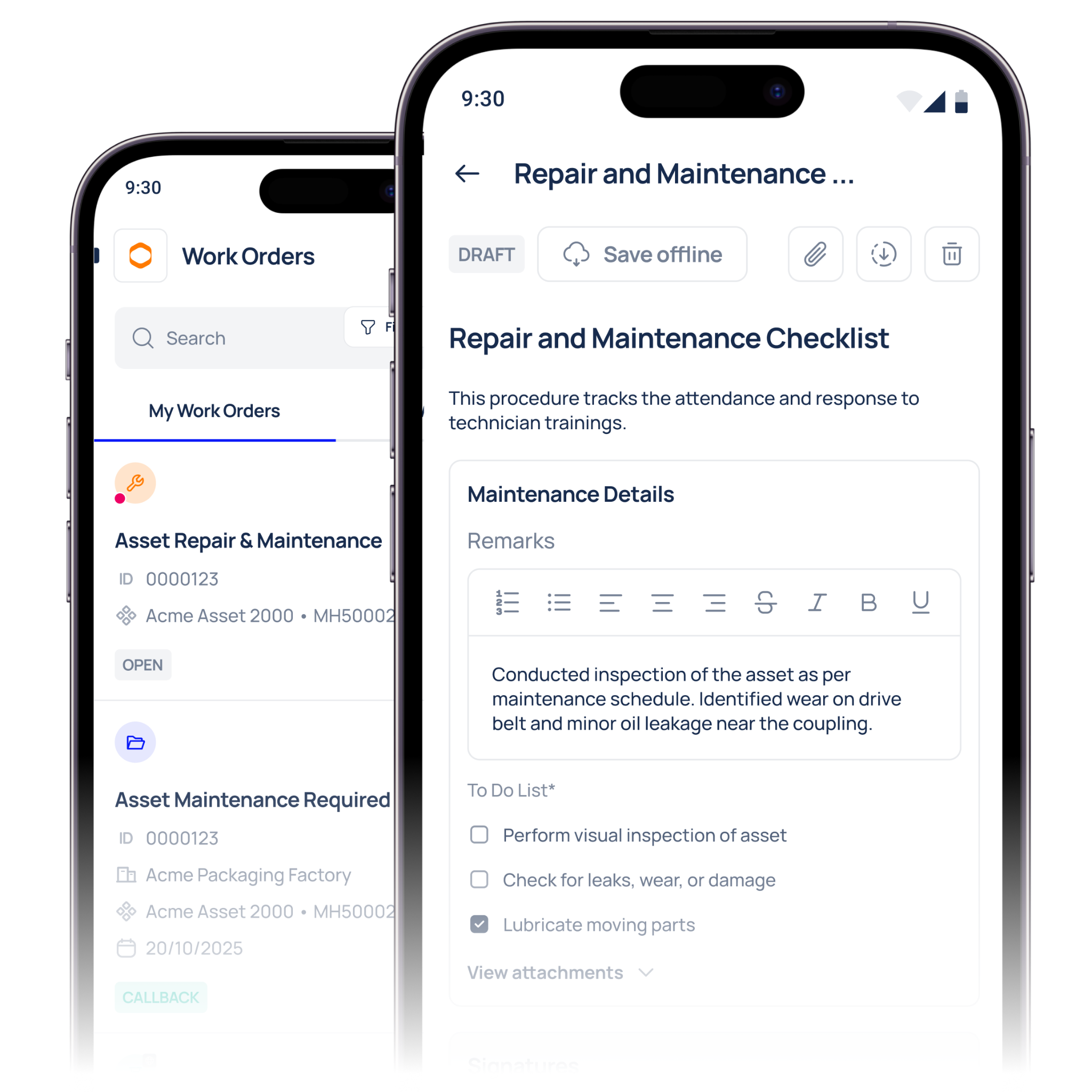
When evaluating a preventive maintenance app, four capabilities determine whether your technicians will actually use it day to day. Each one removes friction at the point of work.
1. Receiving Scheduled PMs on the Device
Technicians should see exactly what's due, on which assets, without chasing a planner or walking to a terminal. A genuinely useful mobile PM app pushes scheduled work directly to the person responsible for it.
Look for:
- A clear daily or weekly view of assigned PMs, sorted by priority or due date
- Push notifications when a new PM is assigned or when one becomes due
- Filtering by asset, line, or area so a technician sees only their relevant work
- An obvious indication of which PMs are overdue and by how long
If a technician has to log into a desktop to find out what they're meant to be doing, the mobile experience has already failed at the first step.
2. Completing Checklists at the Asset
The heart of executing a time-based PM is the checklist. This is where the mobile experience either earns adoption or loses it.
A strong digital PM checklist on mobile should offer:
- Step-by-step tasks that are easy to read and tick off one-handed
- Required fields and readings that must be entered before completion
- The ability to add notes or flag an issue without leaving the workflow
- A layout that works on a phone screen, not a desktop form squeezed onto mobile
The test is simple: can a technician wearing gloves, standing at the asset, complete the checklist in under a minute of fiddling? If the interface fights them, they'll fill it in later from memory and your data quality suffers.
3. Capturing Photos as Evidence
A photo taken at the asset is worth more than a paragraph typed afterwards. Photo capture turns a maintenance record from a claim into evidence.
When evaluating a platform, check that technicians can:
- Take and attach photos directly within the PM workflow, not through a separate app
- Capture before-and-after images for tasks where condition matters
- Add a short annotation or caption to explain what the photo shows
- Have those images stored against the specific work order and asset automatically
This is especially valuable for time-based PMs on shared or critical assets, where a visual record removes any ambiguity about what was found and what was done.
4. Signing Off at the Asset
Sign-off is where accountability lives. A mobile sign-off captured at the asset, at the moment work is completed, is far more reliable than a batch of approvals entered at the end of a shift.
Look for:
- Technician sign-off within the app, timestamped and attributed to the user automatically
- Confirmation that all required checklist steps are complete before sign-off is allowed
- A record that links the sign-off directly to the work order, asset, and any captured photos
- Offline sign-off that syncs once connectivity returns, so dead zones don't block the workflow
That last point deserves emphasis. Plants are full of areas with poor signal. An app that stops working the moment a technician loses connection will be abandoned quickly. Offline capability isn't a luxury feature, it's a requirement for real-world execution.
Mobile PM App Evaluation: At a Glance
Use this table to compare vendors against the criteria that drive adoption.
Common Mistakes When Evaluating a Technician App
Even careful buyers slip up at this stage. Here are the errors most likely to cost you adoption after you've signed.
Judging the app on a manager's screen: The person running the demo is rarely a technician. A feature that looks fine to a manager may be awkward at the asset. Always test the actual technician workflow, ideally with a technician in the room.
Treating mobile as a scaled-down desktop: Some platforms simply shrink their desktop interface onto a phone. The result is cramped forms and tiny buttons that nobody wants to use with gloves on. A purpose-built mobile maintenance app is designed for the device, not adapted to it.
Ignoring offline performance: It's easy to test an app on office Wi-Fi and assume it'll work everywhere. Ask specifically what happens when a technician loses signal mid-PM. If the answer is vague, that's your answer.
Overlooking training and onboarding: A tool that needs a day of training per technician will see patchy adoption. Ask how long it takes a new starter to complete their first PM unaided. The shorter, the better.
What to Ask in a Demo
Bring these requests to any vendor demo to move past the polished walkthrough:
- Complete a scheduled PM from a phone, start to finish. Watch how a technician receives it, works through the checklist, and signs off.
- Take a photo mid-task. Does it attach to the work order automatically, or require a workaround?
- Turn off connectivity and keep working. Can the technician finish and sign off offline, and does it sync cleanly afterwards?
- Hand the phone to someone untrained. Can they complete a simple PM with no instruction?
- Show an overdue PM on the device. Is it obvious, and can the technician act on it immediately?
A vendor whose app was genuinely built for technicians will handle every one of these comfortably. One that hesitates is showing you where adoption will break down.
Conclusion
The best preventive maintenance app isn't the one with the longest feature list, it's the one your technicians reach for without being told to. When work can be received, completed, evidenced, and signed off at the asset, records stay accurate, time-based PMs get done on time, and your audit trail reflects reality rather than guesswork.
Prioritise the four capabilities that drive real technician adoption: receiving scheduled PMs on the device, easy mobile checklists, photo capture as evidence, and reliable sign-off that works even offline. Test them with a real technician, in real conditions, before you decide.
Book a demo to complete a scheduled PM from a phone in Makula, and see for yourself how little friction stands between your technicians and a clean, complete maintenance record.





