
Every trip back to the maintenance office wastes valuable time. When a machine breaks down on the factory floor, your technicians need immediate access to manuals, service history, and spare parts inventory. Keeping this vital data locked inside desktop computers or physical filing cabinets creates a massive barrier to efficiency. Technicians end up spending more time walking across the plant to find information than actually fixing the equipment.
Equipping your team with mobile asset management software solves this problem instantly. By placing all necessary equipment data directly into the hands of your technicians, you eliminate unnecessary travel time and speed up repair work. This guide explains how shifting to a mobile-first approach keeps your maintenance team exactly where they are needed most.
See How Maintenance Teams Use Mobile Asset Management on the Factory Floor
Discover how technicians can access manuals, work orders, asset history, and spare parts information directly from their phones. See how Makula helps maintenance teams eliminate unnecessary trips to the office, improve data accuracy, and resolve breakdowns faster with a mobile-first CMMS.

Overcoming the Plant Floor Disconnect
Industrial maintenance happens on the floor, not behind a desk. When a technician stands in front of a stalled conveyor belt, they need to know what parts were replaced during the last shift. If they cannot access this information immediately, they must leave the breakdown site, walk to the office, log into a computer, and search for the records.
This constant back-and-forth movement drains productivity. It turns simple ten-minute adjustments into hour-long chores. Worse, when technicians find it difficult to access the system, they often stop recording their own work accurately. They rely on memory and jot down notes on scrap paper, leading to lost data and broken maintenance records.
Real-Time Updates in Your Pocket
A mobile-first system fundamentally changes how your team works. Instead of treating mobile access as an afterthought, this software is built specifically for smartphones and tablets. When a fault occurs, the technician simply pulls out their device right next to the broken machine.
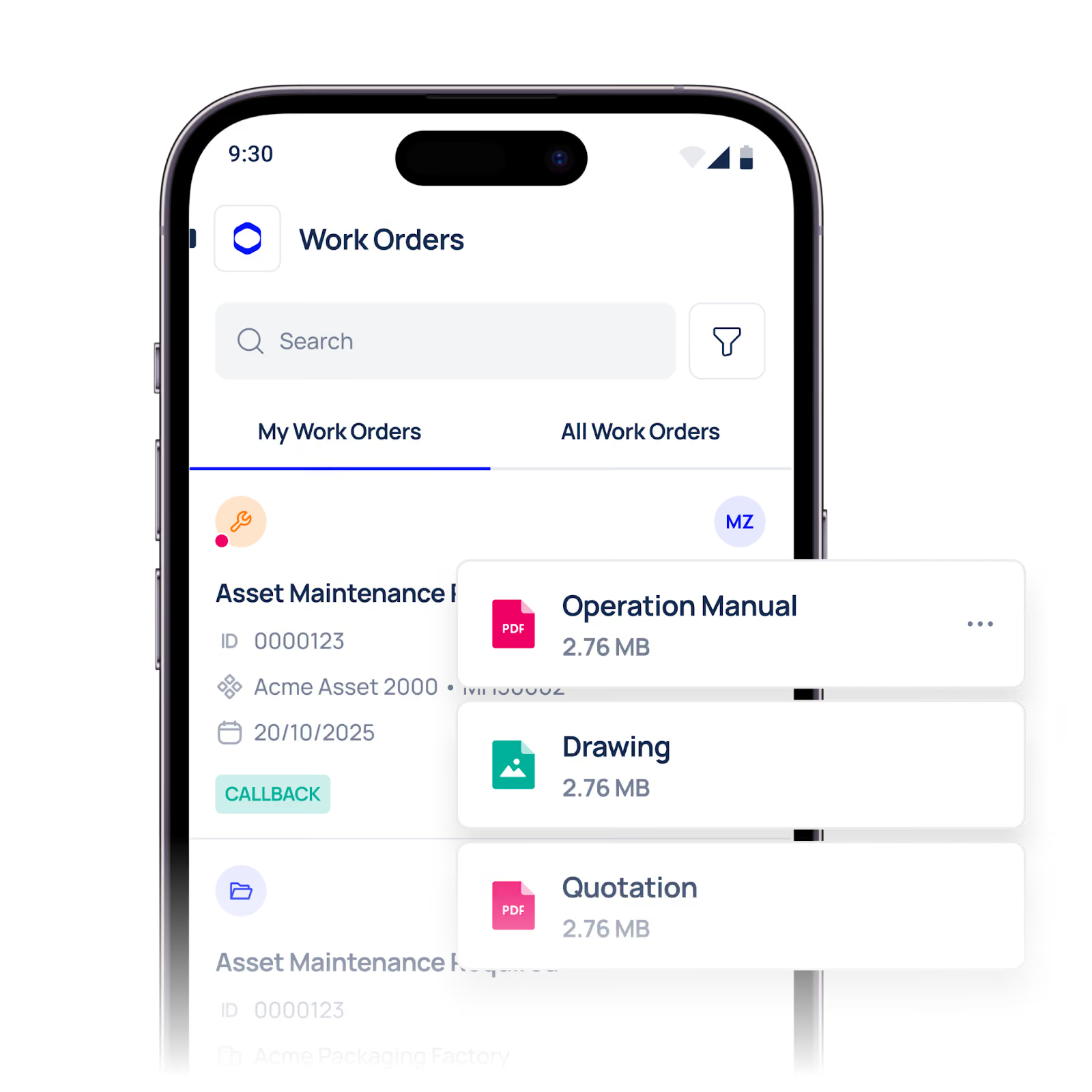
They gain instant access to a live, centralised database. If a manager updates a work order from the main office, the technician sees that change immediately on their screen. This real-time syncing ensures everyone works from the same information. Technicians can view diagrams, check inventory levels, and order spare parts without ever leaving the physical asset.
Using Makula ensures high technician adoption because the interface is built for the people actually doing the work. The platform looks and feels like the consumer apps your team already uses every day. When a tool is this simple to operate, technicians actively want to use it, ensuring your equipment data remains accurate and up to date.
Comparing Maintenance Workflows
Understanding the impact of mobile tools is easy when you compare it directly to legacy methods. Use the table below to see how a mobile-first approach improves daily operations.
Keep Your Team on the Factory Floor
You cannot reduce equipment downtime if your team constantly leaves the floor to hunt for information. Forcing technicians to rely on stationary desktop computers slows down every single repair and actively frustrates your workforce.
Switching to a mobile solution empowers your staff. It gives them the exact tools they need to diagnose faults quickly, order parts instantly, and close work orders the moment a job is finished. Makula makes this transition seamless, putting powerful real-time updates straight into the pockets of the people fixing your machines.
We can show you exactly how this looks in practice. Let us walk you through a live technician workflow from a phone or tablet so you can see the speed and simplicity for yourself.
Try mobile demo today and give your maintenance team the freedom to work efficiently from anywhere on the plant floor.





