

Price is the easiest thing to compare and the worst place to start. Two platforms can sit a few pounds apart per user and still be worlds apart in whether your technicians actually use them, whether your records survive an audit, and whether you ever see a pattern before it becomes a failure.
That's the trap most buyers fall into. The spreadsheet comparison fills up with line items, seat cost, storage limits, integration ticks while the criteria that decide success or failure on the floor never make the list. Six months later, adoption is patchy, records are incomplete, and the "cheaper" tool has cost far more in wasted effort.
This guide is written for manufacturing leaders, plant managers, quality and operations stakeholders, and compliance-conscious buyers comparing vendors right now. It won't tell you how to run inspections. It gives you a practical inspection software comparison checklist of the criteria that actually matter, so you can score platforms on substance rather than sticker price.
Here's what you'll get:
- Why the obvious criteria mislead you
- The feature checklist that separates strong tools from weak ones
- A worked example to make the comparison concrete
- A side-by-side scoring table for your shortlist
- FAQs for buyers at the decision stage
Why Most Inspection Software Comparisons Go Wrong
Comparing inspection software feels straightforward until you realise the easy-to-measure criteria rarely predict real-world value. Price, storage allowances, and a long feature list all look decisive in a spreadsheet. None of them tell you whether a technician will complete an inspection at the asset or fill it in later from memory.
Here's the catch: vendors know which features demo well. Tidy forms, colourful dashboards, and flawless performance on office Wi-Fi all photograph beautifully. The capabilities that genuinely drive adoption and defensible records offline reliability, configurable logic, fast audit export are harder to show and easier to gloss over.
So the goal of any serious inspection software comparison isn't to count features or chase the lowest price. It's to weigh the capabilities that remove friction at the point of work and produce evidence you can retrieve in minutes. Get that right, and the price comparison takes care of itself.
How to Evaluate Inspection Software That Actually Works on the Shop Floor
Stop choosing inspection tools based on price and demos. See how to apply a real-world inspection software comparison checklist and evaluate platforms on what truly matters— offline reliability, mobile usability, audit readiness, and technician adoption using real maintenance workflows.

The Inspection Software Comparison Checklist
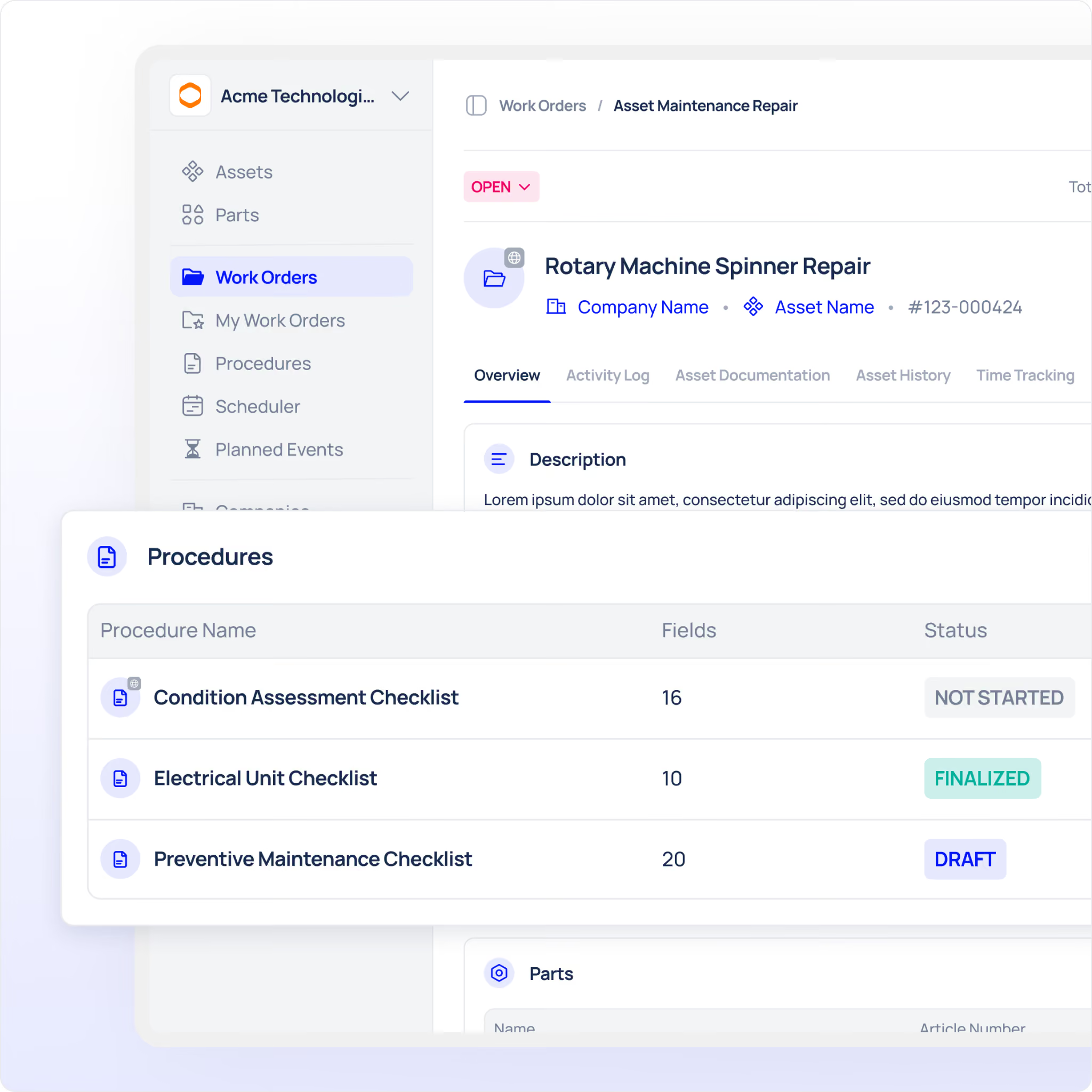
Score each platform against the criteria below. Treat them as weighted, not equal offline reliability and audit export matter far more than a tidy interface.
Templates and Customisation
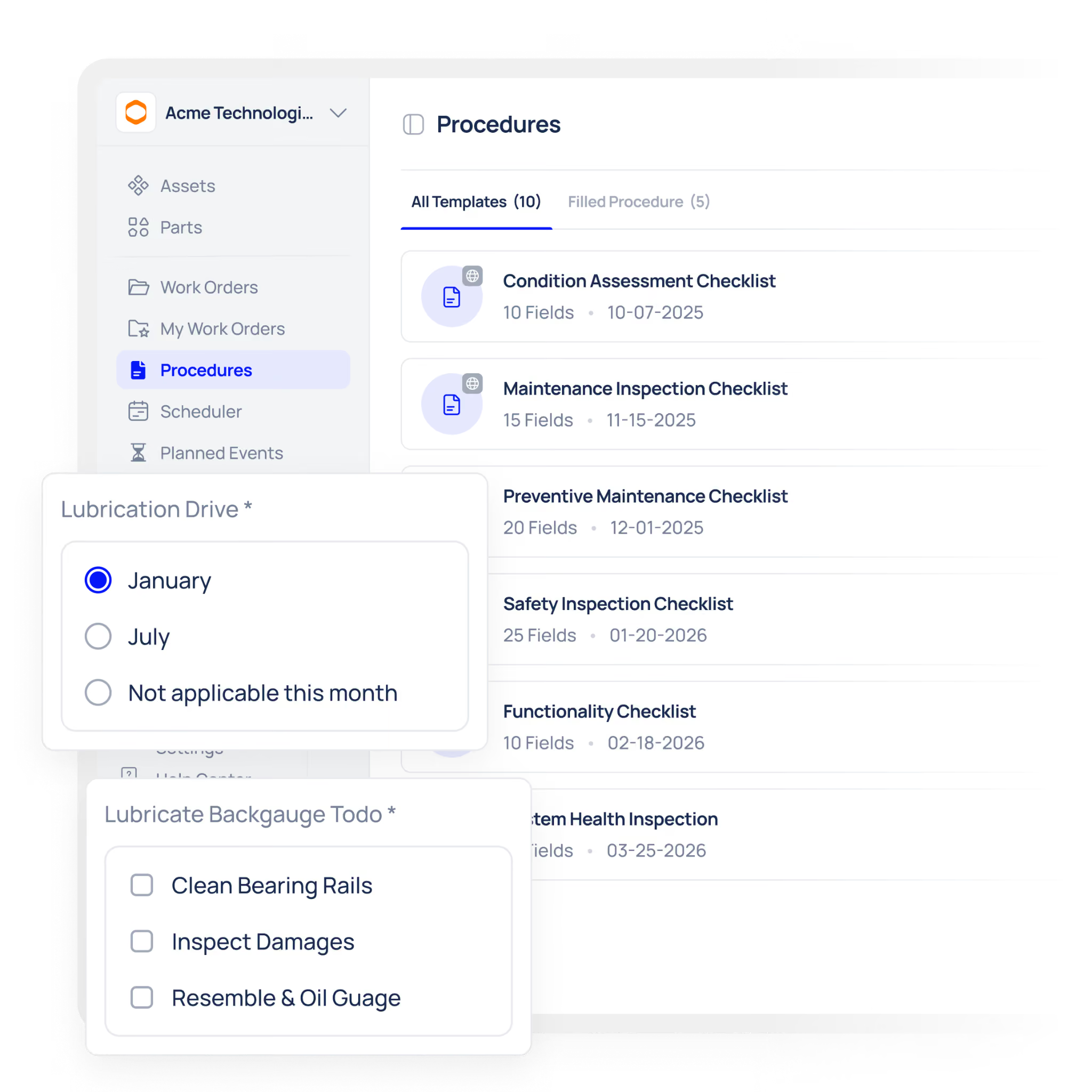
A strong inspection template library saves setup time, but flexibility matters more than volume. You need forms that match your assets, not generic checklists you have to bend into shape.
What to demand:
- A form builder your own team can use, without developer support
- Reusable templates you can clone and adapt across asset classes
- Conditional checklist logic that shows or hides fields based on previous answers
- Required fields and value ranges that must be satisfied before completion
Ask the vendor to add a branching rule live. If a "fail" answer instantly reveals a corrective-action field, that's genuine customisation. If it needs a change request, note the limitation.
Mobile and Offline Capability
This is the criterion buyers most often underweight, and the one most likely to sink adoption. Plants are full of dead zones, basements, plant rooms, large metal enclosures.
Offline inspection capability means a technician can complete a full checklist, attach photos, and sign off without a connection, then sync automatically once back in range. Test it properly: switch off connectivity mid-inspection during the demo. If the app stalls, your team will abandon it within weeks, whatever the price.
Scheduling and Recurring Triggers
Inspections that depend on someone remembering to run them will eventually be missed. Reliable inspection scheduling removes that dependency.
Look for fixed-interval triggers that generate inspections automatically daily pre-start checks, weekly walk-rounds, monthly audits with recurrence anchored to completion so schedules don't drift. Overdue inspections should be flagged clearly, not buried in a report nobody opens.
Mobile Sign-Off and Attachments
Accountability lives in the sign-off; evidence lives in the attachment. Both belong at the asset, not in an end-of-shift catch-up.
- Mobile sign-off that's timestamped and attributed to the named user automatically
- Photo and file attachments captured within the workflow, not a separate app
- Records linking the sign-off, photos and answers to the specific asset and inspection
A photo taken at the point of work turns a checklist from a claim into evidence exactly what an auditor wants to see.
Compliance Reporting and Audit Trail
The whole point of digital inspections is retrieval. Audit-ready inspection records should be producible in minutes, filtered by asset, date range, inspection type and pass/fail status.
Ask directly: if an auditor arrived tomorrow wanting twelve months of inspection history for one line, how long would it take? The answer should be minutes, without IT support or spreadsheet rework. A tamper-evident change history recording who edited what, and when strengthens the case further.
Analytics and Usability
Finally, the platform should help you spot patterns, not just store data. Inspection analytics should reveal which assets fail most often, which inspections run late, and where issues cluster without forcing you to build reports by hand.
Usability underpins all of it. A tool that needs a day of training per technician will see weak adoption regardless of capability. Ask how long a new starter takes to complete their first inspection unaided. The shorter, the better.
A Worked Example: Comparing Tools Against One Real Checklist
Abstract criteria are hard to judge. So take a single, concrete scenario and run every shortlisted platform against it.
The asset: a bottle-filling line that requires a daily pre-start inspection before production begins.
The checklist:
- Confirm guarding is in place and secure (pass/fail)
- Check fill-head seals for wear (pass/fail, with photo if fail)
- Record conveyor speed setting (numeric, within a defined range)
- Verify lubrication levels (pass/fail)
- Note any abnormal noise or leakage (free text, optional)
- Technician sign-off
Now watch how each criterion shows up in this one checklist:
- Customisation: a "fail" on the fill-head seal automatically reveals a photo field and raises a corrective task.
- Scheduling: the inspection generates automatically every production morning, flagged overdue if not completed by start-up.
- Offline: the technician completes it in a low-signal corner of the line, and it syncs later.
- Attachments: the seal-wear photo attaches directly to the record.
- Mobile sign-off: the technician's name and a timestamp lock in at completion.
- Compliance reporting: you export a month of this line's history in minutes for review.
- Analytics: over four weeks, you notice fill-head seals fail every Monday, a maintenance pattern worth acting on.
If a platform handles this one realistic checklist cleanly, it will handle most of your inspections. If it stumbles here, it'll stumble everywhere and no price advantage makes up for that.
Inspection Software Comparison: At a Glance
Use this table to score each vendor against the criteria that matter most.
Common Mistakes When Comparing Inspection Software
Even careful buyers slip up at this stage. Watch for these.
Leading with price. Cost belongs at the bottom of the checklist, not the top. A cheaper tool that technicians won't use is the most expensive option you can choose.
Judging the tool on a manager's screen. The person running the demo is rarely a technician. Always test the actual floor workflow, ideally with a technician in the room.
Accepting "it can be configured." Some platforms deliver custom logic or analytics only after a paid implementation project. Ask to see it live, not as a roadmap promise.
Testing export on clean demo data. Ask the vendor to export real-scale inspection history for one line and time it. If it takes longer than a few minutes, the reporting won't survive a real audit.
Treating analytics as a nice-to-have. Without trend visibility, you're collecting data you never use. The value isn't the record, it's the pattern the record reveals.
Conclusion
A sound inspection software comparison checklist weighs the criteria that decide real value: customisable templates, reliable offline use, mobile sign-off with attachments, fast compliance reporting, and analytics that surface patterns. Price still matters but only once a platform clears those hurdles.
Your next steps:
- Turn your most common inspection into a single test scenario
- Score each vendor against the criteria in the table above, weighting offline and audit export highest
- Insist on a live test of custom logic, offline mode and a real export
- Confirm how quickly a new technician can complete an inspection unaided
Book a demo to overlay this comparison checklist against a live schedule in Makula and see how each criterion is met in practice. How quickly could your current tool tick every box on the list?





