

Your team raises thousands of inspections a year. Pre-start safety checks, quality verifications, line clearances, equipment walk-rounds. The work gets done. But when someone asks you to prove an inspection happened on time, with the right sign-off and a photo of the issue found, can your current system actually deliver?
That gap is exactly why so many manufacturing teams end up replacing their first inspection tool within two years. The platform looked fine in a sales deck, then buckled the moment it met the realities of the floor patchy signal, gloved hands, branching checklists, and auditors who want evidence in minutes.
This guide is written for manufacturing leaders, plant managers, quality and operations stakeholders, and maintenance or compliance-conscious buyers who are comparing platforms right now. It won't tell you how to run inspections. It will give you a clear framework for evaluating inspection software so you can tell which features genuinely matter and which are just demo theatre.
Here's what you'll get:
- Why the wrong checklist features quietly cost you later
- The feature criteria that actually drive value on the floor
- A worked example so the criteria feel concrete
- A side-by-side comparison table for your shortlist
- FAQs for buyers at the decision stage
Why Choosing Inspection Software Is Harder Than It Looks
Most inspection software for manufacturing demos beautifully. The forms are tidy, the dashboards are colourful, and every feature works flawlessly on office Wi-Fi. The trouble starts when the same tool meets a real production environment.
The features that win demos are rarely the features that win adoption. A platform might have a slick form builder but no offline mode, so technicians in a plant room can't complete anything. It might capture sign-offs but bury the audit trail three exports deep. It might look configurable until you discover that "custom logic" means a paid services project, not something your team can set up.
The result is a familiar pattern: low adoption, incomplete records, and an audit response measured in hours rather than minutes.
So the real goal when evaluating inspection software isn't to count features. It's to identify which capabilities remove friction at the point of work and produce defensible evidence afterwards.
See How to Evaluate Inspection Software That Works on the Shop Floor
Learn how to separate demo-ready inspection tools from systems that actually work in real manufacturing environments. See how to test offline capability, custom logic, mobile sign-offs, and audit readiness using real inspection workflows from the plant floor.

The Core Features That Actually Matter
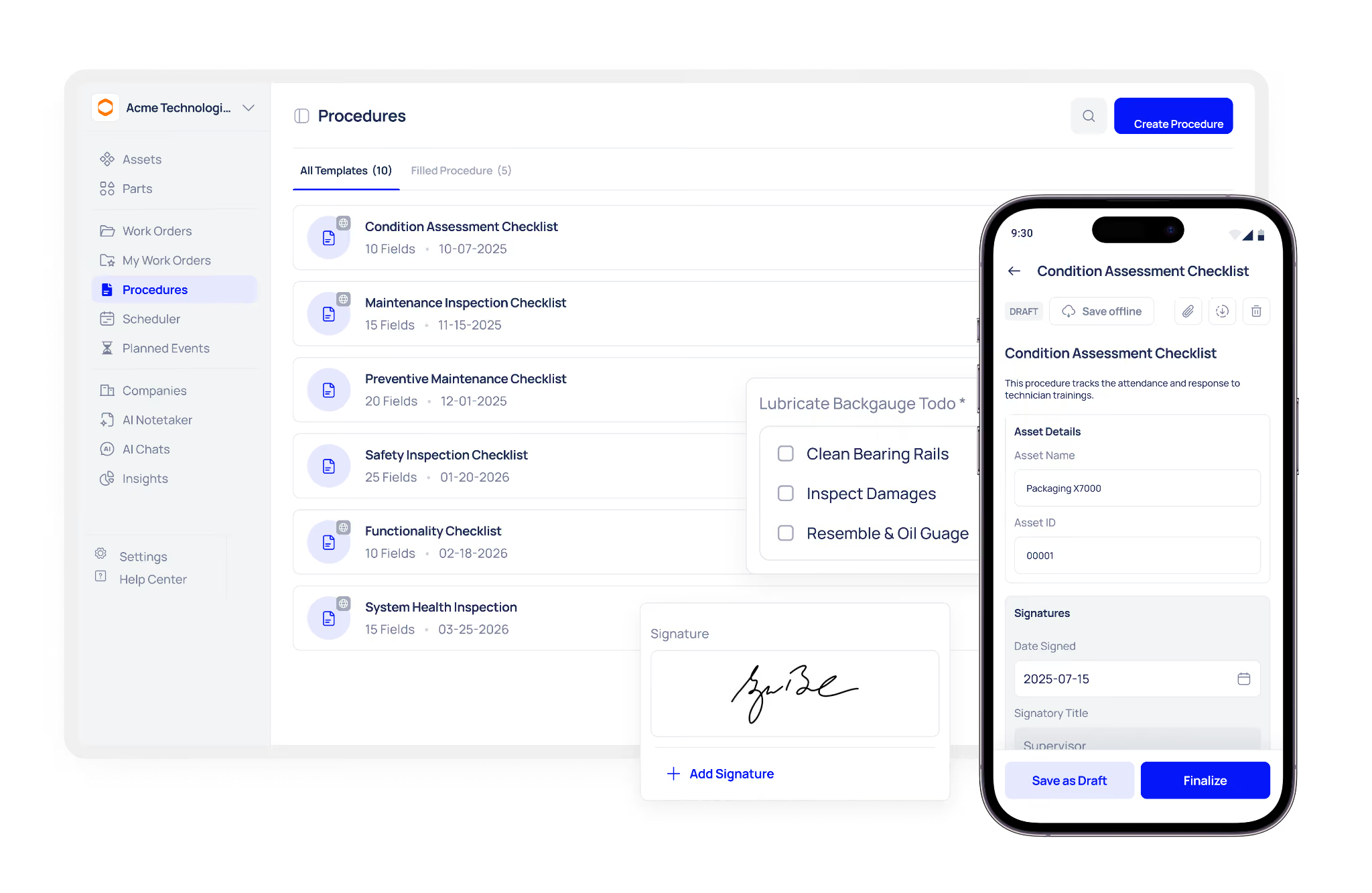
When you compare platforms, judge each one against the criteria below. These are the areas where good tools and weak tools genuinely diverge.
Digital Forms and Custom Logic
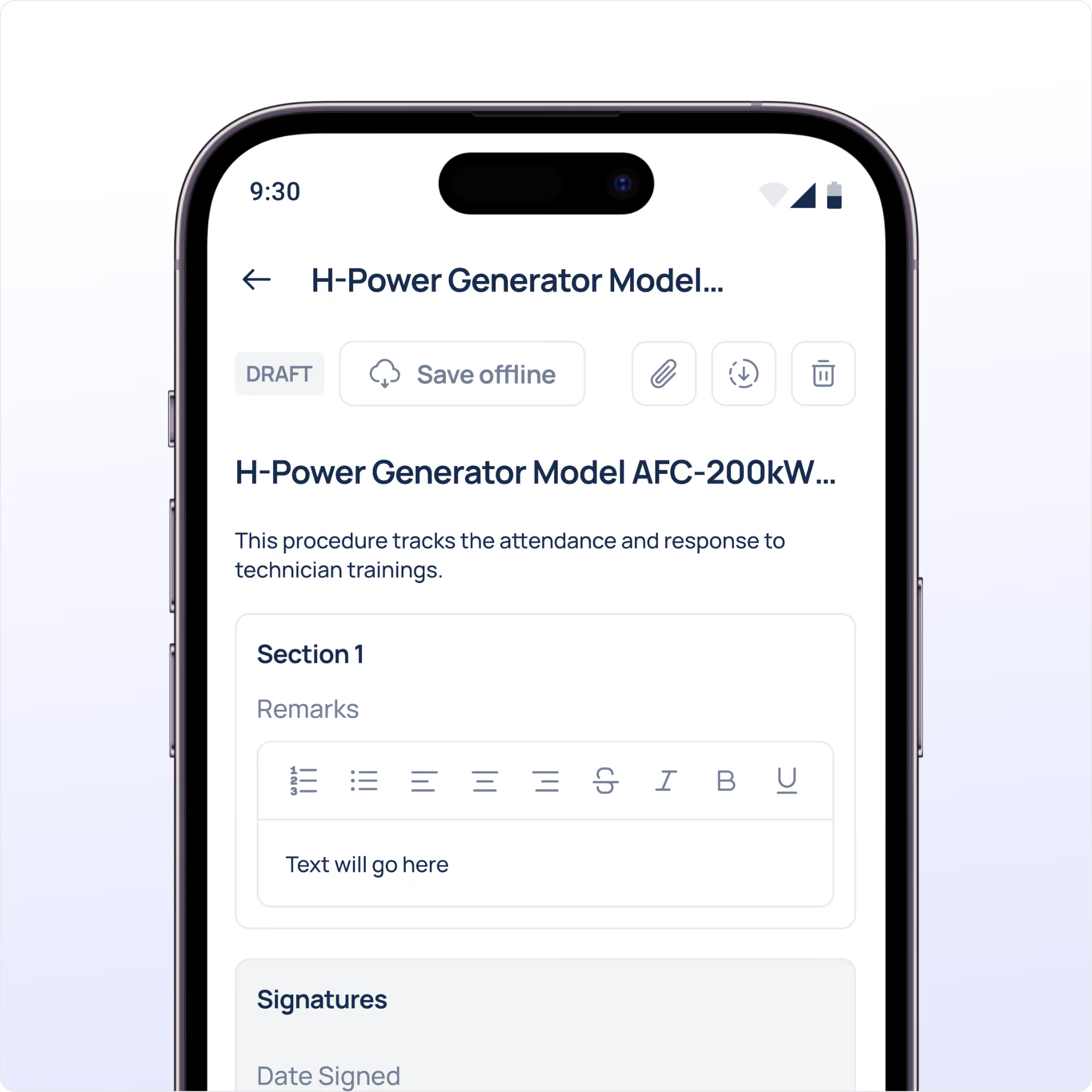
A digital inspection form is the foundation, but the quality varies enormously. Static forms that show every field to every user, every time, slow technicians down and invite errors.
What to demand:
- A form builder your own team can use, without developer support
- Conditional logic that shows or hides fields based on previous answers
- Required fields and value ranges that must be satisfied before completion
- The ability to trigger a follow-up task automatically when a check fails
The test is simple: ask the vendor to add a branching rule live in the demo. If a "fail" answer can immediately surface a corrective-action field, you're looking at genuine custom inspection logic. If it needs a change request, that's a warning sign.
Scheduling Triggers and Recurring Inspections
Inspections that rely on someone remembering to run them will eventually get missed. Strong inspection scheduling removes that dependency.
Look for fixed-interval scheduling that generates inspections automatically daily pre-start checks, weekly equipment walk-rounds, monthly quality audits with recurrence anchored to completion so schedules don't drift. Overdue inspections should be flagged clearly, not hidden in a report nobody opens.
Offline Capability
This is the criterion most buyers underestimate, and the one most likely to kill adoption. Plants are full of dead zones, basements, plant rooms, large metal enclosures.
Offline inspection capability means a technician can complete a full checklist, attach photos, and sign off without a connection, then sync automatically once back in range. Test it properly: switch off connectivity mid-inspection during the demo and watch what happens. If the app stalls, your team will abandon it within weeks.
Mobile Signing and Attachments
Accountability lives in the sign-off, and evidence lives in the attachment. Both need to happen at the asset, not from memory at the end of a shift.
- Mobile sign-off that is timestamped and attributed to the named user automatically
- Photo and file attachments captured within the inspection workflow, not a separate app
- Records that link the sign-off, photos and answers to the specific asset and inspection
A photo taken at the point of work turns a checklist from a claim into evidence which is precisely what an auditor wants to see.
Audit Capabilities and Exportable Records
The whole point of digital inspections is retrieval. Audit ready inspection records should be producible in minutes, filtered by asset, date range, inspection type and pass/fail status.
Ask the vendor directly: if an auditor arrived tomorrow and wanted twelve months of inspection history for one line, how long would it take? The answer should be minutes, without IT support or spreadsheet rework. Bonus points for a tamper-evident change history that records who edited what, and when.
Analytics and Usability
Finally, the platform should help you spot patterns, not just store data. Inspection analytics should reveal trends which assets fail most often, which inspections run late, where issues cluster without forcing you to build reports by hand.
And usability underpins everything. A tool that needs a day of training per technician will see patchy adoption regardless of how capable it is. Ask how long a new starter takes to complete their first inspection unaided. The shorter, the better.
A Worked Example: Evaluating a Pre-Start Checklist for a Filling Line
Abstract criteria are hard to judge. So picture a single, concrete scenario and run each platform against it.
The asset: a bottle-filling line that requires a daily pre-start inspection before production begins.
The checklist:
- Confirm guarding is in place and secure (pass/fail)
- Check fill-head seals for wear (pass/fail, with photo if fail)
- Record conveyor speed setting (numeric, within a defined range)
- Verify lubrication levels (pass/fail)
- Note any abnormal noise or leakage (free text, optional)
- Technician sign-off
Now watch how each capability shows up in this one checklist:
- Custom logic: a "fail" on the fill-head seal automatically reveals a photo field and raises a corrective task.
- Scheduling: the inspection generates automatically every production morning, flagged overdue if not completed by start-up.
- Offline: the technician completes it in a low-signal corner of the line, and it syncs later.
- Attachments: the seal-wear photo attaches directly to the record.
- Mobile sign-off: the technician's name and a timestamp lock in at completion.
- Analytics: over a month, you notice fill-head seals fail every Monday, a maintenance pattern worth acting on.
If a platform handles this one realistic checklist cleanly, it will handle most of your inspections. If it stumbles here, it'll stumble everywhere.
Inspection Software Evaluation: At a Glance
Use this table to compare vendors against the criteria that matter most.
Common Mistakes When Evaluating Inspection Software
Even careful buyers slip up at this stage. Watch for these.
Judging the tool on a manager's screen. The person running the demo is rarely a technician. Always test the actual floor workflow, ideally with a technician in the room.
Accepting "it can be configured." Some platforms can technically deliver custom logic or analytics but only after a paid implementation project. Ask to see it live, not as a roadmap promise.
Testing export on clean demo data. Ask the vendor to export real-scale inspection history for one line and time it. If it takes longer than a few minutes, the reporting won't survive a real audit.
Ignoring offline performance. It's easy to test on office Wi-Fi and assume it works everywhere. Ask specifically what happens when a technician loses signal mid-inspection. A vague answer is your answer.
Treating analytics as a nice-to-have. Without trend visibility, you're collecting data you never use. The value isn't the record, it's the pattern the record reveals.
Conclusion
Choosing well comes down to a simple principle: the best inspection software for manufacturing is the one your team actually uses, that removes friction at the point of work, and that produces evidence you can retrieve in minutes. Prioritise custom logic, reliable offline use, mobile sign-off with attachments, and analytics that surface patterns then test each against one real checklist before you decide.
Your next steps:
- Map your most common inspection and turn it into a test scenario
- Score each vendor against the criteria in the table above
- Insist on a live test of custom logic, offline mode and a real export
- Confirm how quickly a new technician can complete an inspection unaided
Book a demo to build an inspection checklist in Makula and see how mobile signing and attachments capture clean, audit-ready evidence at the asset. How quickly could your current tool produce that same record today?





