

It is a familiar feeling for maintenance managers across the UK. The end of the month looms, and instead of focusing on strategy or team performance, you are trapped in an office, wrestling with spreadsheets. You have three different CSV files open, a calculator on the desk, and a presentation due in two hours.
If you find yourself spending days just to report to the business what happened over the last four weeks, you have to ask: Is this normal?
The short answer is no. Or rather, it shouldn't be.
While many engineering teams still rely on manual data entry to track their performance, this legacy approach is a drain on resources. It turns skilled technical leaders into data entry clerks. The solution lies in shifting from manual compilation to maintenance reporting automation. It is time to reclaim your calendar and trust your data.
The "Excel Hell" of Manual Reporting
Why does the manual process take so long? It is rare because the data doesn't exist. The problem is usually that the data is everywhere. You might have shift logs in a physical book, downtime records in a dedicated software, and spare parts usage in an ERP system.
Bringing these disparate sources together requires a Herculean effort of copy-pasting, formatting, and formula-fixing. This manual workflow creates several critical issues:
- The Time Sink: Skilled managers spend up to 20% of their month just preparing to report on the other 80%.
- The Error Risk: Every time you manually copy a cell or drag a formula, you introduce the risk of human error. A misplaced decimal point can skew your MTTR figures entirely.
- The Lag: By the time you present your "current" status, the data is already a week old. You are driving the department, looking solely in the rear-view mirror.
Automating the Insight
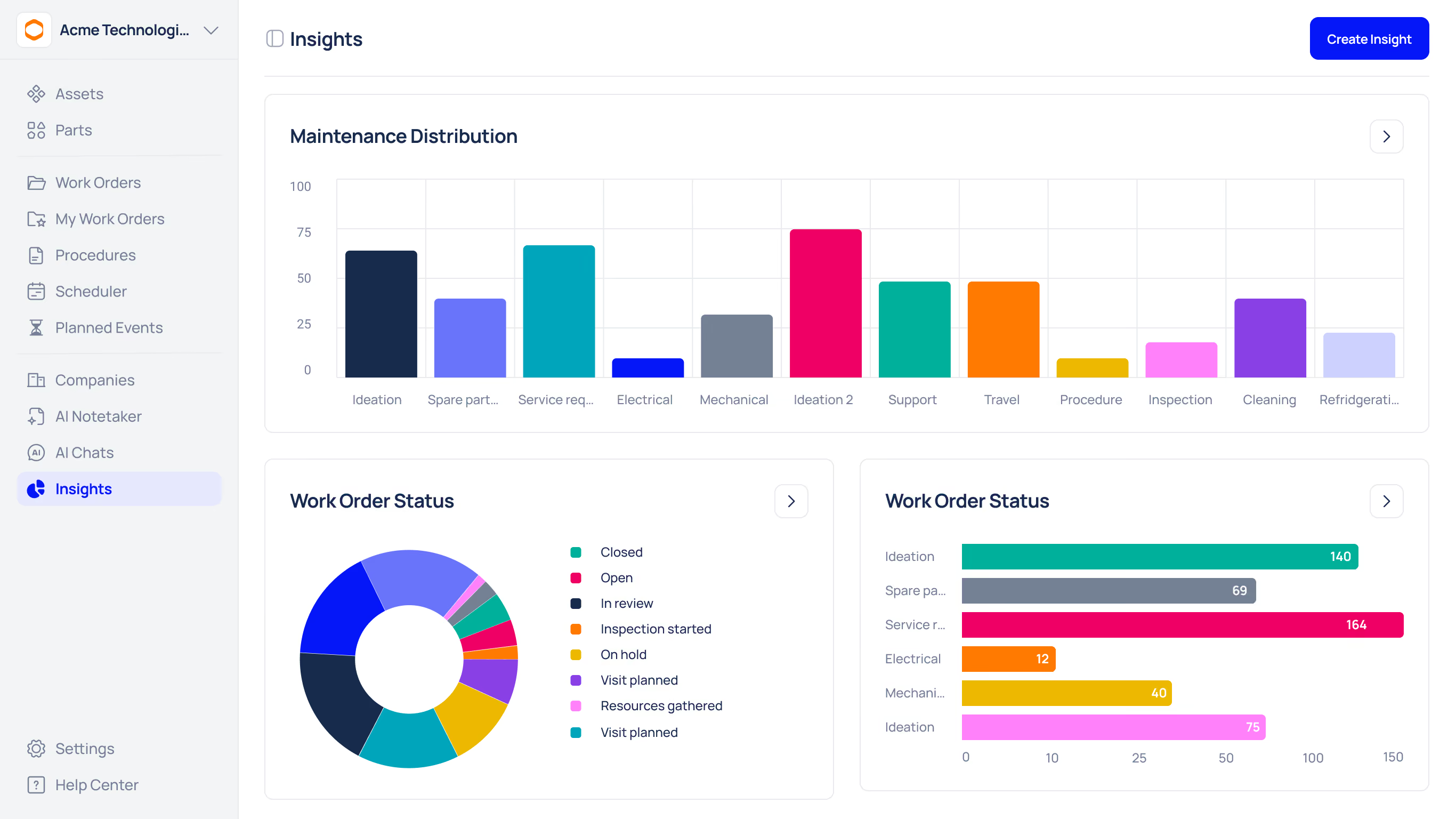
Maintenance reporting automation removes the friction between activity and insight. Instead of building the report, your software should generate it for you.
When your time-based PMs and work orders live in the CMMS, every completed PM produces clean, timestamped data, the very foundation that automated reporting needs
Imagine a workflow where the report builds itself in the background as your team works. When an engineer closes a ticket, the data updates the KPI dashboard, giving you fresher metrics without manual copy-paste. When a spare part is used, the inventory value updates immediately.
This shift allows you to move from "What happened?" to "Why did it happen?" much faster. You are no longer spending your meeting time debating whether the numbers are correct; you are discussing what to do about them.
Workflow Comparison: The Old Way vs. The Automated Way
To visualise the efficiency gap, consider the steps required to produce a standard monthly performance report.
The Manual Workflow (The Slow Road)
- Extract: Download CSV files from three different systems.
- Clean: Remove empty rows, fix formatting, and standardise date formats.
- Merge: Use VLOOKUPs to combine data into a master sheet.
- Analyse: Build pivot tables to calculate MTTR and downtime costs.
- Visualise: Generate charts and copy-paste them into PowerPoint.
- Present: Hope nobody asks for a drill-down, because the data is static.
The Automated Workflow (The Fast Lane)
- Capture: Engineers log work via a mobile app during the shift.
- Process: System automatically calculates metrics in real-time.
- Review: Manager opens the live dashboard.
- Present: Share the live view or click "Export PDF."
Comparing the Impact
The difference between these two approaches is not just about saving a few hours; it is about the quality of the decisions you can make.
Making the Business Case
If you are struggling to convince leadership to invest in better tools, focus on the hidden costs of the current method. Calculate the hourly rate of the people building these reports. If a Maintenance Manager and a Senior Engineer spend a combined 16 hours a month on reporting, that is a high annual cost purely for administrative work.
Furthermore, maintenance reporting automation provides a level of transparency that builds trust with upper management. When they see consistent, accurate data presented clearly, they are more likely to approve budget requests for new equipment or headcount. They can see the direct correlation between investment and performance.
Stop Assembling, Start Analysing
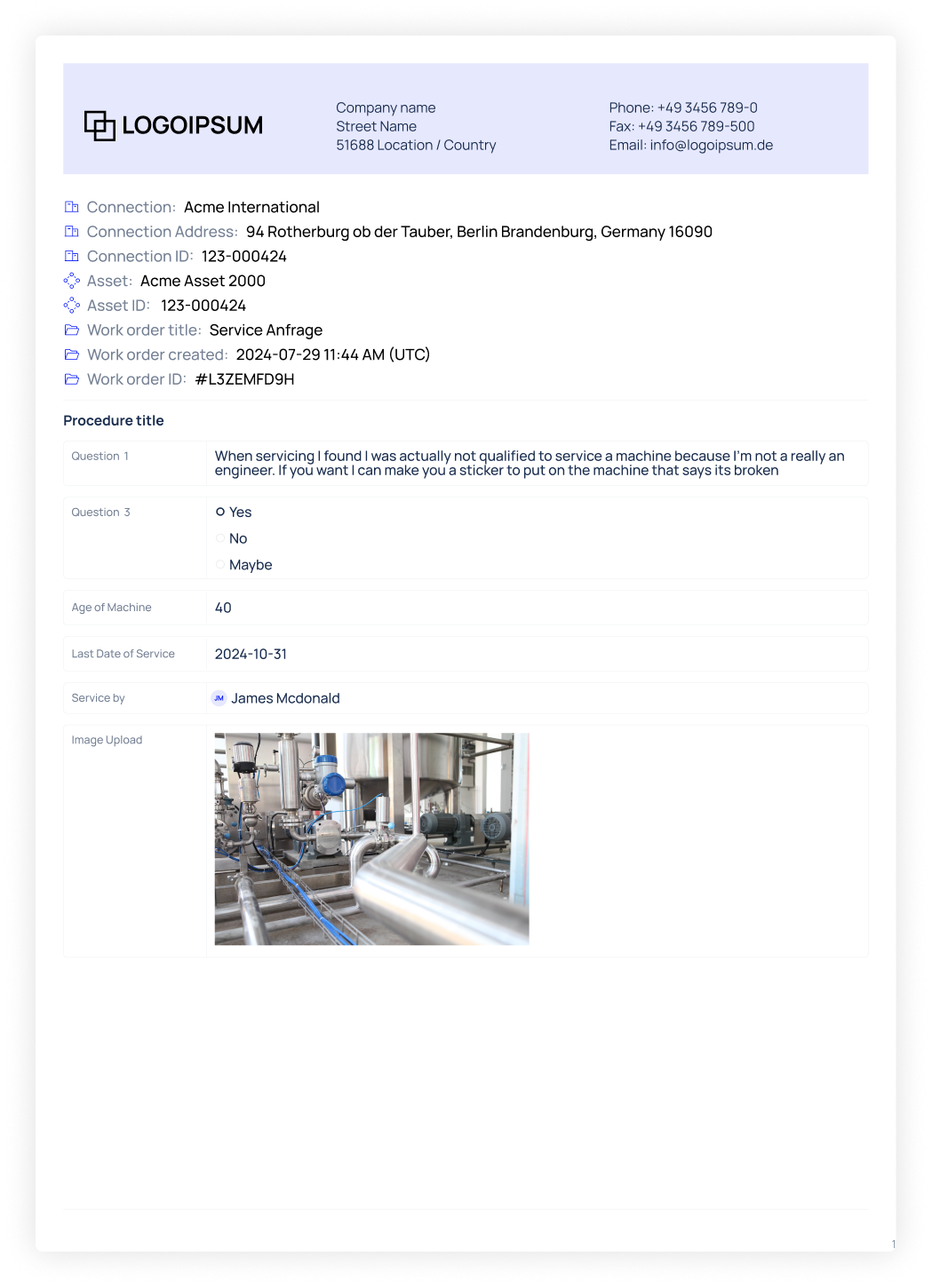
Note: Report generated per OEM guidelines. Example report shown below
Your job is to ensure reliability and uptime, not to be a spreadsheet wizard. If monthly reporting feels like a recurring nightmare, it is a sign that your tools are failing you.
By embracing automation, you transform the monthly report from a dreaded deadline into a valuable asset. You gain the ability to spot trends before they become failures and demonstrate the true value of your maintenance team to the wider business.
Are you ready to stop the manual grind and start seeing the full picture instantly?
A time-based CMMS centralises PM schedules, work orders and attachments so monthly reports assemble from clean source data, making month-end fast and defensible.





