
Walk onto almost any manufacturing floor, and you will quickly spot the familiar sight of a clipboard. Stacks of paper checklists sit on machinery, gathering dust, grease, and coffee stains. Technicians spend hours ticking boxes, only to hand those sheets over to a manager who manually types the data into a spreadsheet.
If you are leading a maintenance team, you likely recognise this process is fundamentally broken. You might even find yourself saying, "We don't know how to move from paper to reliable digital checks." It feels like a massive mountain to climb. You worry about technician pushback, data loss during the transition, and the sheer effort required to digitise hundreds of unique forms.
Staying stuck in the past is not a viable strategy. Paper forms get lost, handwriting is unreadable, and by the time data reaches a computer, it is already out of date. You need a structured approach to leave paper behind.
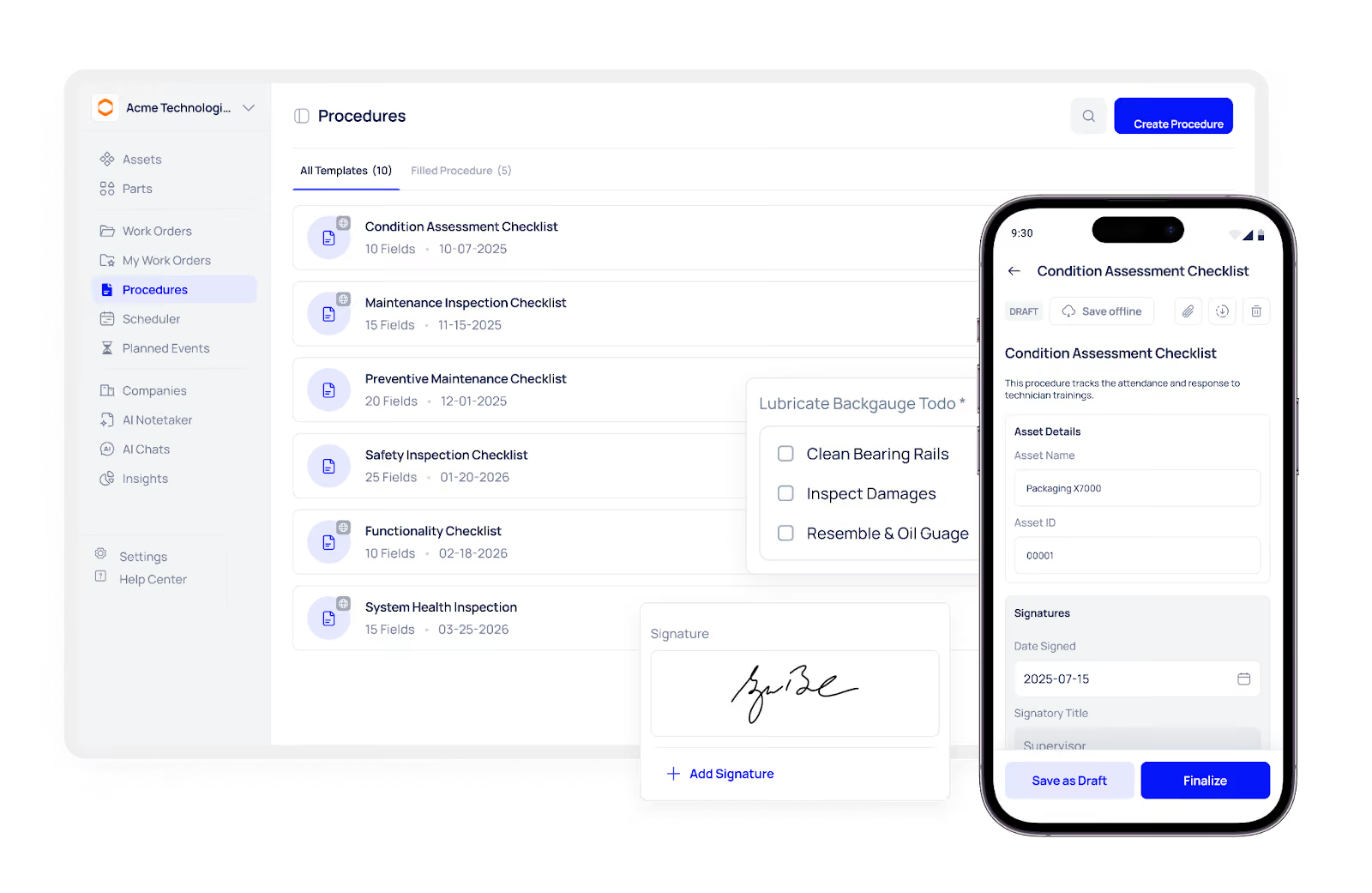
This guide serves as your definitive digital inspection playbook. We will break down the transition into six manageable steps, helping you eliminate paper, improve data accuracy, and give your technicians a system they actually want to use.
The true cost of paper checklists
Before diving into the solution, you must understand exactly why the paper clipboard is damaging your operations. It goes far beyond the cost of printer ink.
First, paper creates a dangerous delay in communication. If a technician spots a critical fault during a morning inspection, but that paper form sits in a tray until the end of the shift, you lose hours of valuable reaction time. That delay can easily turn a minor fix into a catastrophic machine failure.
Second, the paper offers zero accountability. Anyone can sit in a breakroom and quickly tick "checked" down a list of 50 items without ever looking at the machine. There is no way to verify when or where the inspection actually took place.
Finally, paper traps your data. You cannot easily spot trends, analyse failure rates, or predict future breakdowns when all your historical information is locked away in physical filing cabinets. To build a proactive maintenance strategy, you need live, accessible data.
Your 6-step digital inspection playbook
Transitioning to a digital system does not have to be chaotic. By following this digital inspection playbook, you can guide your team smoothly from messy paper trails to streamlined mobile workflows.
Step 1: Audit your current paper trails
Do not try to digitise everything at once. Start by collecting every physical form, checklist, and inspection sheet your team currently uses. Lay them all out on a large table. You will quickly notice redundancies.
Group these forms into categories. Identify the daily safety checks, the weekly mechanical inspections, and the monthly compliance audits. Discard any forms that are outdated or no longer serve a real purpose. Your goal here is to establish a clean, necessary baseline of checklists before you move them onto a screen.
Step 2: Choose the right digital tool
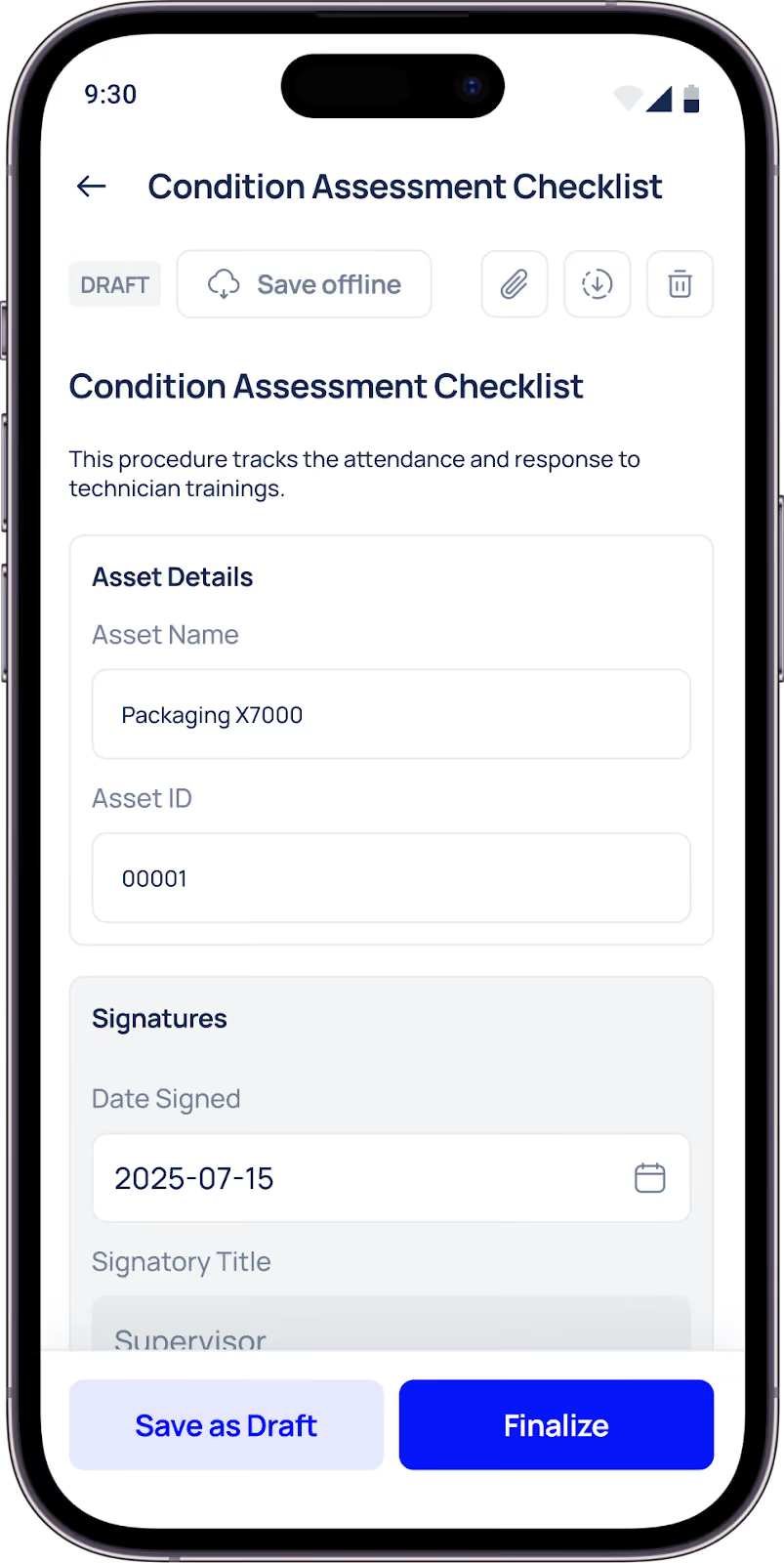
You need a platform that is robust enough to handle complex logic but simple enough for a technician wearing gloves to operate. A complicated interface will immediately kill adoption.
Look for a system that allows for offline functionality, as Wi-Fi on the factory floor can be notoriously spotty. The tool should also support mandatory photo uploads and digital signatures. Implementing a modern platform like Makula CMMS ensures your team has a highly intuitive mobile interface that captures inspection data accurately, syncing it directly to your central dashboard the moment they hit submit.
Step 3: Standardise and simplify your checklists
When moving forms to a digital space, do not just copy the paper version word for word. Digital platforms allow for much smarter logic.
Instead of asking open-ended questions that lead to vague answers, use strict parameters. Implement dropdown menus with specific fault codes. Use "pass/fail" buttons. If a technician selects "fail", configure the system to automatically demand a photo and a brief explanation. This approach forces standardised data entry, making it much easier for you to track trends and measure equipment health over time.
Step 4: Run a focused pilot programme
Never launch a new system across your entire facility on a Monday morning. You need to test the waters first.
Select one specific department or a small group of your most tech-savvy technicians to pilot the new digital checks. Run this pilot for two to three weeks. This controlled environment allows you to spot missing questions, fix confusing layouts, and test the software's reliability under real working conditions.
Step 5: Train and empower your team
Change can be intimidating, especially for technicians who have used paper for decades. You must frame this transition as a tool that makes their jobs easier, not as a way for management to micromanage them.
Hold hands-on training sessions using the actual mobile devices they will carry on the floor. Show them how the new digital inspection playbook eliminates the need to carry heavy binders, removes the chore of deciphering bad handwriting, and drastically speeds up their daily routines. When they realise the software saves them time, they will champion the change.
Step 6: Review, refine, and scale
Once your pilot is successful and your team is trained, begin rolling out the digital checks across the rest of the facility. However, your job is not finished once the software is live.
Set a regular schedule—perhaps once a quarter—to review the data you are gathering. Are technicians constantly skipping a specific question? Does a certain checklist take twice as long as expected? Use these insights to continually tweak and refine your digital forms. A good digital system is never static; it evolves alongside your operations.
The conversion roadmap
To keep your project on track, refer to this summary table outlining the core actions and goals for each phase of your transition.
Final Thoughts: From Paper to Real-Time Maintenance Control
Paper-based inspections do not just slow your team down; they limit your ability to act on critical information when it matters most. Delayed reporting, inconsistent data, and a lack of accountability make it difficult to move from reactive fixes to proactive maintenance.
Digitizing your inspections is not simply about replacing clipboards with tablets. It is about creating a connected maintenance workflow where every check feeds into better decisions. When inspection data is captured in real time, linked to assets, and structured within your CMMS, your team can respond faster, plan better, and prevent failures before they escalate.





