
A routine repair becomes a big delay when the right spare isn’t available at the workshop bench or on the service cart. For in-house maintenance teams that keep production running, this isn’t about field vans, it’s about internal logistics: parts in the storeroom, who reserved them, and wheher the work order had the right part number in the first place.
When your team must make a second visit to a machine on the same shift or wait for a part from the central stores, you lose uptime, waste labour, and create scheduling chaos. The fix isn’t luck, it’s process. A CMMS centred workflow makes sure work orders and parts move together.
The real cost of missing the right part
- Lost production while the technician waits or returns later.
- Wasted labour on repeat visits and rescheduling.
- Hidden admin hours tracking down part numbers and purchase history.
- Lower morale when skilled techs spend time hunting parts, not fixing machines.
Why does this keep happening in plants
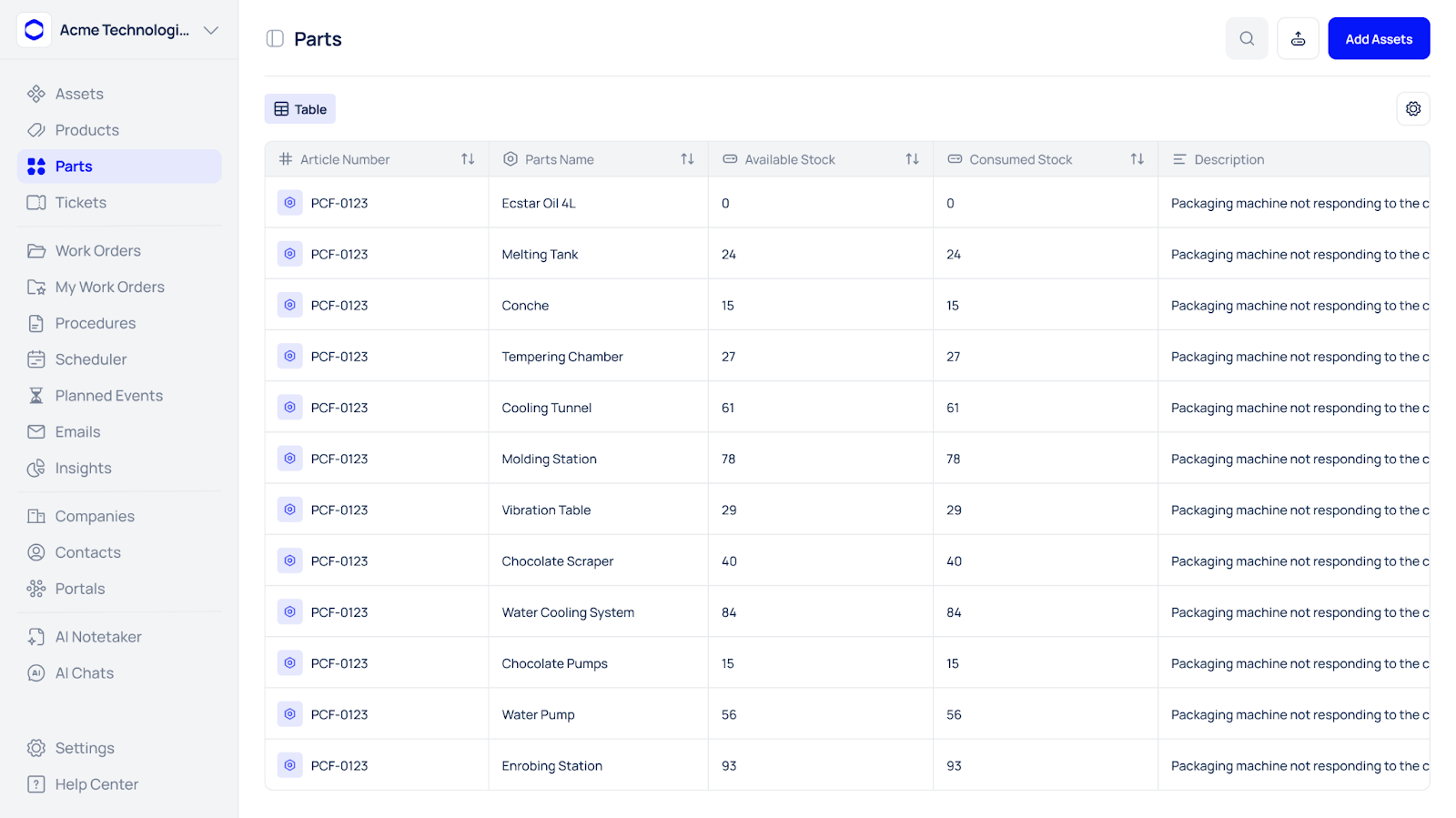
- Job records lack standardised part numbers or vendor SKUs.
- Parts are reserved informally (sticky notes, verbal requests).
- Work orders are created after the fact, so MTTR and parts usage are inaccurate.
- No mandatory parts-check step before an assignment is dispatched to a technician.
A CMMS-first workflow to stop repeat visits (practical steps)
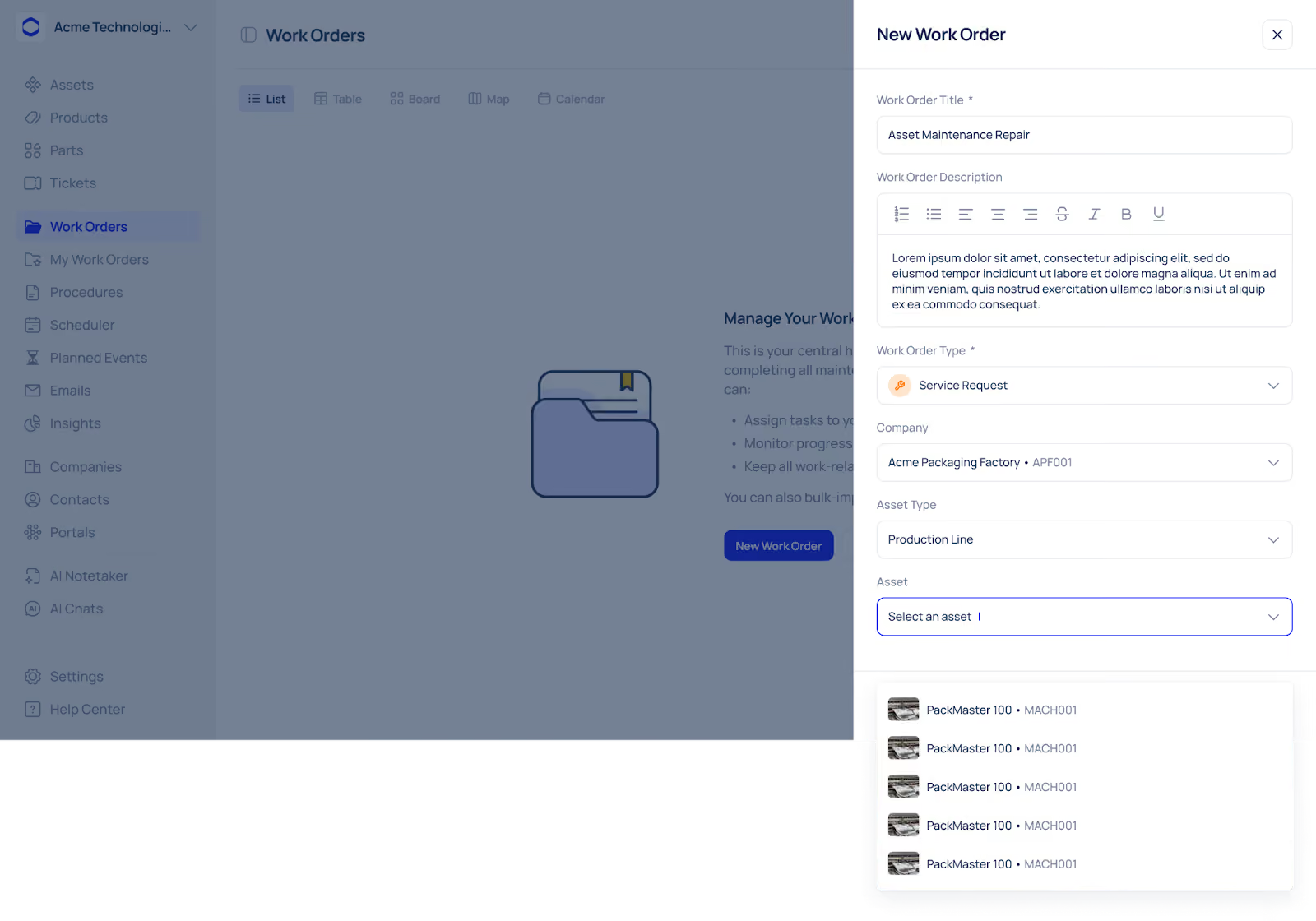
- Require part numbers on every work order: don’t allow “spare part” as a description. Use dropdowns or a linked parts list to avoid free text.
- Reserve parts at dispatch: When a supervisor assigns a task, mark the part as “reserved for job” in the CMMS (or flag it if a separate inventory system manages stock). This prevents double-use.
- Parts-on-cart verification before the job: technicians must confirm parts on the mobile app before leaving the stores/bench. This becomes a mandatory workflow step (cannot start work without confirmation).
- Log parts used at closeout: when the job is completed, update the work order with exact part numbers, quantities and attach photos if needed. This feeds an accurate usage history.
- Use work-order history to inform stocking: measure which parts are repeatedly used and create spare kits for common repairs.
Parts-on-cart checklist (for in-house teams)
- Work order number & priority checked
- Exact part number(s) verified against asset record
- Quantity verified (include spares if required)
- Part condition inspected (no damage)
- Tools & consumables confirmed
- Attachments (manual pages/torque values) added to work order
- Technician initials & timestamp on mobile before departure
Add this checklist as a mandatory step inside the CMMS mobile workflow.
How Makula CMMS helps
Makula centralises asset records, time-based PM schedules, work orders, checklists and attachments so job information and part references come from one auditable source. Use mandatory part-number fields and a mobile parts-verification step on work orders to force parts confirmation before dispatch. Attach supplier contacts, manual pages and photos to assets so technicians know exactly what to bring, and log parts usage at closeout so your usage data drives stocking decisions. If you run stock in a separate inventory system, import or link parts lists to Makula so work orders show the right parts and locations while inventory handles live counts.
Tip: Because Makula uses time-based PMs, link recurring PMs to standard spare lists in the asset record — that ensures routine jobs always show the recommended parts.
Best practices
- Standardise parts data: SKU, supplier, lead time — one source of truth.
- Make timestamps mandatory: reported, start, finish — accurate MTTR & FTFR.
- Create common spare kits for the top 10 failure modes to save picking time.
- Monthly audit: review top missing parts and adjust min-stock levels.
- Train technicians on the CMMS mobile flow and why accurate part logging matters.
Quick 30-day pilot (what to run first)
- Choose 5 high-impact assets.
- Add required part fields + the parts-on-cart checklist in the CMMS.
- Enforce mobile confirmation for all related work orders.
- Run 30 days and measure First-Time-Fix Rate and parts pick accuracy weekly.
- Tweak and scale.
Expected outcome: measurable FTFR uplift and fewer delayed repairs within the pilot window.
KPIs to track
- First-Time-Fix Rate (FTFR) — % jobs fixed on the first visit
- Parts Pick Accuracy — % jobs where required parts were confirmed before starting
- Repair Lead Time (component waiting time) — time waiting for a part after assignment
- Cost per Repair (including return visits)
Conclusion
For in-house maintenance teams, the right part not being at hand usually means the data and process failed, not the technician. Move parts control into the CMMS workflow: standardise part numbers, reserve parts at assignment, force mobile verification, and log parts used at closeout. Do this, and the “second visit” becomes rare, uptime improves, labour is used better, and your maintenance team looks like the experts they are.





