
“We have no clear lifecycle or approvals, jobs slip and costs rise.”
If that sounds familiar, you are not alone. Many maintenance teams deal with delayed approvals, unclear job steps, missing parts, and work orders that sit unresolved for too long. The result is wasted labour, higher costs, and slower response times across the site.
A 7-day maintenance workflow audit helps you identify where your work orders are breaking down and what is slowing the team down. Instead of trying to fix everything at once, you can focus on the biggest bottlenecks first and make targeted improvements that create faster, smoother work execution.
This guide explains how a short workflow audit works, the most common problems it uncovers, and how a platform like Makula CMMS helps teams move from reactive maintenance to a more structured process.
Why maintenance workflows slow down
Work orders rarely fail because of one major issue. More often, they slow down because of small process gaps that add up over time.
A technician may wait for approval before starting a simple task. A part may not be checked before the job is scheduled. A request may arrive with a vague fault description. A contractor may be contacted by phone instead of through a defined process. Each delay seems small on its own, but together they create serious inefficiency.
Without a clear workflow, maintenance teams spend too much time waiting, searching, clarifying, and correcting mistakes.
What a maintenance workflow audit does
A maintenance workflow audit is a focused review of how work orders move through your system.
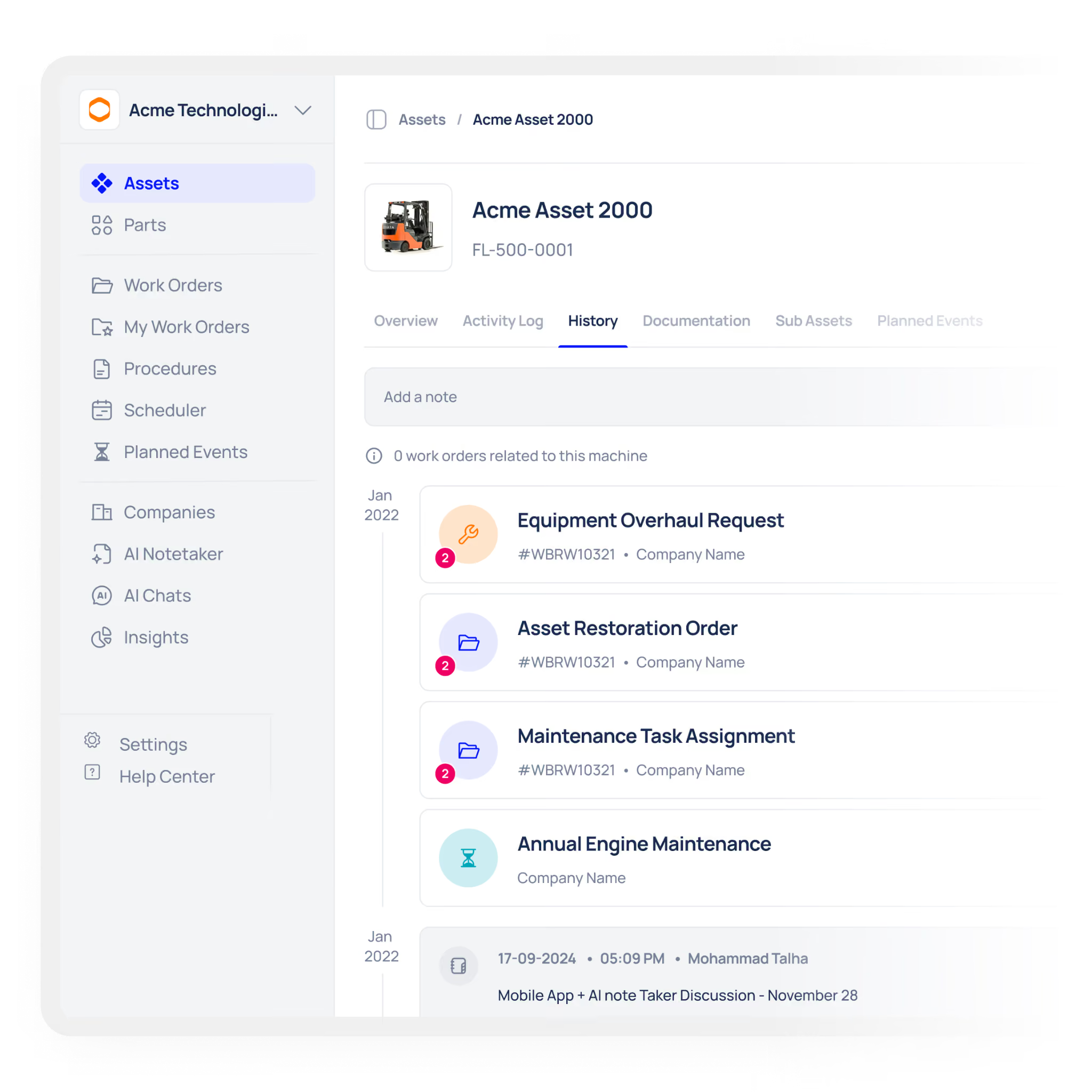
It looks at:
- how requests are submitted
- how approvals are handled
- how jobs are assigned
- how parts are checked and issued
- how work is completed and closed
- how reporting is created
The goal is to find where time is being lost and which process changes would have the biggest impact.
A 7-day audit is especially useful because it creates fast visibility without disrupting daily operations.
The most common bottlenecks in work orders
During a typical audit, the same problems appear again and again.
1. Chasing missing spare parts
Technicians arrive on site only to find the required part is not available. This causes avoidable delays and wasted travel time.
2. Waiting for manual approvals
Paper-based or email-based approvals often slow jobs down, especially when managers are unavailable.
3. Vague fault descriptions
A request like “machine broken” is not enough to act on quickly. Poor descriptions delay diagnosis and planning.
4. Extra trips to the store
When tasks are not grouped properly, engineers make repeated trips for tools or parts.
5. Manual data entry
Copying work order details into spreadsheets or paper logs takes time and introduces errors.
6. Searching for manuals
If asset documentation is not attached to the work order, technicians waste time looking for it.
7. Repeating poorly documented repairs
When previous fixes are not recorded clearly, the next technician starts from zero.
8. Duplicate requests
The same issue may be reported multiple times if the system does not merge related tickets.
9. Contractor coordination by phone
External work often becomes slow when it is managed through scattered calls and emails.
10. Slow end-of-month reporting
When data is spread across different places, reporting takes too long and is often incomplete.
How the 7-day audit works
The purpose of the audit is not to review everything forever. It is to find the most important opportunities quickly.
Days 1–3: Review active work orders
Start by examining current jobs, recent requests, and open tickets. The aim is to understand where work is getting stuck and which issues are repeated most often.
Day 4: Identify the key bottlenecks
Once the data is reviewed, patterns start to appear. Some jobs may be delayed by approvals. Others may be blocked by missing parts or poor descriptions.
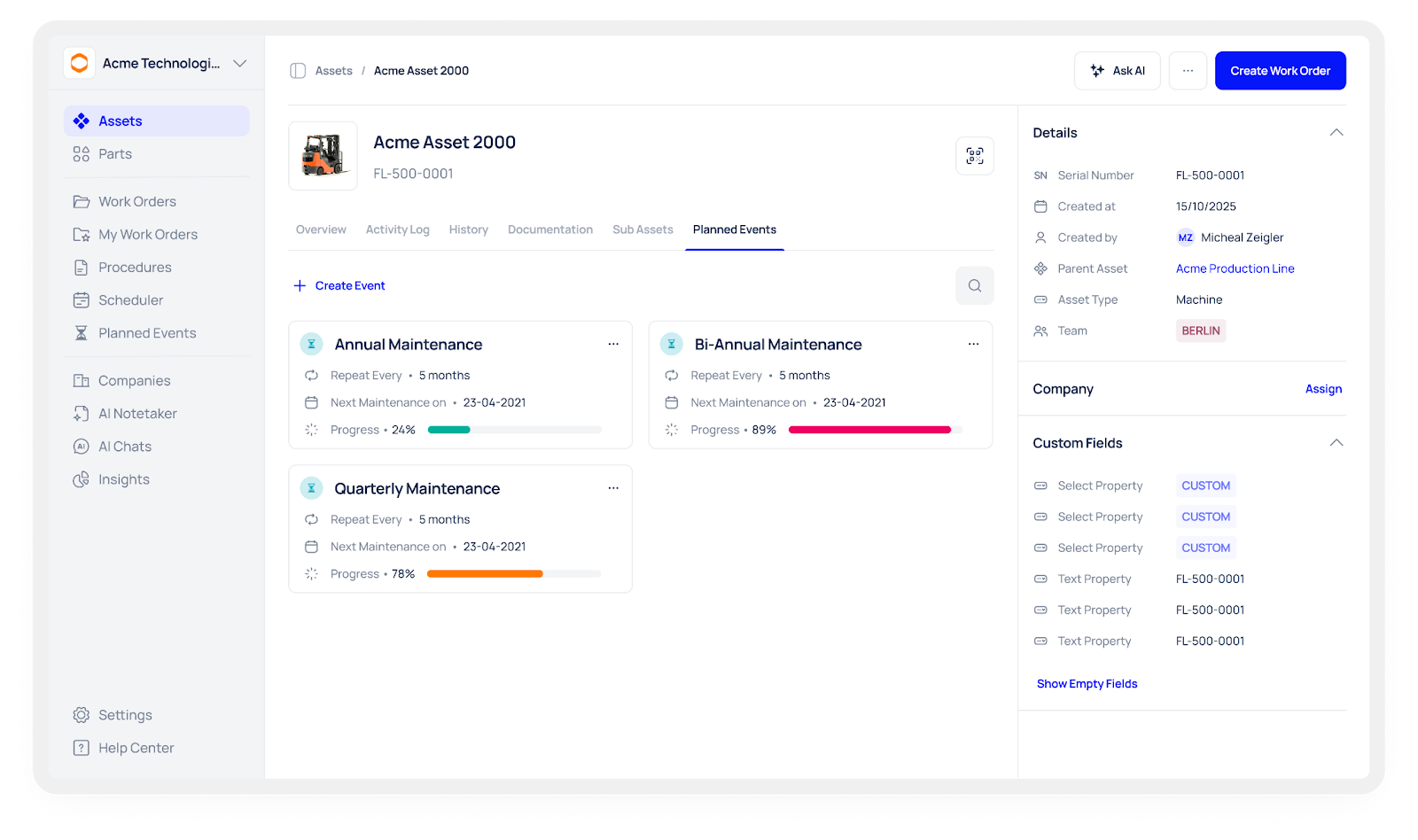
Day 5: Build a custom dashboard
Create a simple dashboard that shows the main problems clearly. This gives the team and management a shared view of what needs attention first.
Days 6–7: Prioritise the fixes
At the end of the week, turn the findings into action. Decide where approvals should be automated, which fields should be mandatory, and how the job lifecycle should be structured.
The result is a practical improvement plan, not a vague report.
Why this matters for maintenance teams
A faster work order process helps teams in several ways.
It reduces downtime by getting jobs moving sooner. It lowers labour waste by cutting out unnecessary waiting. It improves visibility by making work progress easier to track. It also helps with compliance because approvals, notes, and closures become more consistent.
When the workflow is clear, technicians can spend more time fixing assets and less time dealing with administrative friction.
How Makula CMMS supports the process
Makula CMMS helps teams improve work order performance by centralising data and making workflows easier to control.
Instead of relying on spreadsheets, email threads, and paper forms, teams can manage requests, approvals, task details, and reporting in one system. That makes it easier to define clear lifecycles, reduce delays, and keep work moving.
With a better structure in place, no job has to slip through the cracks.
A simple before-and-after view
Repurpose the results
The audit findings can also be useful beyond the maintenance team.
They can become the basis for an internal case study, a process improvement report, or a presentation for leadership. Showing how much time was saved or how many delays were reduced helps justify further investment in maintenance improvements.
Conclusion
When jobs slip and costs rise, the real problem is usually not the work itself. It is the workflow around the work.
A 7-day maintenance workflow audit gives you a fast way to see where time is being lost, where approvals are slowing things down, and where your team needs better structure. Once those bottlenecks are clear, you can make practical changes that improve speed, control, and reliability.
Makula CMMS helps teams put that structure in place and keep it working over time.





